
ℹ️ Introduction
This article explains how System Administrators can manage staff access in Ardens Manager, including adding new users, removing access and assigning System Administrator permissions. By the end of this article, you will be able to manage user access and permissions for your organisation.
Background
Ardens Manager allows organisations to control which staff members can access the platform. Managing access ensures the right users can view dashboards, monitor performance and take action based on insights.
System Administrators are responsible for keeping user accounts accurate and up to date.
How Ardens Can Help
Ardens Manager provides tools to securely manage user access. System Administrators can:
Add new staff members
Remove users who no longer require access
Assign or remove System Administrator permissions
Update staff details such as job titles
Enable additional permissions, including access to patient data.
➕ Adding Staff Members
Login to Ardens Manager
Select your name in the top right corner of the screen
Click Settings
Select your organisation from the left-hand panel
Click + Add Staff located in the top right corner
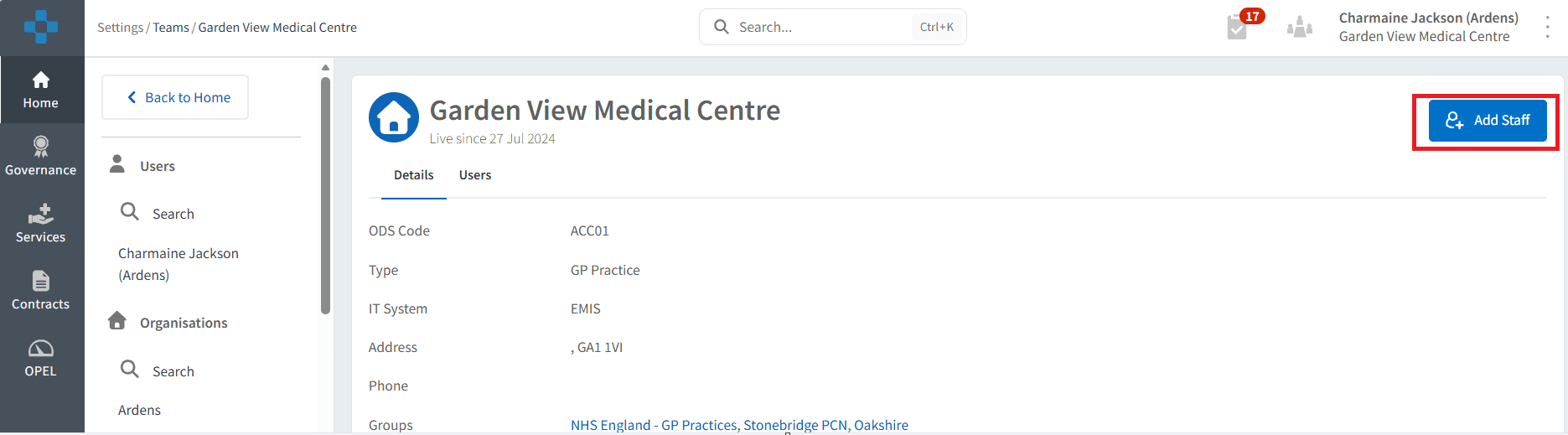
Enter the staff member's email address and click OK
Enter their first name, last name and job title
If required, select the System Administrator option
The user will receive an email invitation and will appear in the Pending Members section until they log in for the first time.
⚙️Managing Admins
System Administrators have additional permissions, including:
Accepting organisational tasks
Managing staff access
Configuring platform settings
Assign Permissions
Go to Settings and select your organisation
Click on the Users tab and locate the staff member
Click on the three-dot menu to the right of the staff member and select Make System Admin
Remove Permissions
Navigate to the System Administrator section.
Locate the relevant user.
Click the three-dot menu and select Remove as System Admin.
⚠️ Please note:
Staff Members will appear as Pending Members until they accept the email invitation.
Access settings cannot be modified while the user is pending.
Only System Administrators can manage staff access.
❓FAQs
I cannot find the +Add staff option.
Only System Administrators can add new users to the organisation. The option will not be available for staff members.
Can a user belong to multiple organisations?
Yes, If the email address already exists in Ardens Manager, the user will appear as an existing user and can be invited to join your organisation.
🏫 Additional Support
To further your understanding of the Ardens Manager platform:
Book training for your GP Practice, PCN or ICB
Complete the Getting Started with Ardens Manager academy module
Contact our Support Team for support in real time