
Introduction
This article explains how to use Ardens Manager to support risk stratification. By the end of this article, you will be able to identify patients based on risk, prioritise care, and target interventions to improve outcomes.
Background
Risk stratification is the process of identifying patients based on their likelihood of experiencing a specific outcome, such as hospital admission, disease progression, or poor continuity of care.
This supports a more proactive approach to care by helping organisations:
Identify patients at highest risk
Prioritise clinical workload
Target interventions more effectively
Improve patient outcomes and experience
Risk stratification is a key component of population health management and is widely used across practices, PCNs, and Commissioners and Integrated Care Systems to support planning and delivery of care.
How Ardens Can Help
Ardens Manager brings together multiple validated risk stratification tools into a single view, allowing you to segment your population and prioritise care.
The platform allows you to:
Identify patients by risk category across multiple models
Compare risk across different conditions and outcomes
Apply risk filters to any report
Target specific cohorts for intervention
Support proactive and preventative care
Risk data is available through:
Dedicated Risk Stratification registers
Risk breakdowns within all reports
This enables a consistent approach to identifying and managing patient risk across your organisation.
✅Included in Ardens Manager National Content package: Interested in finding out more or requesting a trial? Contact accounts@ardens.org.uk
📍 Access the Tools
Risk Stratification Registers
Login to Ardens Manager
Select Services from the panel on the left
Select the Population Dashboard
Navigate to the Risk Stratification tab
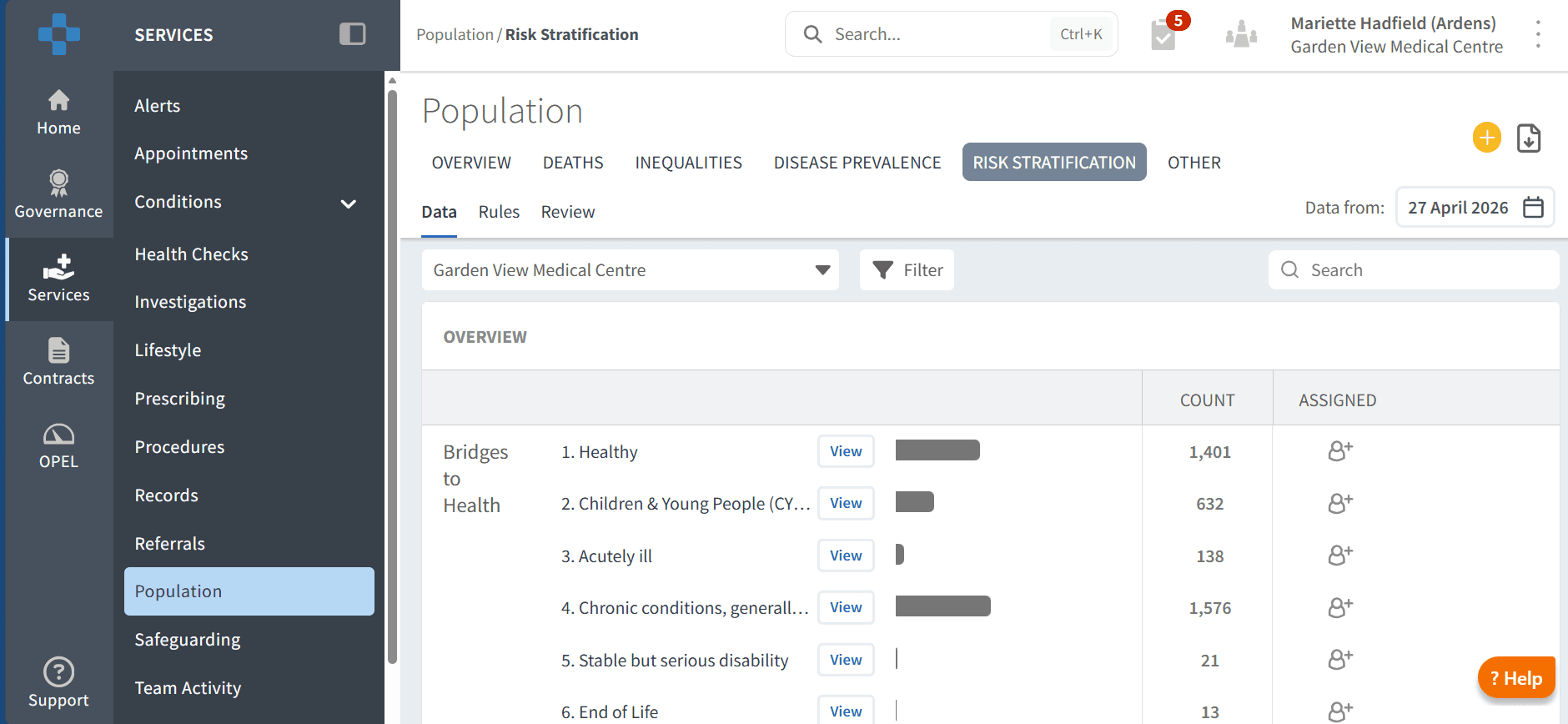
The Risk Stratification tab contains registers for each risk model, allowing you to identify patients grouped by risk category.
Use this section to:
Identify high-risk patients
Understand the size of each risk cohort
Prioritise patients for review or intervention
Each register groups patients into categories (e.g. high, medium, low risk), depending on the model used.
Risk Stratification By Report
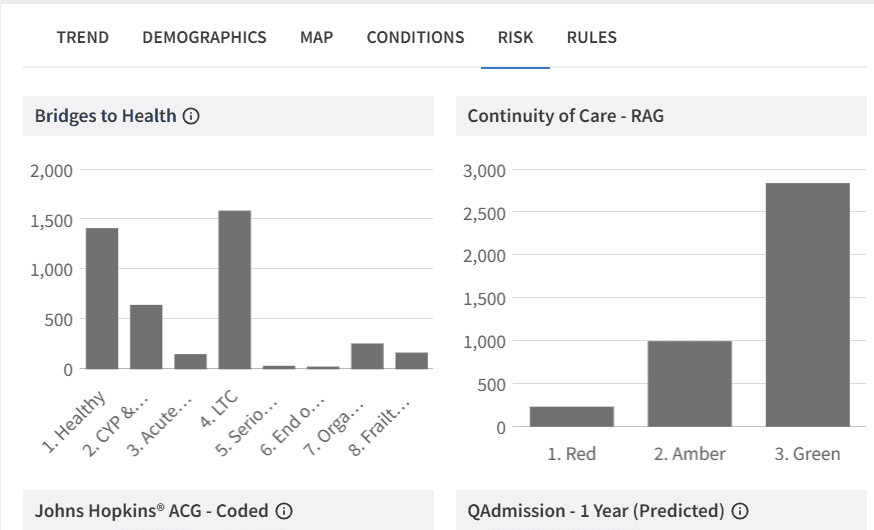
Risk stratification tools are integrated into reports across Ardens Manager, allowing you to apply risk filters to existing patient cohorts.
To access this:
Click View next to the relevant report
Select the RISK tab
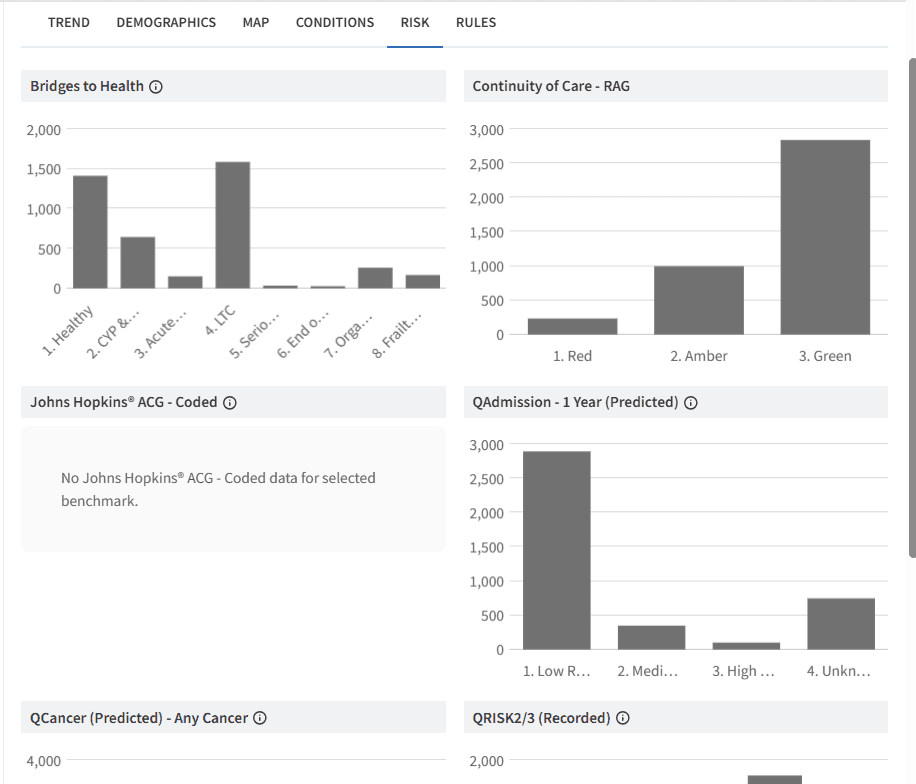
Use this to:
Apply risk categories to any report
Combine clinical and risk data
Focus on patients based on level of risk
📊Risk Stratification Tools
Ardens Manager includes a range of risk models, each designed to support different areas of care:
Each model uses different data and methodologies to assess risk.
For more information on each tool and how to interpret the results, see the dedicated article for each tool.
🎯 Target Patients
Risk stratification can be applied across all areas of Ardens Manager to support targeted analysis.
To apply risk filters:
Click View next to any report
Select the RISK tab
Choose the relevant risk model and category
Applying the risk category:
Open the Filter panel
Select the relevant risk model and category
Click APPLY
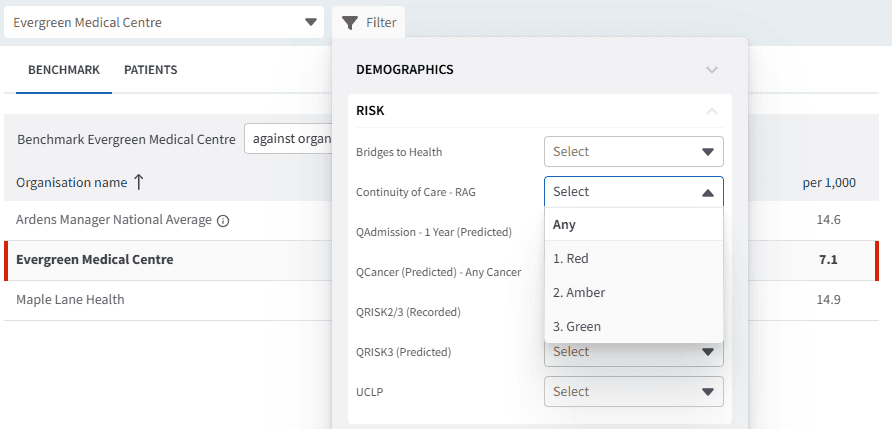
This allows you to:
Focus on high-risk patients within any cohort
Combine clinical, operational, and risk data
Prioritise activity based on need
Identify Patients
To view patient-level data:
Click View next to the relevant report
Select the PATIENTS tab
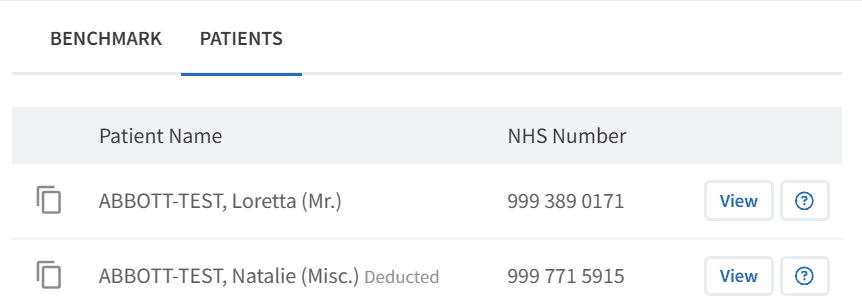
Within the patient list:
Patients can be filtered by risk category where applied (see section Target Patients above)
This allows you to identify cohorts based on risk level
To view an individual patient:
Click View next to the patient’s NHS number to open the Patient View
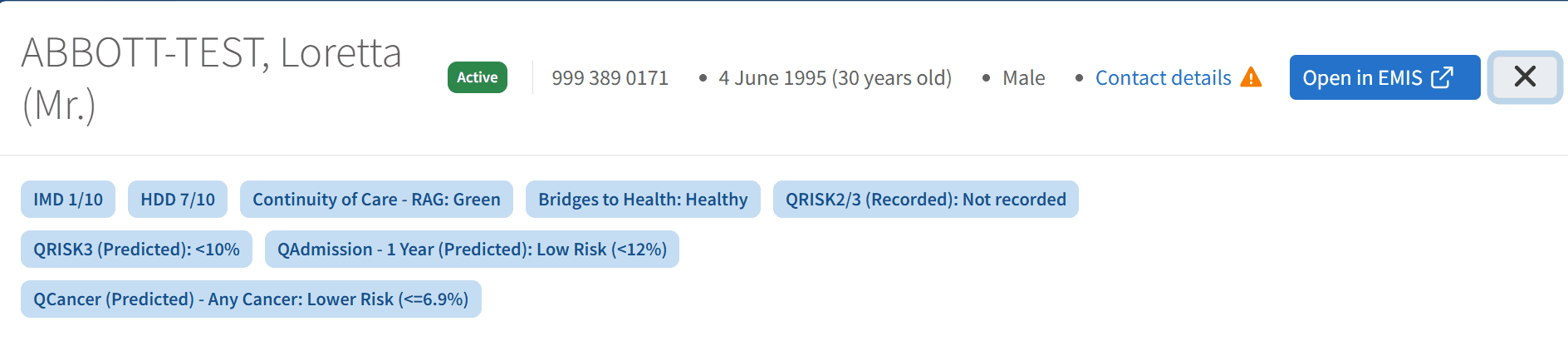
Within the Patient View:
Risk status is displayed for each model (e.g. QRisk, Bridges to Health, Continuity of Care)
This is shown alongside other clinical and reporting information for the patient
This supports targeted review and more informed, patient-centred decision making.
⚖️ Use Risk to Support Prioritisation
Risk stratification supports a more targeted and efficient approach to care.
Use this to:
Prioritise patients for recall or review
Identify patients at risk of deterioration
Target proactive interventions
Support workload planning
This helps shift from reactive care to a more proactive, population-based approach.
❓ FAQs
What is risk stratification used for?
It is used to identify patients at higher risk of specific outcomes, helping prioritise care and target interventions.
Can I use risk stratification across different dashboards?
Yes, risk filters can be applied to reports across Ardens Manager using the RISK tab.
Are all risk models measuring the same thing?
No, each model focuses on different outcomes (e.g. cardiovascular risk, hospital admission risk, continuity of care).
Should I only focus on high-risk patients?
High-risk patients are often prioritised, but medium-risk groups can also benefit from early intervention.
Can I access patient-level data?
Yes, patient lists are available within each report to support review and action.
🏫 Additional Support
To further your understanding of the Ardens Manager platform:
Book training for your GP Practice, PCN or ICB.
Complete the Risk Stratification & Population Segmentation Academy module.
Contact our Support Team for support in real time.