
ℹ️ Introduction
This article explains how to use Ardens Manager to support population risk stratification using the QCancer® model. By the end of this article, you will be able to identify patients with an increased risk of undiagnosed cancer and use this information to support proactive review, early identification activity, and service planning.
Background
QCancer® is a validated cancer risk prediction model designed to estimate a patient’s likelihood of having an undiagnosed cancer based on a combination of symptoms, demographics, lifestyle factors, and clinical history.
The model supports earlier identification of patients who may benefit from further assessment or review and helps organisations take a more proactive approach to cancer detection and population health management.
It supports organisations to:
Identify patients with elevated cancer risk
Support earlier identification and review activity
Prioritise patients for follow-up or assessment
Inform proactive and preventative care approaches
Support population health management and service planning
QCancer® risk scores are generated using coded clinical data and should be used to support prioritisation and clinical review alongside professional judgement.
How Can Ardens Help
Ardens Manager provides QCancer® risk stratification within the Population Dashboard, allowing you to review cancer risk across your population and apply risk filters across reports.
This enables you to:
Identify patients with increased cancer risk
Understand cancer risk distribution across your population
Apply QCancer® filters across all Ardens Manager reports
Combine cancer risk with existing clinical cohorts
Support proactive review and earlier identification activity
QCancer® is also available as a filter within all report breakdowns, allowing further stratification of any cohort.
✅Included in Ardens Manager National Content package: Interested in finding out more or requesting a trial? Contact accounts@ardens.org.uk
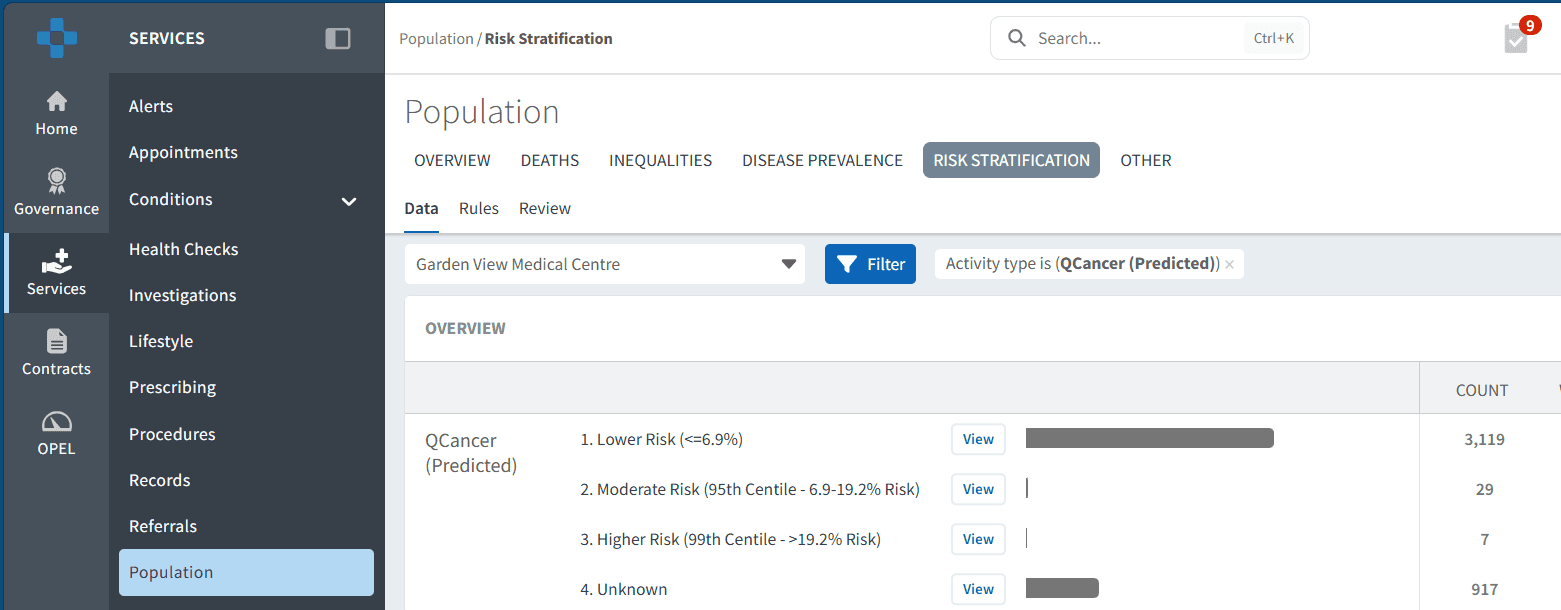
📍 Access QCancer®
Population-level registers
Login to Ardens Manager
Select Services from the left-hand panel
Select the Population Dashboard
Select the Risk Stratification tab
Locate QCancer® (Predicted)
Use within reports
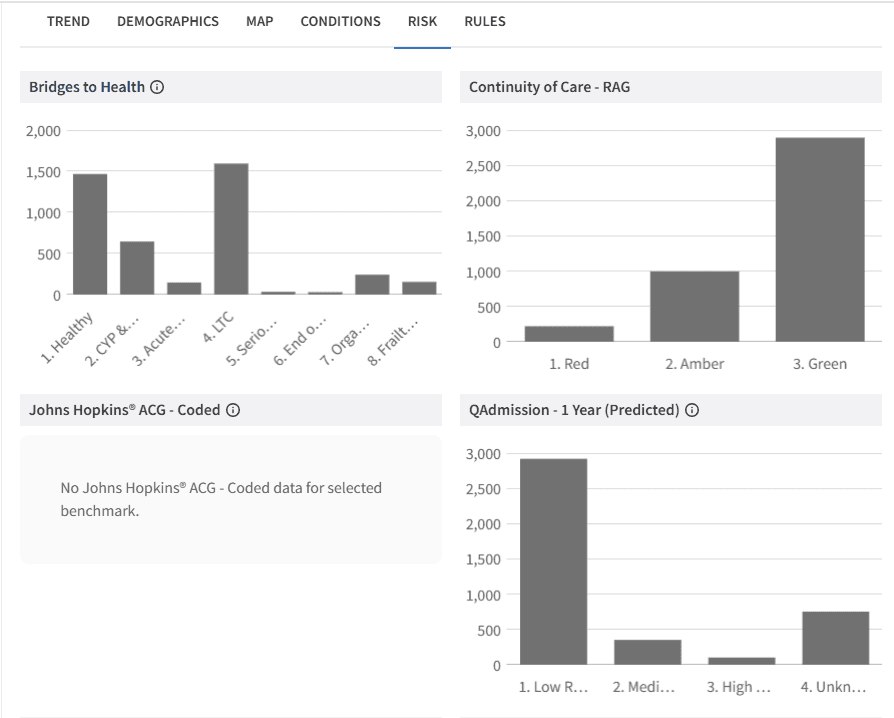
QCancer® can also be applied within any report in Ardens Manager.
To access this:
Click View next to a report
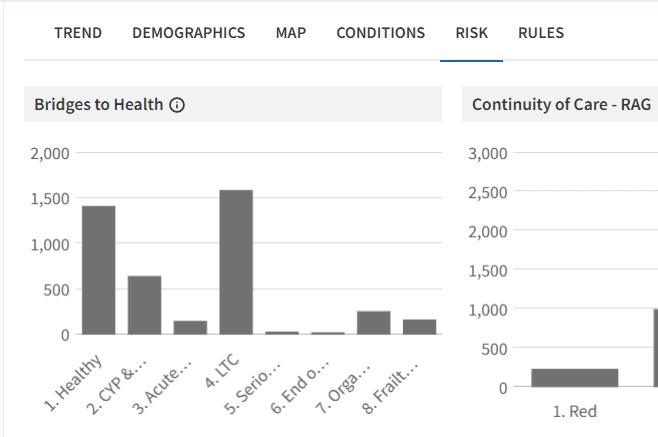
Select the RISK tab
🏷️ Categories
Patients are grouped according to their predicted risk of undiagnosed cancer.
Risk categories may include:
Low Risk
Moderate Risk
High Risk
Very High Risk
These categories help organisations identify patients who may benefit from earlier review, assessment, or follow-up activity.
🔎Use Segmentation
Target patients within reports
QCancer® can be applied to any existing cohort to support prioritisation.
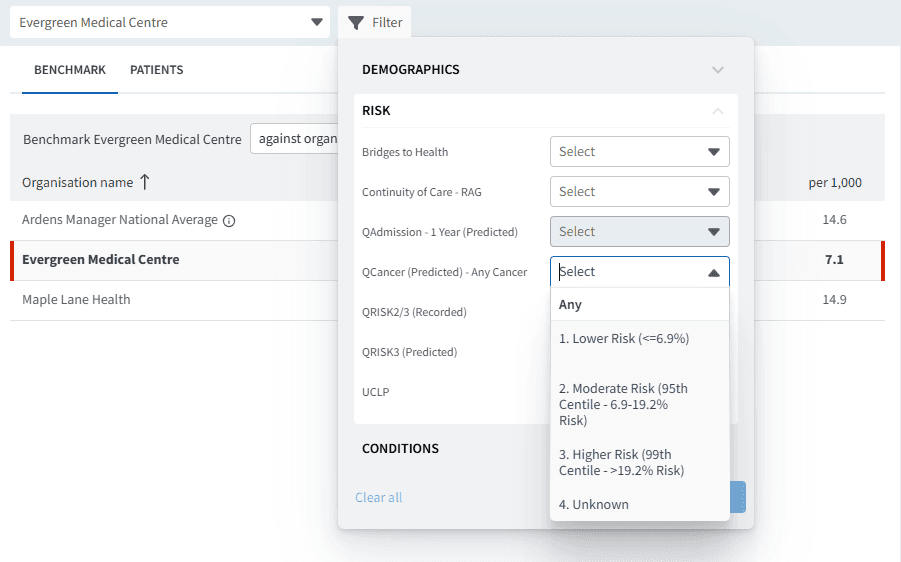
To access this:
Click View next to a report
Select the RISK tab
Open the Filter panel
Open the RISK section
Select QCancer (Predicted) - Any Cancer
Choose the required category or categories
Click APPLY
This updates the report view to show data within the selected segmentation group.
Use this to:
Focus on patients at increased cancer risk within a defined cohort
Combine cancer risk with clinical or operational reporting
Support earlier identification initiatives
Prioritise review and follow-up activity
Patient-level review
To view patient-level data:
Click View next to a report
Select the PATIENTS tab
Open Patient View for individual records
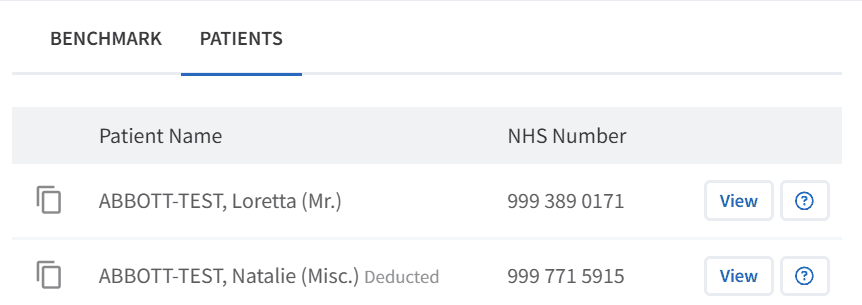
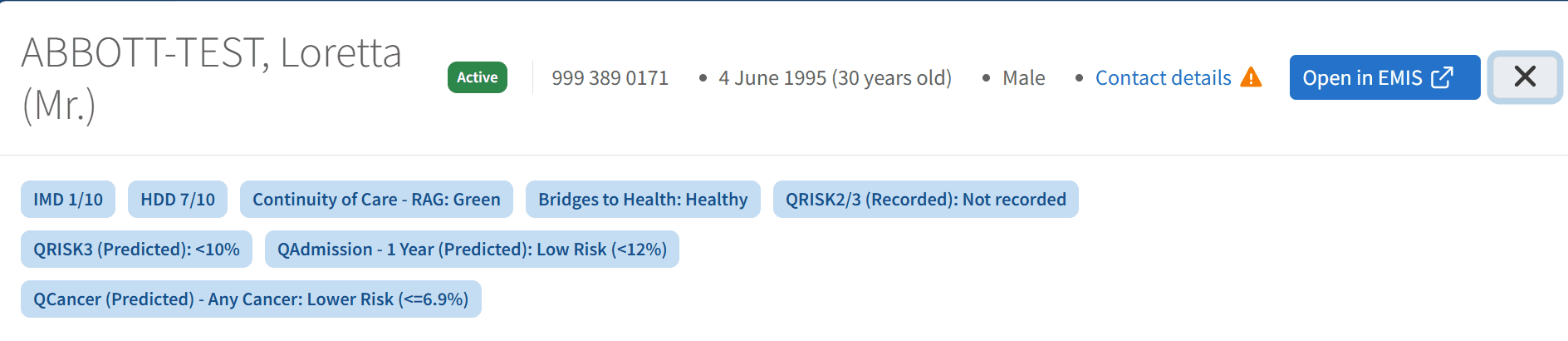
Within Patient View:
QCancer® risk information is displayed alongside other risk stratification tools
This allows comparison across multiple risk models
Supports targeted review and follow-up activity
⚠️ Key Considerations
QCancer® is derived from coded clinical data
Accuracy depends on completeness and quality of underlying coding
Risk scores estimate likelihood of undiagnosed cancer and should not be used for diagnostic purposes.
QCancer® should support prioritisation and review alongside clinical judgement
Risk status may change over time as patient data changes
❓ FAQs
What is QCancer® used for?
It is used to identify patients with an increased risk of undiagnosed cancer to support earlier identification and proactive review.
How is cancer risk calculated?
Risk scores are generated using coded demographic, symptom, lifestyle, and clinical information recorded within the patient record.
Can QCancer® be used with other reports?
Yes, it can be applied as a filter across all Ardens Manager reports via the RISK tab.
Does QCancer® diagnose cancer?
No. It is a risk stratification tool and should be used alongside clinical judgement and appropriate assessment pathways.
🏫 Additional Support
To further your understanding of the Ardens Manager platform:
Book training for your GP Practice, PCN or ICB.
Complete the Risk Stratification & Population Segmentation Academy module.
Contact our Support Team for support in real time.