
ℹ️ Introduction
This article explains how UCLP Population Risk Stratification is presented and used within Ardens Manager. By the end of this article, you will be able to identify patients within UCLP priority cohorts, apply priority filters across condition reports, and use this information to support proactive long-term condition management and population health planning.
Background
UCLP Population Risk Stratification is a clinically defined prioritisation framework developed by UCLPartners (UCLP). It uses coded clinical information to group patients with long-term conditions into clinically meaningful priority cohorts.
Unlike population-wide risk stratification tools, UCLP prioritisation is condition-specific and is embedded within the relevant condition dashboards in Ardens Manager.
It supports organisations to:
Identify patients requiring prioritised review or intervention
Support proactive long-term condition management
Structure call and recall activity
Inform population health management and service planning
Support delivery of UCLP pathways and programmes
Patients may appear in different priority groups across different conditions depending on the clinical criteria applied.
How Ardens Can Help
Ardens Manager provides UCLP Population Risk Stratification across a range of long-term condition dashboards and reports.
This enables you to:
Identify clinically prioritised patient cohorts
Review patients by UCLP priority group
Apply UCLP filters across condition reports
Support proactive review and intervention activity
Monitor priority distribution across practices, PCNs, or ICBs
Identify patients requiring further review or missing key data
UCLP priority filters are available within the RISK section of relevant reports, allowing further stratification of condition cohorts.
✅Included in Ardens Manager National Content package: Interested in finding out more or requesting a trial? Contact accounts@ardens.org.uk
📍Access UCLP Registers
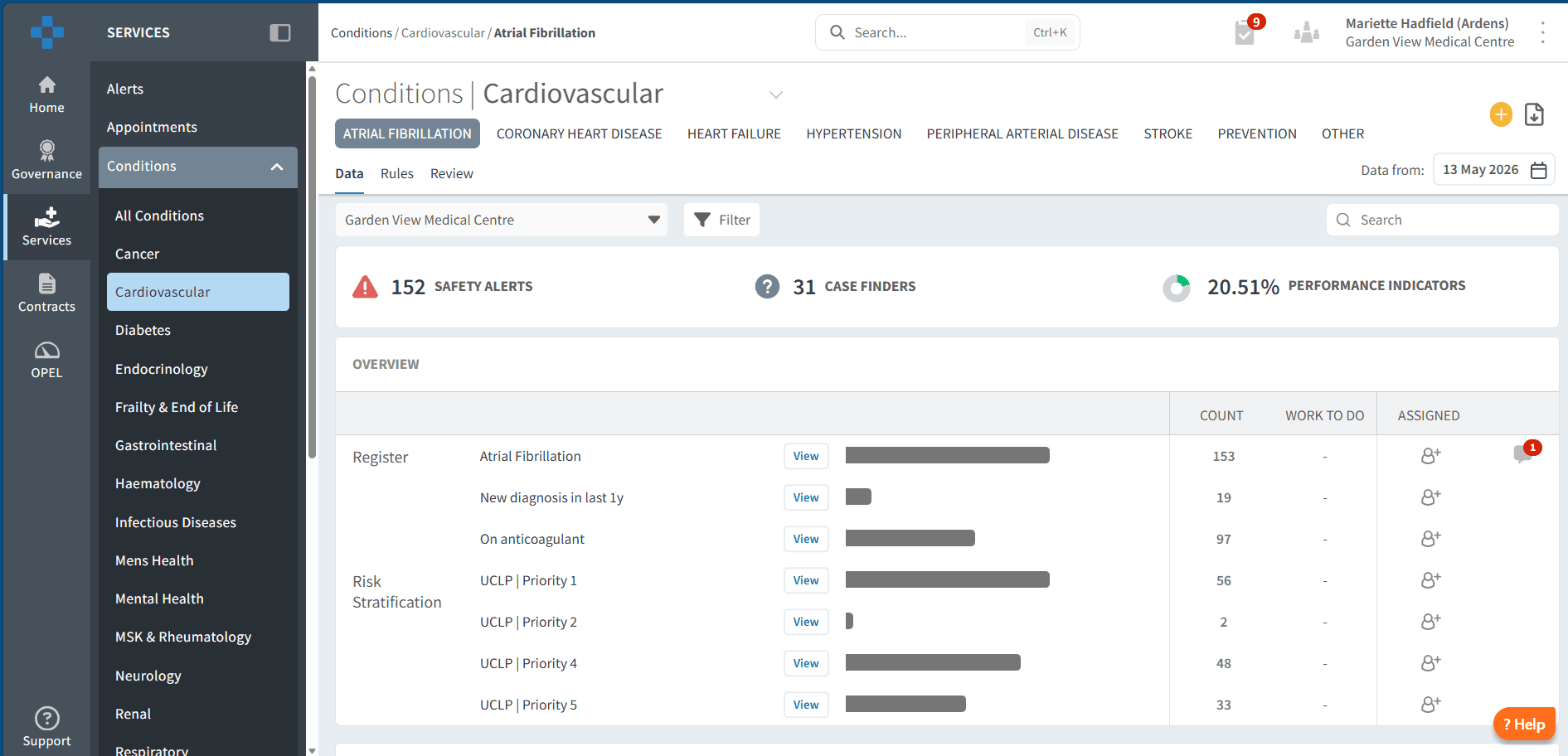
Condition-level registers
Login to Ardens Manager
Select Services from the left-hand panel
Open the Conditions Folder
Select the relevant condition dashboard (e.g. Cardiovascular)
Select the relevant condition tab (e.g. Atrial Fibrillation)
Navigate to the Risk Stratification section
Use within reports
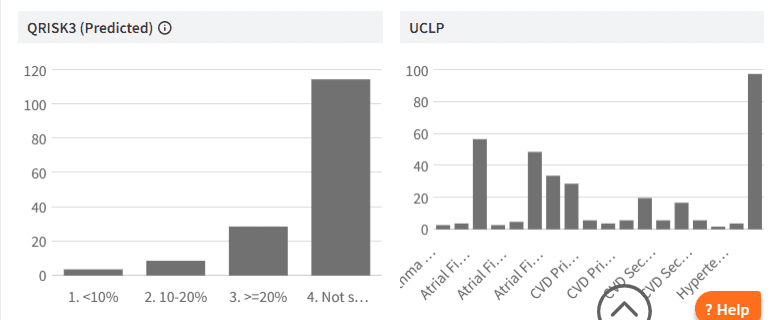
UCLP Population Risk Stratification can be applied within any report in Ardens Manager.
To access this:
Click View next to a report
Select the RISK tab

🏷️ Categories
UCLP Population Risk Stratification is available across several long-term condition pathways, including:
Atrial Fibrillation (AF)
Asthma
Chronic Obstructive Pulmonary Disease (COPD)
Cardiovascular Disease – Primary Prevention (CVD-PP)
Cardiovascular Disease – Secondary Prevention (CVD-SP)
Hypertension (HTN)
Diabetes
Patients are grouped into clinically defined priority cohorts based on condition-specific criteria such as:
Disease severity
Clinical measurements
Medication or treatment status
Presence or absence of key reviews or assessments
Priority structures vary between conditions but may include:
Priority 1 – highest clinical priority
Priority 2 / 2a / 2b
Priority 3 / 3a / 3b
Priority 4
Priority 5 (where applicable)
Where key clinical data is missing, patients may appear within an “unknown” or review-required category.
These groupings help organisations prioritise proactive review, intervention, and follow-up activity within long-term condition pathways.
🔎 Use Segmentation
Target patients within reports
UCLP Population Risk Stratification can be applied to any existing cohort to support prioritisation.
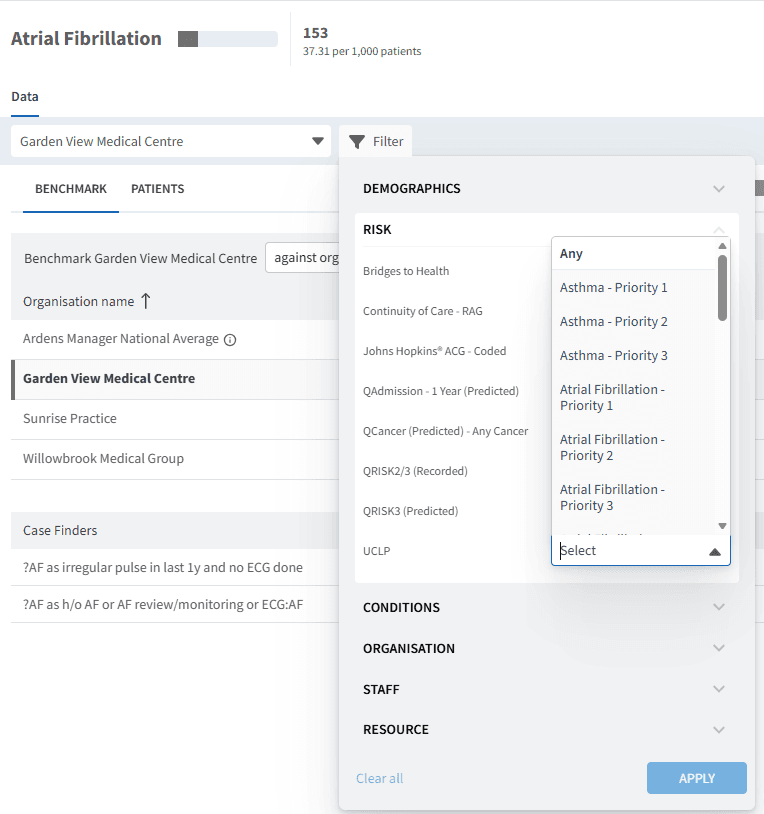
To access this:
Click View next to a report
Select the RISK tab
Open the Filter panel
Open the RISK section
Select UCLP
Choose the required category or categories
Click APPLY
This updates the report view to show data for the selected UCLP priority cohort.
Use this to:
Identify highest-priority patients for proactive review
Support structured call and recall activity
Prioritise intervention for higher-risk cohorts
Monitor delivery of long-term condition programmes
Identify patients requiring further assessment or missing data
Patient-level review
To view patient-level data:
Click View next to a report
Select the PATIENTS tab
Open Patient View for individual records
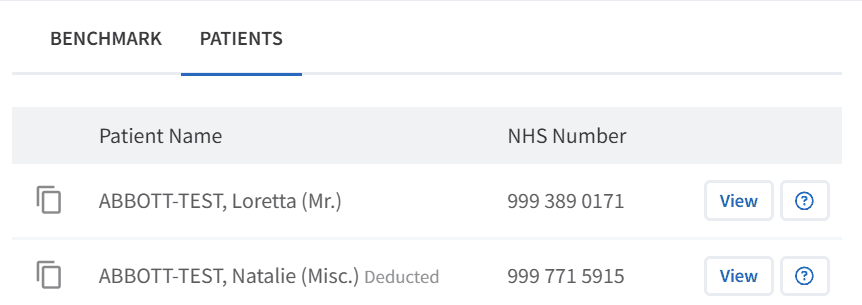
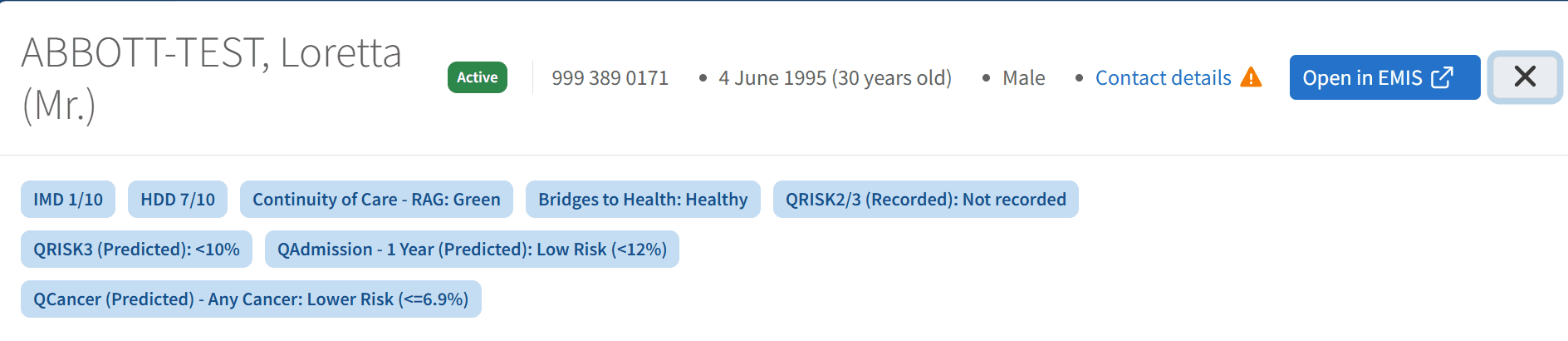
Within Patient View:
UCLP priority information is displayed alongside other risk stratification tools
This allows comparison across multiple risk models and prioritisation tools
This supports targeted review and follow-up activity
Data Quality and Review
Ardens Manager includes UCLP-aligned case finder reports to support review and validation of priority assignment.
These reports help identify:
Patients missing key data required for stratification
Patients within unknown or review-required groups
Patients whose clinical status may have changed
Variations in priority distribution across practices or PCNs
Case finders support safe, consistent, and clinically appropriate use of UCLP prioritisation.
⚠️ Key Considerations
UCLP Population Risk Stratification is derived from coded clinical data
Accuracy depends on completeness and quality of underlying coding
Priority structures differ between conditions
Patients may appear in different priorities for different conditions
UCLP prioritisation is intended to support proactive care management and pathway delivery
It should support, not replace, clinical judgement
❓ FAQs
What is UCLP Population Risk Stratification used for?
It is used to prioritise patients with long-term conditions into clinically defined cohorts to support proactive review, intervention, and service planning.
Can a patient appear in different priority groups?
Yes. Priority assignment is condition-specific, so patients may appear in different priority groups across different conditions.
Can UCLP priorities be used with other reports?
Yes. UCLP priority filters can be applied across relevant condition reports within the RISK tab.
Does UCLP Population Risk Stratification replace clinical judgement?
No. It should be used to support prioritisation and pathway delivery alongside clinical judgement.
🏫 Additional Support
To further your understanding of the Ardens Manager platform:
Book training for your GP Practice, PCN or ICB.
Complete the Risk Stratification & Population Segmentation Academy module.
Contact our Support Team for support in real time.