
ℹ️ Introduction
This article explains how to use Ardens Manager to support adult vaccination programmes. By the end of this article, you will be able to monitor vaccination activity.
Background
Adult vaccination programmes, including pertussis, pneumococcal, shingles, and HPV, help protect patients from serious illness and complications. Monitoring uptake and identifying eligible patients supports improved coverage and population health outcomes.
How Ardens Can Help
Ardens Manager provides a Vaccination Dashboard to support practices in managing adult vaccination programmes.
The dashboard includes:
Activity (Invitations): Track patients invited for vaccination
Performance Indicators: Monitor eligibility, uptake, and exceptions
Vaccine Activity: Review the number of vaccines delivered for specific programmes (e.g. pneumococcal, shingles)
✅Included in Ardens Manager National Content package: Interested in finding out more or requesting a trial? Contact accounts@ardens.org.uk
📍Access the Dashboard
Log in to Ardens Manager
Select Services from the left-hand panel
Select Vaccinations
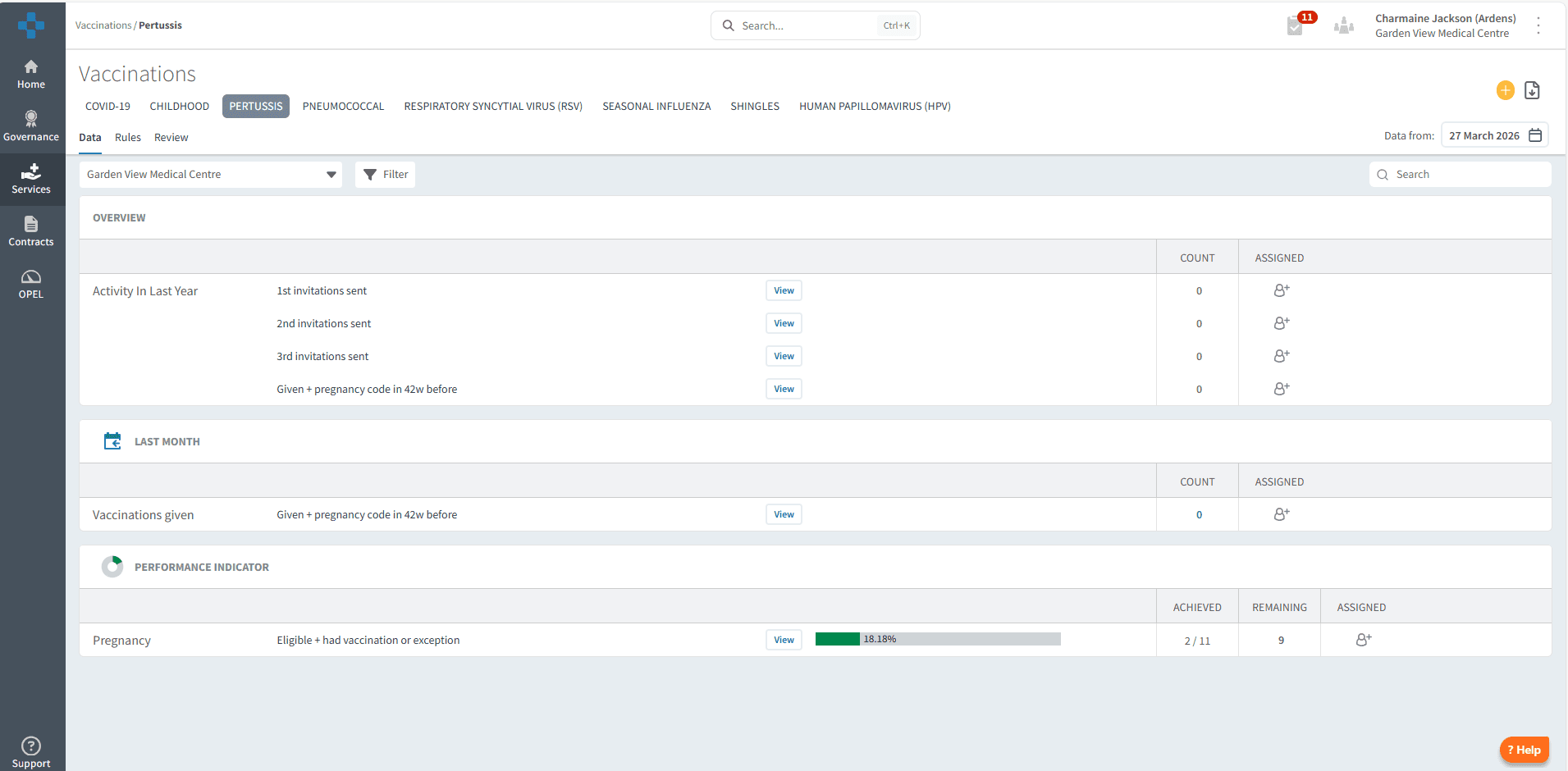
🔍 Monitor Invitations
Invitation reports available in the Overview section allow you to track engagement and support recall activity across adult vaccination programmes.
Use this section to:
Monitor invitations sent to eligible patients
Support planning of recall campaigns

📊 Track Performance
The Performance Indicators section helps you understand uptake and eligibility across different adult vaccination programmes.
Examples include:
Patients who have received the vaccine
Patients recorded as exceptions
Use this section to:
Identify patients still requiring vaccination
Monitor uptake across eligible cohorts
Support targeted recall and follow-up

❓FAQs
Can I identify patients who still need vaccinating?
Yes, Performance Indicators highlight eligible patients who have not yet received their vaccination.
What does “exception” mean in the reports?
This indicates patients who are recorded as not suitable or who have declined vaccination.
Can I track invitations sent?
Yes, invitation reports show which patients have been contacted.
🏫 Additional Support
To further your understanding of the Ardens Manager platform:
Book training for your GP Practice, PCN or ICB.
Contact our Support Team for support in real time.