
ℹ️ Introduction
This article explains how to opt in to Local Contract services and digitally sign your contract within Ardens Manager. By the end of this guide, you will be able to review contract details, select the services your organisation will deliver, and complete the contract signing process.
Background
For some Local Contracts, organisations are required to formally opt in to the services they intend to deliver before activity can be recorded and payments calculated.
This process helps ensure that:
Your organisation is only included in relevant service reporting
Contract rules and payment calculations are applied correctly
Dashboards and activity reflect the services your organisation has agreed to deliver
Opt-in and contract signing are only available for Local Contract Enterprise customers and must be completed after all required agreements have been accepted.
How Ardens Can Help
Ardens Manager provides a structured process for managing Local Contract participation within the platform.
Using Ardens Manager, you can:
Review contract details and payment information
Select the services your organisation will deliver
Digitally sign contracts within the platform
Ensure dashboards and reporting reflect your selected services
Support accurate activity monitoring and payment reporting
✅Included in Ardens Manager Local Content package: Interested in finding out more or requesting a trial? Contact accounts@ardens.org.uk
📄 Opt-in to Services
Access
Login to Ardens Manager
Select Contracts from the left-hand menu
Choose your Local Contract Dashboard
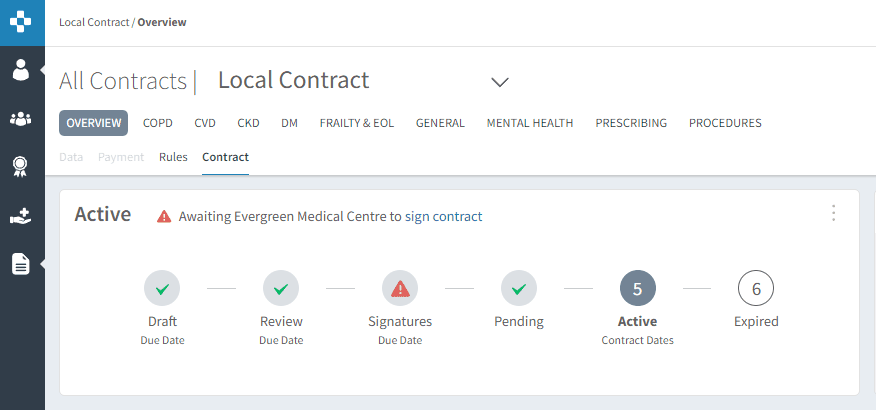
Navigate to the Contract tab
Review
The top section displays the current contract status for your organisation
Carefully review the contract information, including:
Service details
Payment information
Any specific requirements
This helps ensure your organisation understands the requirements associated with each service before opting in.
Opt-in
Scroll to the Services Available section.
Click the padlock icon in the top-right corner to enable editing.
Use the status dropdown options to select the required services:
Opt in to individual services
Or select Opt-in to all where appropriate

📝 Sign the Contract
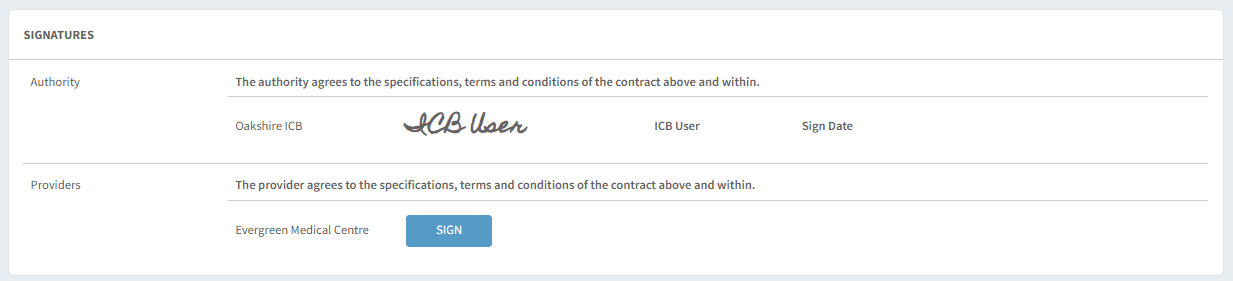
Once all service selections have been completed, the contract can be digitally signed within Ardens Manager.
Scroll to the bottom of the contract page
Select SIGN
Add your digital signature when prompted
The contract is now signed and active for your organisation
❓ FAQs
Who can sign the contract?
Only the named contract lead or assigned deputy can complete the signing process.
Why can’t I edit the services?
You may need to click the padlock icon to unlock the section before making changes.
What happens if we do not opt in to a service?
Your organisation will not see activity, reporting, or payments associated with that service.
Can we change our selections after signing?
This depends on commissioner rules. Contact your commissioner or Ardens Support for guidance.
Why can not I see the opt-in or signing options?
Opt-in and contract signing functionality is only available for Local Contract Enterprise customers.
🏫 Additional Support
To further your understanding of the Ardens Manager platform:
Book training for your GP Practice, PCN or ICB
Complete the Getting Started with Ardens Manager academy module
Contact our Support Team for support in real time