
ℹ️ Introduction
This article explains how to use Organisational Activity in Ardens Manager to record, manage and store non-clinical contract information that cannot be extracted from the clinical system. By the end of this article, you will be able to maintain organisational activity records within the platform.
Background
Some contract requirements include activities or evidence that cannot be captured through clinical coding. Examples include training records, named roles, audits, or supporting documentation. Without a consistent approach, this information can be difficult to manage, track and evidence across organisations.
Organisational Activity in Ardens Manager provides a centralised way to record and store this information. Depending on the contract type:
Local Contracts may include Commissioner review and approval workflows
National contracts (e.g. Network Contract DES) typically use this for internal recording and tracking only
How Ardens Can Help
Ardens Manager supports Organisational Activity by providing:
A central place for all non-clinical contract evidence
The ability to add free text and upload supporting documents
Clear visibility of activity requirements and completion status
A structured way to track progress across reporting periods
Optional approval workflows (where enabled for Local Contracts)
A full audit trail of submissions and updates
This ensures organisational requirements are recorded consistently and are easy to access, review and manage.
📂 Using Organisational Activity
Access
You can access Organisational Activity via:
The relevant Contract Dashboard (e.g. Local Contract or Network Contract DES)
The Organisational Activity section within the dashboard
The Upload Organisational Activity task from the task list
Add
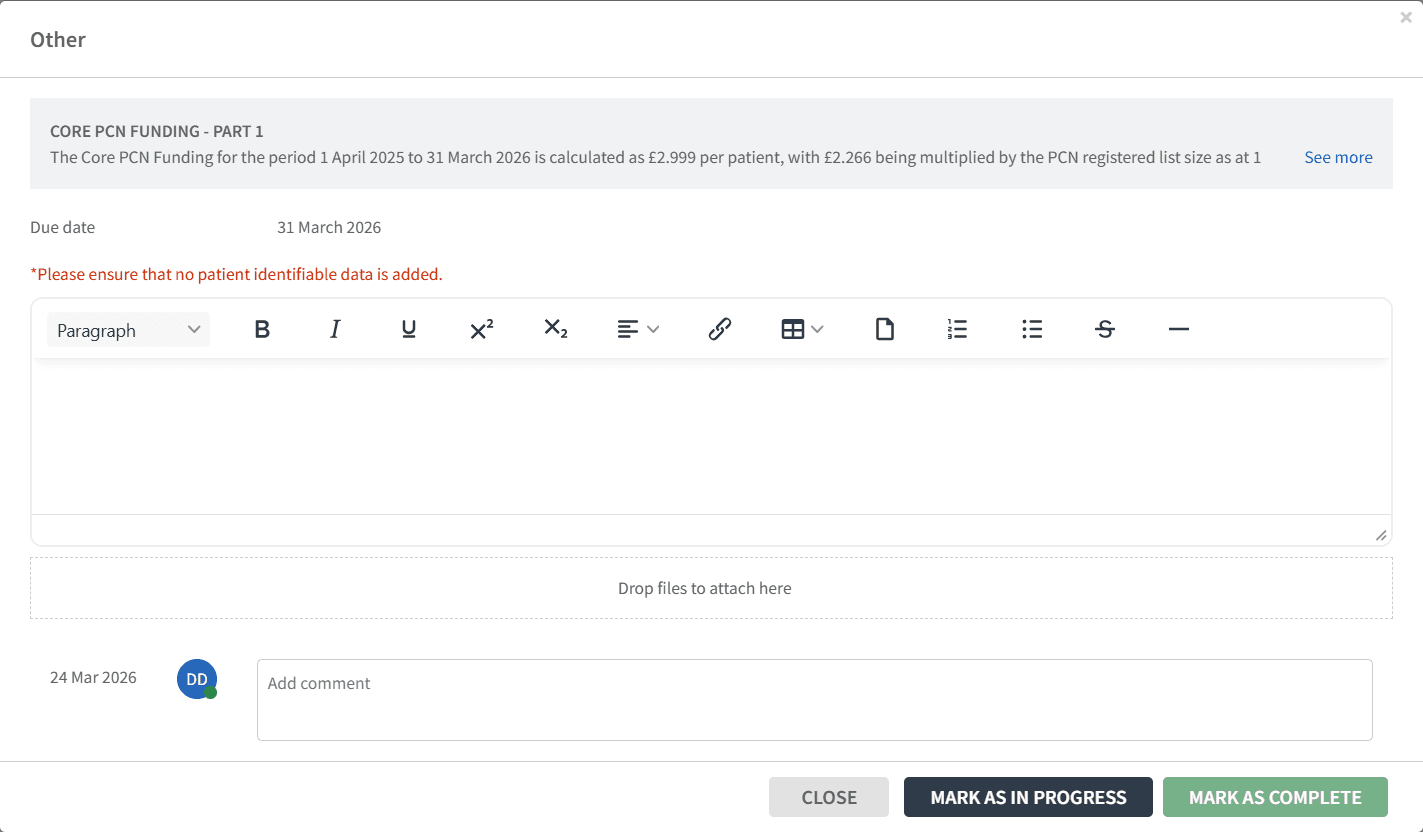
Click + Add next to the relevant activity
Review the activity description (select See more if required)
Enter details in the free text field
Upload any supporting evidence (e.g. documents, certificates, images)
Manage
Once information has been added, you can choose:
Mark as in progress
Save work without completing
Return later to update
Mark as complete
Confirm the activity is finished
Information is stored and visible for reporting purposes
Edit an activity
Reopen by selecting Edit and changing status back to In Progress
Submit (if enabled)
For some contracts (typically Local Contracts), a submission workflow may be available:
Select Submit for approval
A reviewer (e.g. commissioner) will assess the submission
You will receive notification of the outcome
If your submission is rejected, comments can be provided and users can update the activity and resubmit for approval.
Upload
You can also record Organisational Activity via the task list.
Navigate to Tasks
Select UPLOAD

Click ADD next to the required item.
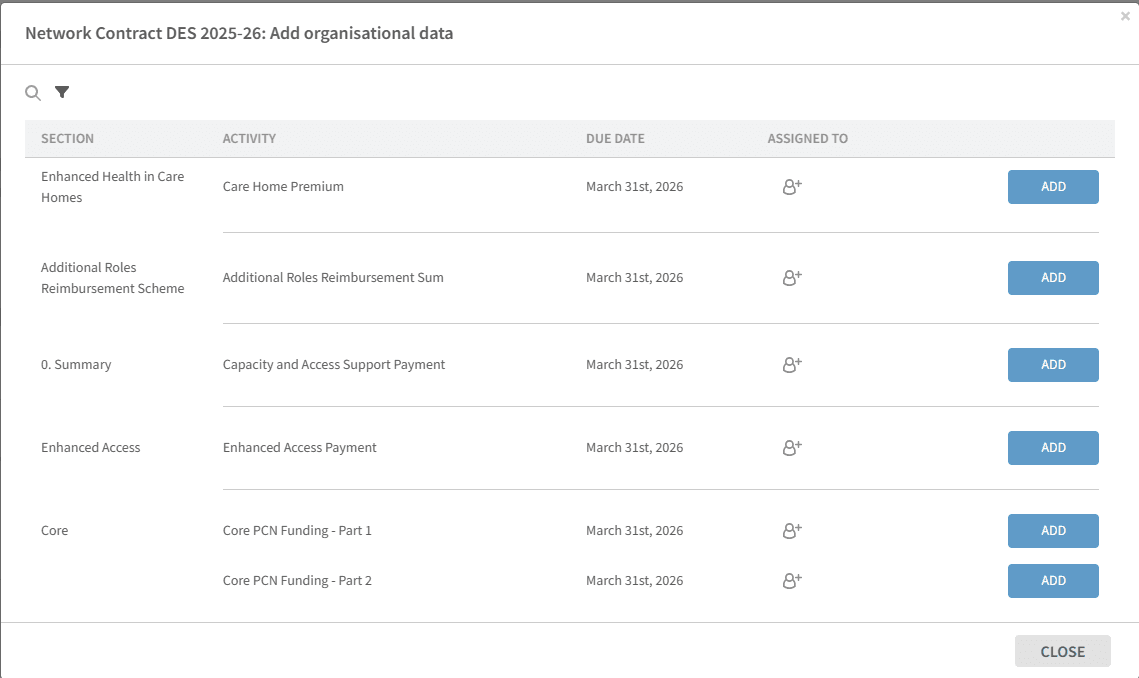
Enter details and upload evidence as needed.
Select the status of the activity as appropriate (e.g. mark as complete or submit for approval).
❓ FAQs
Who can add or edit Organisational Activity?
Users with the appropriate Ardens Manager permissions (e.g. practice or PCN-level access) can add and edit entries.
Can all practices in the PCN see the Organisation Activity in Ardens Manager?
Yes but visibility depends on user access. In PCN views, this is often read-only for member practices.
Why can't I see "Submit for Approval"?
Approval workflows are only available where configured (typically for Local Contracts).
What file types can be uploaded?
Common formats are supported, including PDF, Word, Excel, JPG and PNG.
Can I update an activity after marking it complete?
Yes. Select Edit and change the status back to in progress to make updates.
🏫 Additional Support
To further your understanding of the Ardens Manager platform:
Book training for your GP Practice, PCN or ICB
Complete the Getting Started with Ardens Manager academy module
Contact our Support Team for support in real time