
ℹ️Introduction
This article explains how to use the Benchmarking feature within Ardens Manager to compare performance, activity, and outcomes across organisations. By the end of this article, you will be able to confidently benchmark reports against peer organisations and national averages to support insight-driven decision-making.
Background
As data is automatically uploaded into Ardens Manager on a daily basis and shared securely across organisations, benchmarking enables meaningful comparisons of performance and outcomes. This helps organisations understand variation, identify improvement opportunities, and monitor progress over time.
Benchmarking allows your organisation’s data to be compared:
Against other organisations within a data-sharing agreement.
Against the Ardens Manager National Average, created from all practices uploading data within the last 14 days.
How Ardens Can Help
The Benchmarking feature in Ardens Manager provides a clear, visual comparison of performance across organisations using consistent, reliable data.
Key benefits include:
For Practices: Identify skill gaps in care, share and learn from best practice, and monitor improvement over time.
For PCNs: Set realistic and achievable targets, support collaboration across member practices, and create a uniform approach using consistent data.
For ICBs: Prioritise resources effectively, inform commissioning decisions, and monitor population health outcomes at scale.
How to Access
Open the relevant Ardens Manager dashboard.
Locate a report, and click View to open the Single Report page.
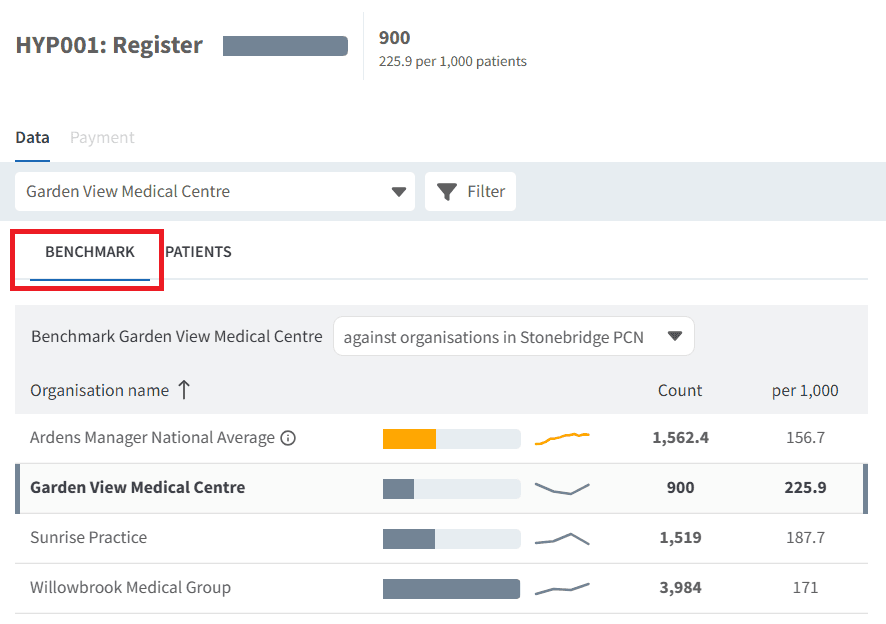
By default, the BENCHMARK tab will open.
📈Comparisons
Organisations
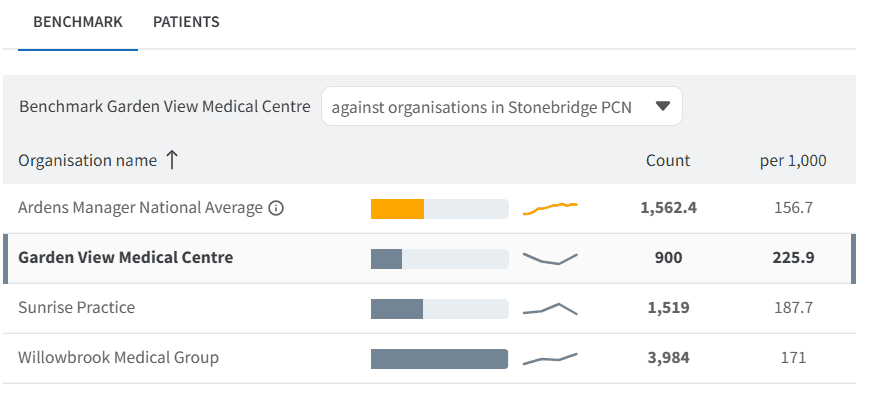
Provided that appropriate data-sharing agreements are in place, you can compare performance across organisations within a group. This includes viewing individual achievement trends and figures, as well as remaining patient counts.
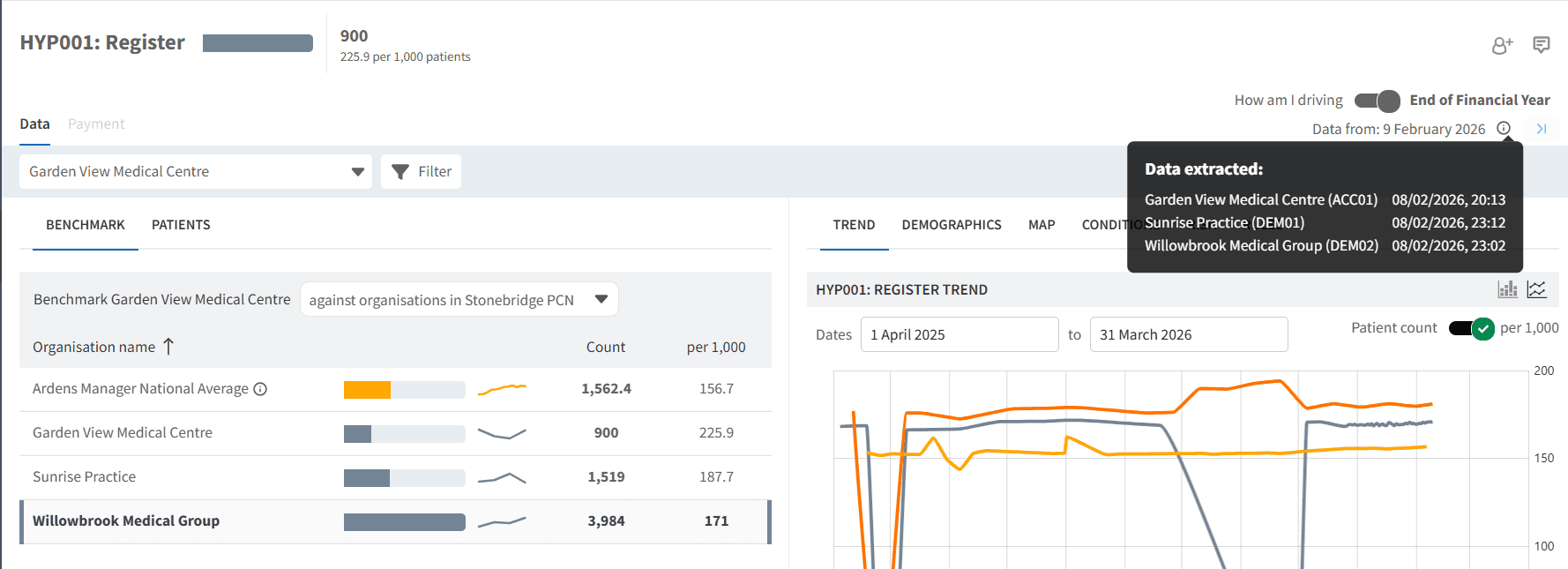
To see when data was last extracted for each organisation, hover over the information icon in the top-right corner of the screen.
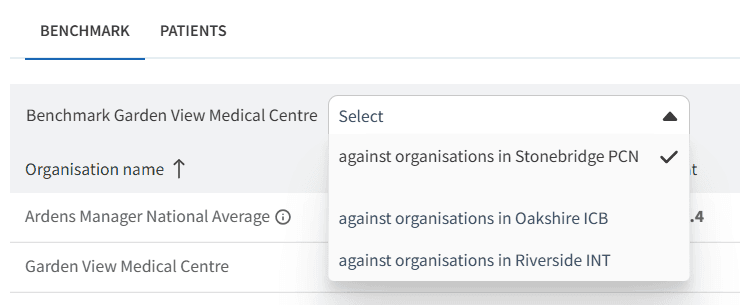
You can also change organisational views (e.g. Practice, PCN, Place, ICB) using the organisation drop-down field.
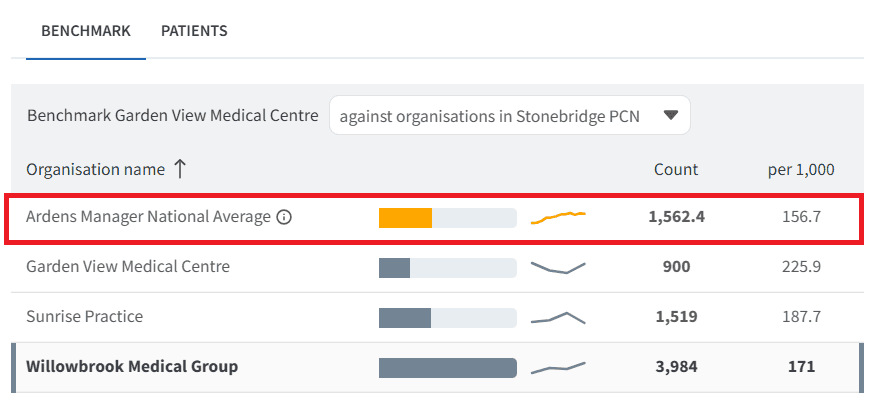
Ardens Manager Average
The Ardens Manager National Average is based on all practices that uploaded data in the last 14 days and can be found in the BENCHMARK tab.
❓FAQs
What is the Ardens Manager National Average?
It is calculated using data from all practices that have uploaded data into Ardens Manager within the last 14 days.
Why do column options differ between reports?
Benchmarking columns vary depending on the data and metrics available within each report type.
Can I benchmark organisations outside my PCN or ICB?
Only organisations included within an approved data-sharing agreement will be visible.
How often is benchmarking data updated?
Data is automatically uploaded and refreshed daily.
Can I see data at different organisational levels?
Yes, depending on sharing agreements, you may be able to view data at Practice, PCN, Place, ICB, or other aggregated levels.
🏫Additional Support
To further your understanding of the Ardens Manager platform:
Book training for your GP Practice, PCN or ICB
Complete the Getting Started with Ardens Manager academy module
Contact our Support Team for support in real time