
ℹ️ Introduction
This article explains how to view the contract invite status for provider organisations. By the end of this article, you will be able to monitor contract engagement and identify organisations that may require follow-up.
Background
Managing contracts across multiple provider organisations can make it difficult to track which organisations have accepted contract invitations and which may still require follow-up.
The Contract Invite Status view provides a central location to monitor contract engagement, helping commissioners and group administrators maintain oversight without relying on manual tracking.
How Ardens Can Help
Ardens provides visibility of:
Which provider organisations have accepted contract invitations
Which provider organisations have not yet accepted a contract invitation
Exportable status information for reporting and follow-up activities
You can access this information from the Contracts area within Group Settings or from an individual contract dashboard.
🔍View Invitation Status
The Contract Invite Status view allows you to see which provider organisations have accepted a contract invitation and which are still awaiting action.
View from Group Settings
Navigate to Account Settings.
In the left-hand panel, locate the Groups section and select the relevant Group (for example, Oakshire ICB)
Select the Contracts tab

Select the relevant contract. If multiple contracts exist for the same service, select the contract that matches the reporting period you wish to review
Click View on the relevant contract

Review the Contract Invite Status information for your Provider Organisations.
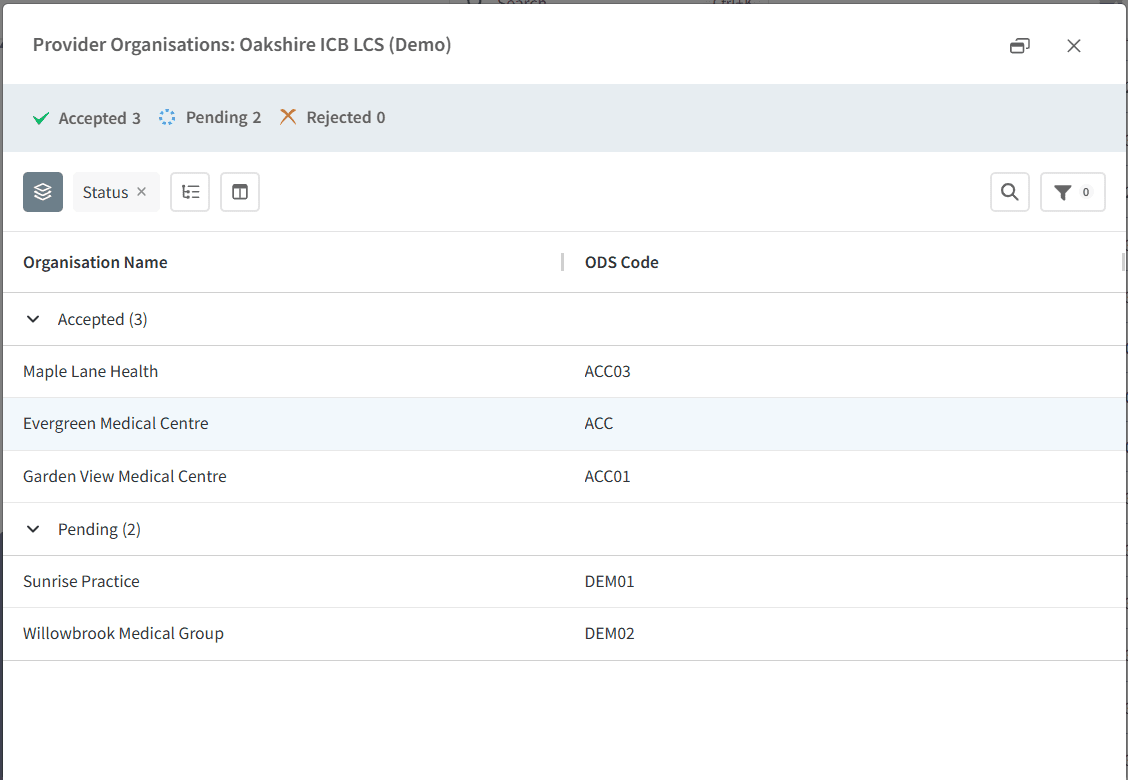
⚠️ Please note: This view can be used to identify organisations that may require follow-up before contract activities can begin.
View from Contract Dashboard
Open the required contract dashboard
Select the Overview page
Select the Contract tab
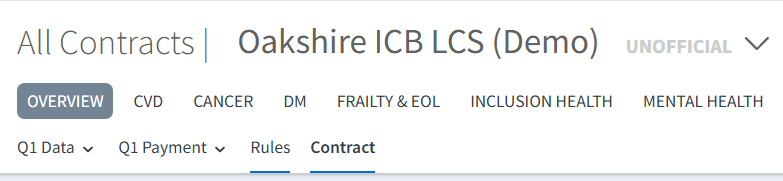
Navigate to the Details section
Locate the Provider Organisations field
Click View to open the details
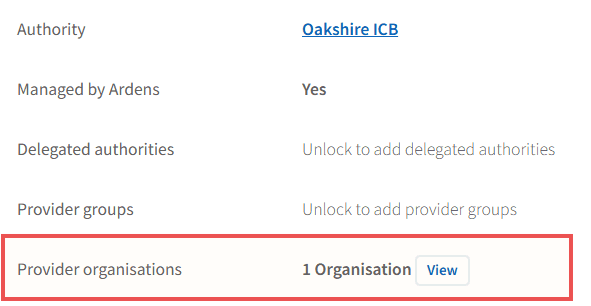
⚠️ Please note: This provides a contract-specific view of invitation acceptance.
⬆️ Export Status
Contract Invite Status information can be exported for further analysis, reporting, or follow-up activities.
Navigate to the relevant status view.
Right-click on any provider organisation
Select Export.
Choose the relevant file format
The file will download to your device
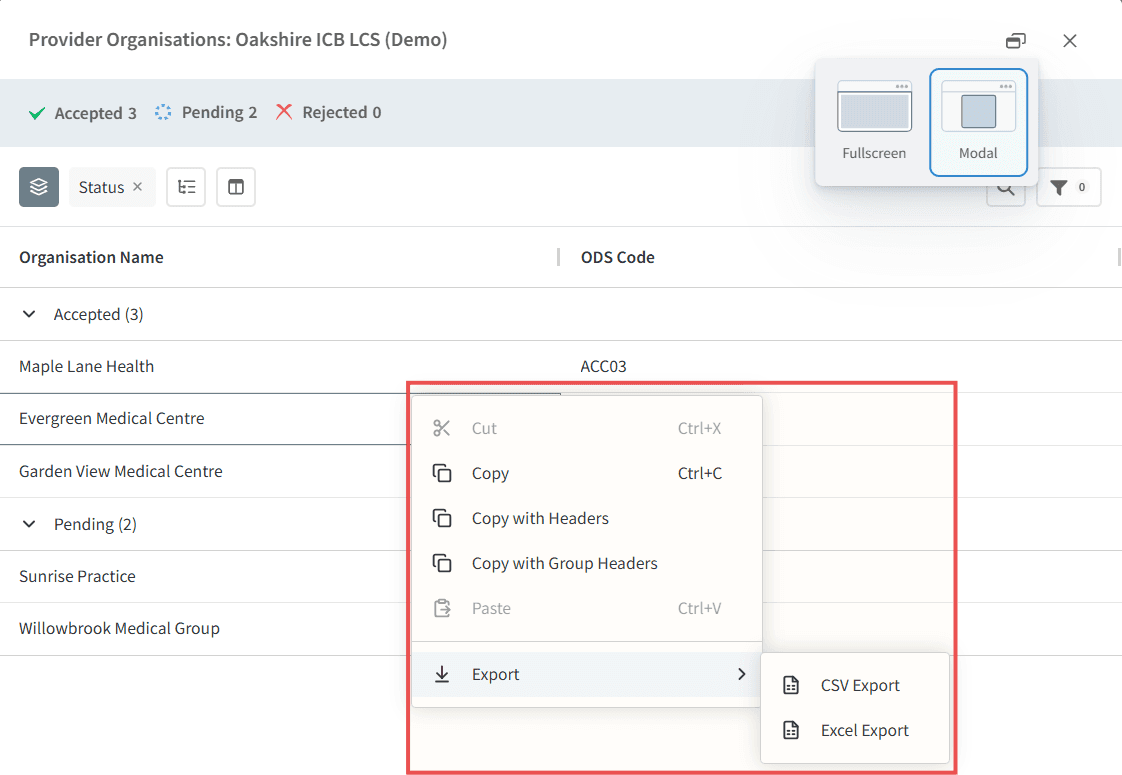
⚠️ Please note: Exports can be used to support contract monitoring, stakeholder reporting, and follow-up activities.
❓FAQs
Why can't I see all contract invitation statuses in one place?
Contract invitation status is recorded against individual contracts. Where separate contracts are used for different reporting periods, such as monthly, quarterly, or annual reporting, you will need to select the relevant contract to view its associated invitation status.
🏫 Additional Support
To further your understanding of the Ardens Manager platform:
Book training for your GP Practice, PCN or ICB
Complete the Getting Started with Ardens Manager academy module
Contact our Support Team for support in real time