
ℹ️ Introduction
This article explains how to use Ardens Manager to prioritise QOF work using the Ardens work prioritisation reports. By the end of this article, you will be able to identify patients with multiple outstanding indicators and target activity more efficiently to maximise QOF achievement and improve patient care.
Background
QOF indicators are often managed individually, with practices working through each condition or indicator separately. However, many patients have multiple outstanding requirements across different indicators.
Managing work in isolation can result in:
Multiple patient contacts
Inefficient use of clinical time
Missed opportunities to complete work in a single interaction
A more effective approach is to prioritise patients with the greatest number of outstanding requirements, allowing multiple indicators to be addressed at once.
How Ardens Can Help
Ardens Manager includes a set of reports within the QOF Dashboard which contains prioritisation reports designed to identify patients with multiple outstanding indicators.
These reports allow you to:
Identify patients with the highest number of unmet requirements
Prioritise patients who will have the greatest impact on QOF achievement
Reduce duplication of work across different indicators
Support a more patient-centred approach to care
✅Included in Ardens Manager National Content package: Interested in finding out more or requesting a trial? Contact accounts@ardens.org.uk
📍Access Prioritisation Reports
Login to Ardens Manager
Select Contracts from the left-hand panel
Select QOF 2026-27
Navigate to the General tab

🔎 Identify Patients
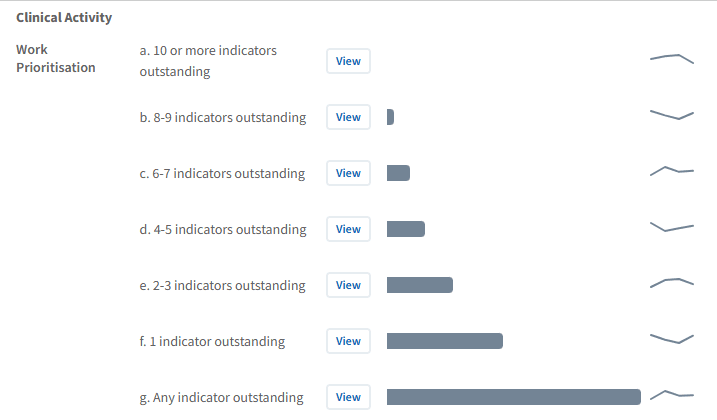
The prioritisation reports highlight patients who have outstanding activity across multiple QOF indicators.
Use this section to:
Identify patients with the highest number of unmet requirements
Focus on patients where one review can complete multiple indicators
Prioritise work based on overall impact rather than individual indicators
This approach helps maximise efficiency and reduce duplication.
Target Patients
By focusing on patients rather than individual indicators, you can deliver more effective and coordinated care.
Use this to:
Combine multiple reviews into a single patient contact
Reduce the need for repeated appointments
Improve patient experience and engagement
Ensure more comprehensive care delivery
Review Outstanding Work
To understand what work is outstanding for each patient, you can use the Patient View.
To access this:
Click View next to the patient’s NHS number
This will open the Patient View
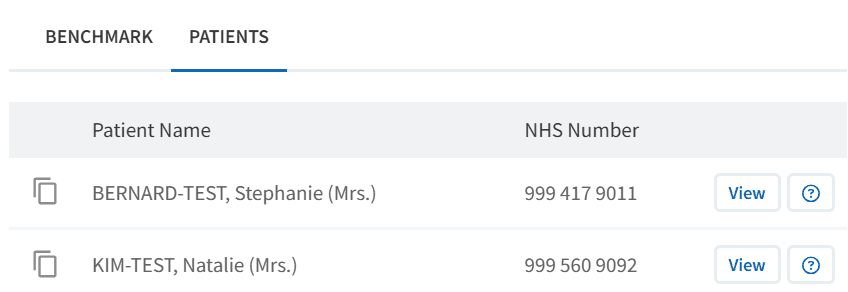
Within the patient view:
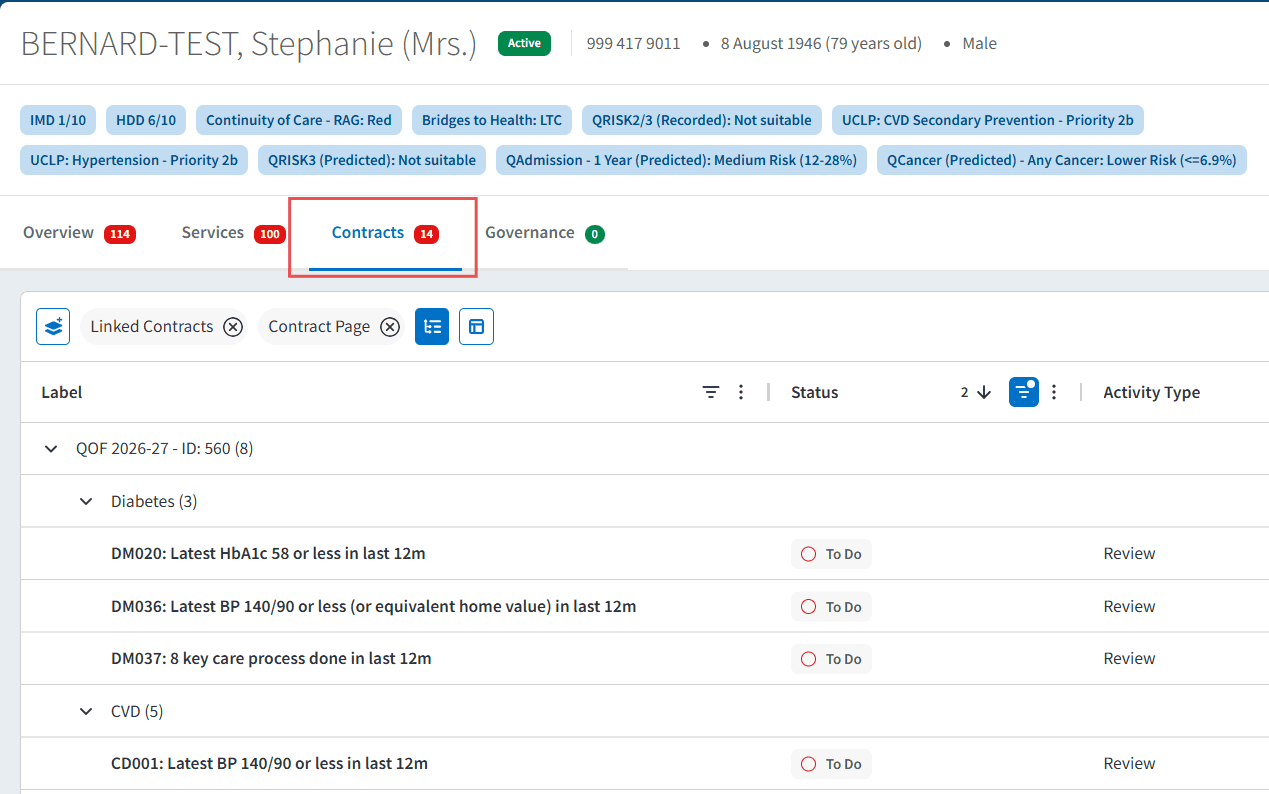
Select the Contracts tab
Review the list of outstanding QOF indicators for that patient. Indicators requiring action are labelled with a status of To Do.
To take action:
Click Open in EMIS / SystmOne to launch the patient record in your clinical system
Complete the required activity using the appropriate clinical templates

This allows you to clearly see all outstanding requirements for a patient and take a person-centred approach, completing multiple indicators within a single interaction where appropriate.
Maximise Achievement
Patients with multiple outstanding indicators represent the greatest opportunity for improvement.
Use this approach to:
Increase achievement across multiple indicators simultaneously
Accelerate progress towards thresholds
Maximise points and income from each intervention
Focus limited capacity where it will have the greatest return
📈 Monitor and Adjust Priorities
Priorities may change throughout the QOF year as performance improves.
Use the dashboard to:
Revisit prioritisation reports regularly
Track reduction in outstanding indicators
Adjust focus as patient needs change
Align prioritisation with time-sensitive work where needed
FAQs
What are prioritisation reports?
These reports identify patients with multiple outstanding QOF indicators, helping you focus on high-impact work.
How is this different from indicator-based working?
Instead of working through one indicator at a time, this approach focuses on patients who require multiple actions, improving efficiency.
Does this reduce workload?
It can reduce duplication by allowing multiple indicators to be addressed in a single patient interaction.
When should I use prioritisation reports?
They can be used throughout the year but are particularly useful when planning recall activity or managing limited capacity.
🏫 Additional Support
To further your understanding of the Ardens Manager platform:
Book training for your GP Practice, PCN or ICB
Complete the QOF academy module
Contact our Support Team for support in real time