
ℹ️ Introduction
This article explains how to use the Ardens Manager Respiratory dashboards to understand prevalence, stratify clinical risk, monitor activity and evaluate the quality of respiratory care across Asthma, COPD and Bronchiectasis. By the end of this guide, you will be able to use these insights to support planning, targeted interventions and quality improvement across your practice, PCN or ICB.
Background
Respiratory conditions are a major cause of morbidity and unplanned healthcare utilisation. Effective management relies on accurate diagnosis, regular structured reviews, medicines optimisation and proactive identification of patients at increased risk of deterioration or exacerbation. Respiratory care is underpinned by NICE guidance and QOF indicators, requiring consistent population‑level oversight.
For GP practices, PCNs and ICBs, it is important to:
Understand prevalence across key respiratory conditions.
Monitor disease control, review completion and medicines optimisation.
Identify patients at higher risk of exacerbations or poor outcomes.
Ensure equitable access to care and consistent service delivery.
Reduce unwarranted variation in diagnosis, management and outcomes.
The Ardens Manager Respiratory dashboards provide population‑level oversight to support delivery of proactive, high‑quality respiratory care.
How Ardens Can Help
The Ardens Manager Respiratory dashboards bring together insights for:
Asthma
Chronic Obstructive Pulmonary Disease (COPD)
Bronchiectasis
Each dashboard follows a consistent structure, enabling organisations to:
Analyse prevalence and population characteristics.
Review activity and demand.
Stratify clinical risk.
Monitor safety and quality of care delivery.
The Respiratory dashboards work alongside existing Ardens Clinical resources to support structured reviews and proactive respiratory management. To learn more about the clinical resources, access the support articles below:
✅Included in Ardens Manager National Content package: Interested in finding out more or requesting a trial? Contact accounts@ardens.org.uk
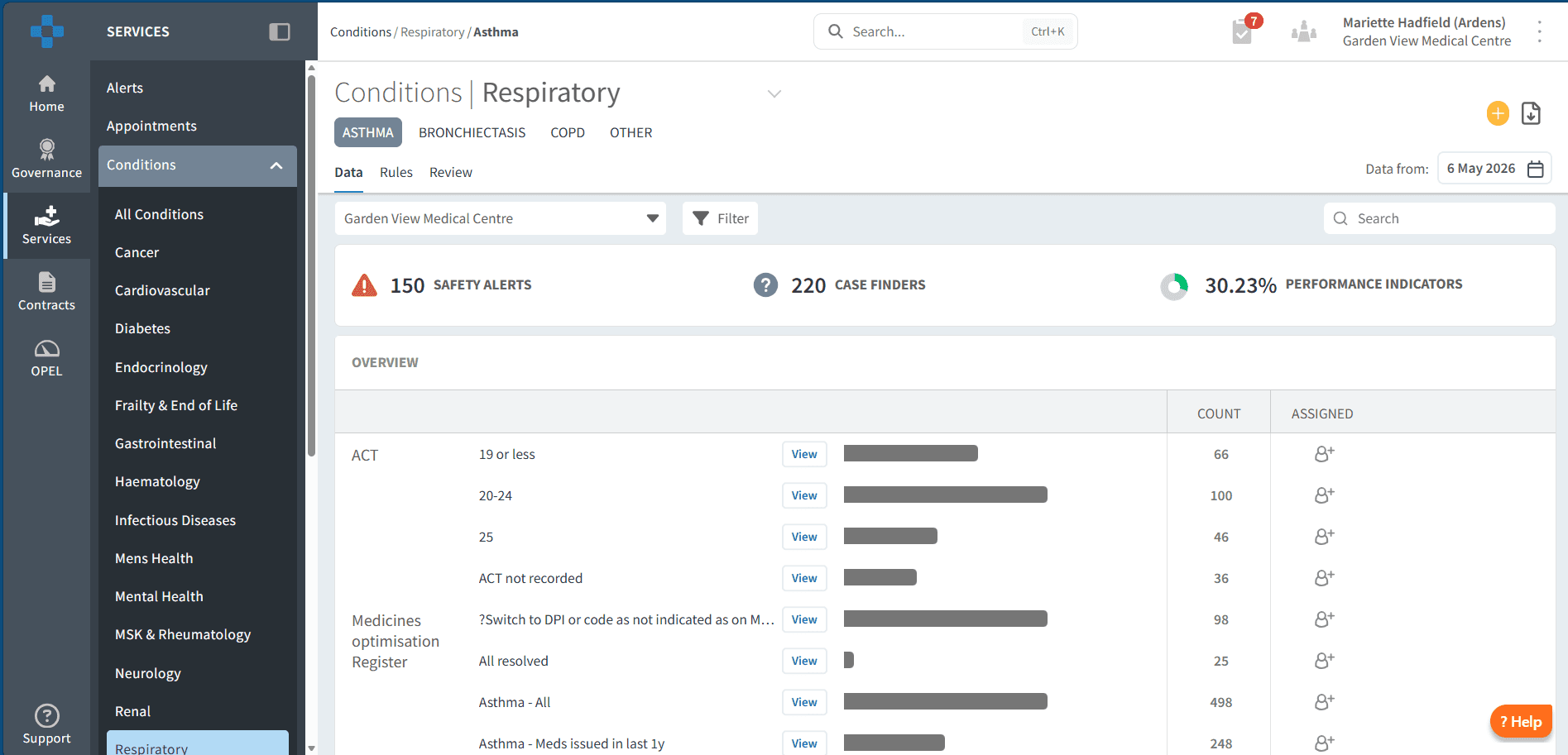
📍 Access the Dashboard
Log into Ardens Manager.
Go to Services on the left-hand pane.
Open to Conditions folder.
Click on Respiratory.
Click on the required condition tab.
📊 Plan & Forecast Demand
The Overview section enables organisations to analyse coded registers, understand population needs and plan workforce and recall activity accordingly.
Understand Your Population
The Respiratory registers provide visibility of patients coded with Asthma, COPD or Bronchiectasis, helping organisations understand:
Recorded prevalence.
Population demographics.
Coding patterns and register accuracy.
Size of the cohort requiring review or monitoring.
Condition‑specific risk factors.
This insight supports informed workforce planning and structured recall activity.
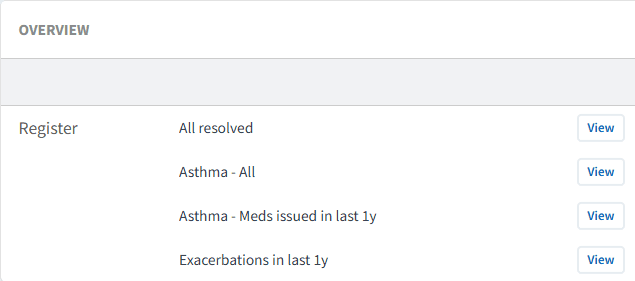
To review registers:
Click the View button next to the required register report.
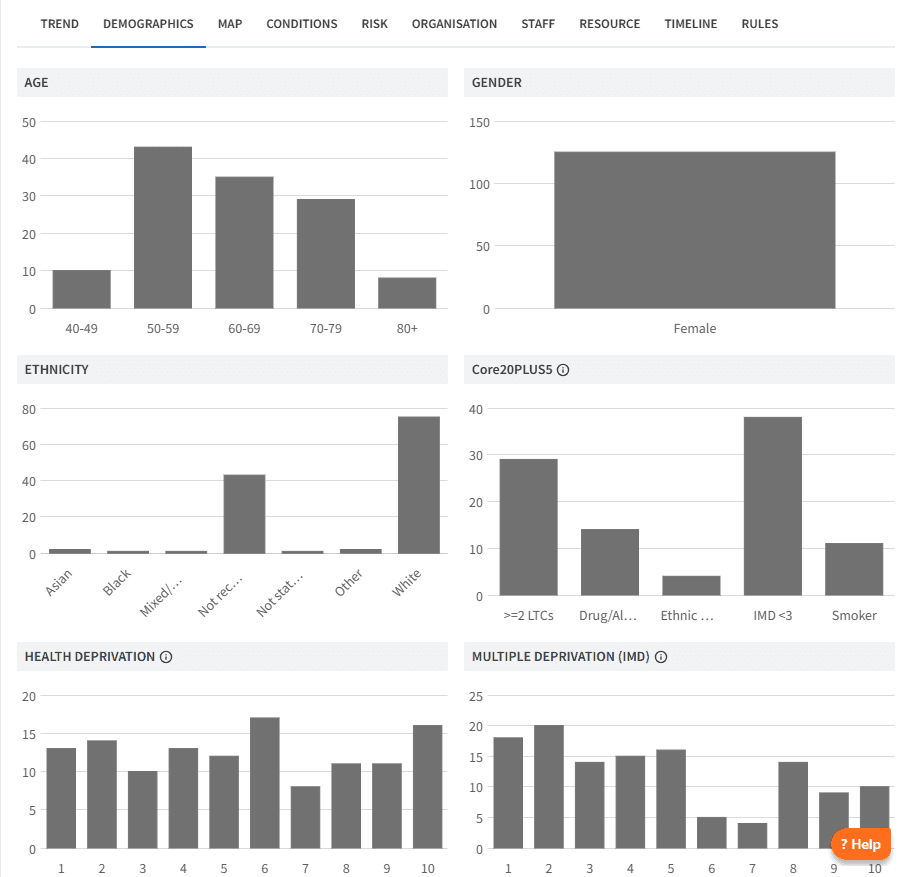
Review the Demographic tab to understand age distribution and deprivation.
Review the Conditions tab for breakdown by long-term condition and multimorbidity.
Review the Risk tab to identify patients in vulnerable or higher-risk groups.
Further insights allow organisations to review diagnosis patterns by clinician and by patient geography, supporting identification of variation and unmet need.
Analyse Trends
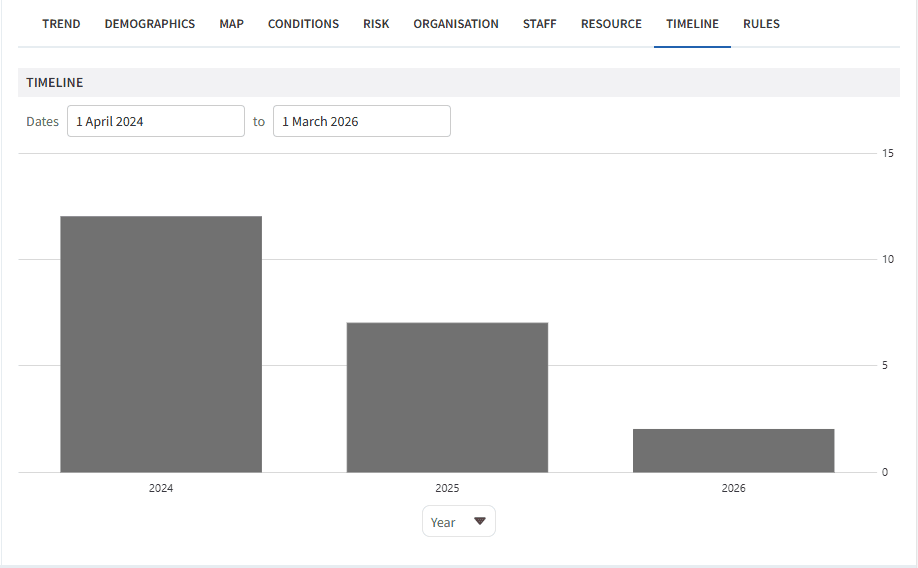
Understanding how respiratory registers change over time enables organisations to anticipate demand and assess the impact of case‑finding or quality improvement initiatives.
To analyse trends:
Click View next to the required report.
Click on the Timeline tab.
Choose Year (or another timeframe) from the drop down below the chart
This allows you to:
Monitor changes in diagnosis rates.
Identify increases in workload.
Inform future service and capacity planning.
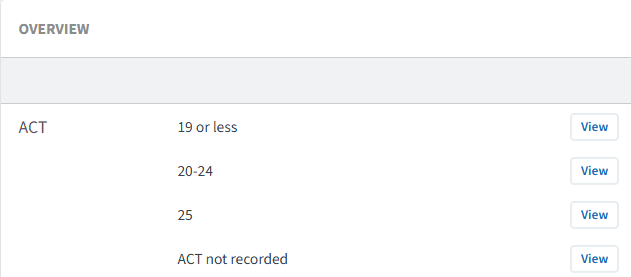
Condition Specific Risk Stratification
Risk stratification provides a structured method for identifying high‑risk cohorts, targeting recalls, and focusing workforce capacity where it has greatest impact. Each respiratory condition applies different risk tools, but the principle remains consistent across the suite.
Examples include:
Asthma: ACT Scores and UCLP stratification
Bronchiectasis: MRC Grade
COPD: GOLD Group and MRC Grade
🔎 Monitor Activity & Safety
The dashboards provide tools to support clinical governance, patient safety and oversight of respiratory service delivery.
Last Month Activity
All diabetes dashboards include a summary of activity for the previous month, including:
New diagnoses.
Reviews and monitoring completed.
Workforce involvement by role.
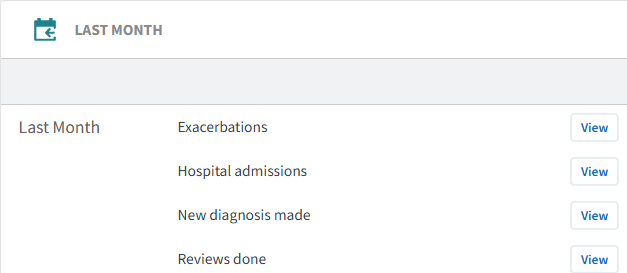
To review activity:
Click View next to the activity report.
Review the Demographic, Conditions, Risk and Staff tabs.
Analyse the Timeline tab to understand recent trends.
Safety Alerts
Safety Alerts highlight patients who may require urgent review, such as:
Very poor glycaemic control.
Missing essential monitoring.
Potential medicines‑related risk.
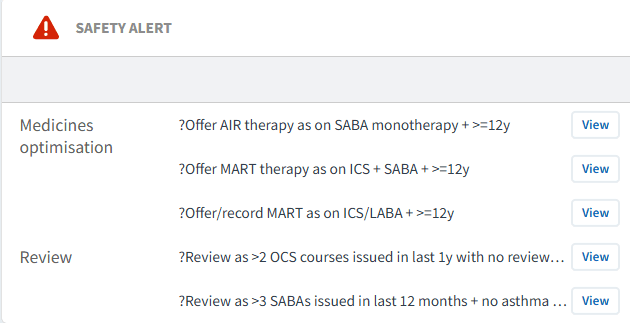
For each report:
Click View.
Select PATIENTS tab.
Review each patient and take appropriate action.
This supports monitoring of workload, capacity and delivery against local priorities.
Case Finders
Case Finder reports identify patients who may have a respiratory condition but lack an appropriate diagnosis code, often due to missing or inconsistent coding.
These reports support:
Improved register accuracy.
Identification of patients requiring formal diagnosis.
Complete population oversight.
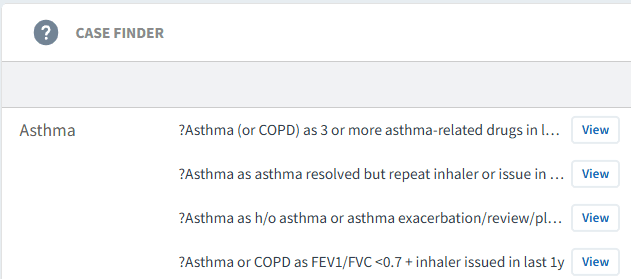
Using case finders:
Click View.
Select PATIENTS tab.
Review each patient record.
If diagnosis is confirmed:
Add the appropriate diagnosis code in the clinical system.
This will move the patient onto the register and remove them from the case finder.
If inclusion is due to a data error:
Amend or remove the incorrect coding in the clinical system.
Performance Indicators
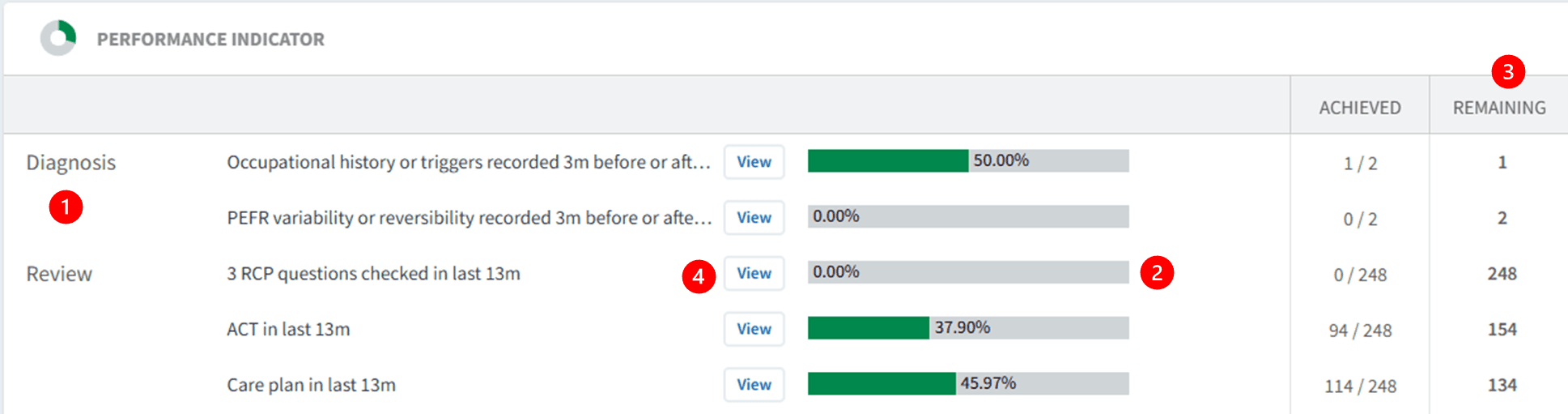
Performance Indicators monitor completion of key care components across respiratory pathways, including:
Diagnosis coding.
Annual reviews.
Monitoring and review requirements.
Target achievement where applicable.
Reviewing performance indicators:
Indicators are grouped by diagnosis, review, target or screening.
Green bars display percentage completion.
The Remaining column highlights outstanding care.
Click View and select Show remaining only to support follow‑up.
⚠️ Please note: Patient data can be exported. Refer to this support article for further information.
Patient View for Follow-up
The Patient View functionality enables clinicians and teams to review outstanding elements of care at an individual patient level.
To access Patient View:
Click View next to the patient’s NHS number
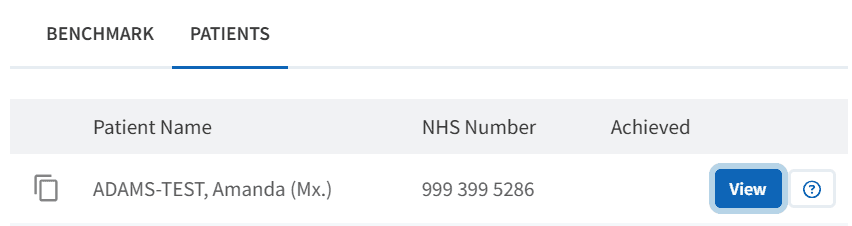
Within the patient view:
View all Ardens Manager findings for the patient across relevant reports
Clearly identify outstanding care elements.
Use this as a prompt prior to reviewing the full clinical record.
To take action:
Click Open in EMIS/SystmOne to review the full clinical record
Assess suitability of alternatives
Consider patient preference and clinical need
Complete any required medication changes
❓FAQs
What time period does 'Last month activity' refer to?
This reflects activity recorded in the previous calendar month and is updated regularly as data refreshes.
How do case finder reports work?
Case finders identify patients who may meet criteria for diabetes or pre-diabetes but are not coded. These should be clinically reviewed and coded appropriately if confirmed.
How do the dashboards support proactive care?
By highlighting high-risk patients, unmet care needs, and trends, they enable targeted interventions rather than reactive care.
🏫 Additional Support
To further your understanding of the Ardens Manager platform:
Book training for your GP Practice, PCN or ICB.
Contact our Support Team for support in real time.