
ℹ️ Introduction
The Workforce tab within the Appointments Dashboard helps practices and PCNs review staffing capacity using national data set workforce information. By the end of this article, you will be able to access and review workforce data, monitor staffing trends over time, use breakdown functionality for deeper analysis, and support demand and capacity planning.
Background
Workforce capacity plays a key role in managing appointment demand, access and service delivery within general practice.
The Workforce tab uses data from the:
General Practice Workforce (GPW) dataset
Primary Care Network Workforce (PCNW) dataset
These national data sets are published by NHS England and provide information on workforce Full-Time Equivalent (FTE) staffing levels across practices and PCNs. FTE values represent workforce capacity rather than staff headcount, allowing organisations to better understand the actual clinical and operational resource available.
Reviewing workforce trends over time can help organisations to:
Understand changes in staffing capacity
Identify reductions or increases in workforce resource
Compare workforce levels against appointment demand
Support recruitment and workforce planning decisions
Review periods where operational performance was stronger or under increased pressure
How Ardens Can Help
Within the Appointments Dashboard, the Workforce tab brings workforce and capacity information together into a single view.
This allows organisations to:
Review workforce FTE by role group
Monitor workforce trends over time
Break down workforce data into individual staffing groups
Compare staffing capacity historically
Use workforce information alongside appointment and demand data
This can help practices and PCNs better understand whether workforce capacity aligns with patient demand and operational pressures.
✅Included in Ardens Manager National Content package: Interested in finding out more or requesting a trial? Contact accounts@ardens.org.uk
📍 Access Workforce Data
Log in to Ardens Manager
Select Services from the left-hand panel
Select Appointments
Select the Workforce tab

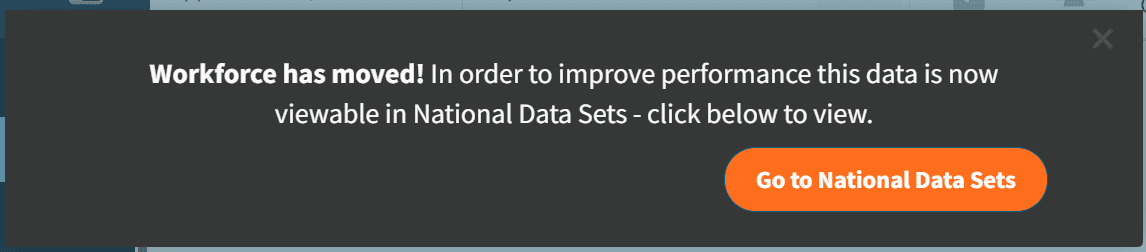
⚠️ Please note: Workforce data is available in the National Data Sets dashboard. The Workforce tab in the Appointments Dashboard includes a direct link to the dashboard, as the data is closely related to appointment demand and capacity. When you select the Workforce tab, you will be prompted to open the National Data Sets dashboard. Select Go to National Data Sets to view the workforce reports.
🔎 Review Workforce Capacity
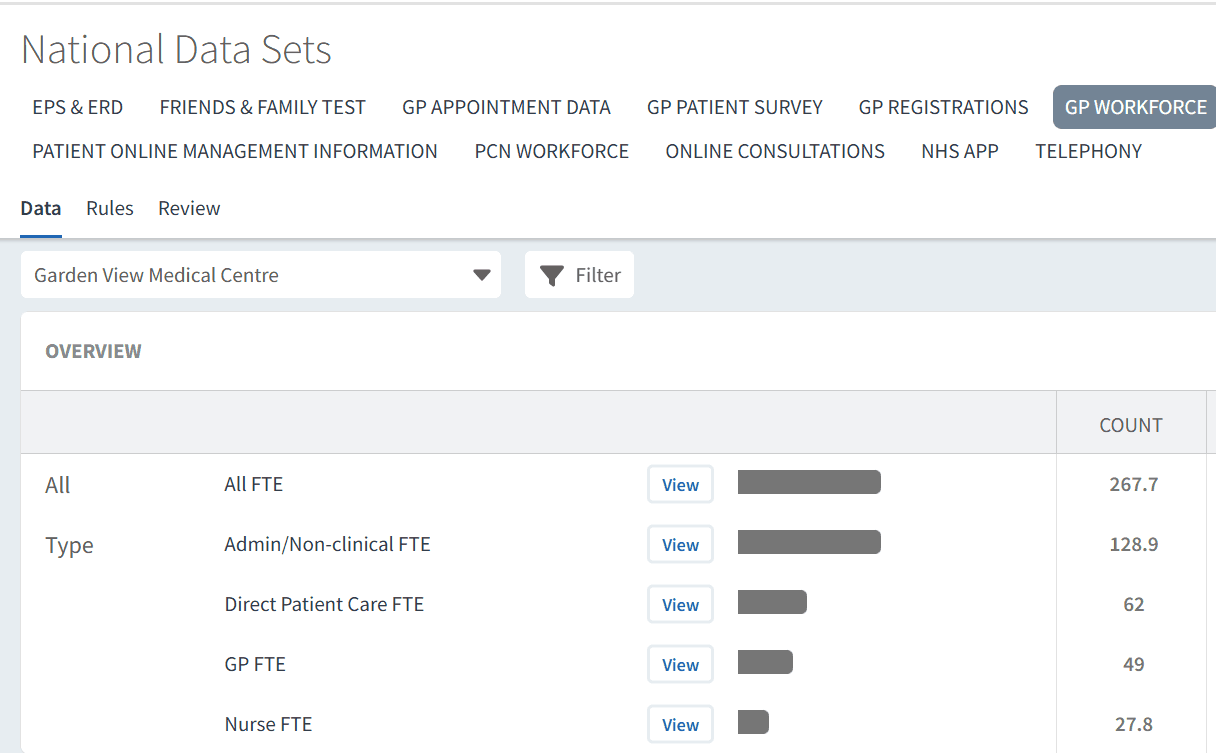
The Workforce tab is divided into sections to help you review staffing resources across your organisation.
Reports display workforce information by role group using Full-Time Equivalent (FTE) values.
Examples may include:
GPs
Nurses
Additional Roles Reimbursement Scheme (ARRS) staff
Administrative and non-clinical roles
Direct patient care roles
These reports can help organisations understand the staffing capacity available across different workforce groups.
Explore Workforce Breakdown
To explore workforce data in more detail:
Select View next to the relevant report
Select View Breakdown to break the report down by workforce role
Select the chevron next to a role group to expand additional detail
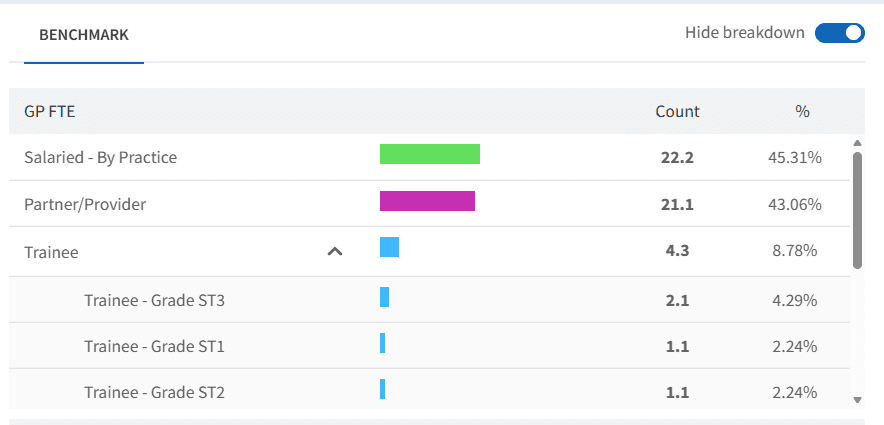
The breakdown view displays:
Workforce role groups
FTE values for each role
Trend charts showing workforce changes over time
Role groups are colour-coded to help visualise trends more clearly within the charts.
Monitor Workforce Trends
Trend charts can be used to review how workforce capacity has changed over time.
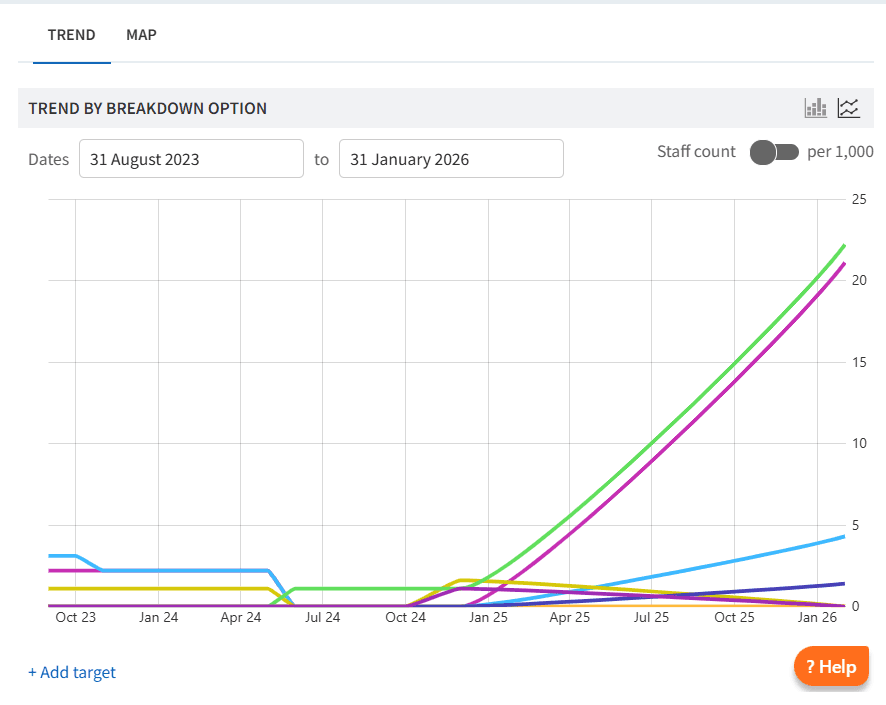
This can help organisations identify periods where:
Workforce levels increased or reduced
Appointment demand may have exceeded available capacity
Staffing changes impacted operational pressures
Additional workforce resource may be required
For example, practices may compare current GP FTE levels against previous periods where appointment access or operational performance was more manageable.
Reviewing workforce trends alongside appointment and demand data can support workforce planning and capacity management decisions.
📊 Demand & Capacity Planning
Workforce data can be used alongside appointment activity to better understand operational pressures across a practice or PCN.
Examples include:
Reviewing whether appointment demand aligns with workforce capacity
Understanding the impact of reduced GP or nursing resource
Monitoring changes following recruitment or workforce expansion
Supporting discussions around service redesign or recruitment priorities
Identifying trends that may impact patient access or continuity of care
Using workforce data together with Appointments and Capacity & Access reporting can help organisations make more informed operational decisions.
❓ FAQs
What does FTE mean?
FTE stands for Full-Time Equivalent and represents the total workload of staff converted into full-time hours.
Where does the workforce data come from?
The Workforce tab uses national data sets published by NHS England, including GP Workforce (GPW) and PCN Workforce (PCNW) data.
Can I view historical workforce trends?
Yes. Trend charts allow you to review workforce changes over time.
Can I break workforce data down further?
Yes. Use the View Breakdown option and chevrons within reports to explore workforce groups in more detail.
🏫 Additional Support
To further your understanding of the Ardens Manager platform:
Book training for your GP Practice, PCN or ICB
Complete the Appointments academy module
Contact our Support Team for support in real time