
ℹ️ Introduction
This article explains how to use the Safeguarding Dashboard to support child safeguarding monitoring, review, and case finding. By the end, you will be able to manage safeguarding registers, review activity, and proactively identify children who may require intervention.
Background
Child safeguarding is a core responsibility for primary care, focused on protecting children from harm and ensuring their welfare in line with guidance from NHS England and standards set by Care Quality Commission.
GP Practices are expected to:
Maintain accurate safeguarding registers (e.g. Child in Need, Child Protection Plan)
Monitor safeguarding activity and referrals
Identify and act on potential risks early
How Ardens Can Help
Ardens Manager provides a Safeguarding Dashboard that enables you to:
Manage child safeguarding registers
Review safeguarding activity and referrals
Identify at-risk children through case finders and alerts
✅Included in Ardens Manager National Content package: Interested in finding out more or requesting a trial? Contact accounts@ardens.org.uk
📍Access the Dashboard
Log into Ardens Manager.
Select the Services module from the left sidebar.
Open the Safeguarding dashboard.
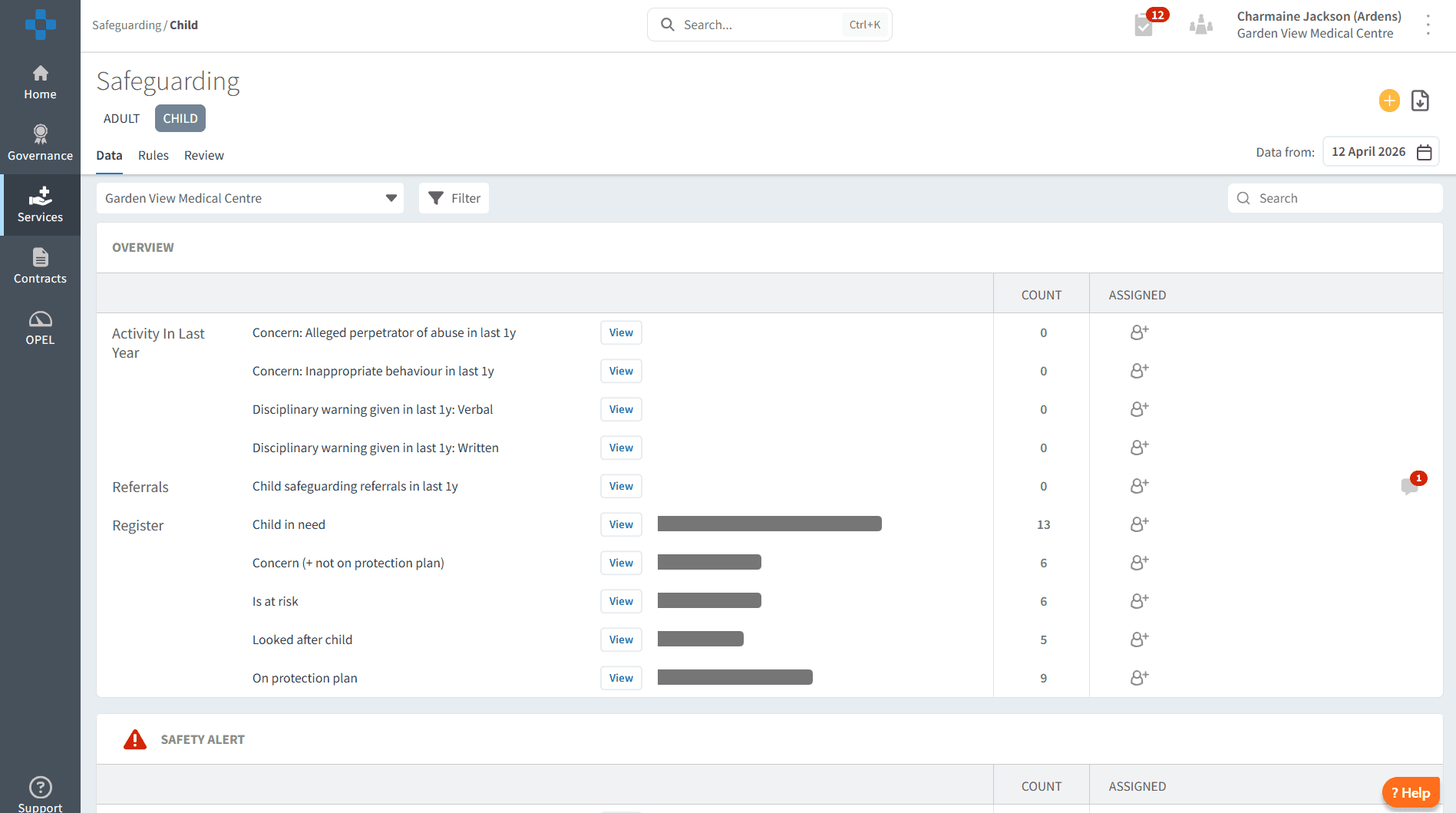
👨👩👧👦 Registers
Registers provide a structured way to monitor children with safeguarding needs and ensure appropriate follow-up and review.
The registers include:
Child in Need
Child Protection Plan
Looked After Child
At Risk / Cause for Concern
These registers support MDT discussions, information sharing, and compliance with safeguarding requirements.
🔎 Review
The Overview section provides a comprehensive overview of safeguarding activity, allowing you to monitor trends, identify risks, and ensure appropriate follow-up.
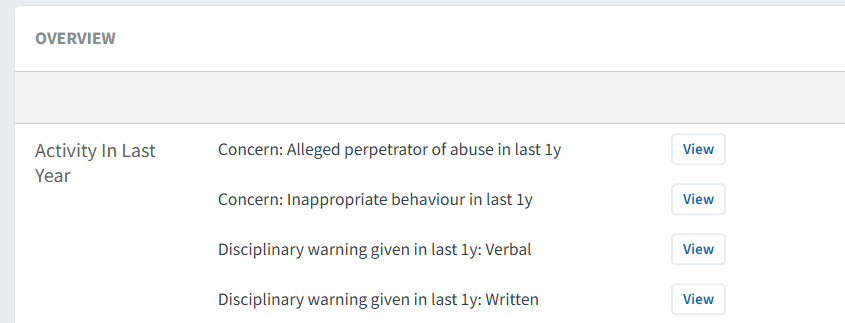
Activity in Last 12 Months
This area gives a retrospective view of safeguarding activity recorded over the past year.
You can use this to:
Monitor safeguarding concerns (e.g. inappropriate behaviour, allegations)
Review disciplinary indicators where relevant
Track safeguarding referrals
Identify trends or increases in activity
Click View next to each category to drill down into patient-level data and review individual cases.
📄 Referrals
This area highlights child safeguarding referrals recorded within the last year.
You can use this to:
Monitor referral activity
Ensure appropriate follow-up after referrals
Support safeguarding audits and reporting
Selecting View allows you to access detailed patient lists for further review.

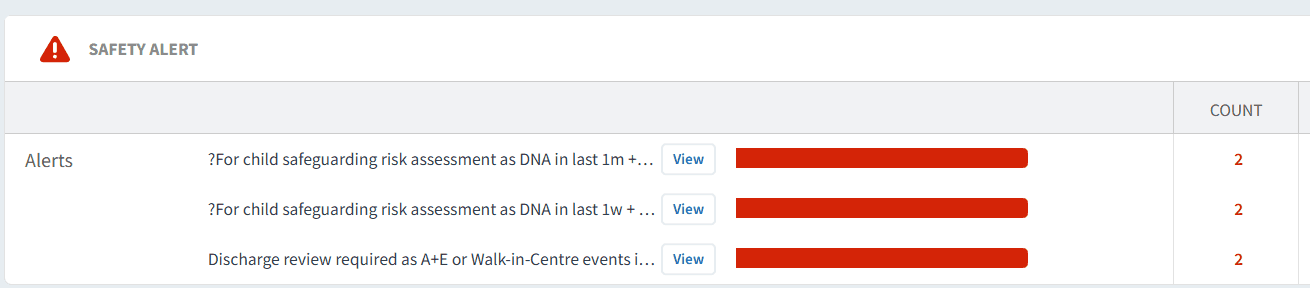
🚨 Safety Alerts
Safety alerts highlight children requiring urgent attention, for example:
Repeated DNAs (Did Not Attend) for safeguarding-related appointments
Recent A&E or Walk-in Centre attendances requiring follow-up
These should be reviewed regularly to ensure timely action is taken.
⚠️ Case Finders
The Case Finders section helps identify children who may be at risk but are not currently included on safeguarding registers.
You can use this to:
Identify children with potential safeguarding risks
Highlight missed opportunities for coding or intervention
Monitor children with repeated DNAs or unscheduled care activity
Support early intervention and prevention
Selecting View on any report will display a patient-level list for review.
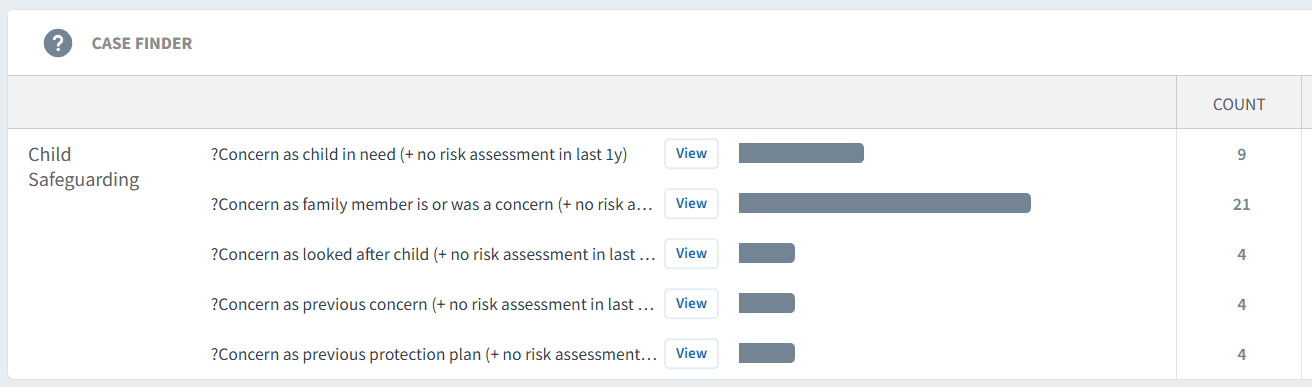
Across all review areas, you can apply filters and date ranges to analyse data by trends, demographics, long-term conditions, and risk factors, supporting a proactive safeguarding approach.
❓ FAQs
Why are some registers showing low or zero numbers?
This may indicate under-coding or that safeguarding information has not been recorded consistently.
How often should child safeguarding be reviewed?
Regular review is recommended, typically monthly, or aligned with safeguarding meetings.
What are safety alerts used for?
They highlight children who may require urgent review due to recent activity or risk indicators.
Can I export safeguarding data?
Yes, all drill-down patient lists can be exported for reporting or MDT discussions.
🏫 Additional Support
To further your understanding of the Ardens Manager platform:
Book training for your GP Practice, PCN or ICB.
Contact our Support Team for support in real time.