
ℹ️ Introduction
This article explains how to use Ardens Manager to monitor and support the delivery of Structured Medication Reviews (SMRs) across your PCN. By the end of this article, you will be able to track activity, identify patients requiring review, and support practices in delivering high-quality medication reviews.
Background
SMRs are a key component of the Network Contract Directed Enhanced Service (DES), designed to ensure patients receive safe, effective, and person-centered medication reviews.
They are typically targeted at patients with:
Complex or high-risk medication regimes
Multiple long-term conditions
Polypharmacy or frailty
Delivering SMRs across a PCN can be challenging due to:
Variation in activity across practices
Identifying appropriate patients for review
Ensuring consistent recording of activity
Effective monitoring is essential to ensure SMRs are delivered appropriately and consistently across the network.
How Ardens Can Help
Ardens Manager provides a dedicated SMR page within the Network Contract DES Dashboard, allowing you to monitor activity, identify eligible patients, and review delivery across your PCN.
The dashboard allows you to:
Monitor SMR activity across practices
Identify patients who may benefit from a review
Track variation in delivery across the PCN
Support planning and workload allocation
✅Included in Ardens Manager National Content package: Interested in finding out more or requesting a trial? Contact accounts@ardens.org.uk
📍 Access SMR Reports
Login to Ardens Manager
Select Contracts from the left-hand panel
Select Network Contract DES ‘26-27
Navigate to the Structured Medication Reviews (SMR) section

📊 Monitor SMR Activity
The dashboard provides an overview of SMR activity across your PCN.
Use this section to:
Track the number of SMRs completed
Monitor activity trends over time
Understand delivery across practices
Identify whether activity levels are on track
This helps provide a clear picture of overall SMR delivery.
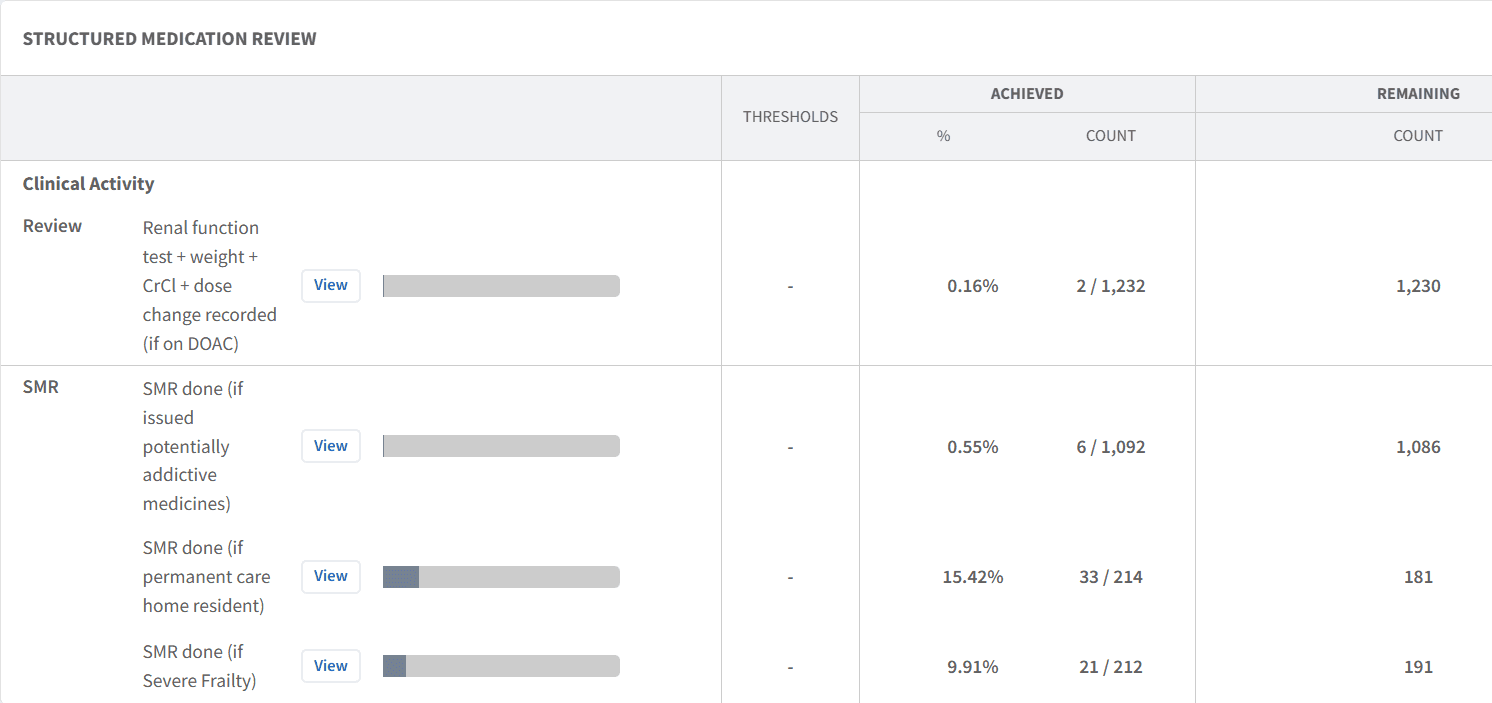
Identify Patients for Review
Ardens Manager helps identify patients who may benefit from an SMR based on clinical risk factors.
Use this to:
Identify patients with polypharmacy or complex medication regimes
Highlight patients with frailty or living in a care home
Support proactive identification of patients requiring review
These reports support a targeted and clinically appropriate approach to SMR delivery.
Take Action Using Patient Lists
Patient-level data can be used to support planning and delivery of SMRs.
To view patient lists:
Click View next to the relevant report
Select the PATIENTS tab
Apply filters if required
Export or review patients as needed
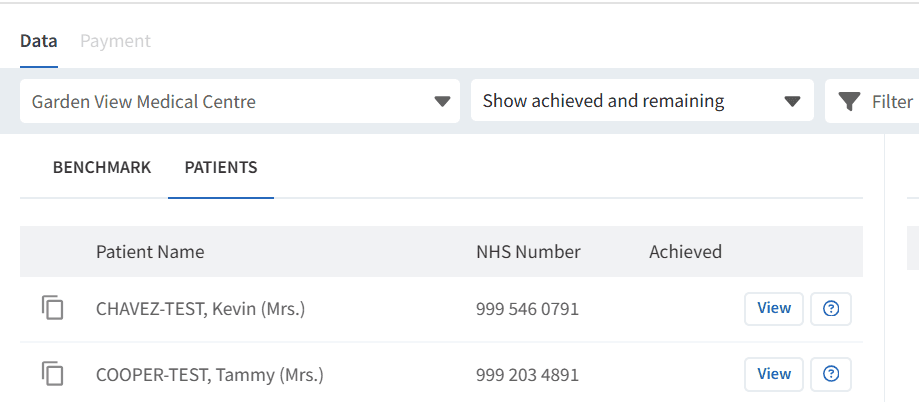
Use this to:
Allocate work across pharmacy teams
Plan SMR clinics or reviews
Prioritise high-risk patients
🔎 Identify Variation
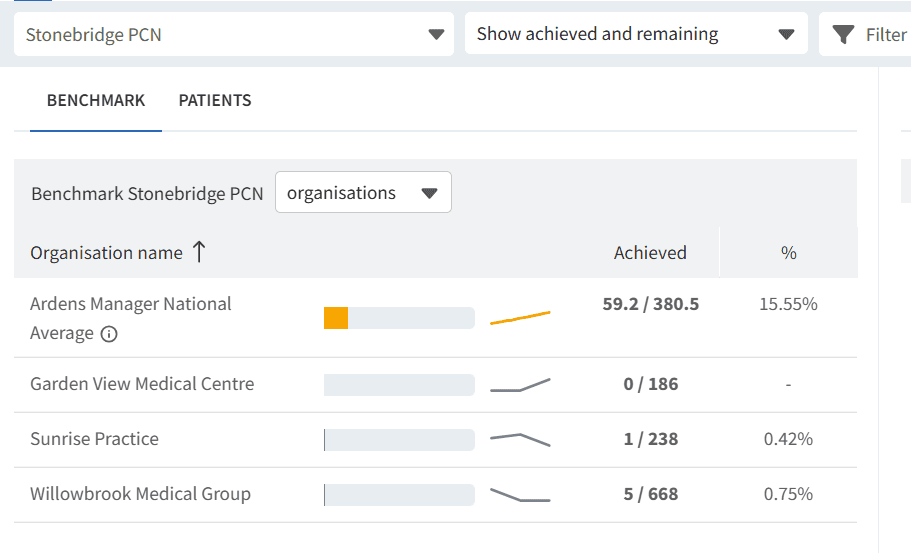
Variation in SMR delivery can impact overall performance and patient outcomes.
Use this to:
Compare activity levels between practices
Identify practices requiring additional support
Highlight areas of good practice
Support equitable delivery across the PCN
What is a Structured Medication Review (SMR)?
An SMR is a comprehensive, structured review of a patient’s medications to ensure they are safe, effective, and appropriate.
Which patients should receive an SMR?
Typically patients with complex medication regimes, multiple conditions, or higher clinical risk.
Can I view SMR activity across practices?
Yes, the dashboard allows comparison across practices within your PCN.
How is SMR activity recorded?
SMRs should be recorded in the clinical system using the appropriate templates to ensure they are captured correctly.
🏫 Additional Support
To further your understanding of the Ardens Manager platform:
Book training for your GP Practice, PCN or ICB
Complete the Network Contract DES academy module
Contact our Support Team for support in real time