
ℹ️ Introduction
This article explains how to use Ardens Manager to monitor how long patients are waiting to be seen when attending appointments. By the end of this article, you will be able to assess waiting room delays and identify areas where clinics may be running late.
Background
Waiting times are a key measure of access and service performance. While delays can sometimes be unavoidable due to emergencies or complex patient needs, consistently running late can negatively impact both patient experience and staff workload.
Extended waiting times may:
Lead to a poor patient experience
Increase pressure on clinicians
Contribute to clinic overruns and inefficiencies
Impact overall service flow
Monitoring waiting times helps organisations understand where delays occur and supports improvements in scheduling, capacity, and patient flow.
How Ardens Can Help
Ardens Manager provides detailed reporting on waiting room delays within the Appointments Dashboard, allowing you to understand how long patients are waiting beyond their scheduled appointment time.
The dashboard allows you to:
Monitor waiting times across defined time intervals
Identify patterns in clinic delays
Analyse variation by clinician and appointment type
Highlight pressure points across different days or sessions
Support improvements to scheduling and clinic flow
This enables practices and PCNs to move from reactive awareness of delays to proactive management of clinic performance.
✅Included in Ardens Manager National Content package: Interested in finding out more or requesting a trial? Contact accounts@ardens.org.uk
📍Access the Reports
Login to Ardens Manager
Select Services on the left-hand panel
Select Appointments
Navigate to the Waiting Time section
🔎 Monitor Waiting Times
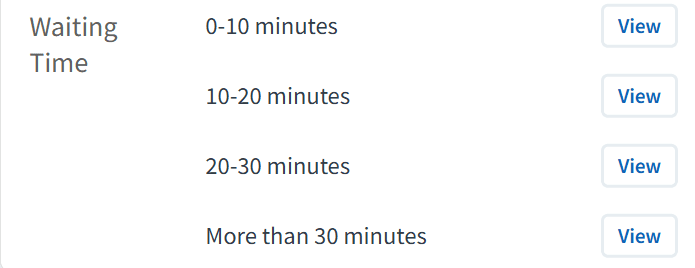
Reports display how long patients wait to be seen using time bands (e.g. 0–10 minutes, 10–20 minutes, 20–30 minutes, 30+ minutes).
While some delays are expected, the aim is typically for patients to be seen within 10 minutes of their scheduled appointment time.
Use this section to:
Monitor the proportion of patients seen within acceptable timeframes
Identify increases in longer wait times (e.g. 20+ minutes)
Review trends over time
Highlight potential pressure on clinics
Consistently high numbers of patients waiting over 30 minutes may indicate a need to review clinic structure, appointment length, or demand.
Identify Delays & Bottlenecks
Use the available breakdown options to understand where delays are occurring.
Use this to:
Analyse waiting times by clinician or role using the STAFF tab
Identify patterns across days or sessions using the timeline view
Review variation in delays across different appointment types
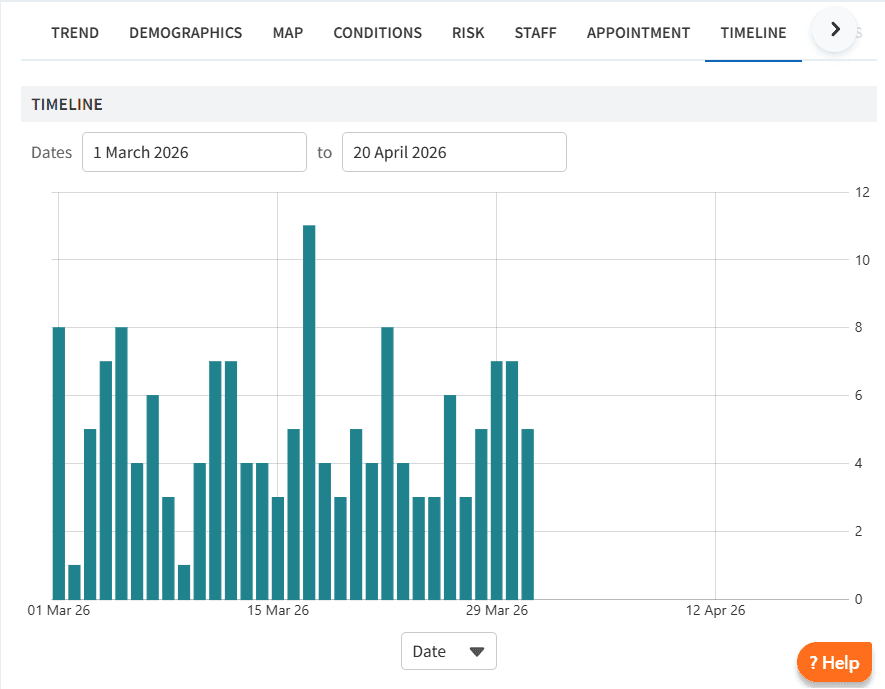
This helps identify where bottlenecks arise and whether delays are linked to specific clinics, staff groups, or times of day.
Assess Impact on Delivery
Waiting time data can provide insight into how effectively clinics are running.
This can help to:
Identify clinics that regularly overrun
Understand whether appointment lengths reflect patient need
Highlight areas where demand may exceed capacity
Support decisions to adjust clinic templates or appointment duration
📈 Monitor Improvement
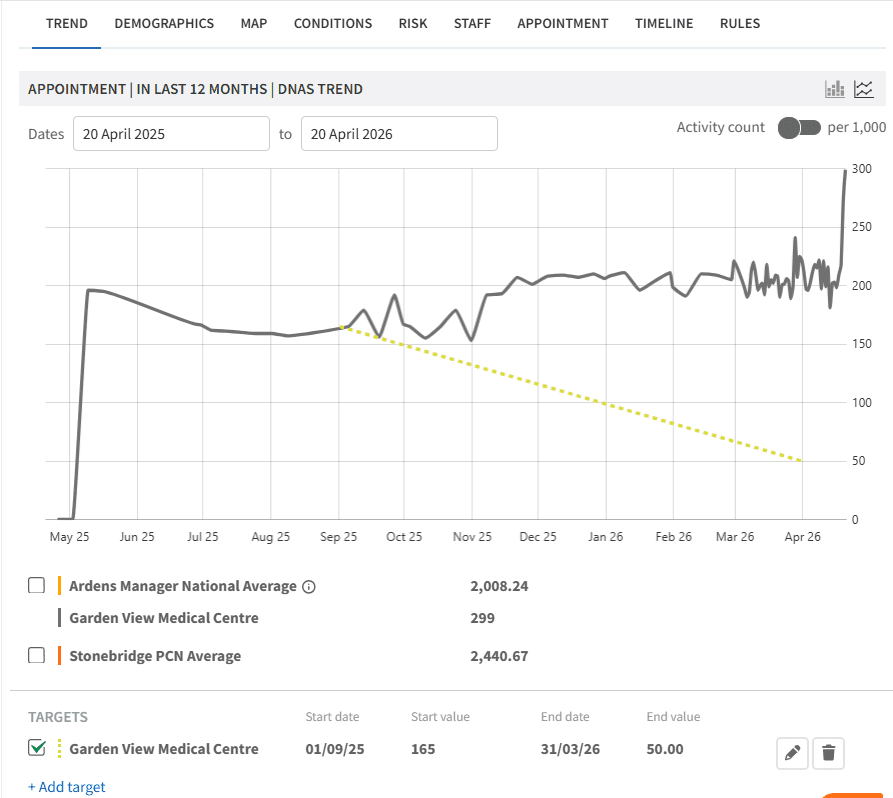
Use the TREND chart to track waiting times over time and evaluate the impact of any changes made
You can also set local targets to support improvement.
To add a local target:
Select the TREND tab
Click + Add Target
Complete the required fields
Click the save icon
❓FAQs
What is measured in the Waiting Time reports?
The time patients wait beyond their scheduled appointment time before being seen.
Can I identify which clinicians are running late?
Yes, the STAFF tab allows you to analyse waiting times by clinician or role group.
Does this show time between booking and appointment?
No. This report focuses on waiting times on the day of the appointment, not booking delays.
What happens if a patient arrives earlier than their scheduled appointment time?
Waiting time is calculated based on the scheduled appointment time. If a patient arrives early, this will not increase the recorded waiting time.
🏫 Additional Support
To further your understanding of the Ardens Manager platform:
Book training for your GP Practice, PCN or ICB
Complete the Appointments academy module
Contact our Support Team for support in real time