
ℹ️ Introduction
This article explains how to use Ardens Manager to support seasonal influenza vaccination campaigns. By the end of this article, you will be able to monitor vaccination uptake, identify eligible patients, and effectively invite patients to maximise clinic delivery.
Background
Seasonal influenza is a highly contagious viral infection that can lead to serious complications, particularly in high-risk populations. Monitoring vaccination activity and targeting at-risk groups is crucial for improving uptake and protecting patients.
How Ardens Can Help
Ardens Manager provides a dedicated Vaccination Dashboard to support practices in planning, delivering, and evaluating their vaccination programme.
The dashboard is structured into key areas:
Activity: Monitor invitations sent and vaccinations administered.
Data Quality: Identify early vaccinations.
Performance Indicators: Track uptake by clinical risk groups and low-uptake groups.
✅Included in Ardens Manager National Content package: Interested in finding out more or requesting a trial? Contact accounts@ardens.org.uk
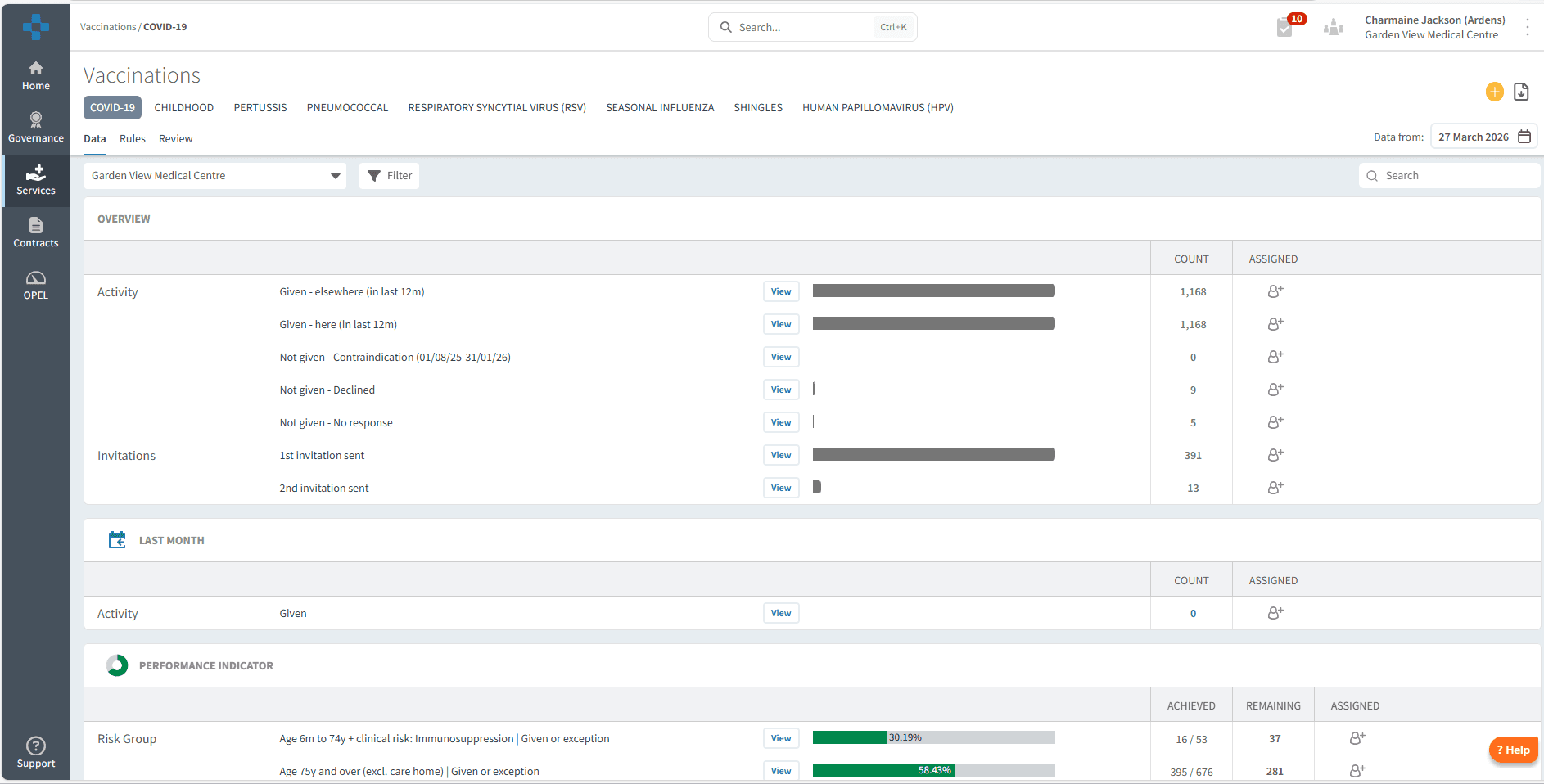
📍Access the Dashboard
Login to Ardens Manager.
Select Services from the left-hand panel.
Select Vaccinations.
Select SEASONAL INFLUENZA.
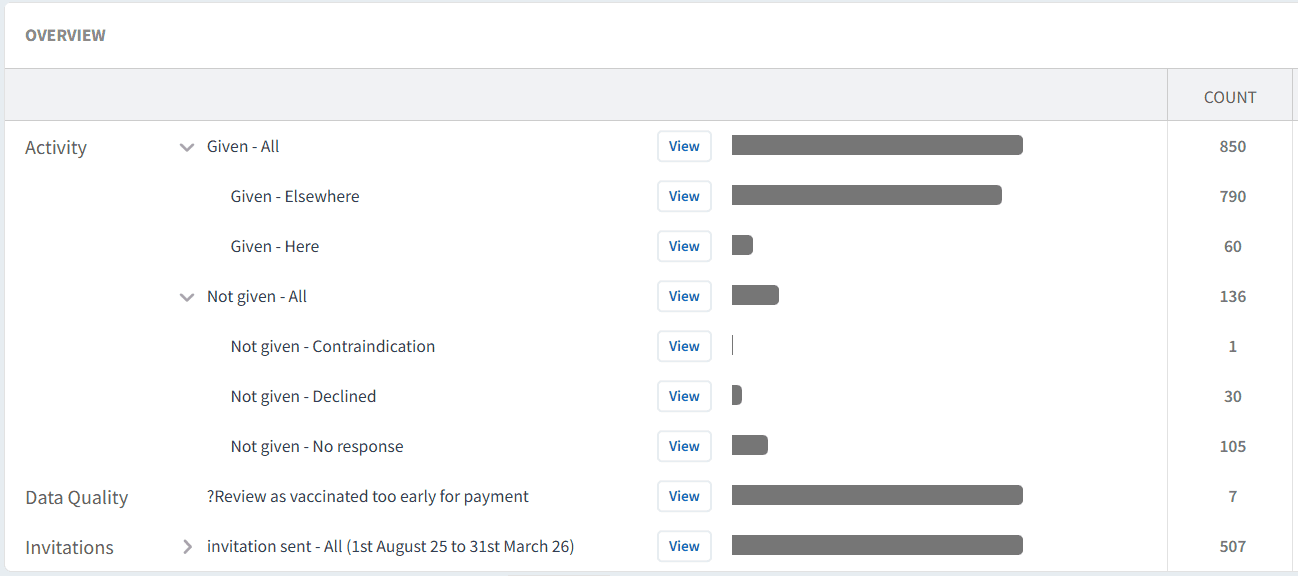
🔍Monitor Activity
The OVERVIEW section provides a high-level summary of your vaccination programmes, helping you understand how your flu season is progressing.
Use this section to:
Monitor vaccinations administered (both within your organisation and elsewhere, such as the pharmacy).
Review those patients who have not received the vaccine, highlighting trends or gaps in delivery.
Track invitations sent during the current flu season.
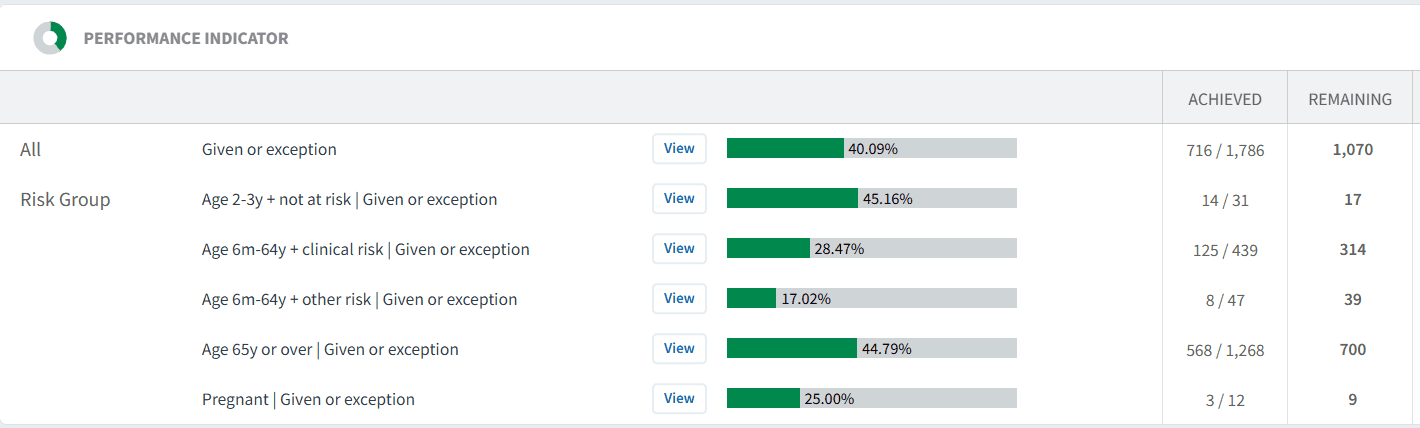
📊Track Performance
The PERFORMANCE INDICATOR section helps you understand uptake across different patient groups and identify areas for improvement.
Data is broken down by:
Eligible cohorts (e.g. age groups).
Clinical risk groups
Low uptake groups
Use this section to:
Identify patients still requiring a vaccination
Prioritise recalls and clinical capacity
Review trends that may indicate a need to adjust your campaign or recall approach
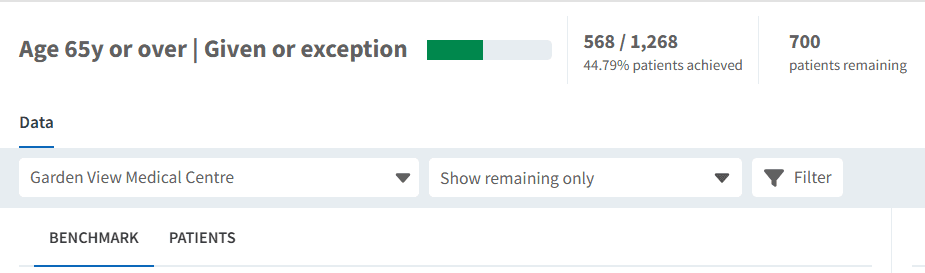
✉️ Invite Patients
Ardens Manager allows you to identify and export patients for targeted vaccination invites.
Use this to:
Prioritise high-risk or low uptake groups
Target remaining eligible patients
Maximise clinic utilisation towards the end of the season
To send invites:
Click View next to the relevant report.
Select the PATIENTS tab.
Select Show remaining only.
Apply any filters as needed.
Click Export at the bottom of the patient list and choose:
CSV (for external messaging platforms)
Import to clinical system
⚠️ Identify Data Quality
The Data Quality report highlights issues that may impact reporting and payment, identifying patients who have been recorded as vaccinated too early.

To action:
Click View.
Click the PATIENTS tab to view the list of patients.
Click View next to their NHS number to view their patient view or access their medical record in the clinical system.
❓FAQs
Why are some vaccinations not counted for payment?
This may be due to early administration, duplicate entries, or patients not meeting eligibility criteria.
Can I compare performance across practices?
Yes, benchmarking tools allow comparison at PCN or ICB level.
How do I find patients who still need vaccinating?
Use Performance Indicators or the Not Given - no response report and filter patient lists using “Show remaining only”.
Why is data showing vaccinations given elsewhere?
This reflects data recorded in the patient record, including vaccinations delivered in settings such as pharmacies.
🏫 Additional Support
To further your understanding of the Ardens Manager platform:
Book training for your GP Practice, PCN or ICB.
Explore the Ardens Clinical resources to support seasonal influenza - EMIS practices / SystmOne practices.
Contact our Support Team for support in real time.