
ℹ️ Introduction
This article explains how to use Ardens Manager to support Respiratory Syncytial Virus (RSV) vaccination campaigns. By the end of this article, you will be able to monitor uptake, identify eligible patients, and support targeted invitations.
Background
Respiratory Syncytial Virus (RSV) is a common respiratory virus that can cause severe illness in older adults and vulnerable patients. Vaccination programmes aim to protect those most at risk and reduce seasonal pressures on healthcare services.
How Ardens Can Help
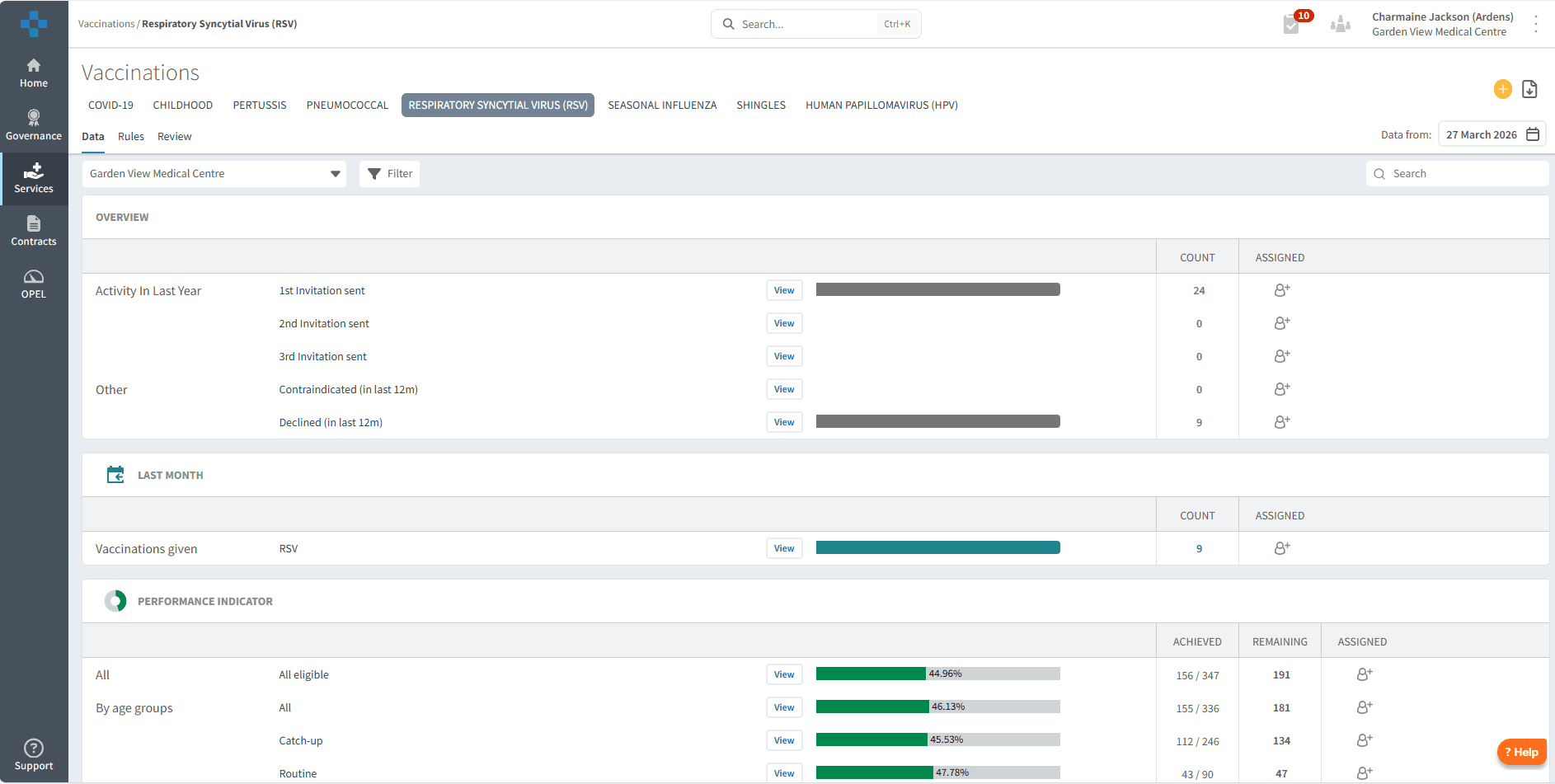
Ardens Manager provides a dedicated Vaccination Dashboard to support practices in managing their RSV vaccination programme.
The dashboard is structured into key areas:
Overview – Monitor invitations sent, and patients who have declined or are contraindicated
Performance Indicators – Track uptake by age group and clinical risk
✅Included in Ardens Manager National Content package: Interested in finding out more or requesting a trial? Contact accounts@ardens.org.uk
📍Access the Dashboard
Log in to Ardens Manager
Select Services from the left-hand panel
Select Vaccinations
Select RESPIRATORY SYNCYTIAL VIRUS
🔍 Monitor Activity
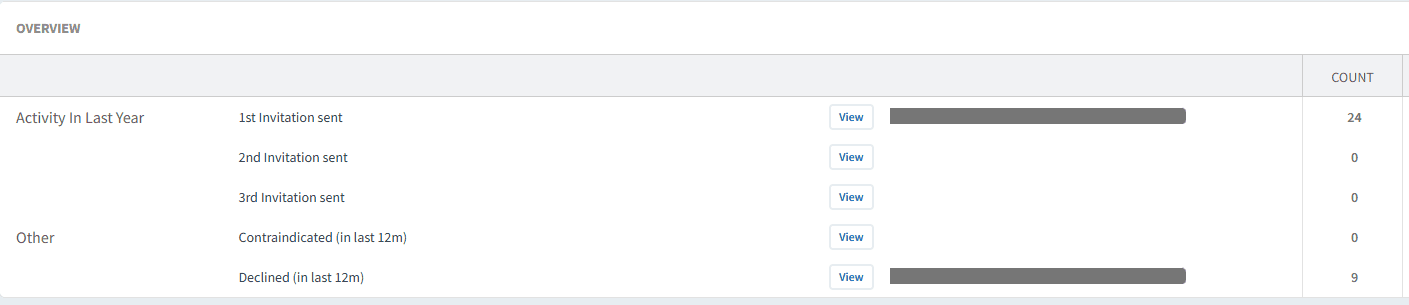
The Overview section provides a high-level summary of your RSV vaccination programme, helping you understand overall progress.
Use this section to:
Track invitations sent within the last 12 months
Review patients who have declined the vaccine
Identify patients with contraindications
This information can be used to understand engagement levels and identify patients who may require further follow-up or review.
📊 Track Performance
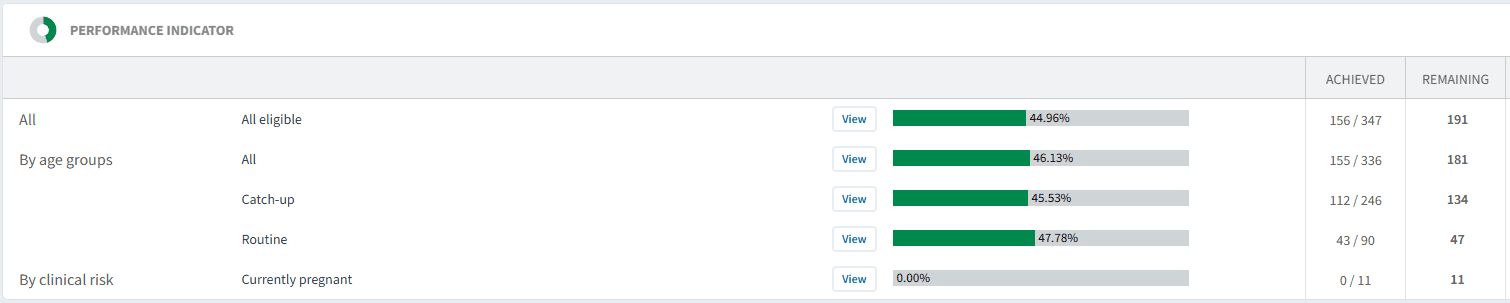
The Performance Indicators section helps you understand uptake across eligible patient groups and identify areas for improvement.
Data is broken down by:
Age groups
Clinical risk groups
Use this section to:
Identify patients still requiring vaccination
Prioritise targeted recall
Monitor uptake across cohorts to support planning and delivery
✉️Invite Patients
Ardens Manager allows you to identify and export patients for targeted RSV vaccination invites.
Use this to:
Target eligible patients who have not yet been vaccinated
Focus on specific age groups or clinical risk cohorts
Support efficient clinic planning
To send invites:
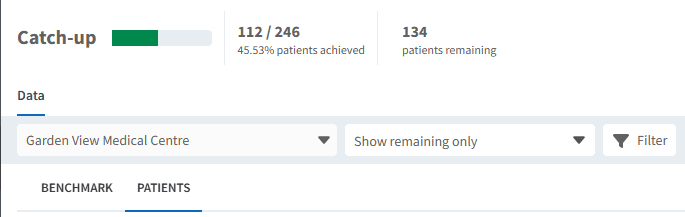
Click View next to the relevant report
Select the PATIENTS tab
Select Show remaining only
Apply any filters as needed
Click Export and choose:
CSV (for external messaging platforms)
Import to clinical system
❓FAQs
Why are some patients showing as contraindicated?
This indicates that a clinical code has been recorded, suggesting the vaccine is not suitable. Review the patient record if needed.
Can I see which patients declined the vaccine?
Yes, this is available in the Overview section and can be used for follow-up or audit.
How do I find patients who still need vaccinating?
Use the Performance Indicators section and filter patient lists using “Show remaining only”.
Can I compare uptake across groups?
Yes, Performance Indicators allow you to review uptake across age groups and clinical risk cohorts.
🏫 Additional Support
To further your understanding of the Ardens Manager platform:
Book training for your GP Practice, PCN or ICB.
Explore the Ardens Clinical resources to support RSV - EMIS practices / SystmOne practices.
Contact our Support Team for support in real time.