
ℹ️ Introduction
This article explains how to use the Health Checks Dashboard within Ardens Manager to monitor and manage health check activity across your organisation. By the end of this guide, you will be able to navigate the dashboard, review performance indicators, identify patients requiring action, and support proactive recall and delivery of health checks.
Background
Health checks support the early identification and prevention of long-term conditions, lifestyle risks, and unmet care needs. Monitoring uptake, delivery, and outcomes can help practices improve patient engagement, meet contractual requirements, and target interventions effectively.
How Ardens Can Help
The Health Checks Dashboard within Ardens Manager provides a centralised view of health check activity and performance data extracted from the clinical system.
Using the dashboard, you can:
Monitor health check activity and performance
Review completed and outstanding assessments
Identify patients requiring recall or follow-up
Access patient-level cohorts for action
Support quality improvement and reporting activity
✅Included in Ardens Manager National Content package: Interested in finding out more or requesting a trial? Contact accounts@ardens.org.uk
📍 Access the Dashboard
Login to Ardens Manager.
Select Services from the left-hand panel.
Select Health Checks.
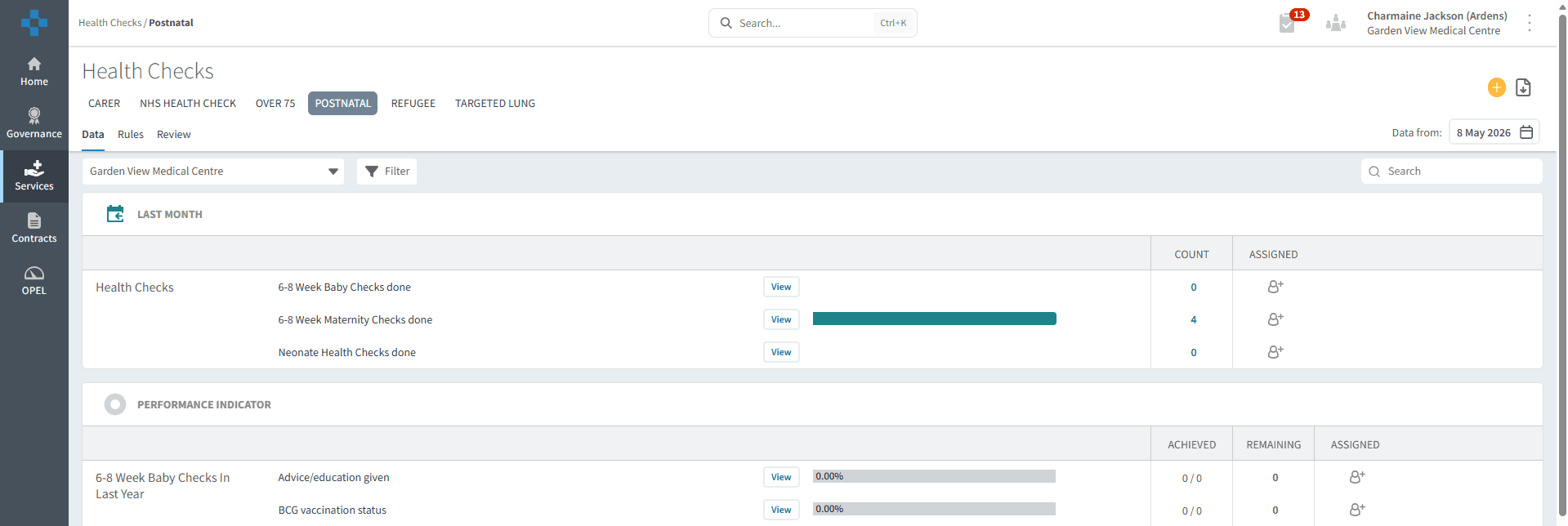
📄 Review Activity
The dashboard can be used to review recent health check activity and monitor delivery across selected areas:
Carers
NHS Health Checks
Over 75s
Postnatal
Refugee
Targeted Lung
Last Month
The Last Month section provides a summary of recently completed activity, including:
Assessments completed
Health checks delivered
Invitations sent
Selecting View next to the relevant report opens the Single Report View, allowing you to access patient cohorts and analyse trends, demographics, risk, and resources.
This information may help practices:
Monitor recent workload
Review delivery trends
Identify gaps in activity
Allocate outstanding work to team members

📈 Monitor Indicators
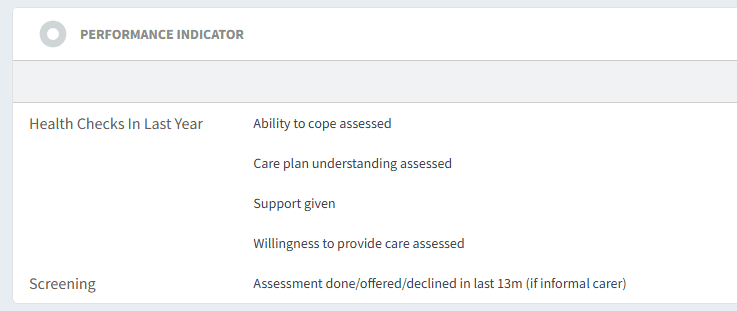
The majority of the dashboard is made up of performance indicators designed to help monitor health check quality, clinical activity, and completion rates across different programmes.
Examples include:
Carers assessment completed, including ability to cope, care plan understanding, and support provided.
Over 75s health check elements recorded, such as blood pressure, BMI, lifestyle advice, and frailty status.
Postnatal and child health activity completed, including 6–8 week baby checks and maternity reviews within the last year.
Refugee health assessments were recorded, including lifestyle information, communication needs, and cardiovascular disease (CVD) risk factors.
Targeted Lung Health Check activity completed within the last 12 months.
🗓️ Manage Patient Follow-up
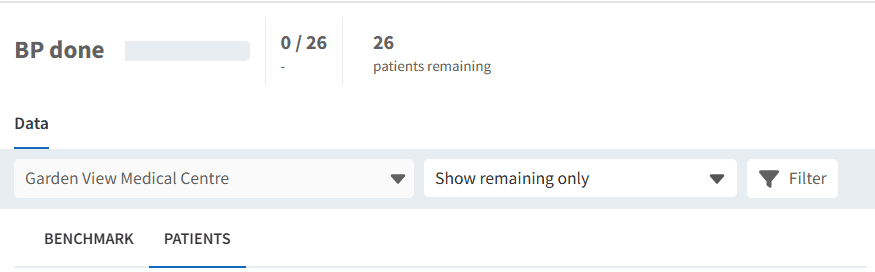
The dashboard can be used to identify patients who are eligible for a health check but have not yet engaged with or completed the required activity. Practices can use these patient cohorts to support additional recall, follow-up, or targeted outreach where appropriate.
Select View next to the required report.
Change the filter from Show achieved and remaining to Show remaining only.
Select the PATIENTS tab to display the list of outstanding patients.
From this view, you can:
Export the patient list for further action
Open an individual patient view to review and manage follow-up activity accordingly
❓ FAQs
Can patient lists be exported?
Yes. Patient cohorts can be exported where enabled within your organisation’s permissions.
What does the “Assigned” column show?
The Assigned column shows activity or patient cohorts allocated to users for follow-up or review.
Why are some indicators showing 0%?
This may indicate that no eligible patients have yet met the criteria, or that coding/activity has not yet been recorded in the clinical system.
🏫 Additional Support
To further your understanding of the Ardens Manager platform:
Book training for your GP Practice, PCN or ICB.
Contact our Support Team for support in real time.