
ℹ️ Introduction
This article explains how to use Ardens Manager to monitor prescribing activity and medicines management. By the end of this article, you will be able to understand prescribing performance, identify areas of risk, and take action to improve safety, quality, and cost-effectiveness.
Background
Effective medicines management is essential to ensure prescribing is safe, appropriate, and cost-effective. Primary care organisations must balance multiple pressures, including patient safety, workforce capacity, financial constraints, and national and local prescribing guidance.
Managing prescribing across populations can be challenging due to:
Variation in prescribing practices
Monitoring requirements for high-risk medications
Increasing complexity of patient needs
The need to identify cost-saving opportunities
Having a clear, data-driven view of prescribing supports more proactive and consistent decision-making.
How Ardens Can Help
Ardens Manager provides a comprehensive Prescribing Dashboard that brings together multiple aspects of medicines management into a single view.
The dashboard allows you to:
Monitor prescribing safety and national alerts
Track drug monitoring and high-risk medications
Review prescribing activity and trends
Identify opportunities for cost-effective prescribing
Support medicines optimisation and structured reviews
Analyse prescribing at Practice, PCN, or ICB level
The dashboard is structured into key areas:
Alerts: National patient safety alerts
Monitoring: Drug monitoring requirements
Activity: High-risk prescribing activity
Environment: Inhaler optimisation and sustainability
Cost Effectiveness: Switching and cost-saving opportunities
PPA: Personally Administered Items and claims
Optimisation: Medicines optimisation and safety
Reviews: Structured medication reviews and polypharmacy
✅Included in Ardens Manager National Content package: Interested in finding out more or requesting a trial? Contact accounts@ardens.org.uk
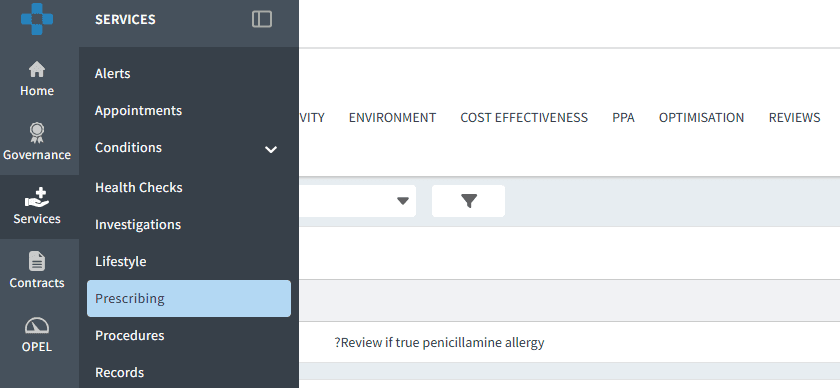
📍 Access the Dashboard
Login to Ardens Manager
Select Services from the panel on the left
Select Prescribing
🔎 Understand Insights
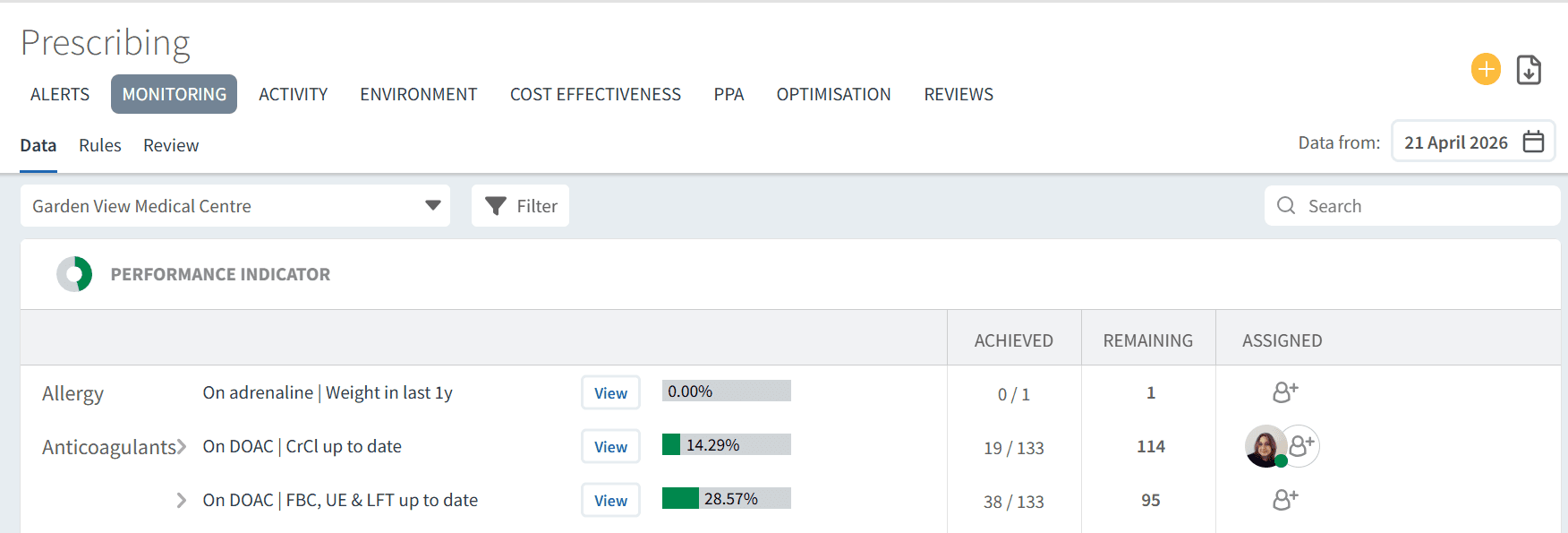
The dashboard is divided into tabs across the top, each focusing on a different aspect of prescribing.
Use this to:
Navigate between key prescribing areas
Focus on specific priorities (e.g. safety, cost, optimisation)
Build a complete picture of medicines management
Review and Analyse Reports
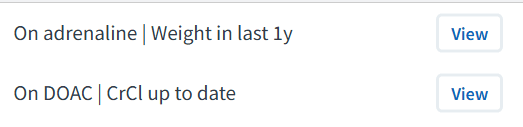
Each report provides a summary view, with the option to drill down for further detail.
To explore a report:
Click View next to the report
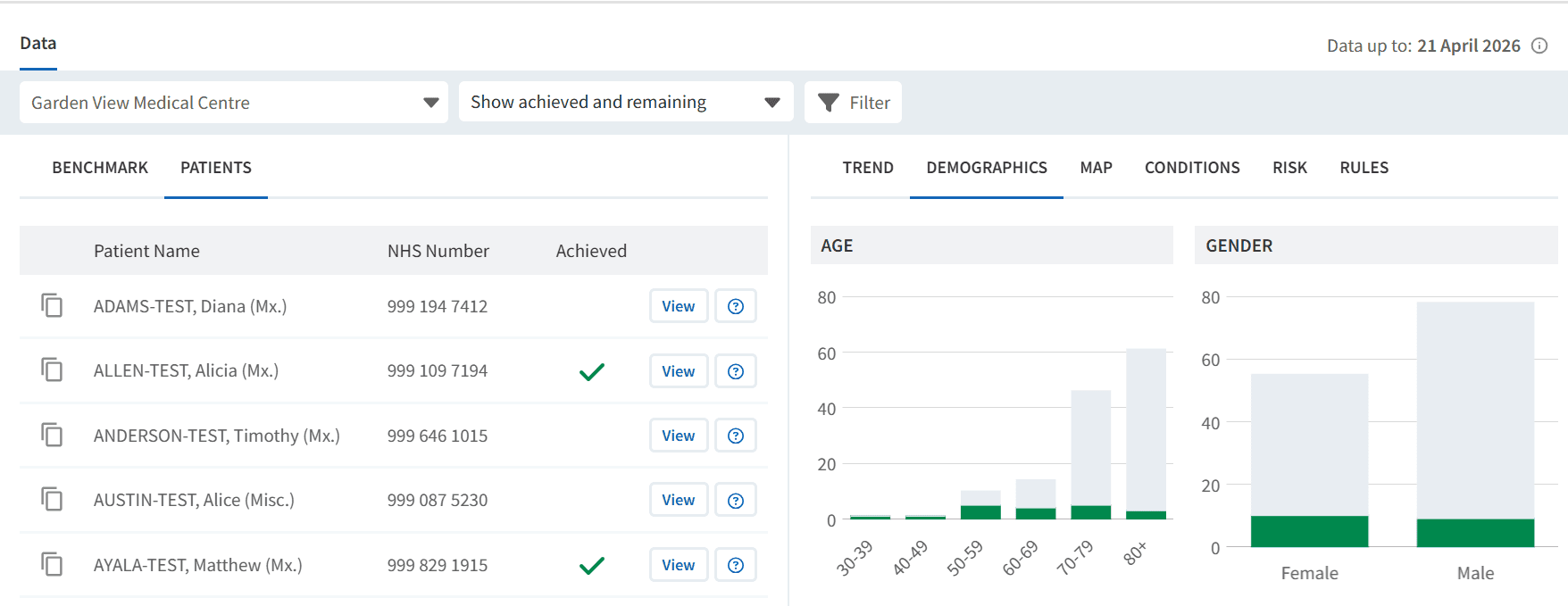
This allows you to:
Access patient lists
Review trends over time
Analyse demographic and condition variation
Understand prescribing patterns
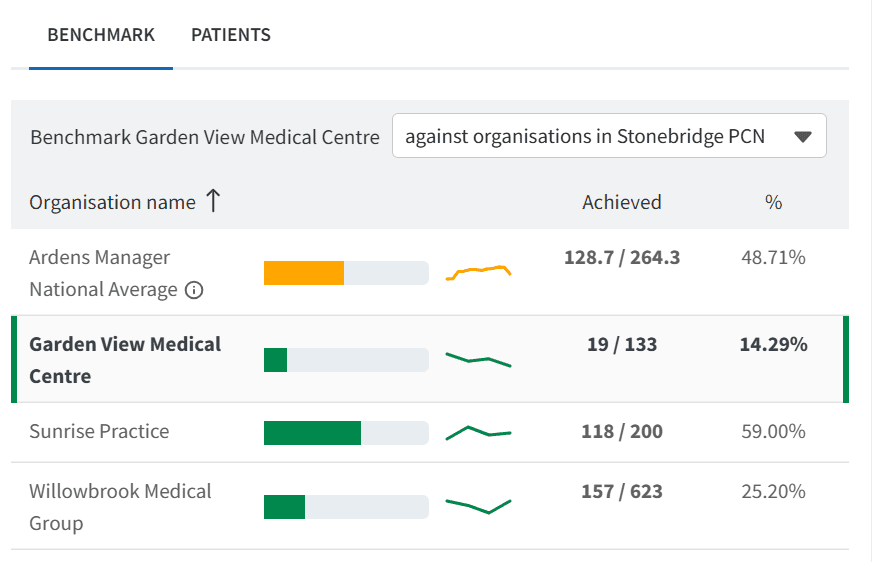
📊 Compare Organisations
Where data-sharing agreements are in place, you can benchmark across organisations.
Use this to:
Compare prescribing patterns across practices or PCNs
Identify variation and outliers
Support targeted improvement and shared learning
🎯 Take Action
Insights from the prescribing dashboard can be used to:
Improve patient safety through proactive monitoring
Identify and review high-risk prescribing
Optimise medication use and reduce variation
Support cost-effective prescribing decisions
Plan and prioritise medicines optimisation work
❓FAQs
How often is prescribing data updated?
Data is typically updated daily once automatic uploads are enabled.
Can I access patient-level data?
Yes, where patient-level access has been enabled by your organisation.
Can this be used at PCN or ICB level?
Yes, prescribing data can be analysed across multiple organisations where data-sharing agreements are in place.
Additional Support
To further your understanding of the Ardens Manager platform:
Book training for your GP Practice, PCN or ICB.
Contact our Support Team for support in real time.