
ℹ️ Introduction
This article explains how to use the Team Activity dashboard in Ardens Manager to monitor team workload, activity levels, and engagement. By the end, you will be able to review performance metrics, identify trends, and support service improvement.
Background
Primary care teams generate large volumes of activity data across appointments, prescribing, and patient interactions. Without a central view, it can be difficult to understand workload distribution and team engagement.
The Team Activity dashboard in Ardens Manager provides a consolidated overview of usage and activity across roles (e.g. GP, Nursing, Pharmacy), helping practices make informed operational decisions.
How Ardens Can Help
The Team Activity Dashboard provides a high-level overview of system usage and engagement. It breaks down activity by staff groups (GP, Nurses, Pharmacist and Admin) to provide data such as dashboard usage and appointment and prescribing activity.
✅Included in Ardens Manager National Content package: Interested in finding out more or requesting a trial? Contact accounts@ardens.org.uk
📍Access the Dashboard
Log into Ardens Manager.
Select the Services module from the left sidebar.
Open the Team Activity dashboard.
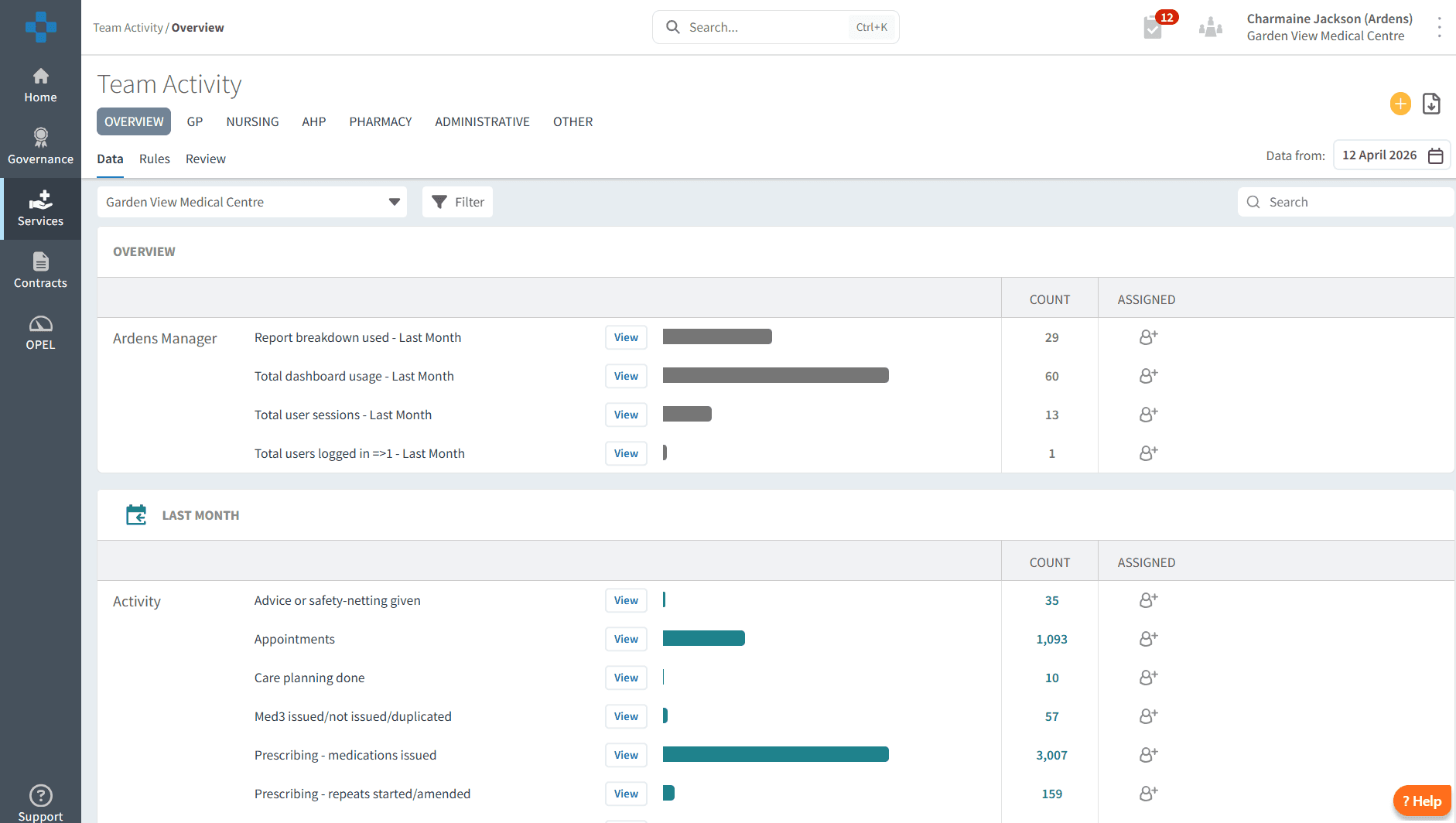
🔎 Review Data
By default, you will be taken to the Overview tab. This tab provides key insights into the following areas:
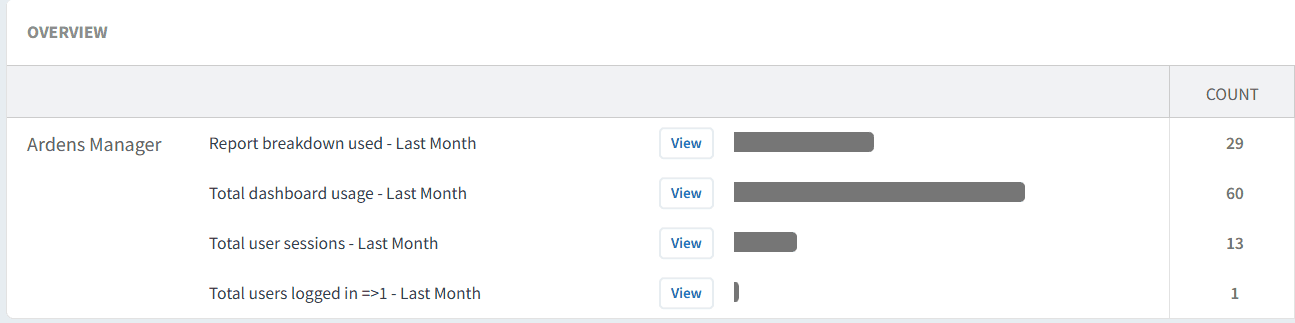
Usage
This section provides a snapshot of Ardens Manager's overall usage and engagement across your organisation. Select the View option located to the right of the reports to understand trends and benchmark your data against other organisations.
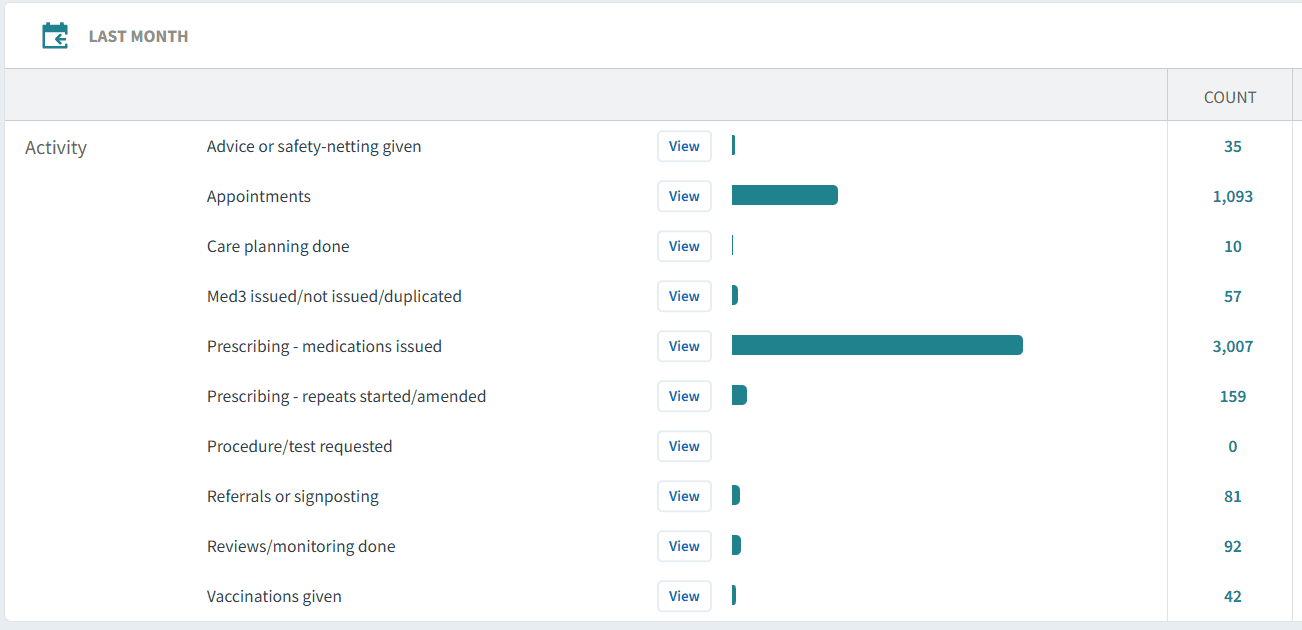
Activity
This section reports on activity in the last month and provides data on appointments, prescribing, vaccinations and referral activity. Select the View option located to the right of the reports to break down activity further by patient demographics and staff groups.
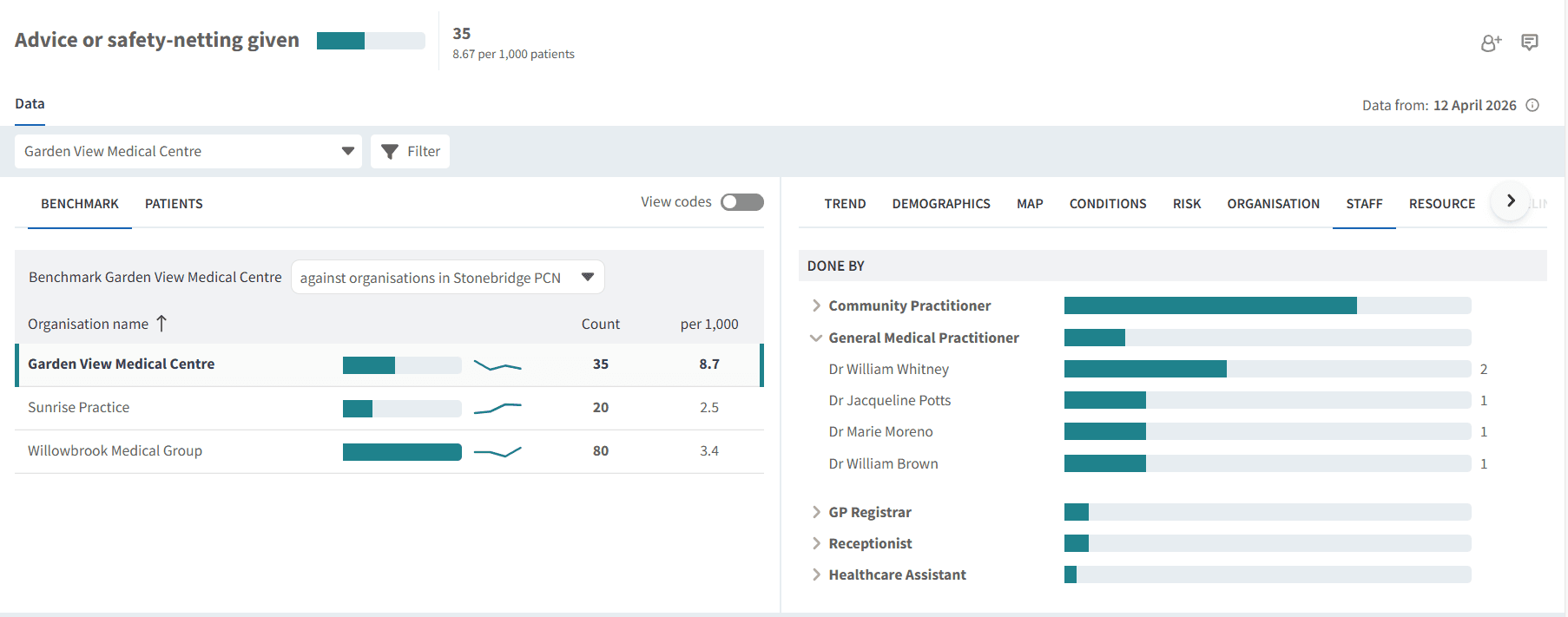
By Role
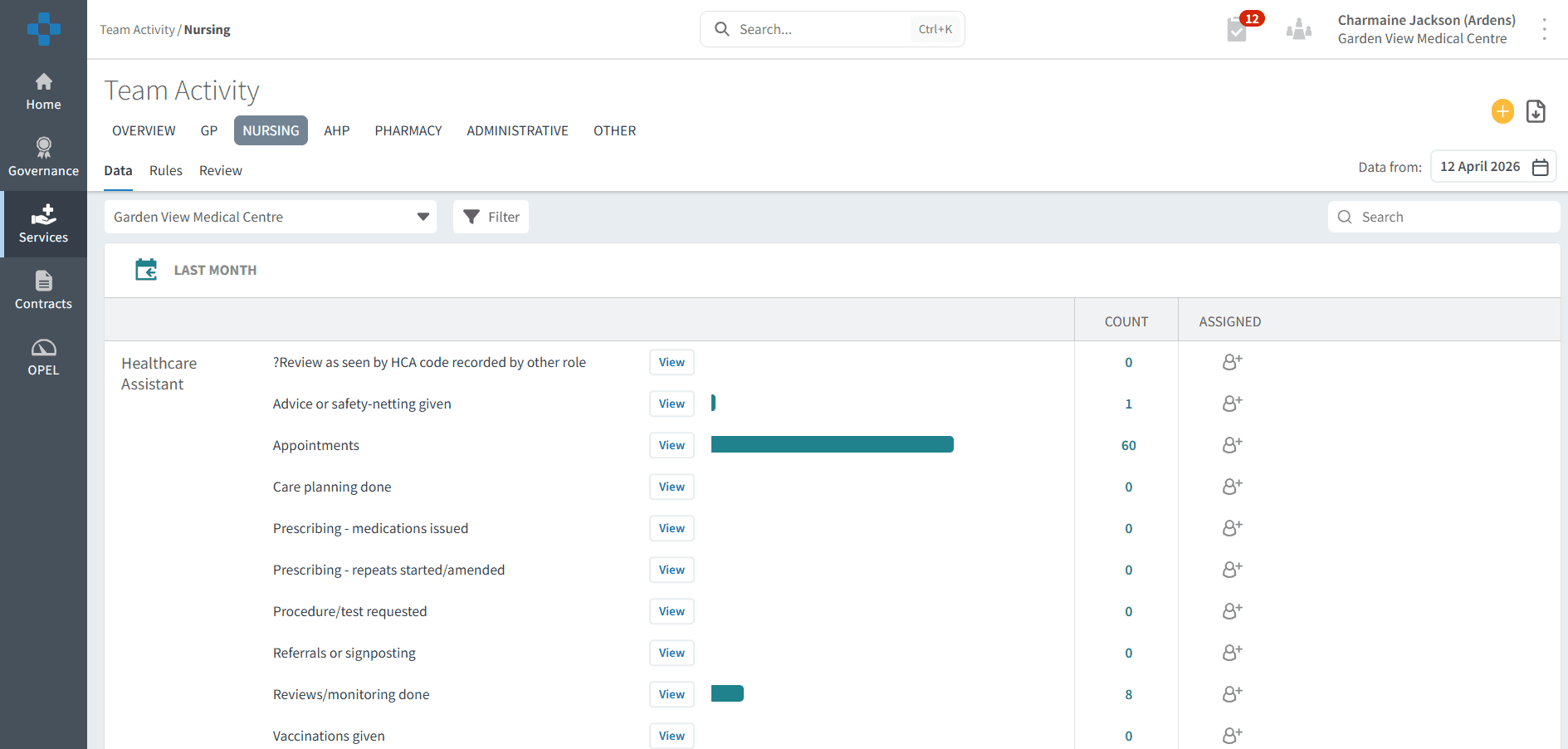
Additional tabs at the top of the page allow you to analyse data by specific roles, including GPs, Nursing, AHPs, Pharmacy, Administrators, and Mental Health Practitioners.
❓FAQs
How often is the data in the Team Activity dashboard updated?
The dashboard is updated daily to reflect recent activity. This ensures you are reviewing timely information when monitoring workload and engagement.
Can I filter the data by specific staff members or time periods?
Yes, within the dashboard you can refine your view by selecting different tabs (such as by role) and using available filters. This allows you to analyse activity for specific staff groups or timeframes to better understand trends and performance.
🏫 Additional Support
To further your understanding of the Ardens Manager platform:
Book training for your GP Practice, PCN or ICB.
Contact our Support Team for support in real time.