
ℹ️ Introduction
This article explains how to use Ardens Manager to monitor and manage referral activity across your organisation. By the end, you will be able to track referrals and use the dashboard to support workflow and performance.
Background
Managing referrals efficiently is essential for ensuring timely patient care and meeting NHS targets, particularly for urgent pathways such as two-week wait referrals and mental health services. Practices often need visibility of referral volumes, categories, and progress to improve outcomes and reduce delays.
How Ardens Can Help
Ardens Manager provides a dashboard that allows practices to:
Monitor referral activity by category
Track trends and volumes over time
Identify urgent and priority referrals
Support workload planning and service evaluation
✅Included in Ardens Manager National Content package: Interested in finding out more or requesting a trial? Contact accounts@ardens.org.uk
📍Accessing the Dashboard
Log into Ardens Manager.
Select the Services module from the left sidebar.
Open the Referrals dashboard.
🔎 Review Data
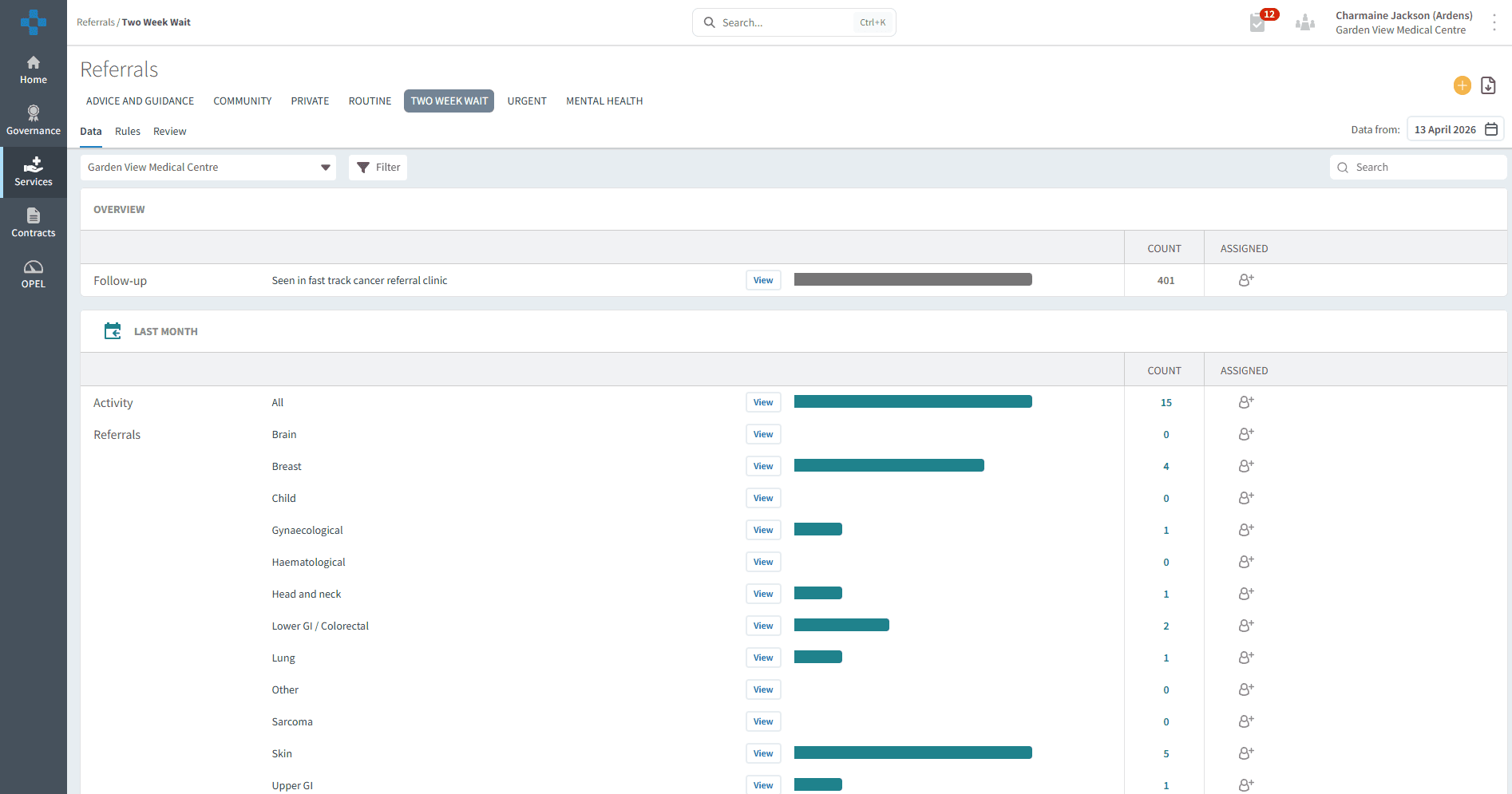
The dashboard is organised into tabs based on referral type, allowing you to quickly navigate and review specific areas of activity:
Advice and Guidance: Displays the total number of Advice and Guidance requests submitted to specialists.
Community: Includes referrals to community-based services such as podiatry, health visiting, and occupational therapy teams.
Private: Captures referrals to private providers, including services for long-term conditions, mental health, and oral surgery.
Routine: Covers standard, non-urgent referrals to secondary care.
Two Week Wait: Includes referrals coded under fast-track pathways, typically for suspected cancer.
Urgent: Contains urgent referrals requiring prompt attention, such as cardiology referrals.
Mental Health: Includes referrals to services such as CAMHS and other adult or community mental health teams.
Each tab provides an overview of referral activity over the past month, helping you to understand patterns, monitor demand, and support high-level reporting and decision-making.
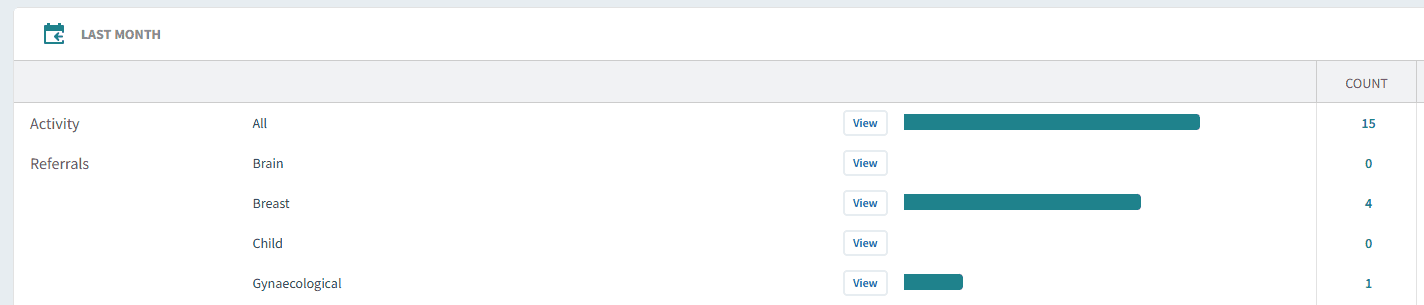
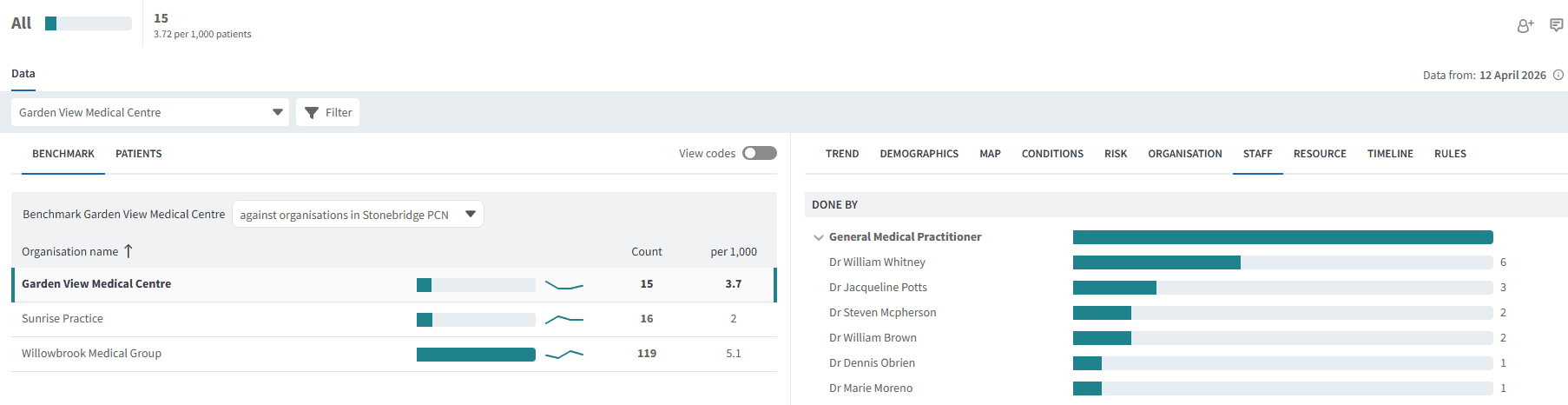
Click the View button next to the required report to open the Single Report screen. From here, you can further break down data by demographics and risk groups, and access detailed patient-level information.
Selecting the Staff tab allows you to monitor referral activity by staff category, helping you understand which roles are generating referrals across each pathway.
❓ FAQs
What time period does the dashboard display?
Each tab shows referral activity for the past month, allowing you to review recent patterns and demand.
Can I filter the data within a report?
Yes, by clicking the View button you can open the Single Report screen and apply additional filters such as demographics, risk groups, and trends.
Can I see which staff members are making referrals?
Yes, the Staff tab allows you to view referral activity by staff category, helping you understand which roles are generating referrals.
🏫 Additional Support
To further your understanding of the Ardens Manager platform:
Book training for your GP Practice, PCN or ICB.
Contact our Support Team for support in real time.