
ℹ️ Introduction
This article explains how to use Ardens Manager to support delivery of Vaccinations and Immunisations (V&I) Enhanced Services. By the end of this article, you will understand where to monitor vaccination performance and activity, and how to access the relevant dashboards for both QOF indicators and Item of Service (IoS) claims.
Background
Vaccinations and immunisations form a key part of preventative healthcare, protecting individuals and populations from serious infectious diseases.
Delivery of V&I services is supported through a combination of:
QOF indicators: Which monitor achievement for routine childhood immunisations
Enhanced Services (ES): Where activity is reimbursed via Item of Service (IoS) payments
Monitoring performance across these areas can be complex, as activity and payment mechanisms differ depending on the service.
Having a clear understanding of where to track each element is essential to ensure:
Accurate recording and reporting
Maximised achievement and income
Identification of patients requiring vaccination
How Ardens Can Help
Ardens Manager supports V&I delivery by providing access to multiple dashboards, each designed to monitor different aspects of vaccination activity.
Rather than a single combined dashboard, V&I activity is monitored across:
QOF Dashboards: For childhood immunisation indicators and performance
Vaccinations Dashboards: For activity monitoring and IoS reimbursement tracking
This structure reflects how vaccination services are commissioned and reported nationally.
Using these dashboards, you can:
Monitor vaccination performance and achievement
Track activity linked to payment (IoS claims)
Identify eligible or overdue patients
Support recall and service planning
✅ Included in Ardens Manager National Content package: Interested in finding out more or requesting a trial? Contact accounts@ardens.org.uk
📍 Access Vaccination Data
To access vaccination-related dashboards login to Ardens Manager
For QOF indicators:
Select Contracts
Select QOF Dashboard
Select the Vaccinations tab
For vaccination activity and IoS claims:
Select Services
Select the Vaccinations Dashboard
🔎 Monitor Activity
QOF Vaccination Indicators
Childhood immunisations included in QOF are monitored within the QOF dashboard.
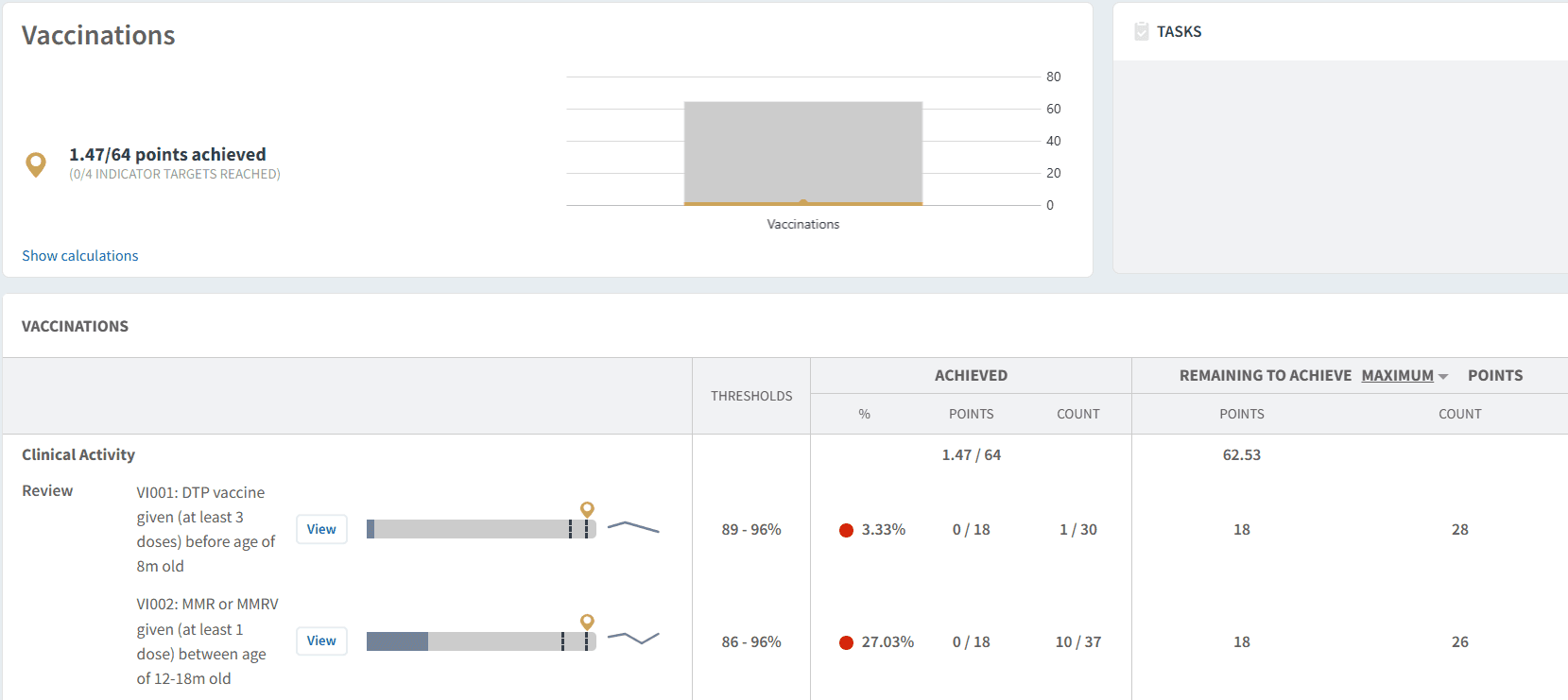
Use this to:
Track achievement against immunisation indicators
Identify patients who have not yet received required vaccines
Monitor performance across practices and PCNs
For detailed guidance, refer to the QOF dashboard articles.
Vaccination Activity (IoS)
Vaccination dashboards provide visibility of activity delivered and support IoS reimbursement processes.
These dashboards typically include:
Number of vaccinations delivered
Monthly activity totals
Reporting aligned to payment claims
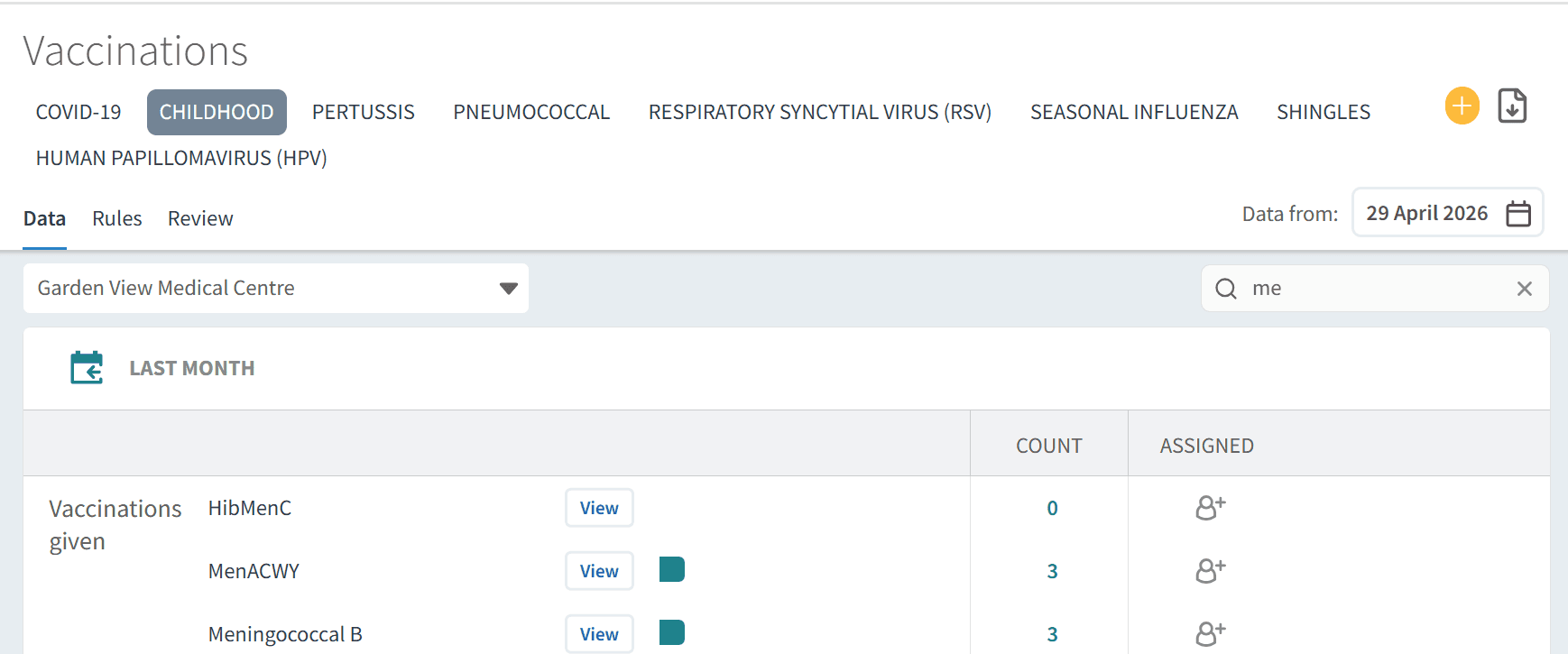
Use this to:
Track activity for claiming purposes
Monitor delivery over time
Support reconciliation of submitted claims
For detailed guidance, refer to the Vaccinations dashboard articles.
👥 Identify Patients
Across both QOF and Vaccination dashboards, patient lists can be used to support targeted action.
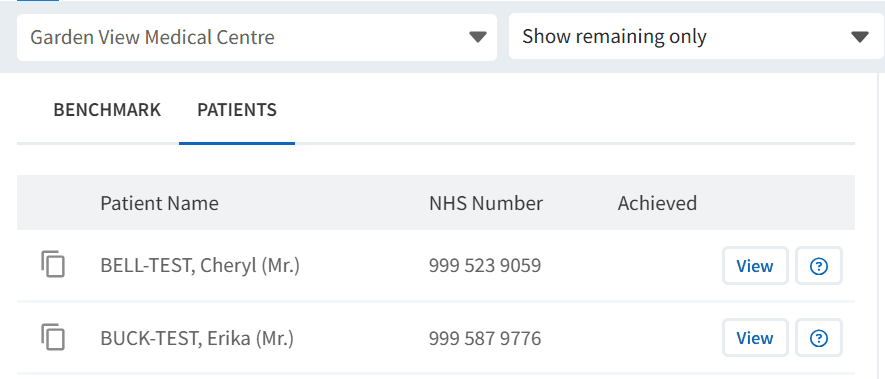
Use this to:
Identify patients who are due or overdue vaccinations
Support recall and invitation processes
Export patient lists for communication or clinical system use
This enables a proactive approach to improving uptake.
❓ FAQs
Why are there multiple dashboards for vaccinations?
Vaccination activity is commissioned and reported in different ways. QOF indicators are monitored within the QOF dashboard, while IoS-based services are tracked within the Vaccinations dashboards.
Where should I monitor payment-related activity?
Payment-related activity (IoS claims) is monitored within the Vaccinations dashboards, which show activity volumes over time.
Why don’t QOF and IoS activity appear in the same place?
They are part of different contractual frameworks, so they are reported separately within Ardens Manager to reflect this.
Can I identify patients who are overdue vaccinations?
Yes, patient lists are available within both QOF and Vaccinations dashboards to support recall and follow-up.
How can I ensure all activity is counted?
Ensure vaccinations are recorded using the appropriate clinical codes and templates within your clinical system.
🏫 Additional Support
To further your understanding of the Ardens Manager platform:
Book training for your GP Practice, PCN or ICB
Contact our Support Team for support in real time