
ℹ️ Introduction
This article explains how to use Ardens Manager to review Personally Administered Items (PPA). By the end of this article, you will be able to monitor submitted PPA claims and identify historic activity where prescriptions may be missing to support income recovery.
Background
Personally Administered Items (PPA) are medications or products supplied and administered directly to a patient by the practice, which may be eligible for reimbursement.
These may include:
Vaccines
Injections
Anaesthetics
Devices such as coils or diaphragms
Ensuring that all eligible activity is correctly prescribed and submitted is essential to maximise practice income. However, this can be challenging due to:
Procedures being recorded without a corresponding prescription
Missed opportunities to claim
Lack of visibility of historic activity
Failure to identify these gaps may result in lost income.
How Ardens Can Help
Ardens Manager provides dedicated PPA reporting within the Prescribing dashboard to support both monitoring submitted claims and identifying missing prescriptions.
The dashboard allows you to:
Review PPA items submitted in the previous month
Identify procedures where no prescription has been issued
Highlight historic missed opportunities (up to 6 years)
Support reconciliation and income recovery
This enables practices and PCNs to take a structured approach to maximising income and improving financial accuracy.
✅Included in Ardens Manager National Content package: Interested in finding out more or requesting a trial? Contact accounts@ardens.org.uk
📍Access the Dashboard
Login to Ardens Manager
Select Services
Select Prescribing
Navigate to the PPA tab

📊 Review Submitted Claims
The FP34 Sent Last Month report provides a summary of PPA prescriptions that have been issued and recorded as submitted.
To review:
Click View next to the report
Analyse the data using available tabs (e.g. PATIENTS, TREND where applicable)
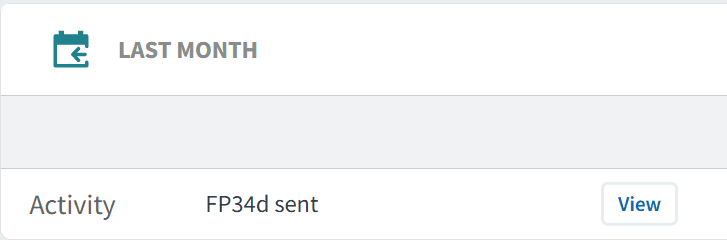
Use this section to:
Review PPA activity for the previous month
Validate what has been submitted for payment
Support monthly reconciliation processes
This helps ensure submitted activity aligns with expectations.
🔎 Identify Missing Prescriptions
The case finder section highlights procedures where a prescription may not have been issued. These reports look back over an extended period (up to 6 years), allowing identification of historic gaps.
To review:
Click View next to the relevant report
Review the patient list and associated activity
Use the STAFF tab to identify where prescriptions may not have been issued consistently
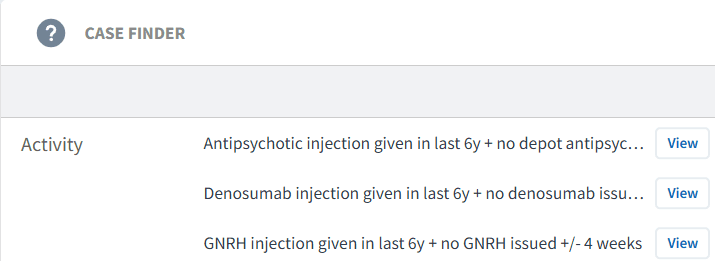
Use this section to:
Identify procedures recorded without a corresponding prescription
Highlight missed claiming opportunities
Support retrospective review and recovery of income
Identify Patients
To confirm whether a prescription should have been issued, review the patient record.
To access the patient list:
Click View next to the relevant report
Select the PATIENTS tab
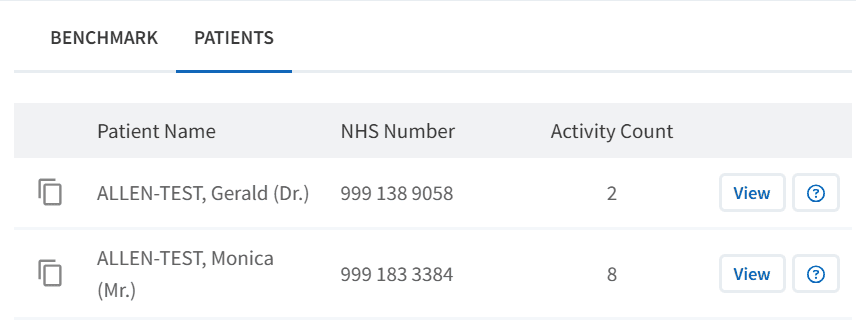
The patient record should be reviewed to:
Confirm the procedure has taken place
Check whether a prescription has been issued
Review any relevant clinical or administrative details
To do this:
Click View next to the patient's NHS Number
Click Open in EMIS/SystmOne to access the full clinical record
Issue or update prescriptions where appropriate
🎯 Take Action
Using the insights from the PPA reports, practices can:
Validate PPA activity submitted each month
Identify and action missing prescriptions
Recover income from historic activity (where appropriate)
Improve internal processes for capturing PPA items
The aim is to ensure all eligible activity is identified, validated, and reimbursed.
❓ FAQs
Does appearing in a case finder mean a claim should be made?
Not necessarily. Each patient should be reviewed to confirm whether a prescription is clinically and administratively appropriate.
How far back can claims be made?
Claims for Personally Administered Items can typically be submitted for eligible activity dating back up to six years. Local processes and guidance should always be followed.
Why are there drugs listed that my practice does not supply?
Case finder reports include all relevant PPA items based on coding. However, not all practices supply or administer every item. You should focus on reviewing items that your practice provides and is eligible to claim for.
What if patients collect their medication from a pharmacy instead?
If an item is prescribed for collection from a pharmacy rather than supplied and administered by the practice, it may not be eligible for PPA reimbursement. Reports should be reviewed in the context of how services are delivered locally.
How often should this dashboard be reviewed?
It is recommended to review these reports regularly (e.g. monthly) alongside reconciliation processes to ensure all eligible claims are captured.
🏫 Additional Support
To further your understanding of the Ardens Manager platform:
Book training for your GP Practice, PCN or ICB.
Explore the Ardens Clinical resources to support the management of PPA claims - EMIS practices / SystmOne practices.
Contact our Support Team for support in real time.