
ℹ️ Introduction
This article explains how to use Ardens Manager to support the monitoring and delivery of Severe Mental Illness (SMI) health checks. By the end of this article, you will be able to identify patients requiring review, monitor completion of SMI health checks, and support improvements in care delivery and data quality.
Background
Annual physical health checks for individuals with severe mental illness are essential for identifying and managing physical health risks, such as heart disease and diabetes, which are more prevalent in people with SMI.
The objective is to complete all six core checks, including blood pressure, BMI, and smoking status, to support better, more proactive care and help reduce health inequalities.
Monitoring completion of SMI health checks can be challenging due to the need to track multiple clinical components, ensure accurate coding, and identify patients who have not yet been reviewed.
How Ardens Can Help
Ardens Manager provides a dedicated SMI Health Checks dashboard to support practices and PCNs in identifying eligible patients, tracking completion of health checks, and improving data quality.
The dashboard brings together patient registers, completion reporting, and case-finding tools to support proactive management of SMI physical health reviews.
The dashboard is structured into key areas:
Overview: Summary of SMI register and health check completion
SMI Register: Identify patients with a recorded SMI diagnosis
Health Check Completion: Monitor completed, due, and outstanding reviews
Case Finders: Identify potential missing diagnoses or unmet need
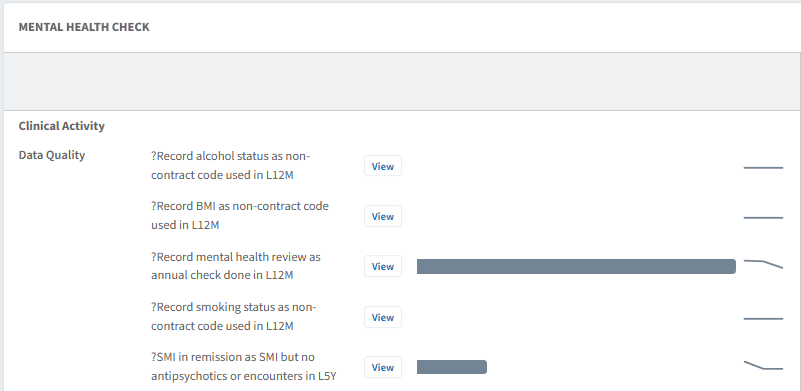
Data Quality: Highlight coding issues affecting reporting
✅ Included in Ardens Manager National Content package: Interested in finding out more or requesting a trial? Contact accounts@ardens.org.uk
📍 Access the Dashboard
Login to Ardens Manager
Select Contracts from the left-hand panel
Select SMI Health Checks
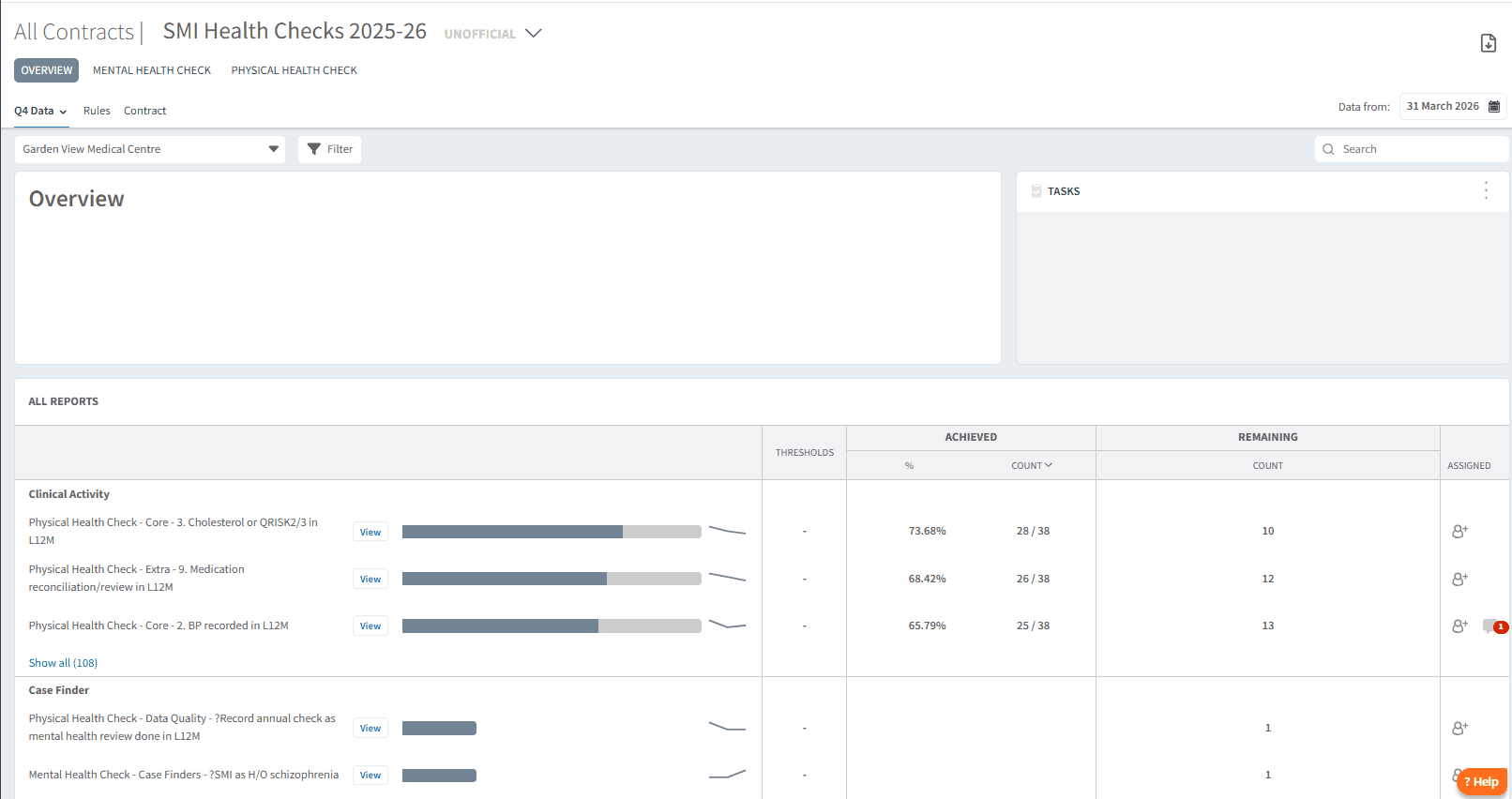
🔎 Monitor Activity
The OVERVIEW section provides a high-level summary of the SMI population and health check activity, helping you understand overall progress.
You can use the tabs along the top of the dashboard to filter and group reports by different elements of the SMI Health Check.

Use this section to:
View the SMI register population
Monitor completed vs outstanding health checks
Identify patients requiring review
Understand overall completion levels
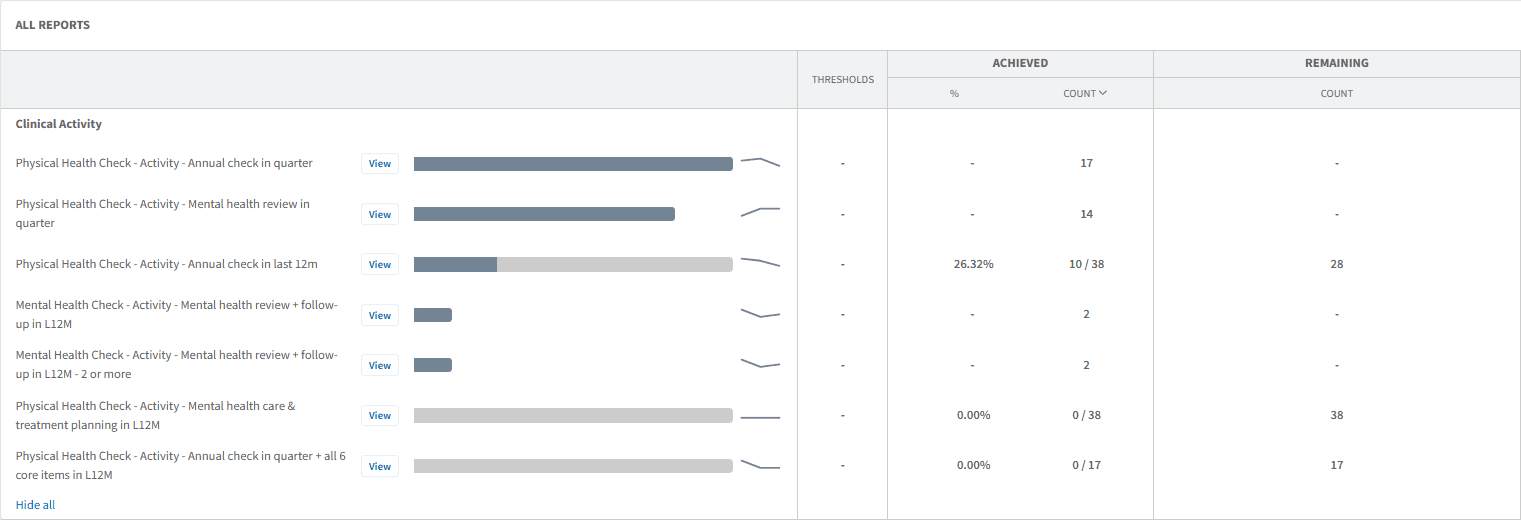
Health Check Completion
The Activity section tracks progress of SMI physical health checks, while the Review section shows completed and outstanding elements of the health check.
Use these sections to:
Identify patients with incomplete health checks
Monitor completion of required components
Support structured recall and follow-up activity
Prioritise patients needing intervention
Completion is based on recorded activity and coding within the clinical system.
Patient Lists
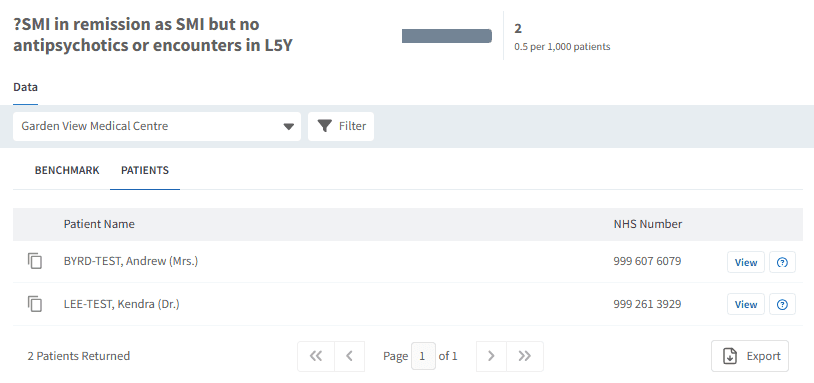
Ardens Manager allows you to drill down into patient-level data to support direct action.
Use this to:
Identify patients requiring SMI health checks
Support recall and review processes
Review individual patient requirements
Export lists for clinical system use
To view patient lists:
Click View next to the relevant indicator
Select the PATIENTS tab
Apply filters if required (e.g. Show remaining only)
Export or review patients as needed
🧩 Case Finders & Data Quality
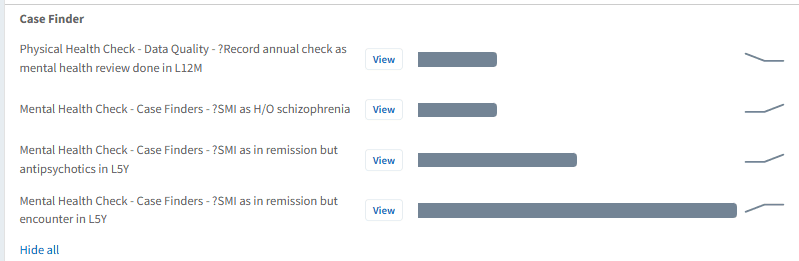
Case Finders
Case finder reports help identify patients who may require inclusion on the SMI register or further review.
Use this section to:
Identify potential missed SMI diagnoses
Highlight patients with relevant mental health coding
Support improvement of register accuracy
Ensure no eligible patients are excluded
Data Quality
Accurate coding is essential to ensure patients are correctly included in the register and counted in health check reporting.
Use this section to:
Identify coding inconsistencies
Review missing or incorrect SMI-related codes
Support correction of patient records
Improve accuracy of reporting and recall lists
📈 Monitor Progress
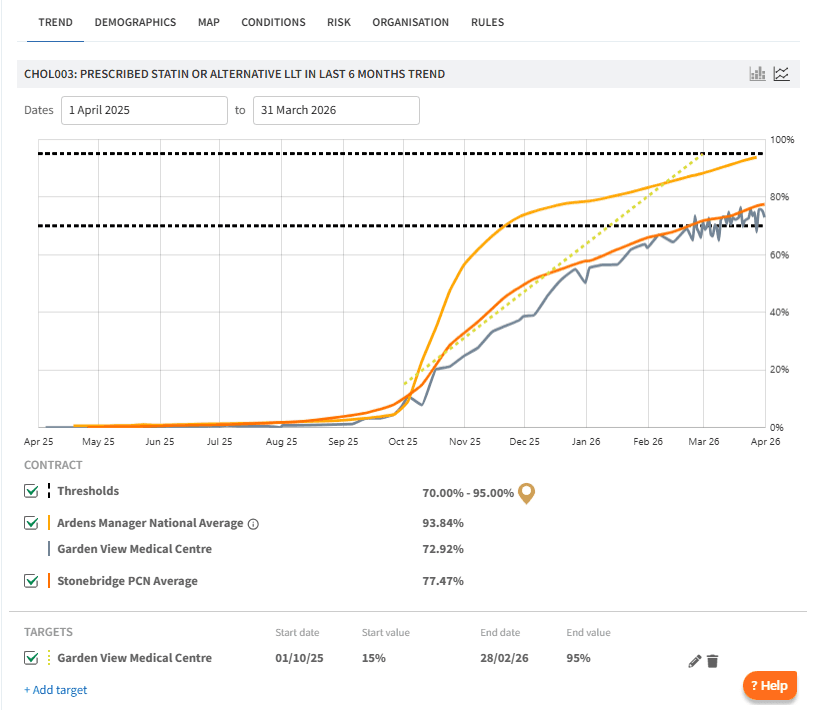
The dashboard allows you to track SMI health check activity over time.
Use this section to:
Monitor improvements in completion rates
Track progress following recall activity
Identify trends in outstanding reviews
Support planning across the financial year
To view trends and targets:
Click View next to the relevant indicator
Select the TREND tab
Apply Contract filters if required
Set Personalised Targets as needed
❓ FAQs
What is included in the SMI Register?
Patients with a recorded diagnosis of severe mental illness, depending on coding rules used in reporting.
How often is SMI data updated?
Data is typically updated daily once automatic uploads are enabled.
What counts as a completed SMI Health Check?
A completed SMI health check is based on the required components being recorded in the patient record using the appropriate clinical codes. This typically includes measures such as BMI, blood pressure, smoking status, and relevant blood tests.
How do I identify patients who still need a health check?
You can use the Health Check Completion section and apply filters (such as Show remaining only) within the patient lists to identify patients with outstanding checks.
🏫 Additional Support
To further your understanding of the Ardens Manager platform:
Book training for your GP Practice, PCN or ICB
Complete the Getting Started with Ardens Manager academy module
Contact our Support Team for support in real time