
ℹ️ Introduction
This article explains how to use the CQC Dashboard within Ardens Manager to monitor clinical safety, prescribing activity, and key Care Quality Commission (CQC) reporting areas. By the end of this guide, you will be able to navigate the dashboard, review high-risk clinical areas, identify patients requiring follow-up, and use the data to support proactive governance and inspection preparation.
Background
The Care Quality Commission (CQC) uses a suite of Ardens clinical searches during GP practice inspections to help identify areas of potential clinical risk, including high-risk prescribing, medication monitoring, and possible missed diagnoses. These searches are designed to support a consistent and transparent regulatory approach and help practices identify patients who may require further review.
The Ardens Manager CQC Dashboard brings together these reporting areas into a single platform, enabling practices, PCNs, and ICBs to monitor activity, prioritise workload, and support quality improvement initiatives.
How Ardens Can Help
The CQC Dashboard within Ardens Manager provides visibility of key CQC-related reporting areas using data extracted from the clinical system.
Using the dashboard, you can:
Monitor high-risk drug and DMARD monitoring activity
Identify patients requiring review or overdue monitoring
Review medication safety indicators
Monitor potential missed diagnoses and register gaps
Support clinical governance and CQC preparation
Access patient-level cohorts for proactive follow-up
Ardens has worked alongside the CQC to support the development and accessibility of these searches for practices using EMIS Web and SystmOne.
✅Included in Ardens Manager National Content package: Interested in finding out more or requesting a trial? Contact accounts@ardens.org.uk
📍 Access the Dashboard
Log in to Ardens Manager
Select Governance from the left-hand panel
Select CQC
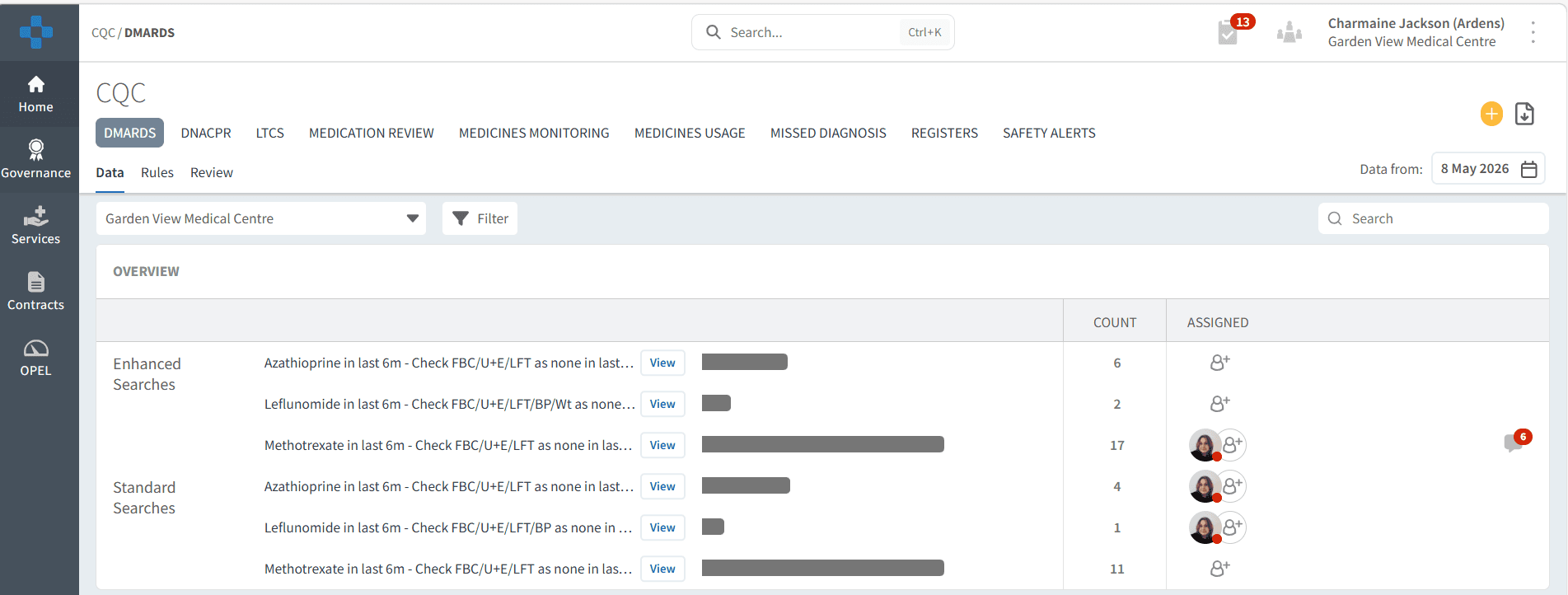
💊 Monitor High-Risk Activity
The dashboard can be used to review patients' prescribed medications requiring regular monitoring and identify where follow-up may be required.
DMARDS
The DMARDS tab supports monitoring of patients prescribed disease-modifying anti-rheumatic drugs (DMARDs), including:
Methotrexate
Azathioprine
Leflunomide
The dashboard highlights patients who may be overdue for required monitoring tests, such as:
FBC
U&E
LFTs
Blood pressure
Weight monitoring
For example:
Practices may identify patients requiring urgent blood test review
Medicines management teams may prioritise patients with overdue monitoring
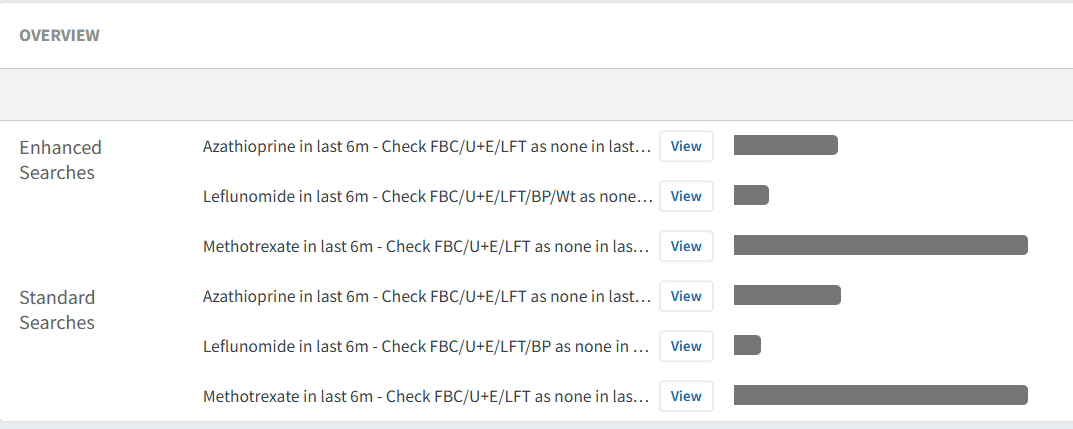
⚠️Please note: Ardens also provides associated monitoring searches and alerts within the clinical system to support proactive medication safety monitoring
📄 Review Monitoring and Safety
The dashboard includes additional monitoring areas to support safe prescribing and ongoing review of high-risk medications.
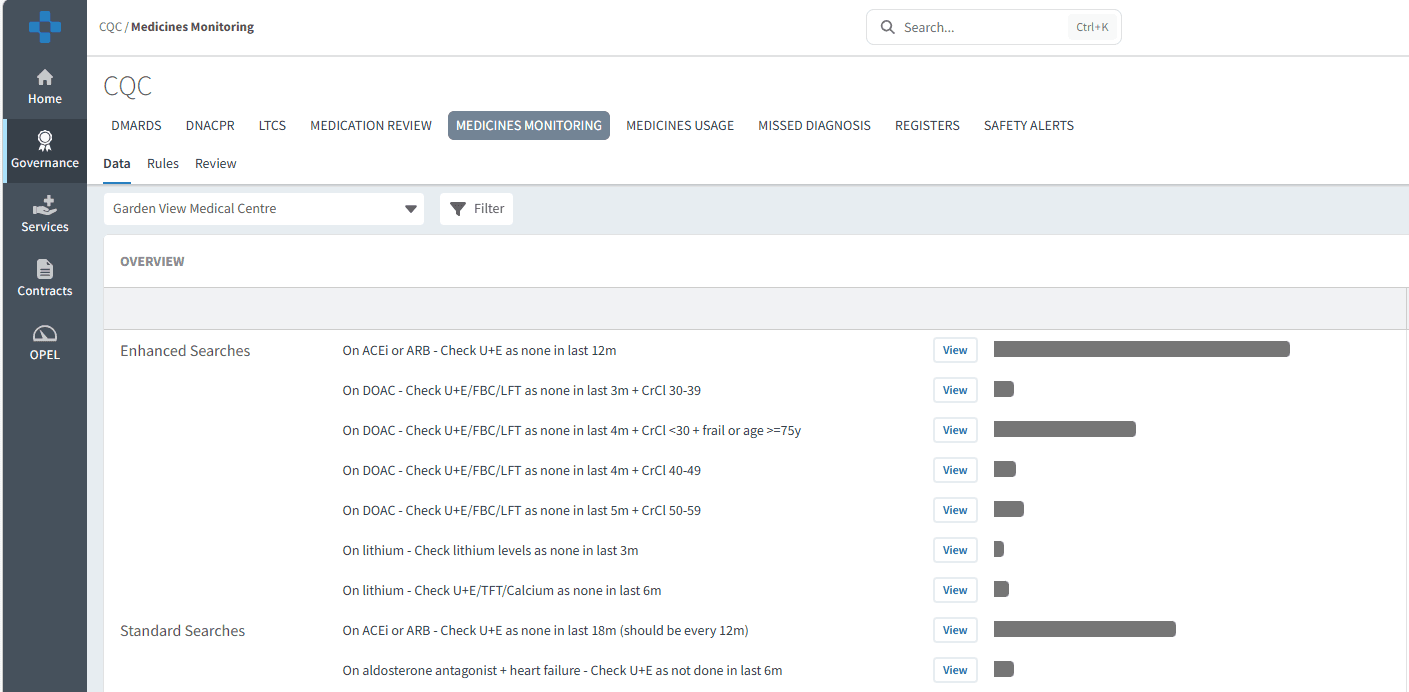
Medicines Monitoring
The Medicines Monitoring tab supports review of patients prescribed medications requiring regular monitoring.
This may help practices:
Identify overdue monitoring
Reduce medication-related risk
Support safer prescribing processes
Prioritise clinical review activity
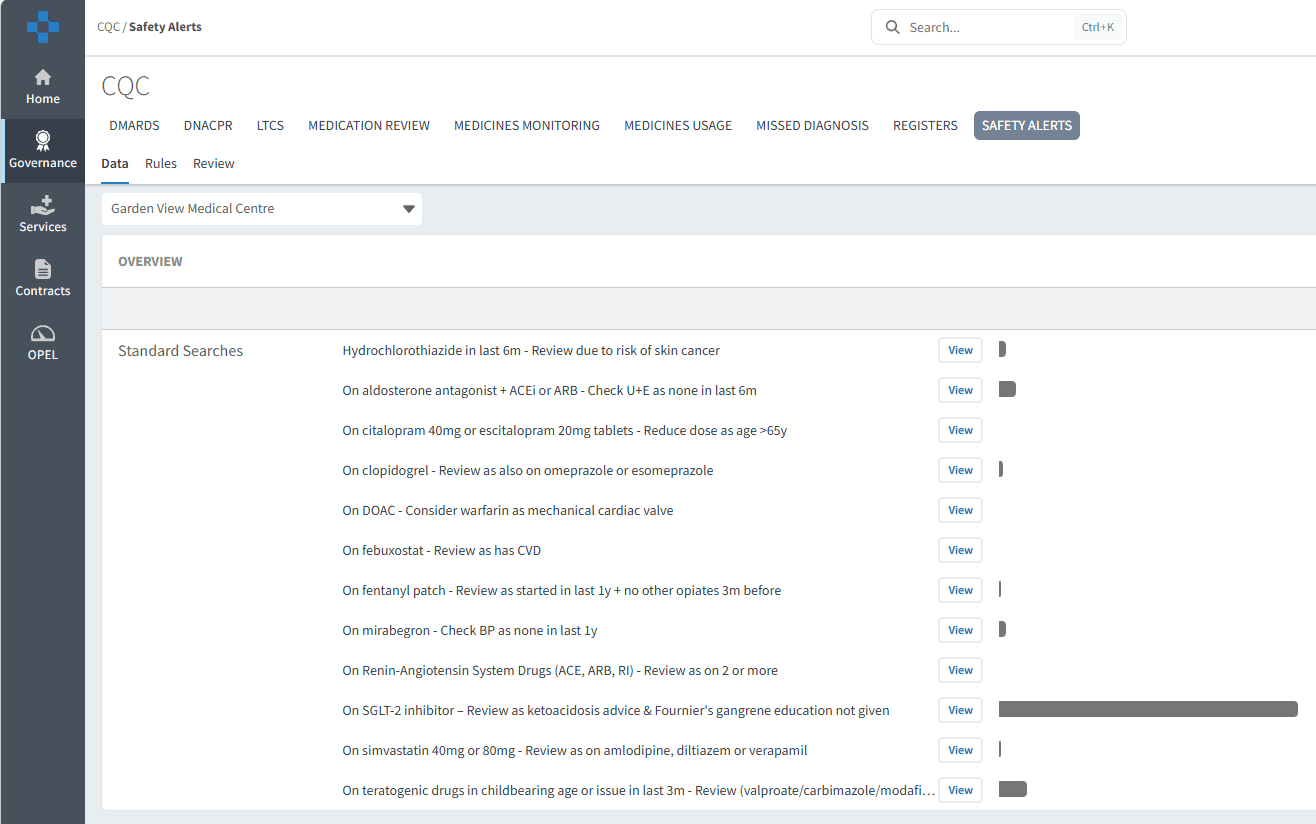
Safety Alerts
The Safety Alerts tab provides visibility of patients potentially affected by medication safety alerts or clinical safety concerns.
This information can support:
Rapid identification of affected patients
Audit and governance activity
Clinical prioritisation and review
🔎 Identify Missed Diagnoses
The dashboard supports proactive identification of patients who may require further assessment or clinical review.
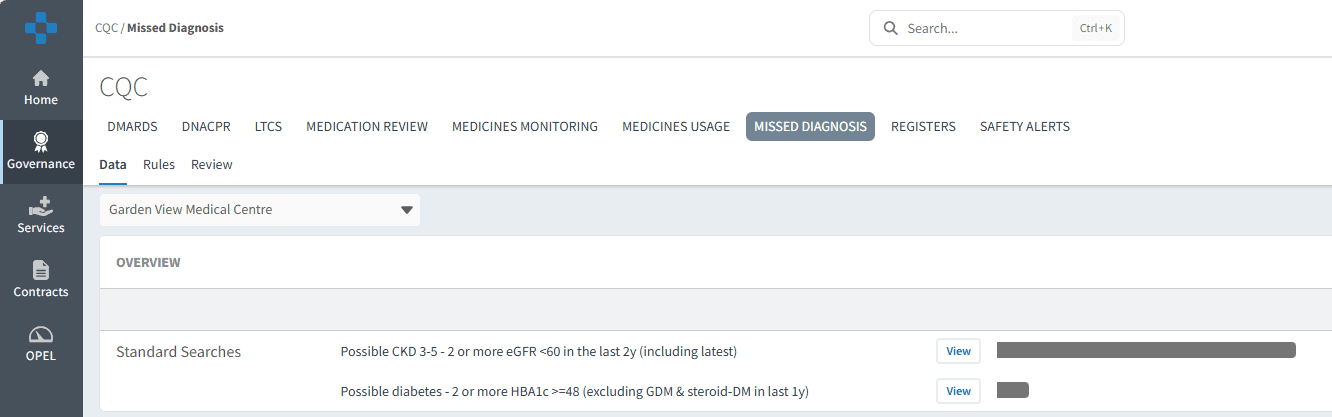
Missed Diagnosis
The Missed Diagnosis tab helps identify patients who may meet criteria suggesting a possible undiagnosed condition.
This information may support:
Early intervention
Clinical review and validation
Improved coding and data quality
Population health management
✅Registers and LTC Activity
The dashboard can also support wider governance and quality monitoring activity.
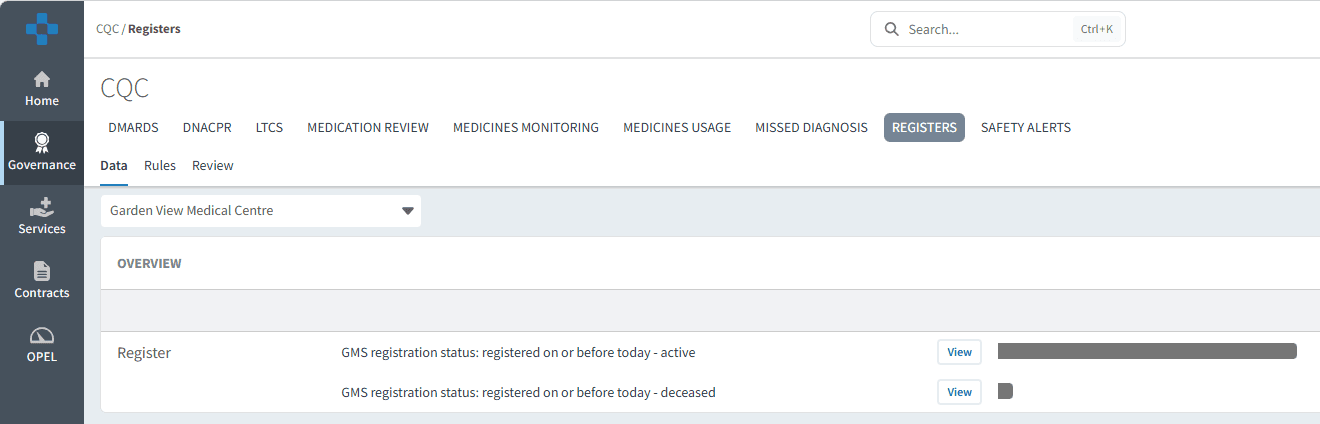
Registers
The Registers tab provides details of the number of patients registered at the practice, including those deceased.
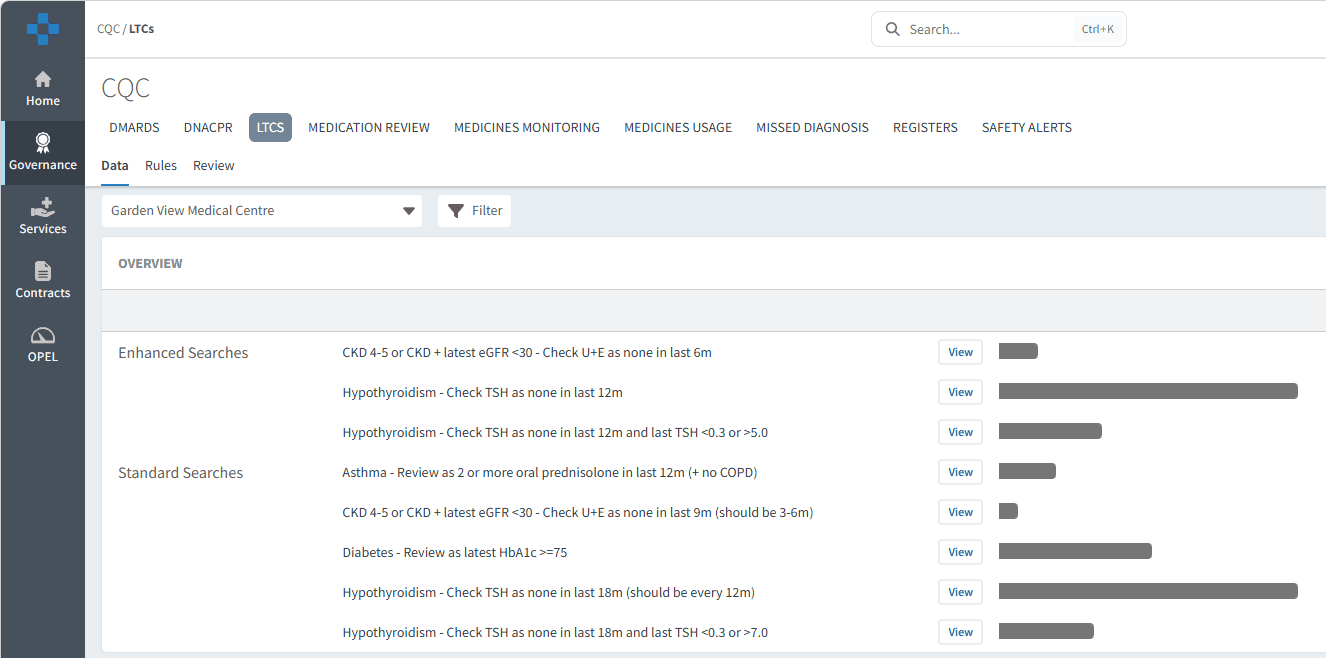
Long Term Conditions
The LTCS tab provides oversight of long-term condition-related activity and monitoring.
This information may help practices:
Monitor care delivery
Identify patients requiring follow-up or annual review
❓ FAQs
What are the CQC searches used for?
The searches are designed to help identify patients who may require further review in areas such as medication monitoring, high-risk prescribing, and possible missed diagnoses.
Can patient lists be exported?
Yes. Patient cohorts can be exported where enabled within your organisation’s permissions.
Can the dashboard be used at PCN or ICB level?
Yes. The CQC Dashboard can be viewed at practice, PCN, and ICB level depending on user access permissions.
🏫 Additional Support
To further your understanding of the Ardens Manager platform:
Book training for your GP Practice, PCN or ICB
Contact our Support Team for support in real time