
ℹ️ Introduction
This article explains how to use Ardens Manager to support COVID-19 vaccination campaigns. By the end of this article, you will be able to monitor vaccination uptake, identify eligible patients, and target invitations efficiently to maximise coverage.
Background
COVID-19 is a highly transmissible respiratory virus that can lead to severe illness, particularly in older adults and patients with underlying health conditions. Vaccination programmes aim to reduce hospitalisations and protect vulnerable populations.
How Ardens Can Help
Ardens Manager provides a dedicated Vaccination Dashboard to support practices in managing their COVID-19 vaccination programme.
The dashboard is structured into key areas:
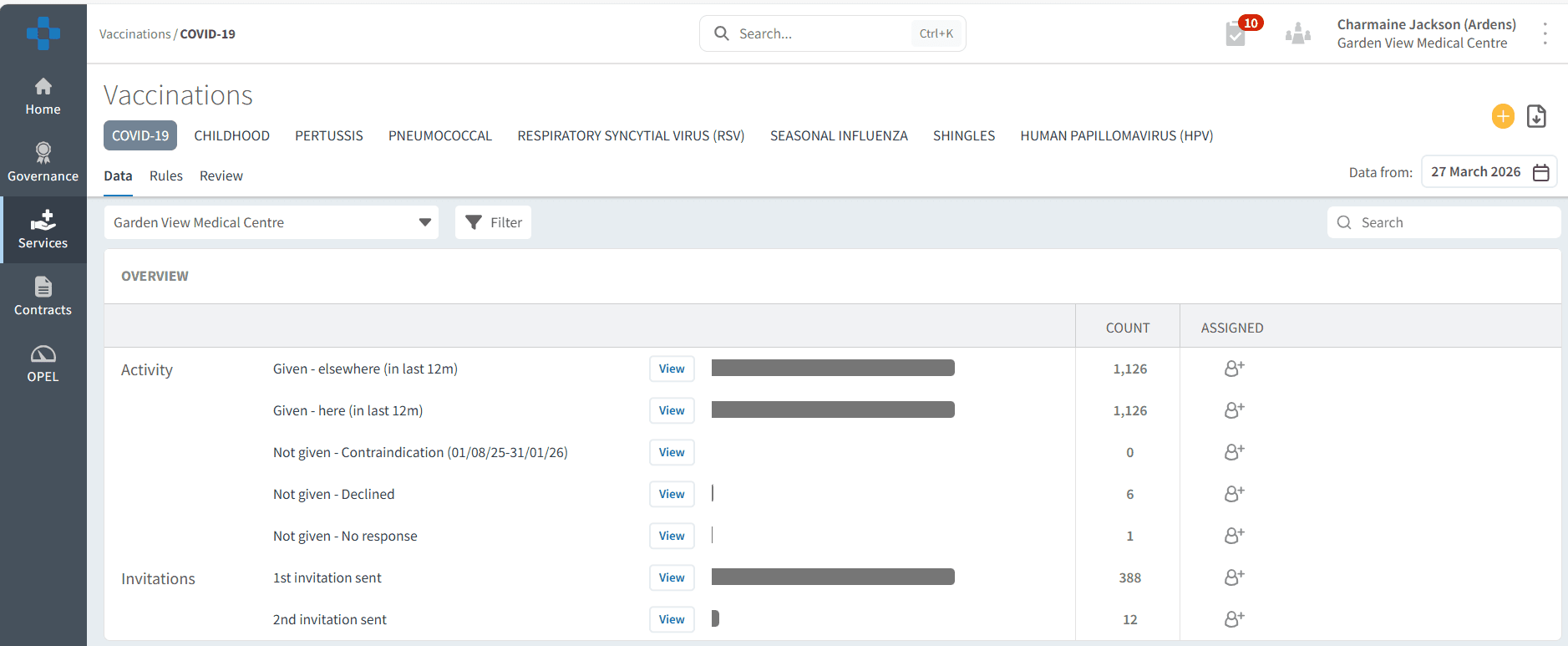
Overview: Track vaccines given (within your organisation and elsewhere), invitations sent, declines, and contraindications
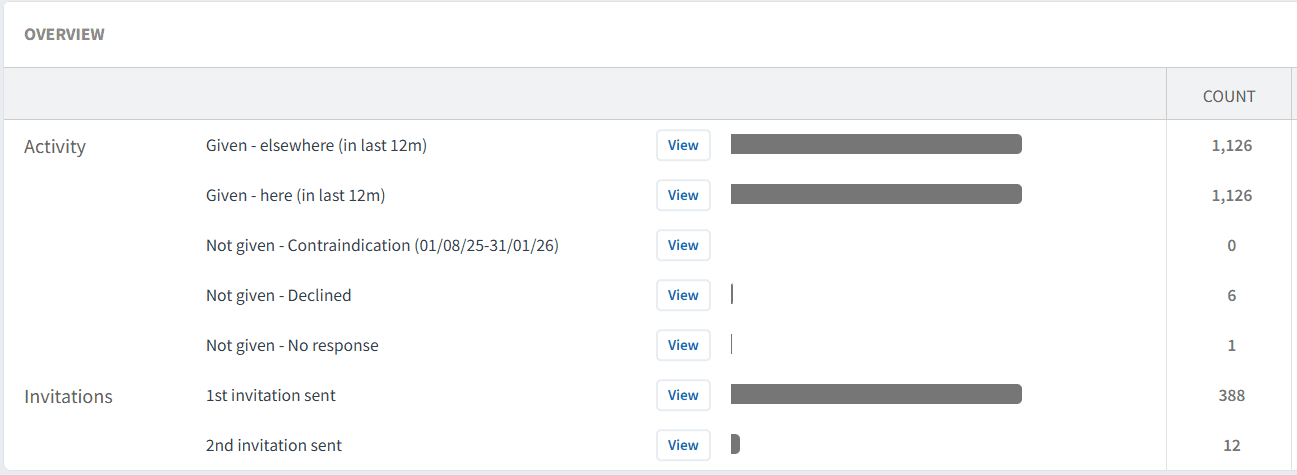
Performance Indicators: Monitor uptake by clinical risk groups and dose status (1st, 2nd, 3rd or more doses)
✅Included in Ardens Manager National Content package: Interested in finding out more or requesting a trial? Contact accounts@ardens.org.uk
📍Access the Dashboard
Log in to Ardens Manager
Select Services from the left-hand panel
Select Vaccinations
Select COVID-19
🔍 Monitor Activity
The Overview section provides a high-level summary of your COVID-19 vaccination programme, helping you understand overall progress and engagement.
Use this section to:
Monitor vaccinations delivered both within your organisation and elsewhere (e.g., pharmacies)
Track invitations sent to eligible patients
Review patients who have declined or have contraindications
This data helps you identify patients for follow-up and understand overall campaign progress.
📊 Track Performance
The Performance Indicators section helps you understand uptake across different patient groups and dose status, enabling targeted action.
Data is broken down by:
Clinical risk groups
Dose status (1st dose, 2nd dose, 3rd or more doses)
Use this section to:
Identify patients who have yet to receive their recommended doses
Prioritise targeted recalls for high-risk groups or those behind schedule
Monitor trends to support planning, delivery, and local reporting
✉️Invite Patients
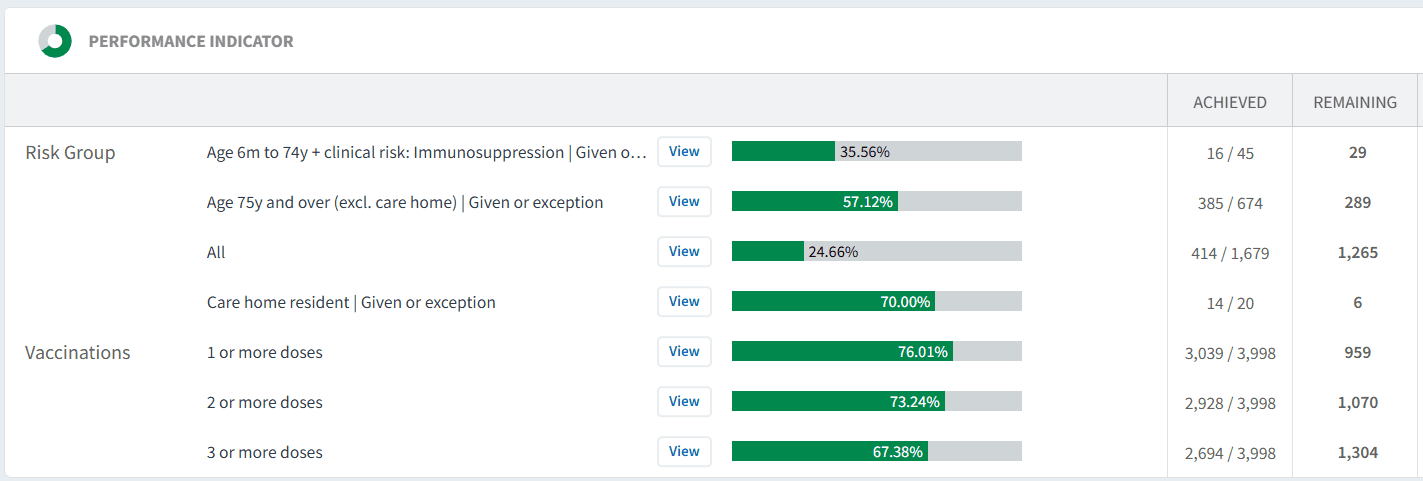
Ardens Manager allows you to identify and export patients for targeted COVID-19 vaccination invites.
Use this to:
Focus on patients who have not yet received their recommended doses
Prioritise high-risk or under-vaccinated groups
Maximise clinic utilisation and improve uptake
To send invites:
Click View next to the relevant report
Select the PATIENTS tab
Select Show remaining only
Apply any filters as needed
Click Export and choose:
CSV (for external messaging platforms)
Import to your clinical system
❓FAQs
Why do some patients appear contraindicated or declined?
This reflects clinical coding for patients who are not eligible or who have declined the vaccine. Review records if required.
Can I compare uptake across risk groups?
Yes, the dashboard allows you to review uptake across clinical risk groups.
Can I see vaccines given outside my organisation?
Yes, Overview includes vaccines administered elsewhere, such as pharmacies, ensuring a complete picture of patient vaccination status.
🏫 Additional Support
To further your understanding of the Ardens Manager platform:
Book training for your GP Practice, PCN or ICB.
Explore the Ardens Clinical resources to support COVID-19 - EMIS practices / SystmOne practices.
Contact our Support Team for support in real time.