
ℹ️ Introduction
This article explains how to use Ardens Manager to support NHS Health Checks where a local Public Health dashboard is not in place. By the end of this article, you will be able to monitor activity, identify eligible patients, and take action to improve uptake using the national NHS Health Checks dashboard.
Background
The NHS Health Check programme targets adults aged 40 to 74 and aims to identify early signs of conditions such as cardiovascular disease, diabetes, kidney disease, and dementia.
While NHS Health Checks are commissioned locally, not all areas use a dedicated Public Health dashboard within Ardens Manager. In these cases, the national NHS Health Checks dashboard can be used to:
Identify eligible patients
Monitor activity and completion
Support invitation and recall processes
Improve data quality and coding
This ensures practices and PCNs can still effectively deliver the programme, even where local reporting tools are not available.
How Ardens Can Help
Ardens Manager provides a national NHS Health Checks dashboard to support practices and PCNs in planning, delivering, and monitoring the programme where a local Public Health dashboard is not in place.
The dashboard allows you to:
Identify patients eligible for an NHS Health Check
Monitor completed checks and overall uptake
Track invitations and outstanding activity
Highlight data quality issues affecting reporting
Review patient pathways from eligibility through to completion
The dashboard is structured across key areas, including:
Overview: High-level summary of activity and uptake
Eligibility: Identify patients eligible and prioritise cohorts
Invitations: Track invitation activity and progress
NHS Health Checks: Monitor completed and outstanding checks
Activity & Outcomes: Review elements of the check and onward actions
Data Quality: Identify incomplete or ineligible activity
✅ Included in Ardens Manager National Content package: Interested in finding out more or requesting a trial? Contact accounts@ardens.org.uk
📍 Access the Dashboard
Login to Ardens Manager
Select Contracts from the left-hand panel
Select NHS Health Checks
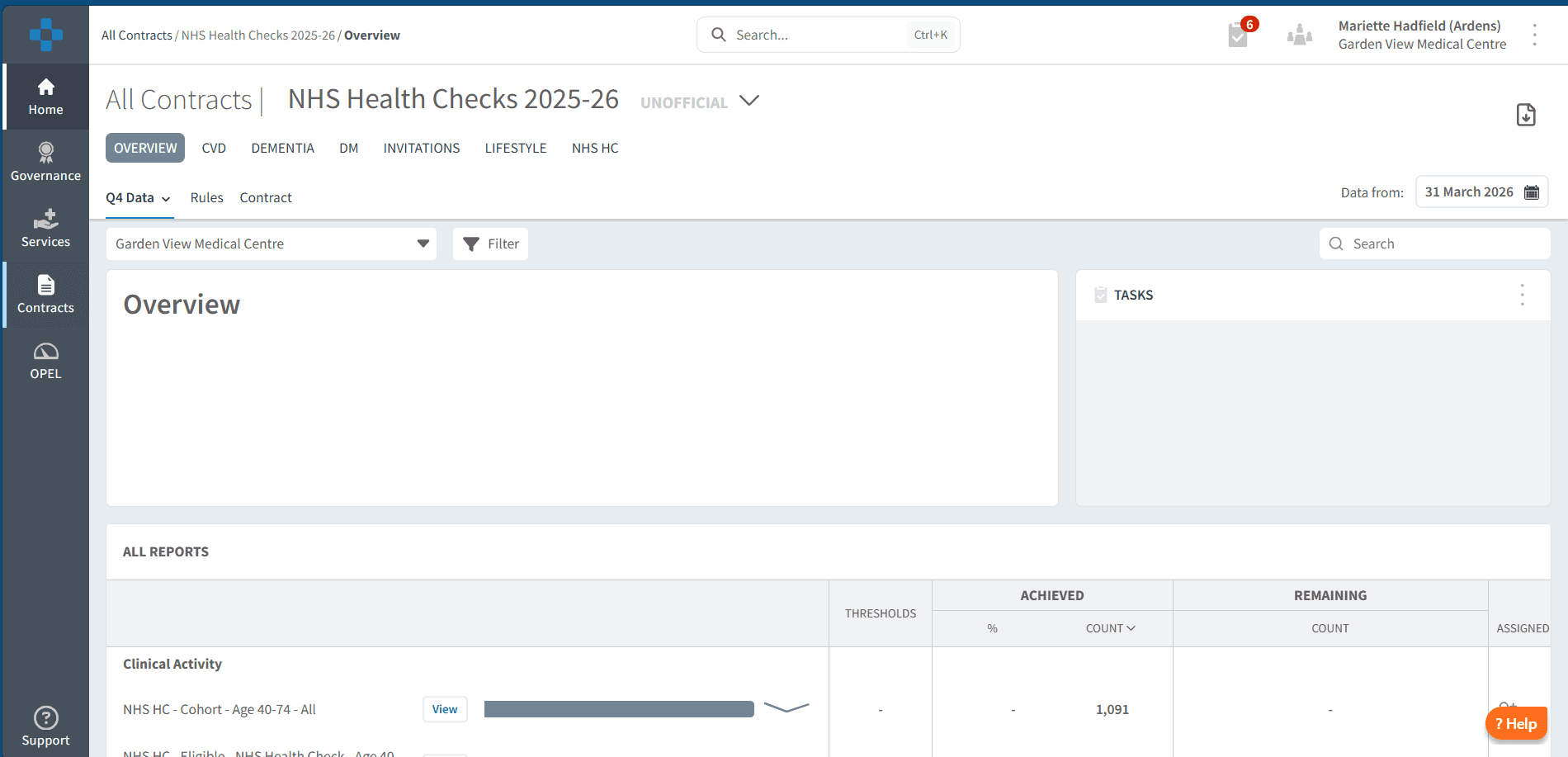
⚠️ Please note: Some Councils have a bespoke local dashboard which should be used. This dashboard is intended for areas where a local version is not available. If you unsure, please check with our support team to confirm whether a dedicated local dashboard is available for you.
🔎 Monitor Activity
Monitor Activity
The OVERVIEW section provides a high-level summary of activity, helping you understand how your programme is progressing.
You can use the tabs along the top of the dashboard to filter and group reports by different elements of the NHS Health Check.
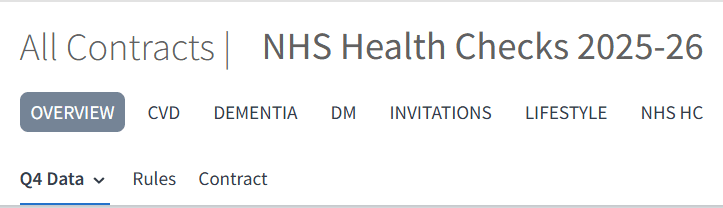
Use this to:
Review the number of completed health checks (“Done”)
Monitor overall uptake across the eligible population
Identify trends over time using quarterly reporting
The reporting period is typically split into quarters, with a dropdown available to select the relevant time period.
Understand Outcomes
The dashboard groups activity into key categories such as:
Completed checks (“Done”)
Not completed (including reasons such as declined)
Activity components (e.g. phlebotomy, lifestyle elements)
Outcomes (e.g. onward referrals)
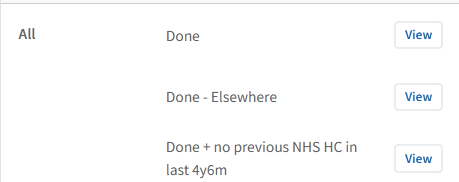
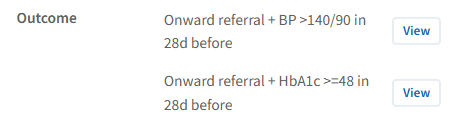
Use this to:
Understand where patients are in the pathway
Identify drop-off points in delivery
Review outcomes following health checks
While detailed breakdowns are available, most users will focus on overall completion and patients still requiring a check.
👥 Identify Patients
Identify Eligible Patients
Eligibility and priority cohort reports allow you to understand who should be invited and prioritised.
Use this to:
Identify patients eligible for an NHS Health Check
Prioritise patients based on risk factors or local criteria
Plan targeted invitation campaigns
To take action:
Select the NHS HC tab
Locate the Eligibility section
Click View next to the relevant report
Select the PATIENTS tab
Export the list for use with bulk messaging platforms or clinical system use
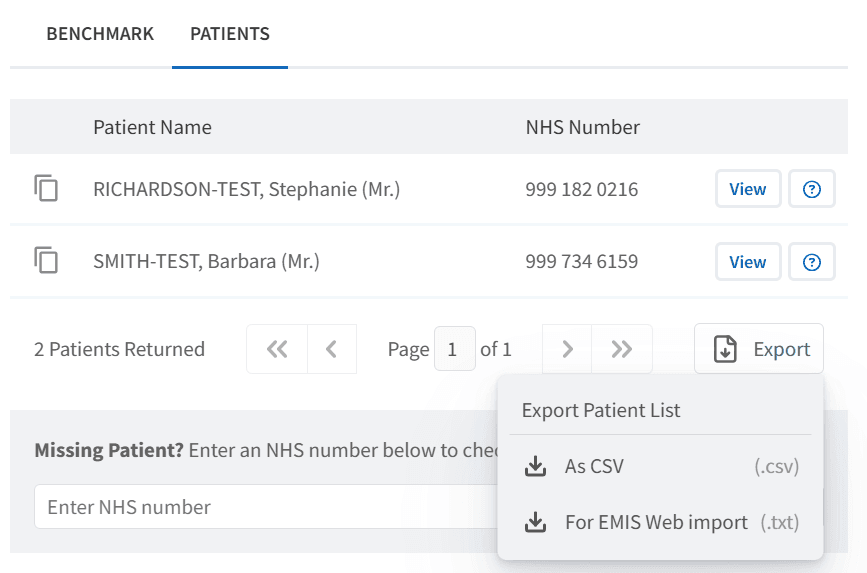
This supports a targeted and efficient approach to increasing uptake.
Track Invitations
The INVITATIONS tab allows you to monitor invitation activity.
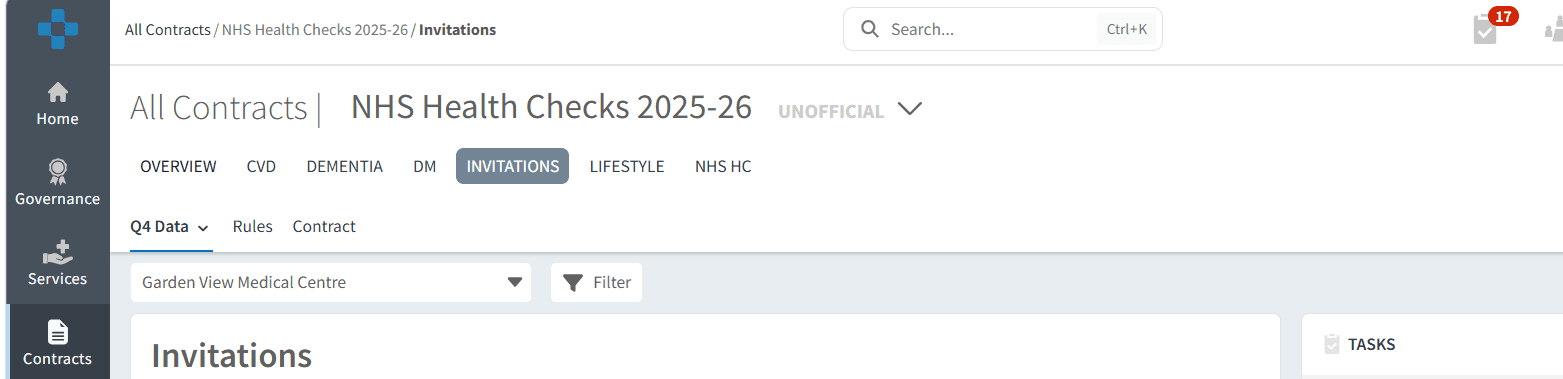
Use this to:
Track how many patients have been invited
Understand gaps between eligibility and invitation
Review progress of invitation campaigns
This helps ensure that eligible patients are being actively contacted.
⚠️ Monitor Data Quality
Data quality reports highlight where activity may not be counted correctly due to coding or eligibility issues.
Use this to:
Identify patients outside the eligible age range
Highlight patients with pre-existing conditions affecting eligibility
Review started but incomplete health checks
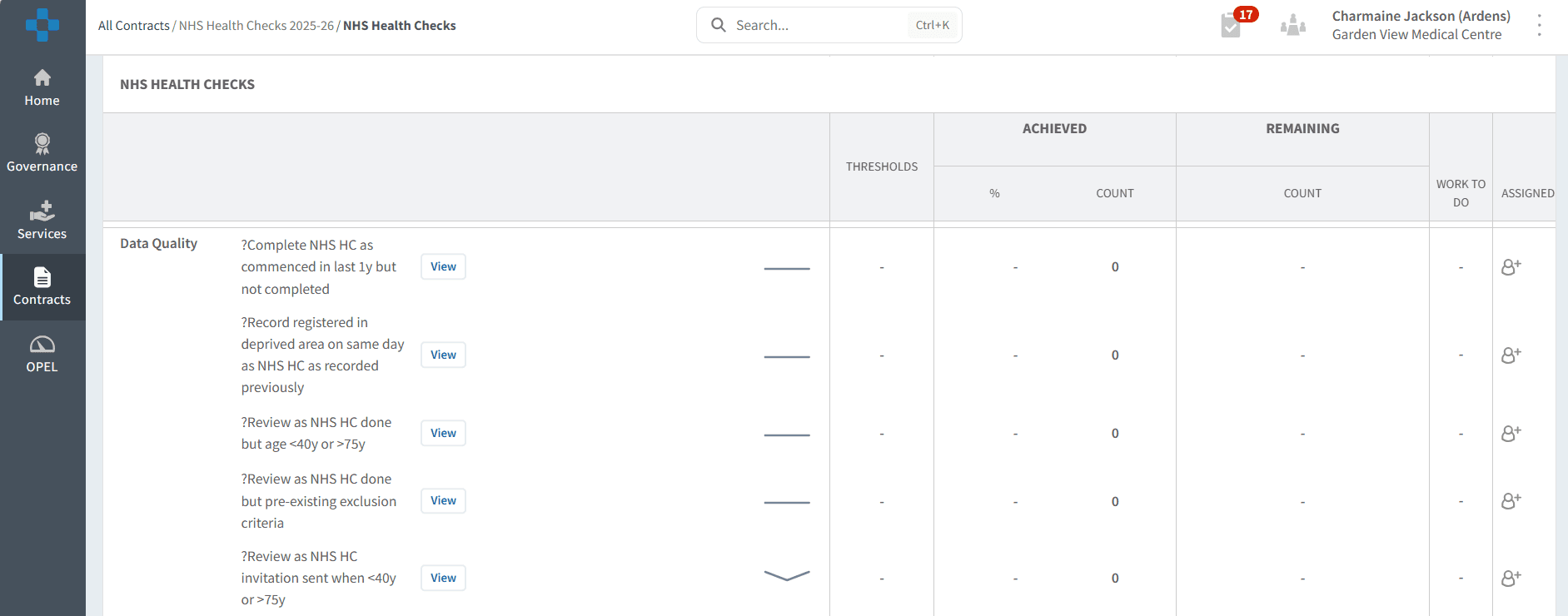
To action:
Click View next to the report
Select the PATIENTS tab
Review and update records in the clinical system
Improving data quality ensures activity is accurately reflected and supports effective programme delivery.
🎯 Supporting Delivery
The dashboard can be used to:
Monitor overall performance and uptake
Target eligible and priority patients
Track invitation activity
Identify and resolve data quality issues
Support planning and service improvement
This enables a proactive, population-based approach to delivering NHS Health Checks.
❓ FAQs
Why does the dashboard not cover all the reporting elements I need to claim for?
The national NHS Health Checks dashboard is based on the core national specification. Local Public Health contracts may include additional requirements or variations that are not reflected here.
Where a locally configured dashboard is available, this will align more closely to your commissioner’s reporting and payment requirements. If not, the national dashboard can still be used to support identification, delivery, and monitoring of NHS Health Checks activity.
How is activity reported?
Activity is typically reported quarterly, aligned to the financial year.
What does the “Done” category include?
This includes all completed NHS Health Checks, with further breakdowns available (e.g. time since last check, demographics).
Why are some patients showing as not eligible?
This may be due to age, existing conditions, or local eligibility criteria. Data quality reports can help identify these cases.
How can I increase uptake?
Use eligibility and priority cohort reports alongside invitation tracking to target patients who have not yet been invited or completed a check.
🏫 Additional Support
To further your understanding of the Ardens Manager platform:
Book training for your GP Practice, PCN or ICB
Complete the NHS Health Checks academy module
Contact our Support Team for support in real time