
ℹ️ Introduction
This article explains how to accurately record Local Contract activity in EMIS Web using the Ardens resources. By the end of this article, you will understand how to ensure activity is captured correctly for reporting and payment.
Background
Local Contracts require activity to be recorded in a consistent and standardised way to ensure accurate monitoring and payment. In most cases, this activity is captured directly from EMIS and extracted into Ardens Manager dashboards.
Using the correct codes, templates and consultation structure is essential to ensure activity is included.
How Ardens Can Help
Ardens provides a suite of resources to support the delivery and accurate recording of Local Contract activity, including:
Clinical templates aligned to Local Contract requirements
Standardised coding for consistent data capture
Automatic data extraction into dashboards
Reduced need for manual submissions or retrospective data clean-up
✅Included in Ardens Manager Local Content package: Interested in finding out more or requesting a trial? Contact accounts@ardens.org.uk
📝 Record Activity
Accurate activity recording relies on using the correct Ardens templates to ensure consistent coding and inclusion in reporting.
Using the correct templates helps ensure:
Activity is correctly counted towards contract achievement
All required information is recorded
Activity is captured accurately for reporting and payment
Clinical best practice is followed
National Templates
Clinicians are encouraged to use the Ardens national templates to record local contract activity. The templates accessed depend on the type of consultation being provided, for example, to record a wound dressing, access the Ardens Wound Management template.
All national templates are accessed in the normal way, either via 'Run Template' or a 'Template Launcher'.
Once you access the template, you will be presented with your local ICB page. This page provides information on the local contract requirements and necessary data fields to ensure accurate completion.
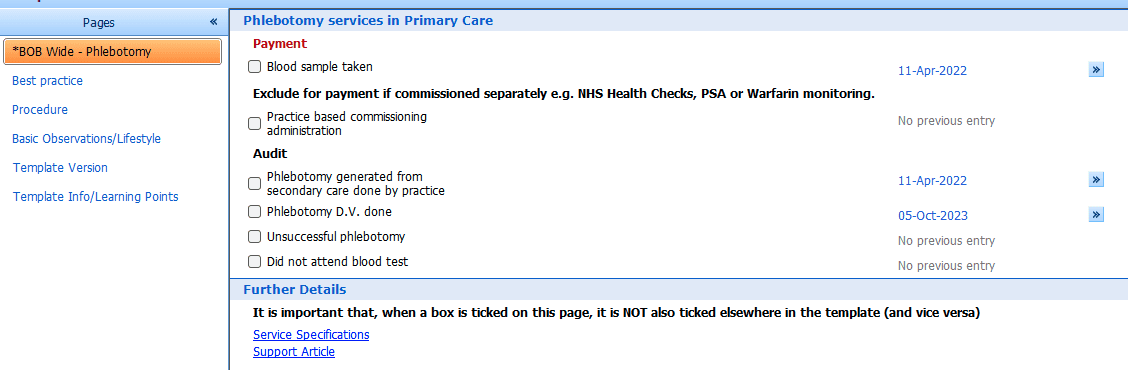
Pay attention to the red and black bolded text outlining the criteria to be captured.

The remainder of the template can then be used as normal to structure the clinical consultation and record any additional relevant information (such as QOF activity).
Localisation Index Template
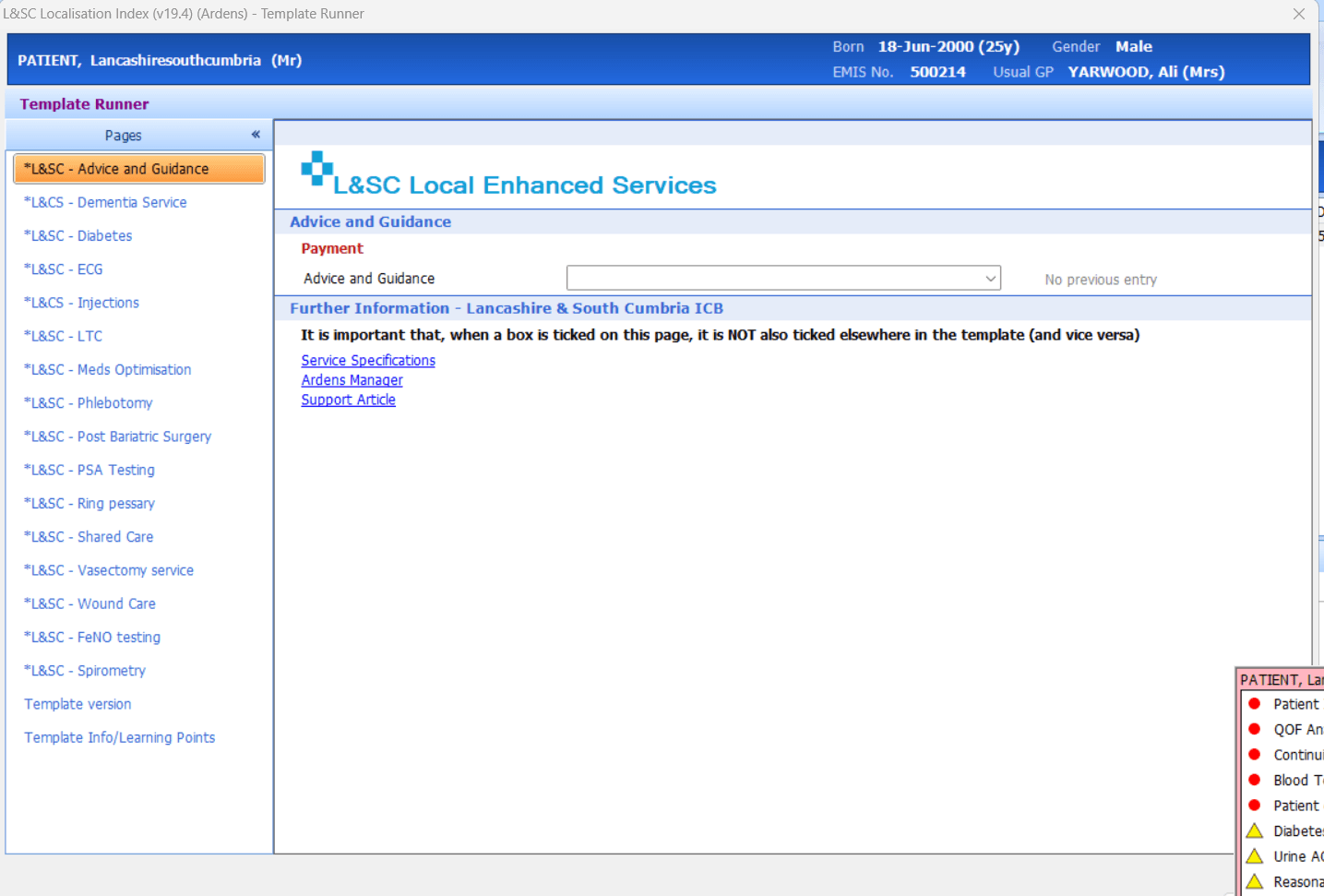
The Localisation Index Template provides guidance on the data required for each local service. While it is not intended for use during live clinical consultations, it is useful for reviewing overall contract requirements and accessing supporting guidance.
Administrative staff may also find it helpful to retrospectively add codes, for example, when completing data quality work.
The template can be accessed using the 'Run Template' option in a consultation and searching for 'Localisation Index'.
✍️ Recording Separate Events
If more than one local contract‑related activity is completed (for example, wound care on both a patient’s arm and leg), each activity must be recorded as a separate consultation.
To record multiple activities correctly:
Complete and save the first consultation using the relevant template
Start a new consultation
Reopen the template and record the next activity
Save the consultation
⚠️ Please note: Adding multiple codes within a single consultation may only count as one activity for reporting purposes.
❓ FAQs
Do I need to use an Ardens Template?
Yes. Using Ardens templates ensures the correct codes are recorded and included in reporting.
Can I record multiple activities in one consultation?
No. Each activity must be recorded in a separate consultation to be counted correctly.
Where can I find the full service specification?
The Local ICB page within the template includes a link to the relevant specification.
You can also refer to your Localisation Index Template or documentation provided by your organisation.
🏫 Additional Support
To further your understanding of the Ardens Manager platform:
Book training for your GP Practice, PCN or ICB
Complete the Getting Started with Ardens Manager academy module
Contact our Support Team for support in real time