
We’re updating our Knowledge Base
We’re currently transitioning Ardens Clinical support articles to this new Knowledge Base. Content will be added progressively, so you may find limited articles available at this stage.
In the meantime, you can access our full support resources on our existing sites:
We’ll continue to expand this site, so please check back regularly.
ℹ️ Introduction
This article explains how to run the Ardens LTC recall process using the five stages: Plan → Notify → Assess → Review → Evaluate.
Background
Effective management of long-term conditions is a core responsibility of primary care. Patients with conditions such as diabetes, cardiovascular and respiratory disease require regular monitoring, review and proactive management to prevent complications and maintain quality of life. NHS England highlights the importance of a reliable, structured recall process to ensure patients receive timely care.
The Ardens LTC recall process supports a whole pathway approach for both QOF and best-practice conditions, helping GP practices manage the full LTC workflow from planning and inviting patients through to assessment, review and monitoring.
The process aims to:
Support proactive management of long-term conditions beyond the invitation stage.
Combine QOF and best practice conditions into a single recall process, should you wish.
Streamline annual review workflows to improve efficiency and reduce administrative burden.
Improve data capture, clinical decision support and risk stratification through improved templates.
Prepare practices for future development, such as NHS Notify and automated recalls.
How Ardens Can Help
Ardens provides structured resources to support the full LTC workflow:
Plan: Identify patients and organise recall
Notify: Invite patients appropriately
Assess: Collect clinical information
Review: Complete the annual review
Evaluate: Monitor activity and performance

Conditions Included
The Ardens LTC recall system supports a range of QOF, IIF and best-practice long-term conditions. The conditions included depend on which reporting set your practice uses:
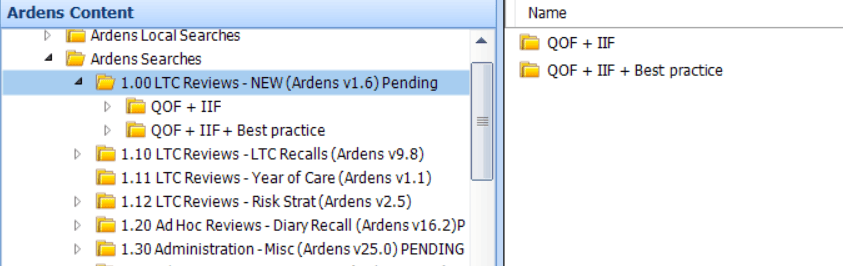
LTC Reviews – QOF + IIF + Best Practice
LTC Reviews – QOF + IIF
QOF + IIF + Best Practice
Asthma* | Gout + on ULT |
Asthma COPD Overlap Syndrome | Heart Failure |
Atrial Fibrillation | Hypertension |
Bariatric Surgery | Hyperthyroidism |
Bronchiectasis | Hypothyroidism |
Chronic Heart Disease | Learning Disabilities |
Chronic Kidney Disease | MGUS |
Coeliac Disease | NAFLD + NASH |
COPD | Non-diabetic Hyperglycaemia* |
CVD-PP – On statin or QRISK2/3 >10% | Peripheral Artery Disease |
Dementia | Polycystic Ovary Syndrome |
Diabetes Mellitus* | Primary Hyperparathyroidism |
Epilepsy | Rheumatoid Arthritis |
Familial Hypercholesterolaemia | Severe Mental Illness (including remission or on lithium therapy) |
Frailty – Severe | Stroke or Transient Ischaemic Attack |
Gestational Diabetes Mellitus |
QOF + IIF
Asthma* (≥5 years + asthma-related drugs prescribed in last 12 months) | Heart Failure |
Atrial Fibrillation | Hypertension |
Chronic Heart Disease | Learning Disabilities |
COPD | Non-diabetic Hyperglycaemia* (≥18 years) |
Dementia | Severe Mental Illness (including remission or on lithium therapy) |
Diabetes Mellitus* (≥17 years) | Stroke or Transient Ischaemic Attack |
⚠️ Please note: There are differences between some of the conditions covered in both the QOF + IIF + Best Practice and the QOF + IIF searches. For example, if using QOF + IIF + Best Practice, any patient with a diagnosis of Asthma will be included, whether or not asthma-related drugs were prescribed in the last year. Whereas in the QOF + IIF searches, this will be based purely on the QOF rules, so would only include Asthma patients aged 6+ who have had asthma-related drugs prescribed in the last year.
📐 1. Plan
The planning stage helps GP practices to determine how the recall process will be managed. This stage is typically completed by the senior practice management and administration teams.
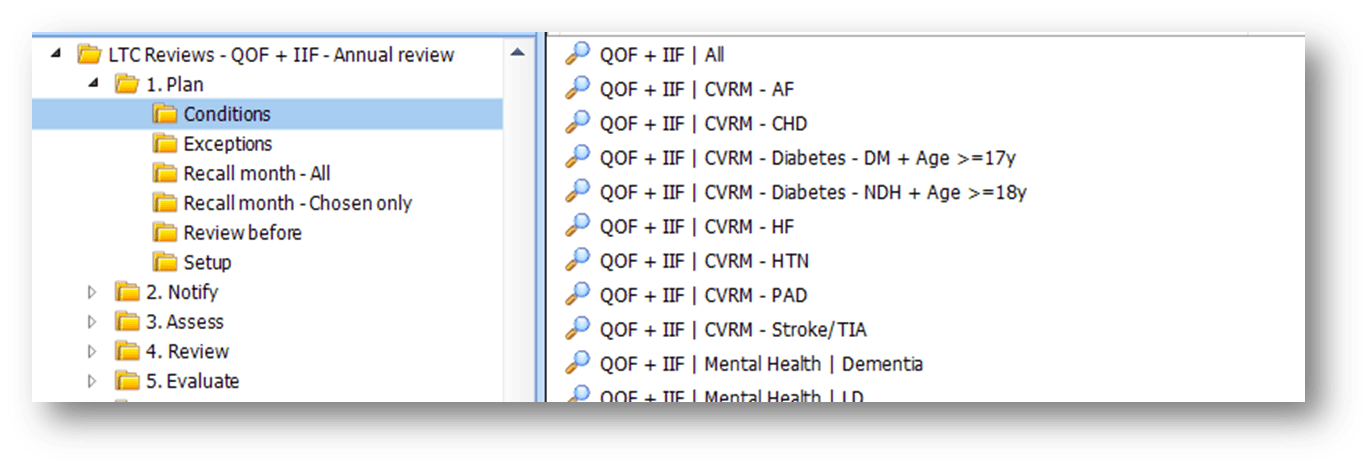
Conditions
Identifies the number of patients on each condition register. This helps GP practices understand their LTC population, plan clinic capacity, and estimate the number of reviews required. Use these lists to allocate resources effectively.
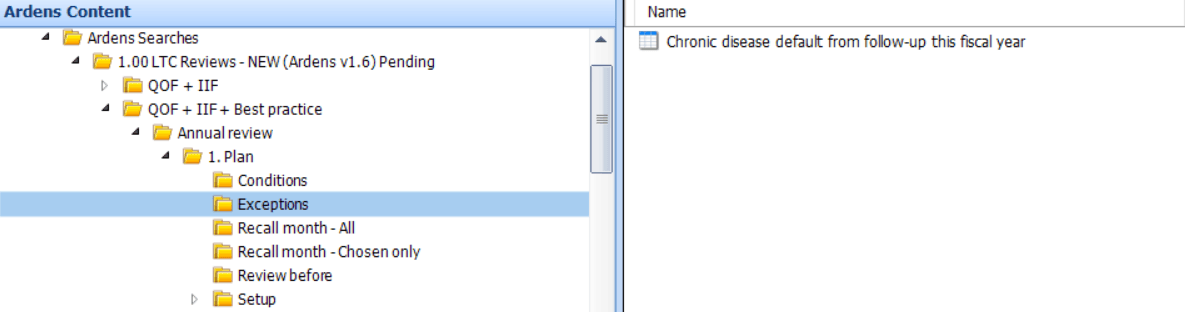
Exceptions
Highlights patients who have been manually removed from the LTC recall system for the current fiscal year. This may include patients who are managed through alternative pathways, such as dedicated Learning Disability clinics. GP practices should review these lists periodically to confirm patients still meet the exclusion criteria and that appropriate monitoring or follow-up is in place.
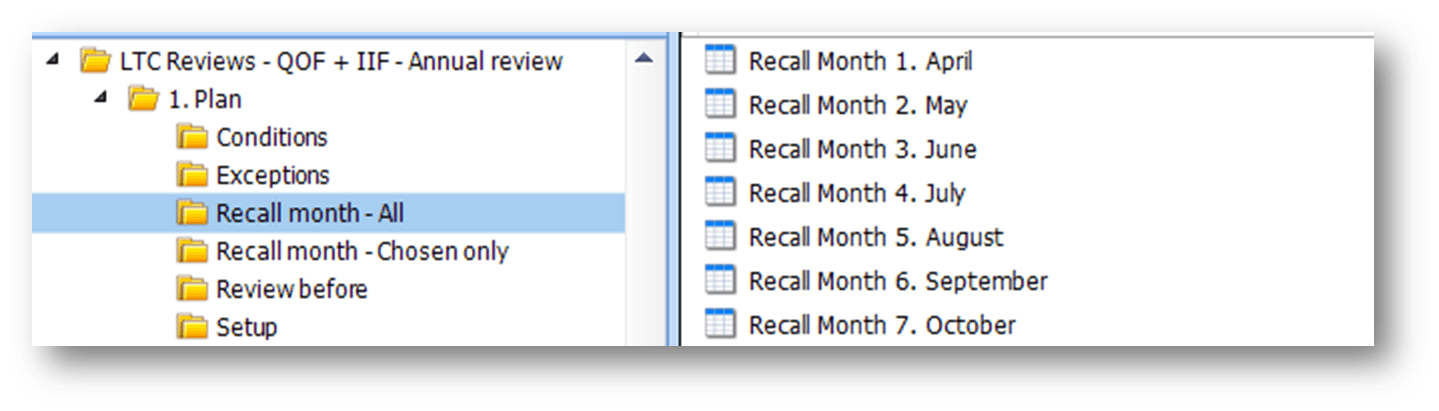
Recall Month
Displays the estimated number of patients scheduled for recall by their birthday each month. This helps practices anticipate busy months, plan appointments, and ensure staff and resources are available. It includes:
Recall Month – All: Patients whose birthday falls in the month and who require a recall.
Recall Month – Chosen Only: Patients seen in a month other than their birthday month. For these patients:
EMIS practices must add a recall diary entry to the patient record. (See the Setup section for instructions on adding a recall diary record)
SystmOne practices must apply dual coding (refer to the Ardens LTC template)
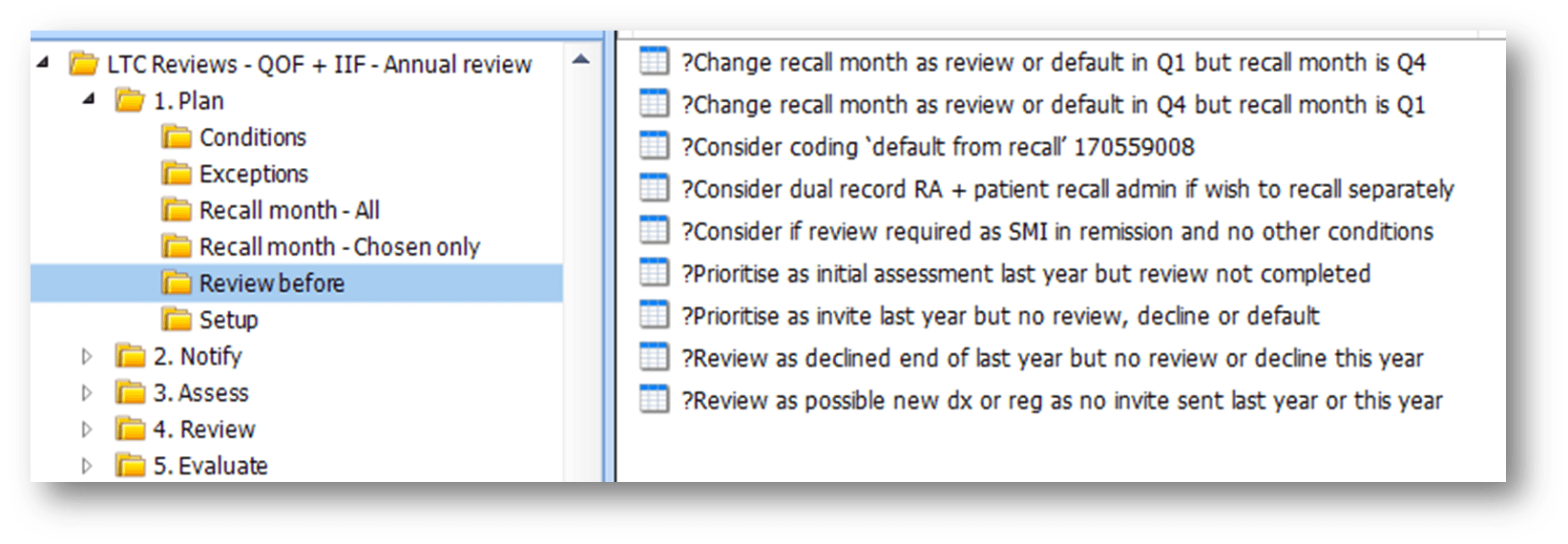
Review Before
Before sending invites, GP practices should run the following reports. These highlight patients whose records may need reviewing first, such as those who may not require a recall, those whose review was not completed in the previous year, and those whose birth month falls in quarter 1 or quarter 4 who may need to be called in sooner or later than usual.
Setup
While minimal setup is needed to introduce the Ardens LTC recall system, we recommend reviewing our implementation guide to ensure the process is successfully implemented in your organisation.
✉️Notify
At this stage, GP practices will send invitations to patients due for review and decide the most appropriate method of contact. This is typically managed by administration staff on a monthly basis.
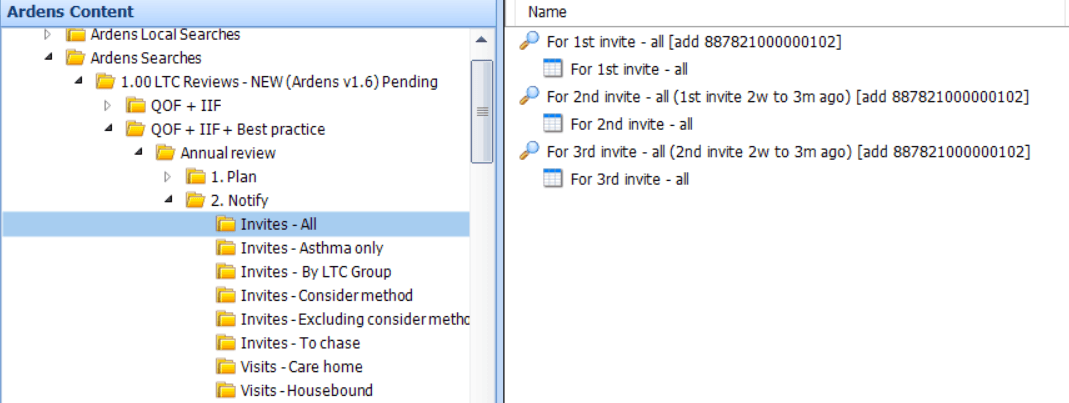
Invite
The invite reports are organised into groups to help GP Practices contact patients appropriately. These groups consider factors such as age, vulnerability, and the need for home visits, ensuring the most suitable approach is used:
All: Total number of all patients to be recalled in the chosen month (regardless of how many condition reviews) that require a first invite, or a second or third reminder.
Asthma only: Patients who have asthma as their only recorded condition. GP Practices may choose to send a pre-assessment questionnaire to indicate whether a further review is needed as they may not even need to come into the GP Practice at all for any tests.
By LTC Group: For practices who wish to invite by condition group, this folder contains separate reports for patients requiring an invite for CVRM, Mental Health or Respiratory conditions. Patients may appear in more than one search if they meet the criteria for multiple condition groups.
Consider method: Patients who are 16 years and under, living with dementia, at the end of life, or have a learning disability. GP practices should consider the most appropriate way to inform these patients or their carers about their reviews.
Excluding consider method: All patients who do not meet the consider method criteria and require a first invite, a second or a third reminder, regardless of how many condition reviews they have.
To chase: Patients who have received multiple reminders but have not yet attended a review. This allows GP practices to follow up with these patients whenever possible to ensure they receive the care they need.
⚠️Please note: Housebound patients or those in care homes are excluded from these reports and are included in the Visits reports.
Visits
Separate visit reports are provided for housebound patients and care home residents. GP practices can use these lists to manage reviews outside the practice:
Care home residents (housebound / not housebound)
Housebound but not in a care home
When a patient is invited for their LTC review, administrative staff must add the Chronic disease annual management review invitation code to the patient record. This records that an invitation has been sent and ensures the patient progresses correctly through the LTC recall process.
📋Assess
The assessment stage allows GP practices to gather important clinical information before the patient’s review appointment. This helps ensure clinicians have the necessary information available and that appointment time and method are used efficiently. This stage is typically completed by a Healthcare Assistant, who records observations, examinations or test results, and/or by the patient completing a pre-assessment questionnaire.
Questionnaires (SystmOne Only)
A number of pre-assessment questionnaires can be sent to patients in advance of their LTC review, for example, for asthma. Sending questionnaires in advance allows patients to provide key information such as symptoms, lifestyle factors and monitoring data prior to their appointment. This helps clinicians focus on clinical decision-making during the review rather than gathering routine information.
GP practices may choose to send questionnaires alongside the invitation message or shortly before the appointment. These are only available on SystmOne if using their own questionnaires. Otherwise please use another 3rd party as needed.
Initial Assessments
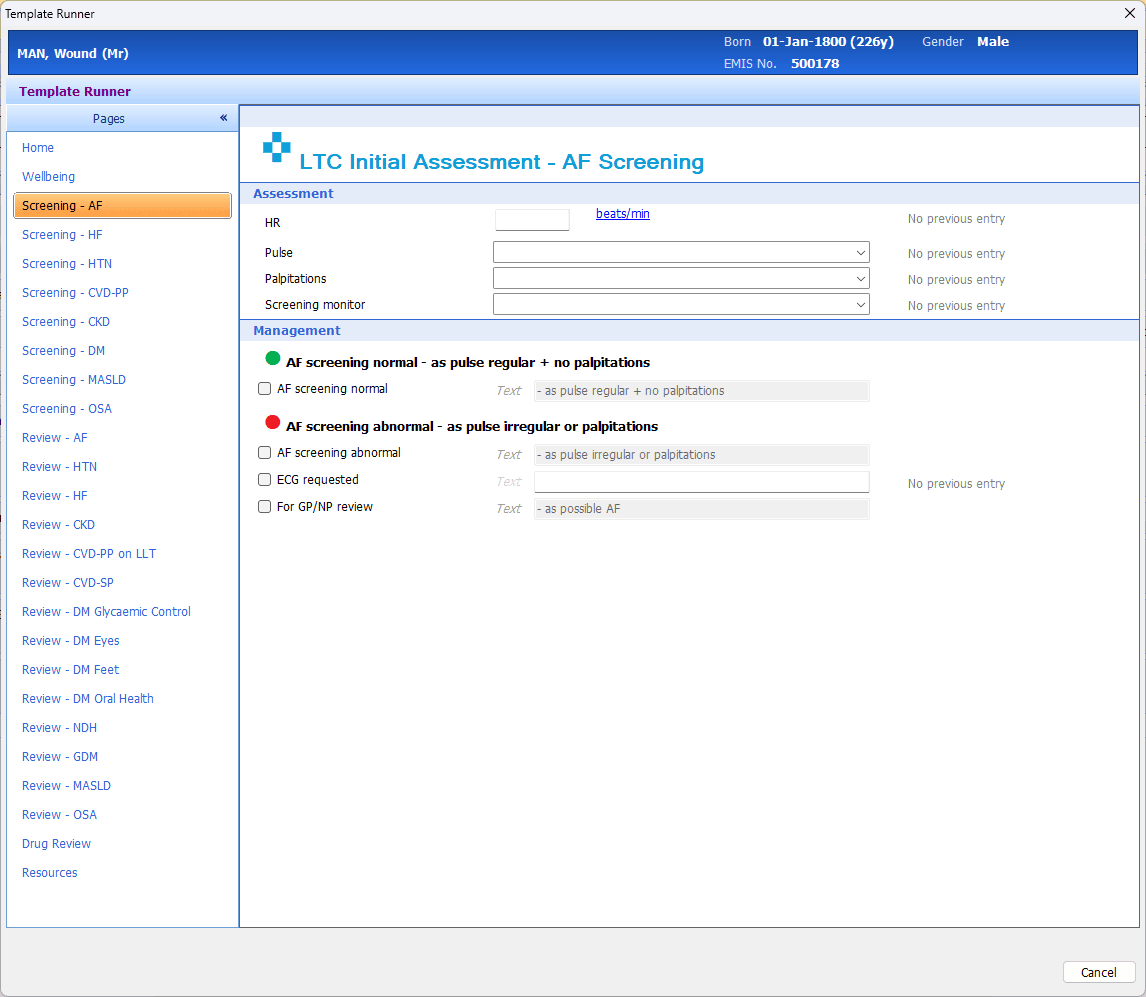
When a patient is seen for an initial assessment, the Health Care Assistant will use the Ardens LTC Initial Assessment template to capture data. During this appointment, the Health Care Assistant will:
Record observations such as blood pressure, height, weight and BMI.
Update lifestyle information (e.g. smoking status and alcohol intake).
Request any required blood tests.
Complete other relevant LTC information.
Once the assessment is complete, the Healthcare Assistant must select the Chronic disease initial assessment code. This code confirms that the patient’s initial assessment has been completed and ensures they move correctly through the LTC recall process.
⚠️ Please note: The template is smart working, and the conditions pages will only display if the patient is on the associated register.
🩺Review
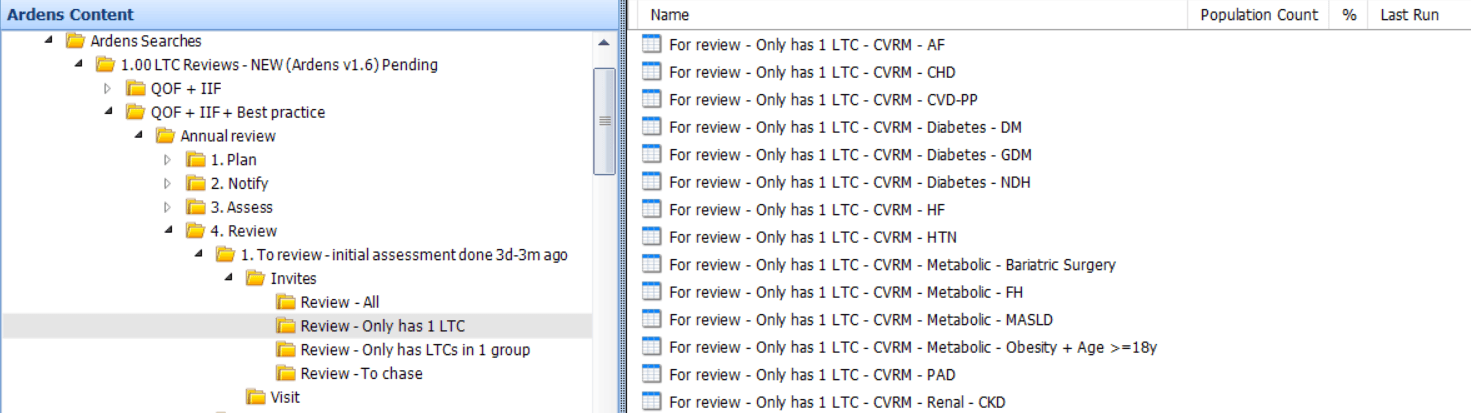
A range of reports are available to help practices review patient records based on available staffing resources and staff skill sets. This provides flexibility for practices to review all of a patient's long term conditions together, or focus on individual conditions or condition groups.
All: Displays all patients due for review for a condition. This is further broken down by clinic groups: cardiovascular, mental health, respiratory, and diabetes.
Only has 1 LTC: Identifies patients with only one long-term condition. These patients may be suitable for a shorter, condition-specific review appointment.
Only has 1 LTC group: Identifies patients with conditions within the selected LTC group (e.g., a single cardiovascular condition). This can help GP Practices organise more focused clinics for related conditions.
To chase: Displays patients who have received an initial assessment but have not yet had their review completed. This list helps clinicians identify patients who still require a full clinical review, ensuring that outstanding reviews are promptly followed up.
Separate visit reports are provided for housebound patients and care home residents. GP practices can use these lists to manage reviews outside the practice.
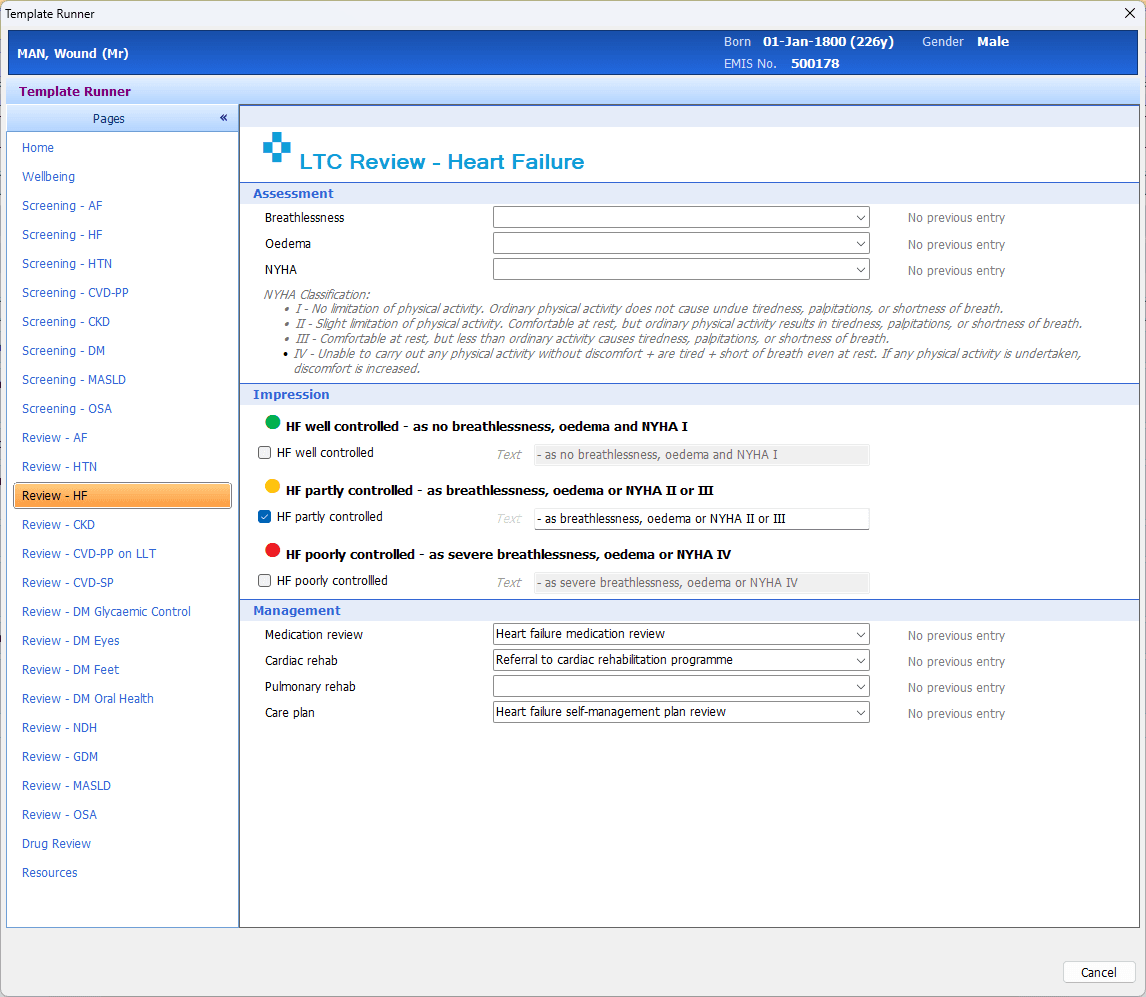
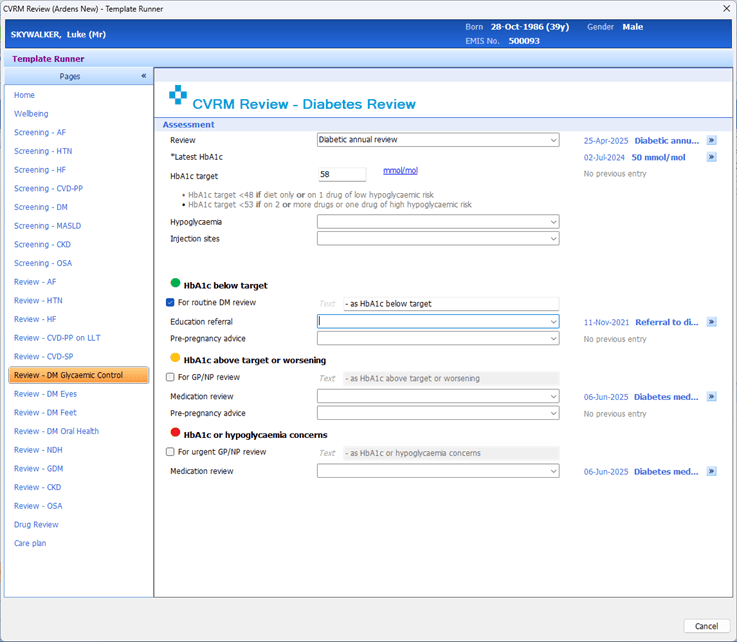
When a clinician reviews the patient, either by reviewing the clinical notes or during a consultation, they should use the Ardens LTC Review template to record review information. The template provides:
Prompts for QOF and best-practice monitoring.
Structured coding to support accurate records.
Guidance for clinical decision-making and management plans.
Risk stratification to identify patients at higher risk and support prioritisation of care.
Once the review is complete, the clinician must select the appropriate code:
Chronic disease management annual review completed: For patients who attend and complete the review.
Chronic disease annual review: For patients whose reviews have been partially completed.
Selecting the correct code confirms that the patient’s review has been recorded and ensures they move correctly through the LTC recall process or that the recall is completed appropriately.
📈Evaluate
The evaluation stage allows management teams to monitor LTC recall activity, track performance, and ensure patients are receiving appropriate reviews. This stage is essential for maintaining high-quality care and supporting both QOF requirements and best-practice management.
Activity
Highlights annual reviews completed last month and for this year.
Dashboard
For Ardens Manager subscribers, the Contracts dashboard provides a clear visual overview of key practice performance metrics, including:
Contract achievement: By threshold, financial value (£), and points.
Outstanding work: Identifying tasks or reviews that are yet to be completed.
Case finders: Highlighting patients who may require intervention.
The dashboard also allows you to filter and analyse data by:
Demographics: Such as age, gender, or location
Clinical risk groups: Helping to identify high-risk patients
Using these insights, practices can prioritise and target specific patient populations more effectively, ensuring resources are focused where they are most needed and supporting improved contract performance.

Reports
Template
❓FAQs
What do I do if a patient does not respond to the third reminder?
Patients who do not respond can be followed up using the Invites to Chase folder. Consider alternative contact methods or home visits if appropriate.
How are housebound or care home patients managed differently?
Separate Visit reports are available for these patients. Reviews can be conducted at home or in the care facility, and appropriate codes should be applied to track the review.
Can multiple long-term conditions be reviewed in a single appointment?
Yes. The LTC templates allow clinicians to review multiple conditions simultaneously, improving efficiency and patient convenience.
🏫Additional Support
Watch Introduction Webinar for a demonstration of the resources
Book training for your GP Practice, PCN or ICB
Contact our Support Team for support in real time