
We’re updating our Knowledge Base
We’re currently transitioning Ardens Clinical support articles to this new Knowledge Base. Content will be added progressively, so you may find limited articles available at this stage.
In the meantime, you can access our full support resources on our existing sites:
We’ll continue to expand this site, so please check back regularly.
ℹ️ Introduction
This article provides an overview of the Ardens Analysers available within EMIS Web. By the end of this guide, you will understand how Analysers can help monitor clinical performance, identify patients requiring action, and support proactive patient care.
Background
Ardens Analysers are interactive protocols designed to provide practices with a view of patient needs, performance indicators, and outstanding clinical activity. Unlike standard reports, Analysers allow users to quickly review summary information within a patient record in real-time.
How Ardens Can Help
Ardens Analysers provide a simple way to monitor activity and identify patients requiring review or intervention.
Key benefits include:
Identifying patients requiring action
Supporting proactive patient management
Providing quick access to patient-level detail
Supporting QOF and contractual requirements
Ardens Analysers are maintained by Ardens to ensure they remain aligned with current clinical and contractual requirements.
✅Available Ardens Analysers
Ardens currently provides the following Analysers within EMIS Web:
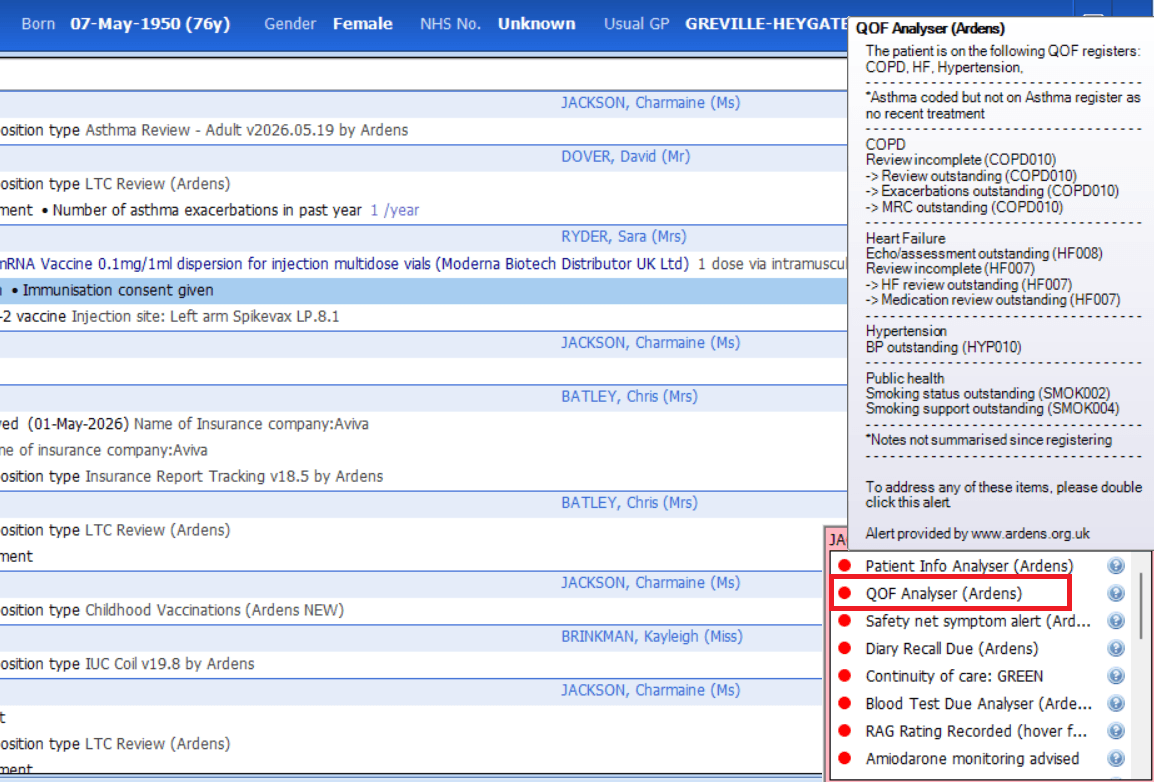
QOF Analyser
The QOF Analyser provides an overview of outstanding QOF achievement and exception reporting, helping practices identify areas requiring attention.
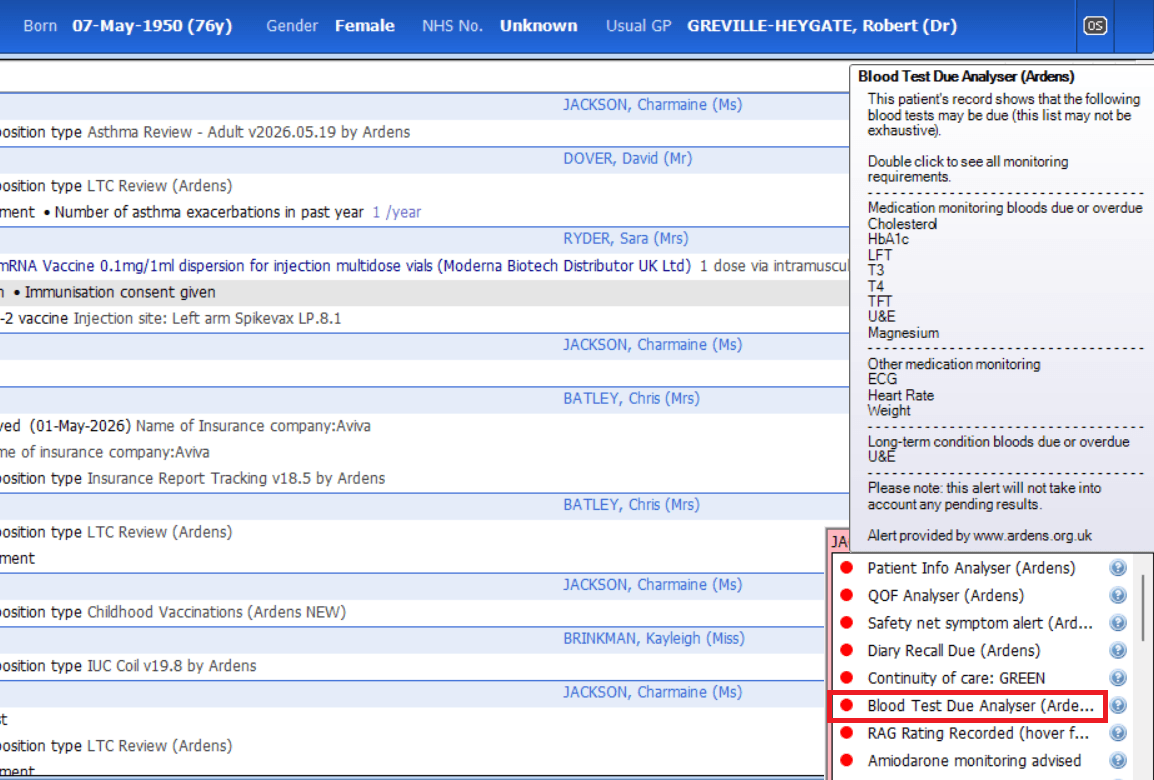
Blood Test Due Analyser
The Blood Test Due Analyser helps identify patients who may be overdue for blood test monitoring, supporting safe prescribing and proactive patient care.
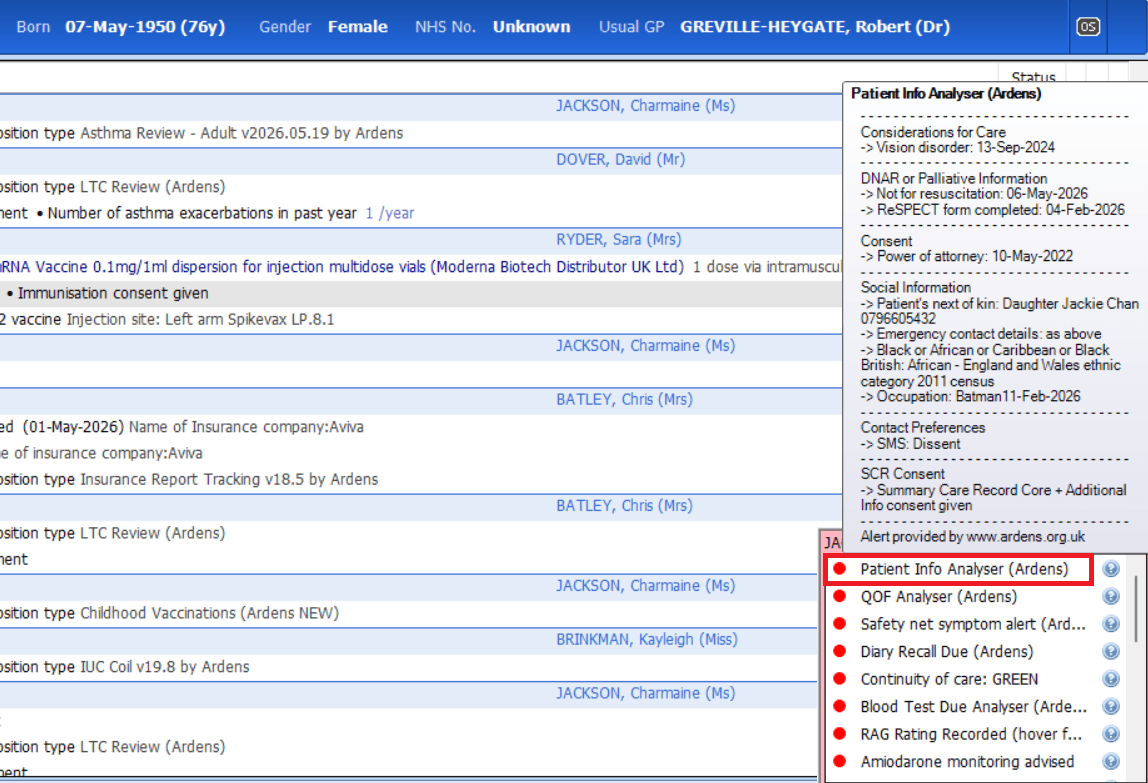
Patient Info Analyser
The Patient Info Analyser provides a summary view of key patient information, including care considerations, end of life coding, consent and legal information.
❓FAQs
Am I able to update information from an analyser?
Yes, for the QOF and BTDA Analyser, you are able to double-click on the alert to launch a template to record data.
Why can I not see the analyser in the pink alert box?
Check that your organisation has not deactivated the alerts in the Resource Publisher module.
🏫 Additional Support
Complete the Getting Started with Ardens EMIS academy course
Book training for your GP Practice, PCN or ICB
Contact our Support Team for support in real time