We’re updating our Knowledge Base
We’re currently transitioning Ardens Clinical support articles to this new Knowledge Base. Content will be added progressively, so you may find limited articles available at this stage.
In the meantime, you can access our full support resources on our existing sites:
We’ll continue to expand this site, so please check back regularly.
ℹ️ Introduction
This article explains how to use the Ardens QOF resources to support case finding, patient recall, activity recording, and achievement monitoring. By the end of this article, you will be able to use the available resources to support QOF delivery, improve data quality, and monitor progress towards achievement targets.
Background
The Quality and Outcomes Framework (QOF) requires GP practices to accurately identify, recall, and manage patients with long-term conditions to achieve clinical indicators, maximise income and support high-quality patient care.
How Ardens Can Help
Ardens provides a range of QOF resources to support GP practices with:
Improving disease prevalence through case finding
Ensuring timely completion of QOF indicators
Monitoring performance and achievement
Streamlining patient recall processes
📝Templates
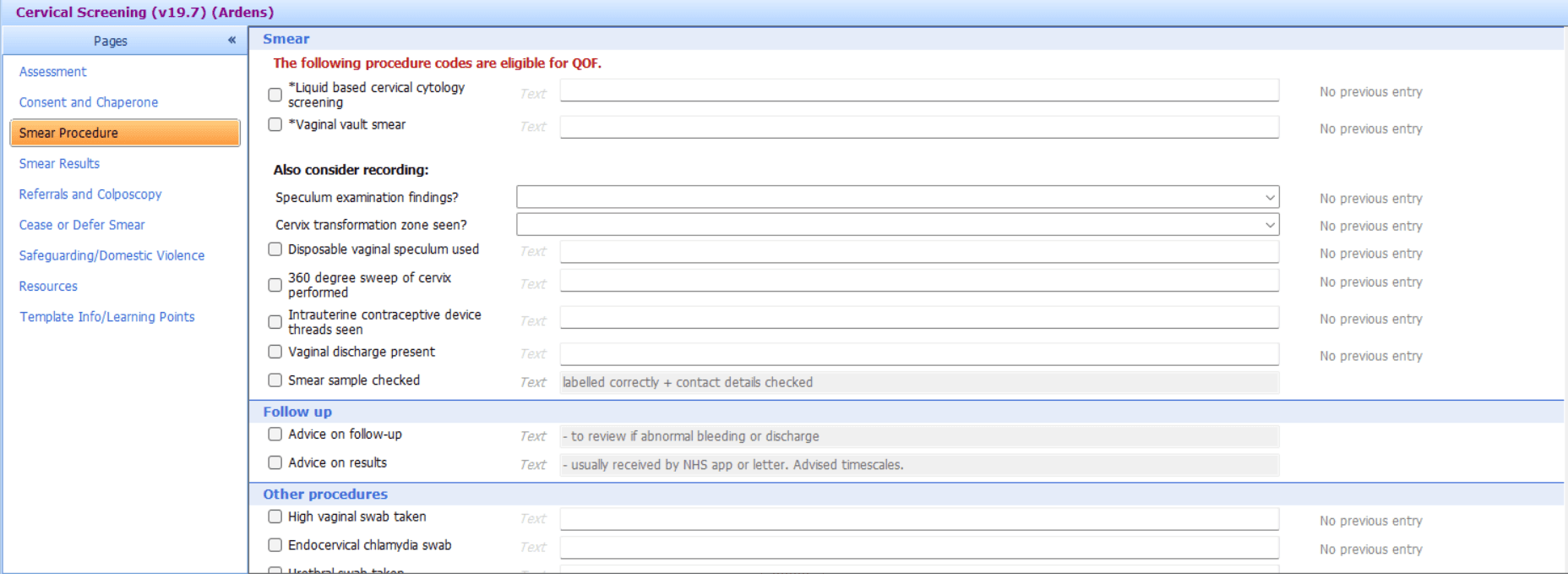
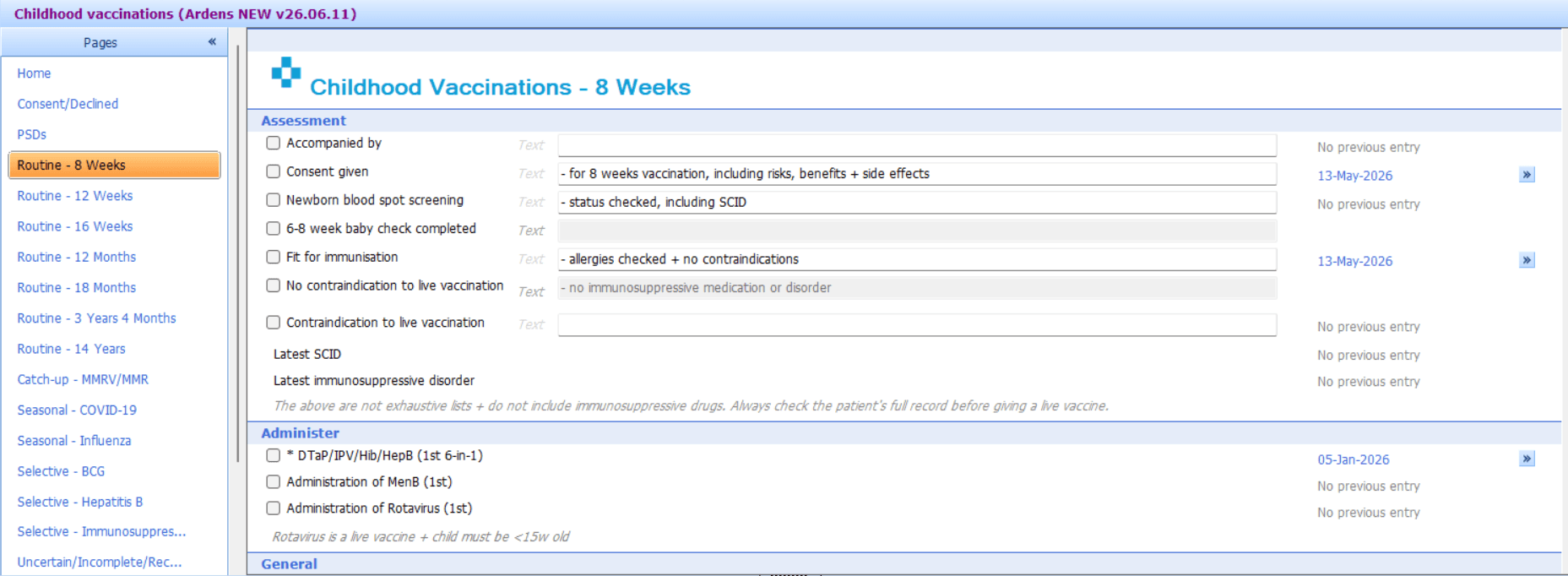
The Ardens templates guide clinicians through consultations using the appropriate QOF codes and prompts, helping to ensure activity is recorded accurately and consistently.
Templates are available to support each QOF domain:
Conditions
Smears
Vaccinations

🔍 Reports
Ardens reports help practices to identify outstanding patients, highlight data quality issues and monitor progress throughout the QOF year. They include:
Case Finders
Patients who may have a condition but are not correctly coded or mis-coded, and are therefore excluded from the QOF registers. Use these reports when you want to identify patients who may need coding/diagnosis review.
⚠️ Please Note: If you need to understand why patients are appearing in a case finder report, review the report rules/logic or check patient for that report.
Registers
Provides a summary of the number of patients recorded on each condition register. These reports are for informational purposes only. Use these reports when you want a count of who is currently on the register.
Time Sensitive
Patients who require action within specific QOF timeframes. Use these reports when action must happen within a deadline to count towards QOF achievement.
Outstanding
Identifies patients with outstanding QOF activity. Use these reports when you want to monitor incomplete QOF work across indicators. To take a more proactive approach and reduce outstanding work throughout the year, practices should use the wider Ardens resources.
⚠️Please Note: There is not currently one single report that shows all outstanding QOF work across every condition. In most cases, practices will need to use the relevant condition/domain-specific Outstanding reports.
Data Quality
Highlights potential issues that may prevent indicators from being met, which could impact payment. Use these reports to correct coding.
Personalised Care Adjustments
These reports are only relevant for practices using the Ardens LTC Annual Recall System. It helps identify patients who were invited using the recall workflow but have not attended, so practices can review whether invitation coding needs to be updated later in the QOF year.
Achieved
Provides a summary of QOF achievement throughout the year. Use these reports when you want a high-level view of progress already counted.
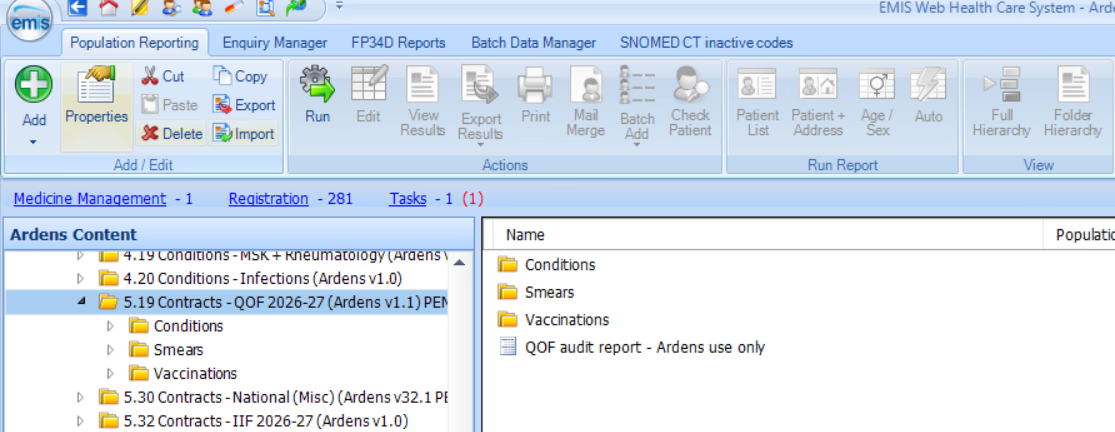
⚠️ Please note: For 2026/27, use the current QOF folders shown below. Some users may be looking in older archived folders, so if a search appears to be missing, first check that you are in the latest QOF folder for your system.
📈Dashboards
Ardens Manager is a cloud-based analytics tool that helps GP practices, PCNs and ICBs to analyse primary care needs and activities. The QOF Dashboard provides useful insights into QOF performance, including points and threshold achievements.
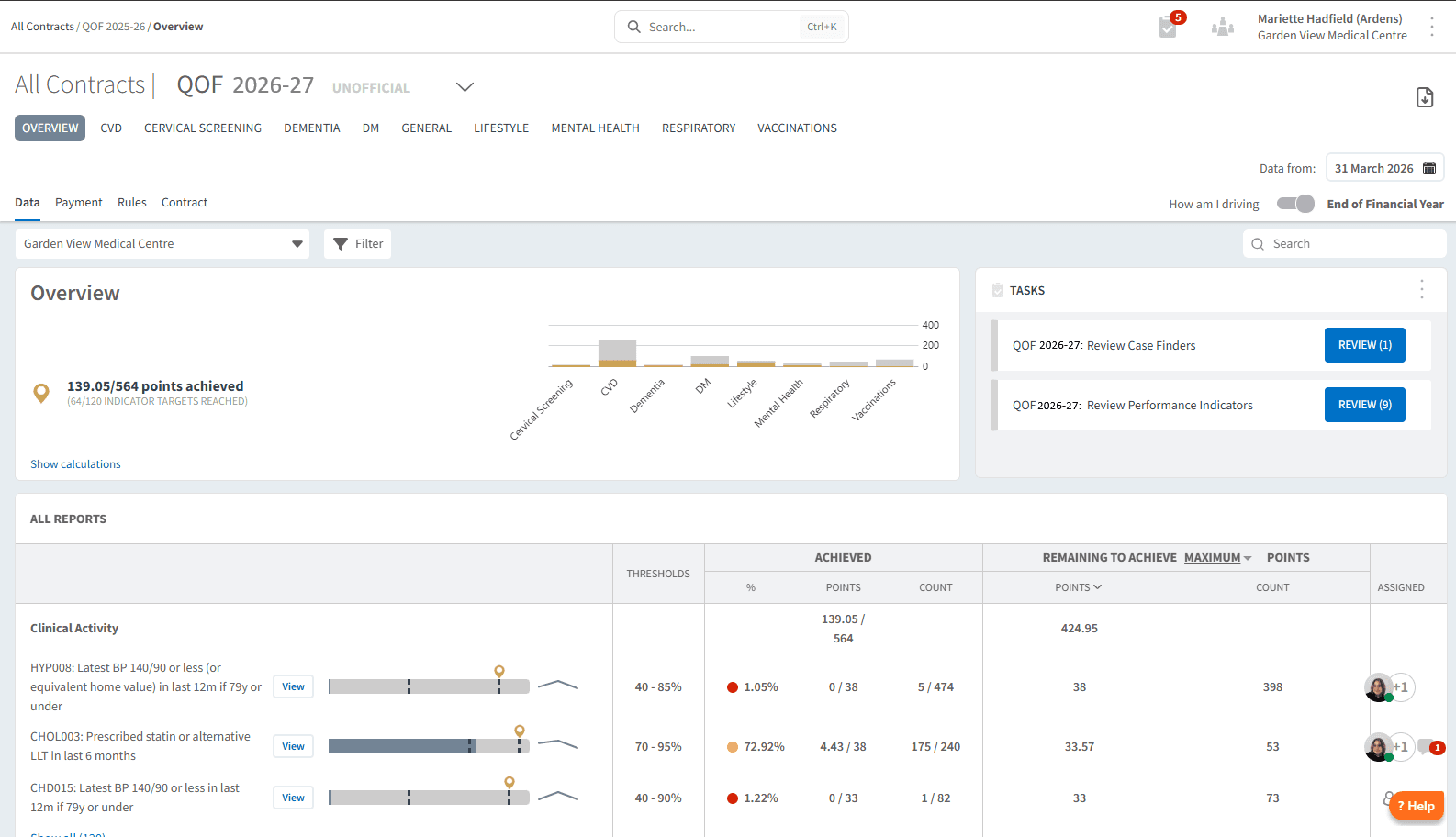
For existing Ardens Manager customers, explore our range of support articles to ensure you are getting the most out of the dashboard.
For those new to Ardens Manager, sign up for a free 1-month trial.
❓FAQs
Why is a patient still showing in a QOF search after we completed the work?
Check that the activity has been recorded using the expected QOF code set, that the patient meets the indicator rules/denominator, and that you are reviewing the correct report. If needed, review the report logic.
What is the difference between Case Finder and Register reports?
Case Finder reports identify patients who may have a condition but are not correctly coded. Register reports provide a summary of patients currently recorded on condition registers.
How should I use the Outstanding and Time Sensitive reports?
Outstanding reports help monitor progress and identify gaps in activity, while Time Sensitive reports highlight actions that must be completed within strict deadlines to count towards QOF.
🏫 Additional Learning
Watch the GP Contract 2026/27 Update Webinar for a demonstration of the resources - EMIS / SystmOne
Book training for your GP Practice, PCN or ICB
Contact our Support Team for support in real time