
We’re updating our Knowledge Base
We’re currently transitioning Ardens Clinical support articles to this new Knowledge Base. Content will be added progressively, so you may find limited articles available at this stage.
In the meantime, you can access our full support resources on our existing sites:
We’ll continue to expand this site, so please check back regularly.
ℹ️Introduction
This article provides an overview of the Ardens National Documents available within EMIS Web. By the end of this guide, you will understand what National Documents are, how they can support your organisation, and where to access them within EMIS Web.
Background
Creating consistent, professional, and accurate documentation is an important part of patient care and practice administration. Manually completing forms and letters can be time-consuming and may lead to inconsistencies or missing information.
Ardens National Documents provide a library of standardised, auto-populating document templates that help practices save time, improve consistency, and reduce administrative workload. Documents can automatically populate information from the patient's record, reducing the need for duplicate data entry.
How Ardens Can Help
Ardens National Documents provide a range of ready-to-use templates that can be launched directly from a patient's record.
Key benefits include:
Reducing administrative workload
Improving document consistency
Auto-populating patient information
Supporting national and local processes
Creating professional, standardised documentation
National Documents can be launched from anywhere within the patient record using the Ardens National Documents Launcher protocol.
📍Access Documents
Ardens National Documents are accessed through the National Documents Launcher within EMIS Web.
To launch:
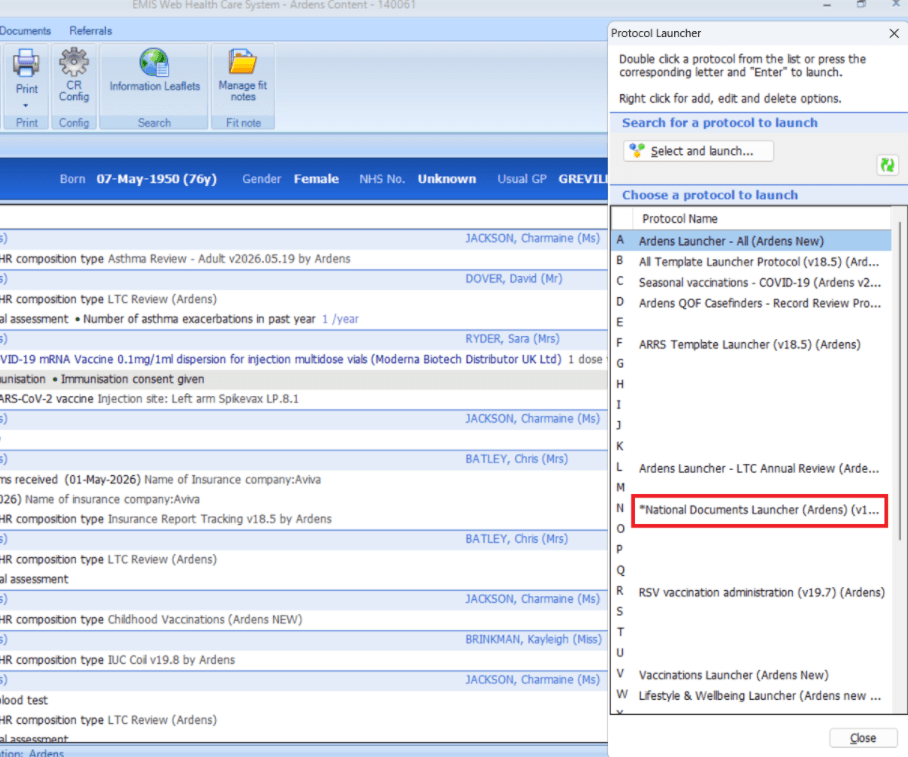
Press F12 on your keyboard to open the Protocol Launcher
If the National Document Launcher has not already been added, right-click on an available letter or number and select Add
Search for National Document Launcher, select it from the list, and click OK.
Double-click the National Document Launcher within the Protocol Launcher screen to open
✅ Available National Documents
Ardens provides a wide range of document templates to support both clinical and administrative teams. Available document categories include:
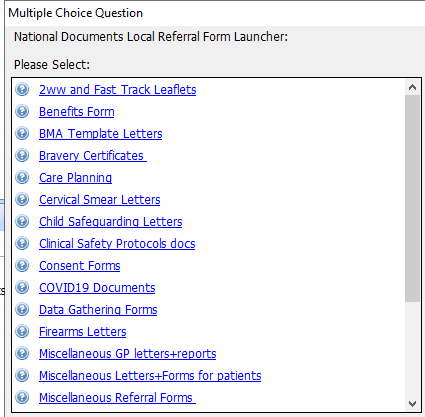
📃Using the National Documents
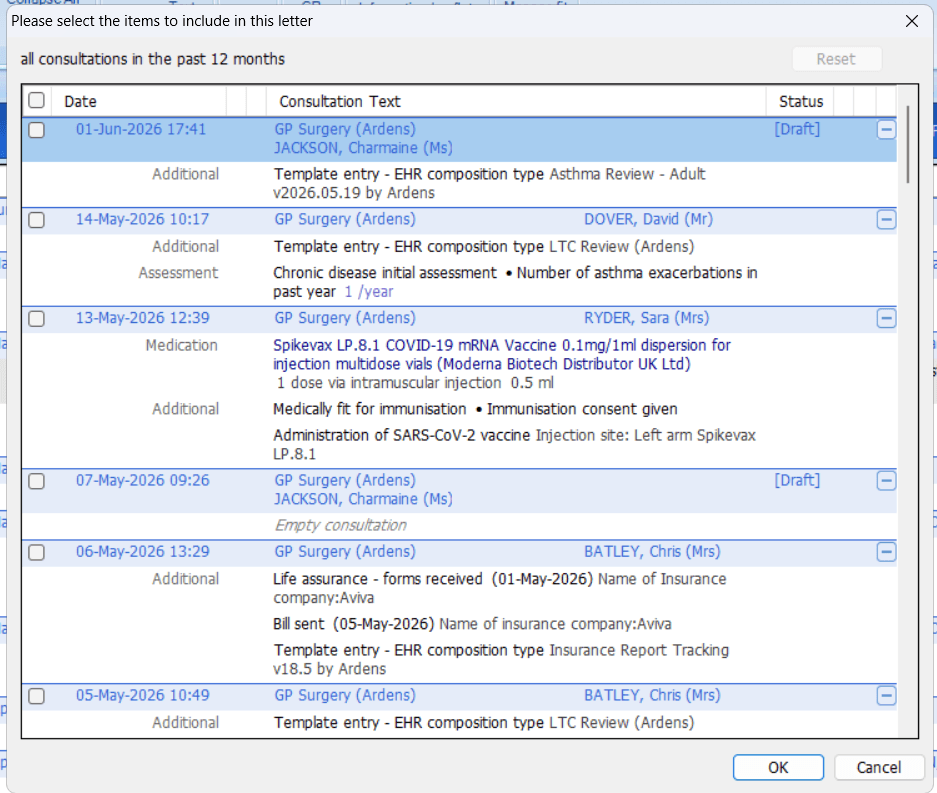
Once you have launched the relevant document, you may be prompted with options to include data from the patient record.
Select or deselect the appropriate information.
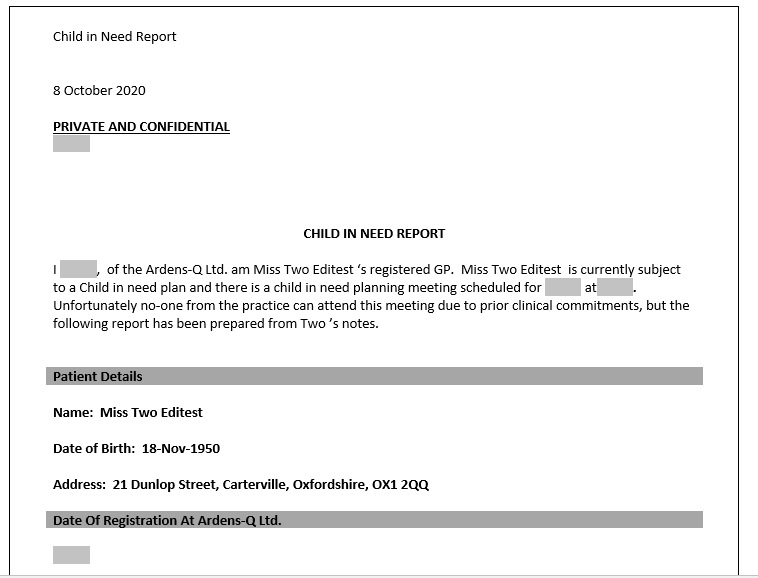
Once selected, this will launch the document with the prepopulated information.
❓FAQs
Do National Documents automatically populate patient information?
Yes. Many National Documents are designed to automatically populate information from the patient's record, reducing manual data entry.
Can National Documents be edited before saving?
Yes. Users can review and amend document content before saving, printing, or sending the document.
🏫 Additional Support
Complete the Getting Started with Ardens EMIS academy course
Book training for your GP Practice, PCN or ICB
Contact our Support Team for support in real time