
We’re updating our Knowledge Base
We’re currently transitioning Ardens Clinical support articles to this new Knowledge Base. Content will be added progressively, so you may find limited articles available at this stage.
In the meantime, you can access our full support resources on our existing sites:
We’ll continue to expand this site, so please check back regularly.
ℹ️ Introduction
This article explains how to use the Ardens Heart Failure QOF resources to identify and manage patients with suspected or confirmed heart failure in line with the current guidance and QOF requirements. By the end of the article, you will understand how to identify patients who require action, record the correct data using the Ardens templates, and monitor progress throughout the year.
Background
Heart failure is a long-term condition requiring ongoing management in Primary Care. The Heart Failure QOF domain supports practices in confirming the diagnosis where appropriate, undertaking structured annual reviews, and optimising evidence-based treatment for eligible patients.
In Primary Care, there are two key focuses for heart failure activity:
QOF: For 2026/27, the Heart Failure QOF domain focuses on confirming the diagnosis where appropriate, completing structured annual heart failure reviews, and ensuring patients with heart failure with reduced ejection fraction (HFrEF) are prescribed evidence-based therapies, unless contraindicated or not tolerated.
Best Practice: Clinicians should provide holistic care, including symptom monitoring, medication optimisation, self-management support, and referral for specialist assessment where appropriate.
This article outlines how Ardens supports practices in achieving the Heart Failure QOF domain ; however, we will be creating additional articles with support with heart failure patients through best practice care and the medication pathway.
Heart Failure Registers | |
HF1_REG |
|
HF3_REG |
|
Heart Failure Indicators | |
HF007 |
|
HF008 |
|
HF009 |
|
How Ardens Can Help
Ardens provides a range of resources to help practices:
Clinical system reports: to identify and manage eligible patients using Case Finder, Register, Time-Sensitive, Outstanding, Achieved, Data Quality and Personalised Care Adjustments (PCA) reports.
Clinical templates: to support consistent consultations and improve coding accuracy.
Dashboards: to monitor QOF achievement and practice performance throughout the year.
How to Access the Resources
📝 Record Data
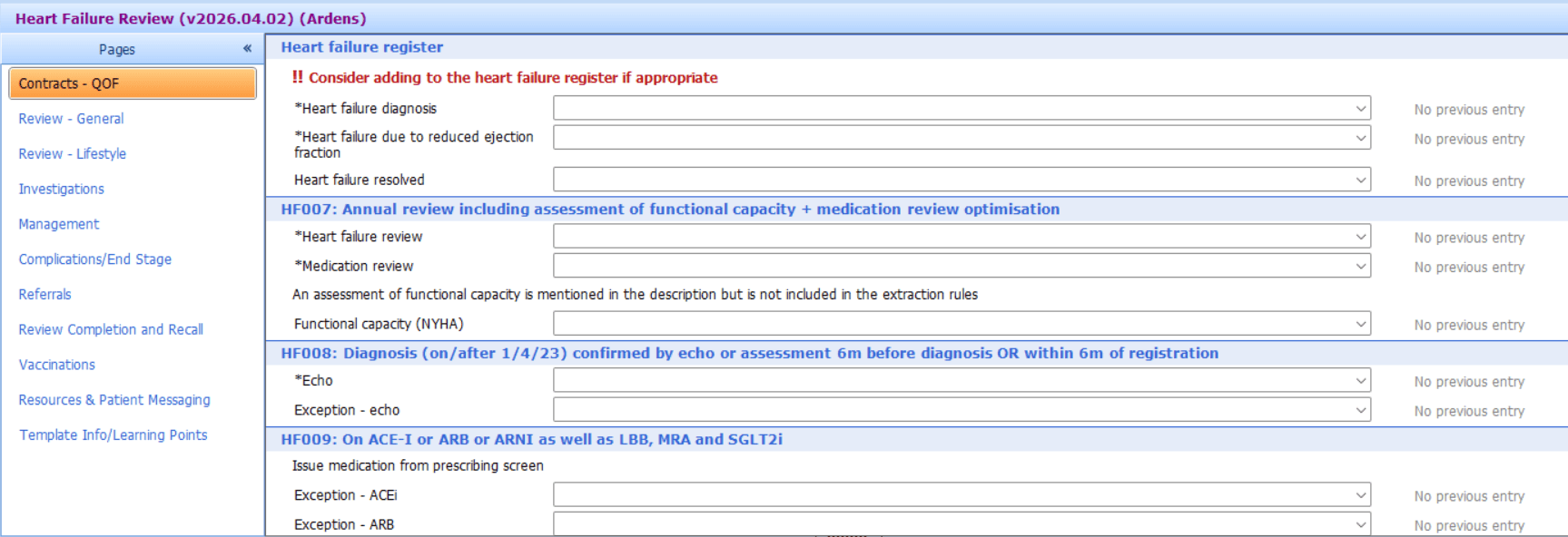
Accurate coding is essential to ensure activity is captured correctly for QOF achievement. The Ardens Heart Failure template and LTC Review templates contain all the relevant codes required for the Heart Failure indicators.
🔍 Identify Patients Requiring Action
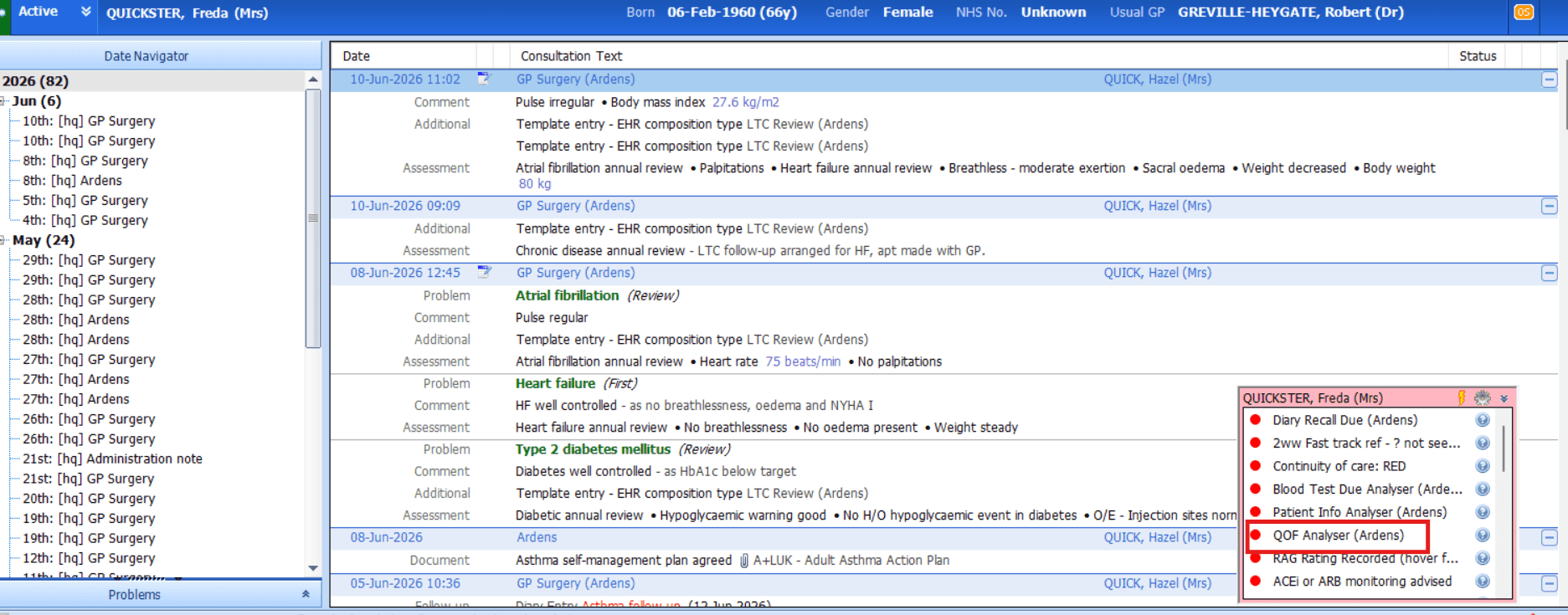
Ardens provides a range of reports to help practices identify patients who require intervention for the Heart Failure QOF indicators.
Time Sensitive
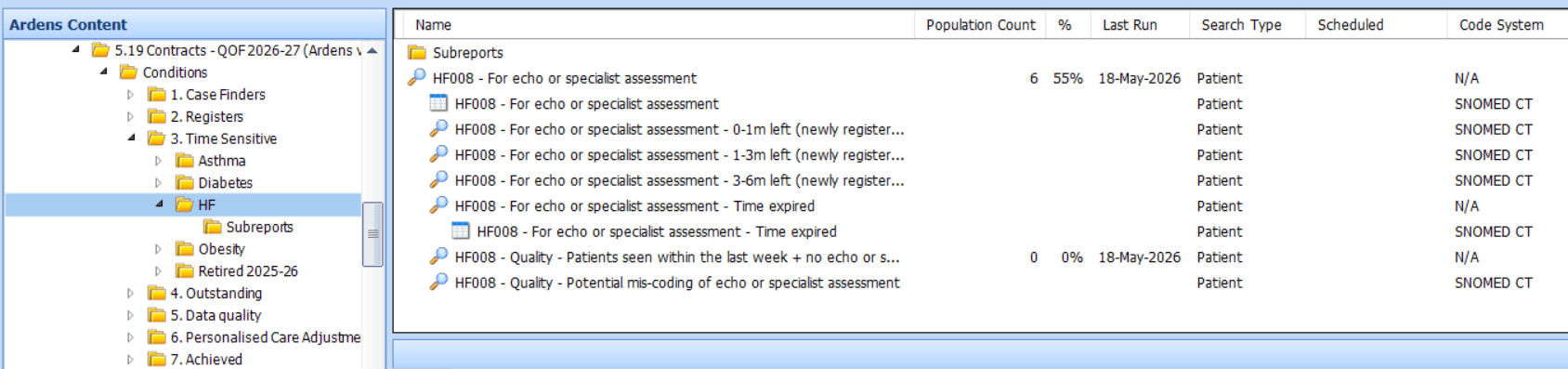
The Time Sensitive reports support the time-limited requirement for the HF008 indicator. Patients must have an echocardiogram or specialist assessment recorded within 6 months of their heart failure diagnosis. These reports group patients by time remaining and highlight where the timeframe has expired.
Outstanding
The Outstanding reports identify patients who remain eligible for the heart failure indicators but have not yet met all the required criteria.
Time Sensitive Reports
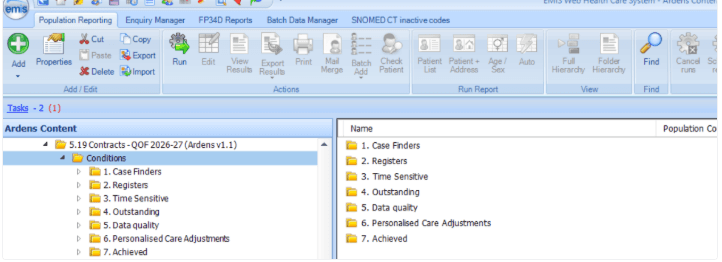
Run the 5.19 Contracts - QOF 2026-27 > Conditions > 3. Time Sensitive report folder
The reports will identify how much time is left to achieve the indicator or where time has expired
Select the required report, and click View Results on the EMIS ribbon
Outstanding
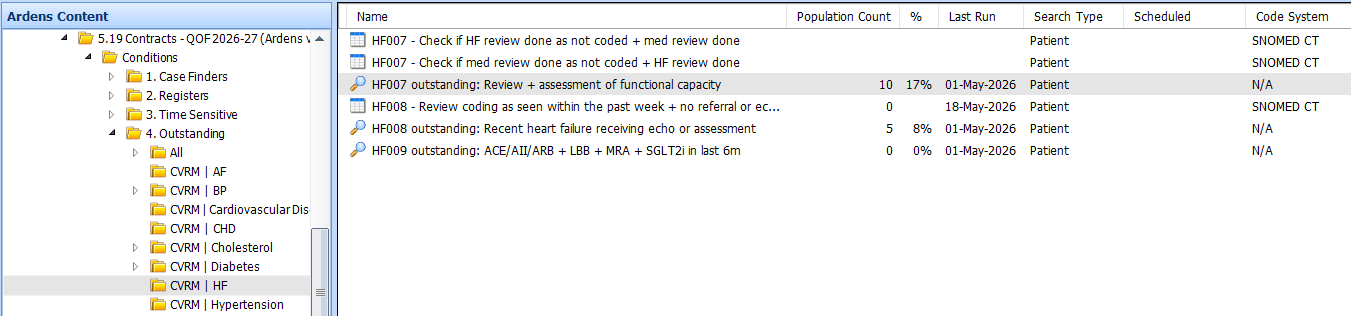
Run the 5.19 Contracts - QOF 2026-27 > Conditions > 4. Outstanding report folder
Select the CVRM | HF folder to view the reports
For the searches, to view the list of outstanding patients, click on the Population Included tab
For the reports, click View Results on the EMIS ribbon to view the list of patients
📊 Monitor Progress
Ardens provides a range of reports to help practices monitor performance and achievement against the Heart Failure QOF indicators throughout the year.
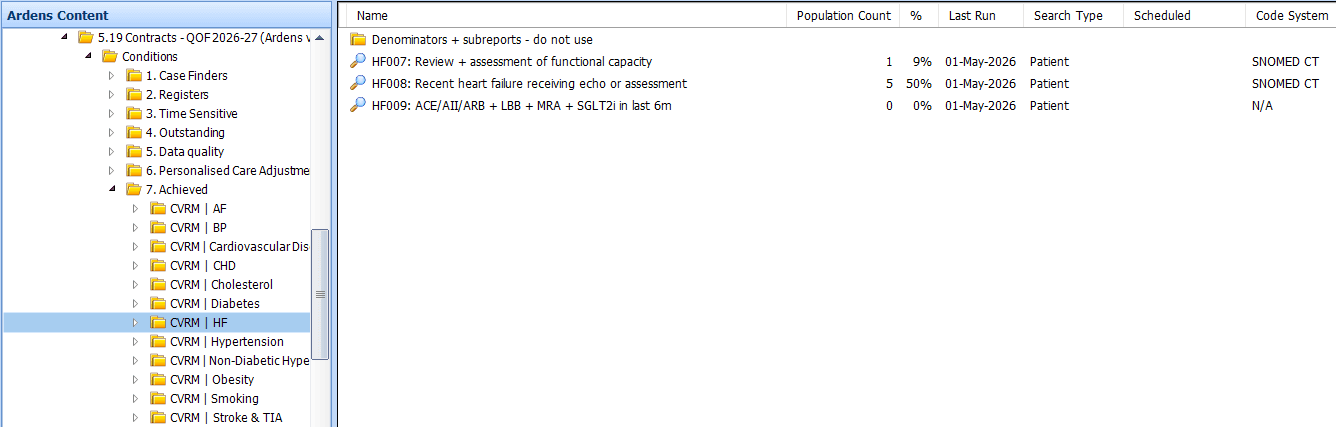
Achieved Reports
The Achieved reports display patients who have successfully met the requirements for each indicator.
These reports can be used to:
Monitor current achievement
Review completed activity
Track progress towards targets
Identify remaining opportunities before year-end
Ardens Manager
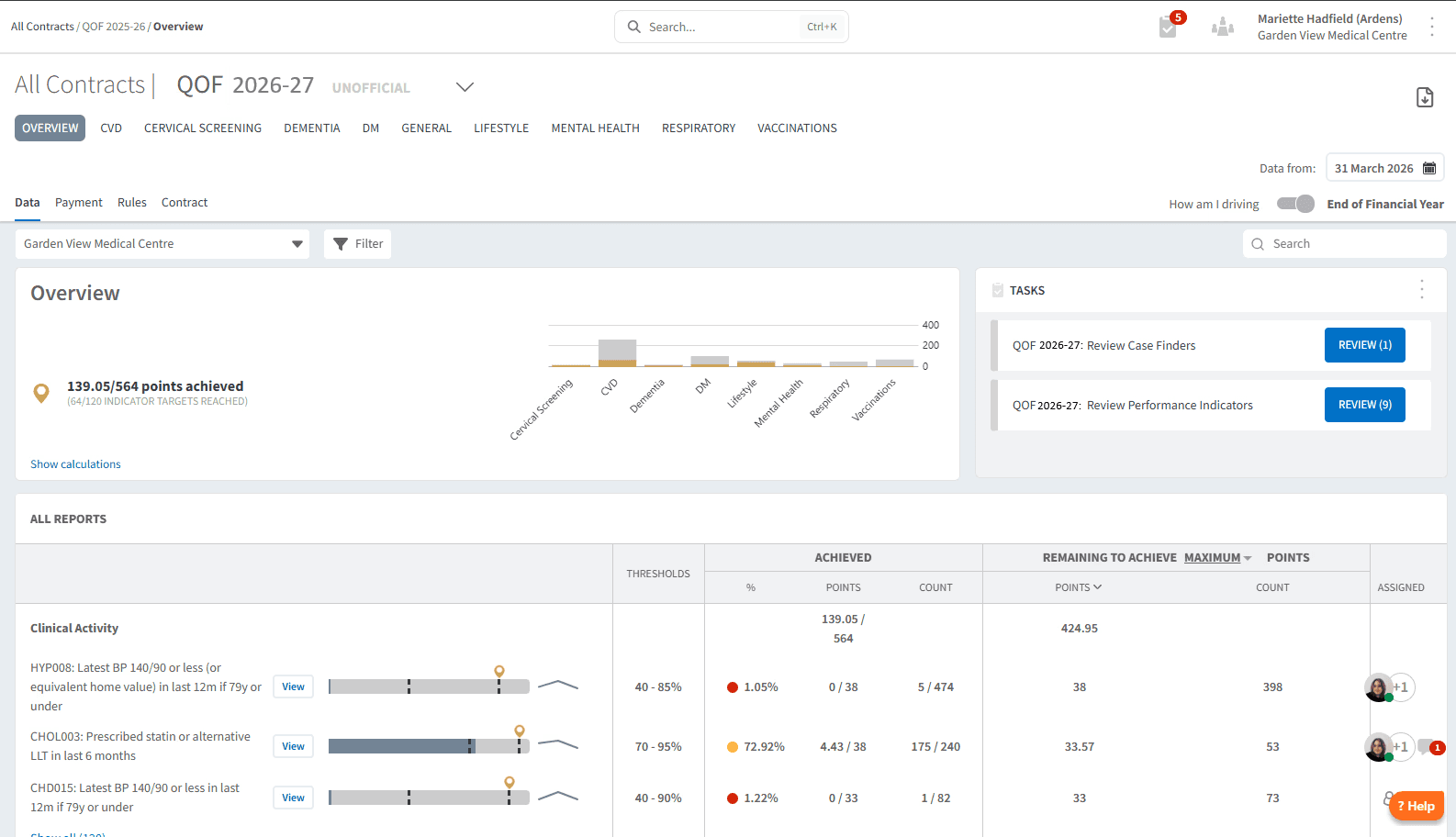
Ardens Manager National Contract subscribers can use the QOF dashboard to review overall achievement, plan QOF delivery, identify outstanding work and monitor progress throughout the reporting year.
❓FAQs
Registers
What is the difference between the heart failure registers?
Both registers are based on patients with an unresolved heart failure diagnosis; however, HF3_REG is specifically looking at an unresolved heart failure diagnosis and a recording of a reduced ejection fraction.
Why do I have fewer patients on the second heart failure register compared to last year?
The register criteria have changed for 2026/27. Previously, patients could be included if they had an unresolved heart failure diagnosis together with either a coded left ventricular systolic dysfunction (LVSD) diagnosis or reduced ejection fraction (HFrEF) recorded. For this year, the register only includes patients with an unresolved heart failure diagnosis and a recorded reduced ejection fraction (HFrEF). Patients with an LVSD code alone will no longer be included unless a reduced ejection fraction has also been recorded in line with the current QOF business rules.
HF007
What needs to be completed for HF007?
HF007 requires both a heart failure review and a medication review to be completed within the financial year. These can be recorded using the Ardens Heart Failure template.
HF008
Does this indicator apply to patients diagnosed before 1 April 2023?
No. HF008 only applies to patients with a diagnosis of heart failure recorded on or after 1 April 2023. Patients diagnosed before this date are not eligible for HF008, although they may still be eligible for HF007 and HF009 where appropriate.
HF009
Why is my patient not appearing as eligible for HF009?
HF009 applies only to patients who meet HF3_REG, unresolved heart failure diagnosis with a coded reduced ejection fraction.
What happens if a patient is contraindicated to, or declines, one of the HF009 medicines?
For HF009, patients with heart failure with reduced ejection fraction (HFrEF) must be prescribed medication from all four recommended drug classes to achieve the indicator.
Where clinically appropriate, contraindication or declined treatment codes can be recorded using the dedicated fields within the Ardens Heart Failure template.
If a patient is prescribed medication from three of the four drug classes but has a valid contraindication or declined treatment code for the fourth, they will receive a Personalised Care Adjustment (PCA). This means they are removed from the indicator denominator rather than counted as achieving the indicator.
Please note: ACE inhibitors, ARBs and ARNIs are treated as alternative treatment options. Prescribing any one of these satisfies that treatment requirement. Where none are prescribed, appropriate contraindication or declined treatment codes must cover all three options for a medication-specific PCA to apply.
🏫 Additional Support
Heart Failure QOF Domain Webinar for EMIS and SystmOne practices
Book training for your GP Practice, PCN or ICB
Contact our Support Team for support in real time