
We’re updating our Knowledge Base
We’re currently transitioning Ardens Clinical support articles to this new Knowledge Base. Content will be added progressively, so you may find limited articles available at this stage.
In the meantime, you can access our full support resources on our existing sites:
We’ll continue to expand this site, so please check back regularly.
ℹ️ Introduction
This article explains how the Ardens resources can support your practice in planning, delivering, monitoring, and evaluating the Seasonal Influenza vaccination programme in line with NHS England guidance. By the end of this article, you will understand how to use the available Ardens resources throughout the vaccination season.
Background
The NHS England Guidance for the National Seasonal Influenza immunisation programme 2026-27 outlines the following vaccination schedule:
From 1st September 2026 |
|
From October 2026 (exact date to be confirmed) |
|
Recommended Vaccines (JCVI)
6m–1y: IIVc (2nd: IIVe)
2–17y: LAIV (2nd: IIVc / 3rd: IIVe)
18–49y: IIVc/IIVcr (2nd: IIVe)
50–64y: alIV/IIVc/IIV-HD (off label to those aged 50 to 59 years)/IIVr (Second line - IIVe)
65+ (on 31/03/26): aIIV/IIVc/IIV-HD/IIVr
How Ardens Can Help
Ardens resources support practices throughout the flu vaccination programme by helping to:
Identify eligible cohorts
Organise recalls and invitations
Manage housebound and care home visits
Record vaccine administration
Monitor uptake and payment activity
Forecast future vaccine demand
⚠️ Please note:
Ardens searches use SNOMED codes, while the Green Book uses clinical definitions
Not all eligibility criteria translate directly into coded data
Business rules for payment may differ from clinical eligibility
Clinical judgement should guide decisions in ambiguous cases
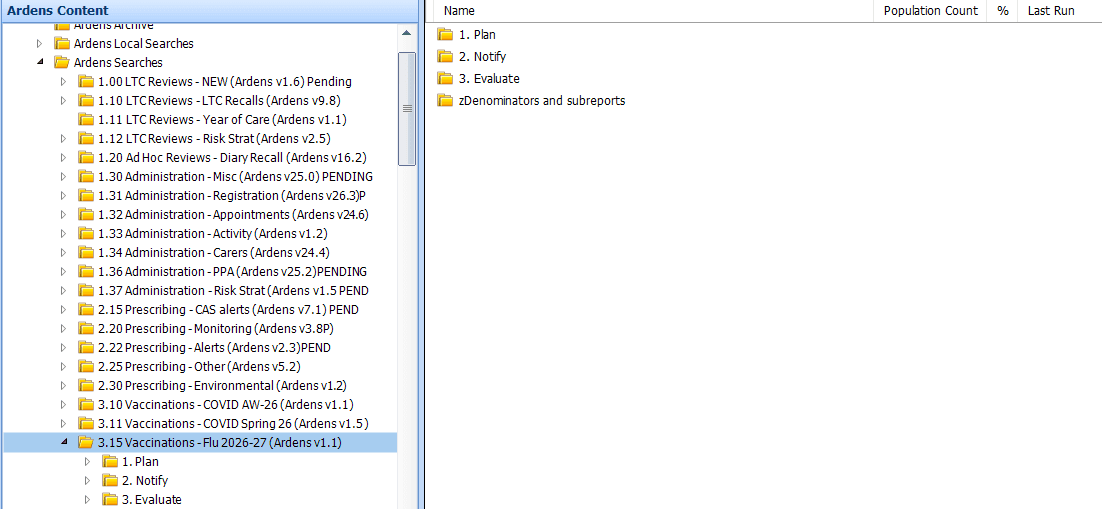
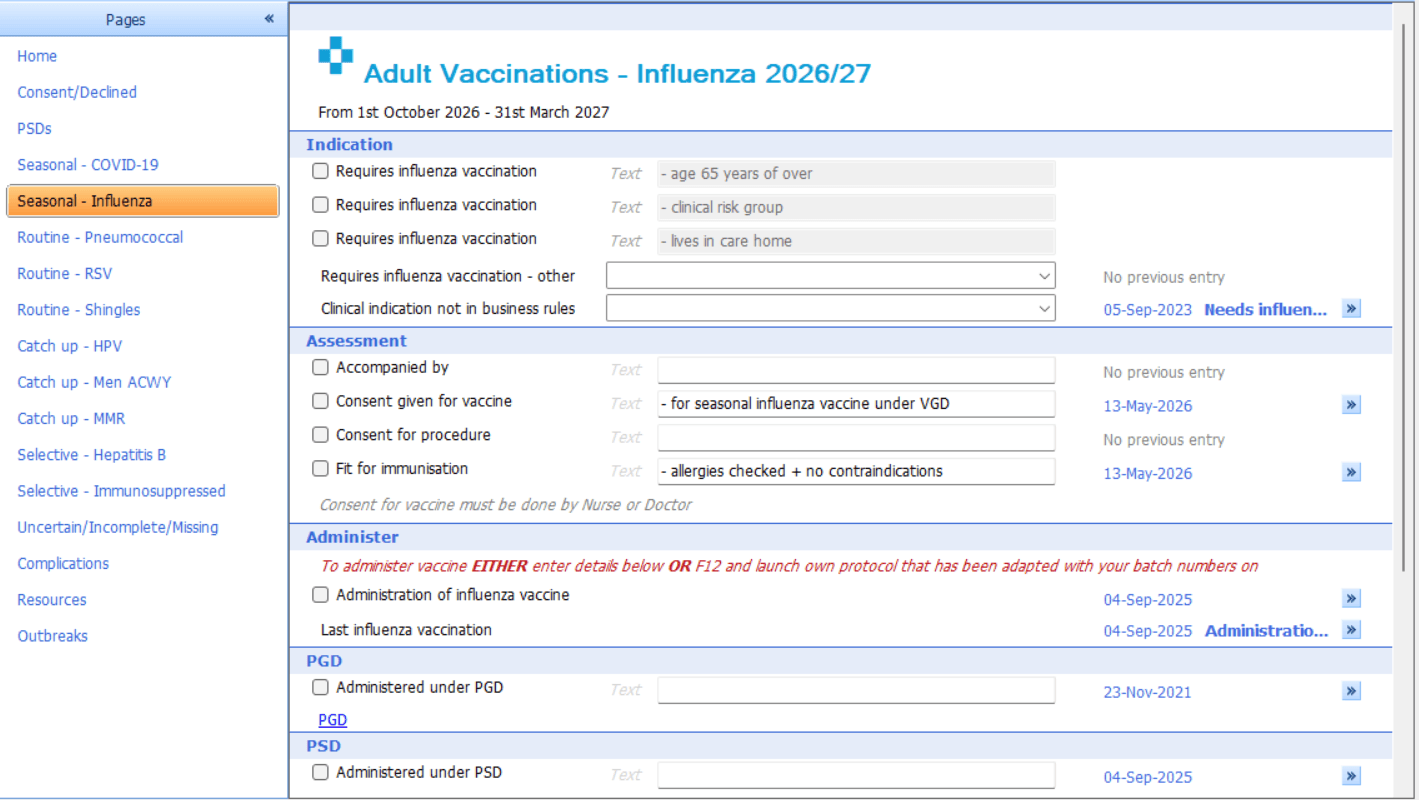
📅Plan
Before sending out any invites, we recommend reviewing the following reports. These will help you to identify your eligible patients and ensure your invite lists are accurate and clinically appropriate.
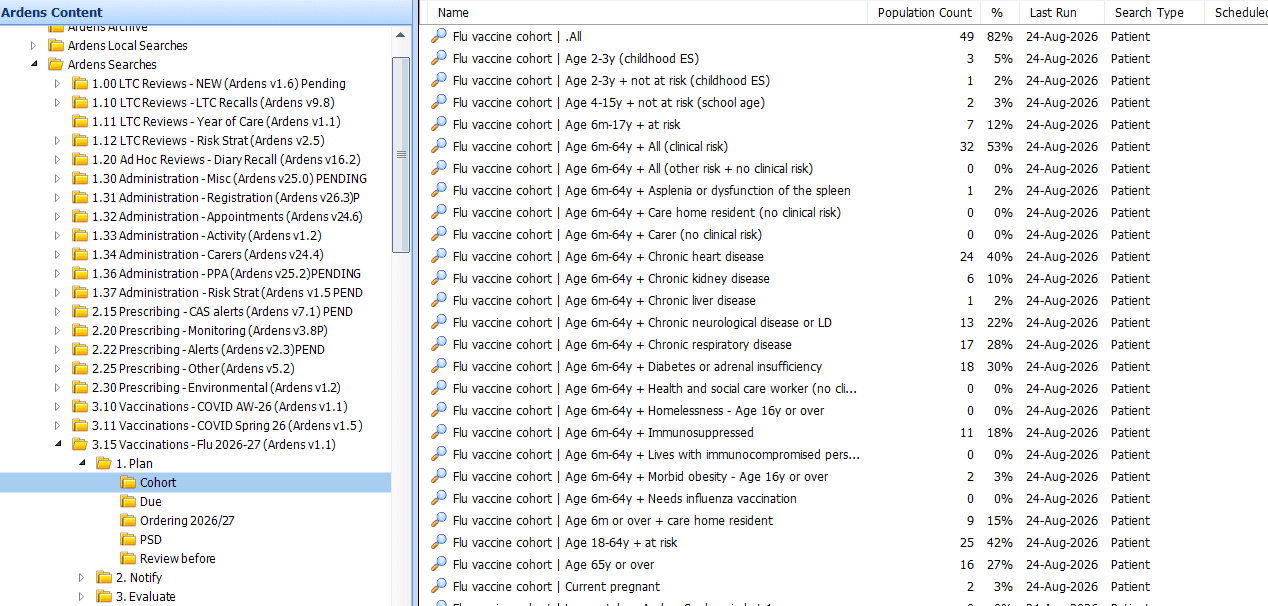
Cohorts
Use these searches to estimate vaccine demand and plan stock orders. They are not intended for sending invitations. These results include all patients in each eligible group, regardless of whether they have already been vaccinated or have declined a vaccination.
⚠️ Please note: Patients may appear in more than one cohort. These reports do not remove patients once invite codes are added, so using them for invites may result in duplicate communications.
Due
These reports focus specifically on patients who are still outstanding for vaccination and have not declined vaccination. There is a search to identify all patients due, with additional searches broken down by cohort.
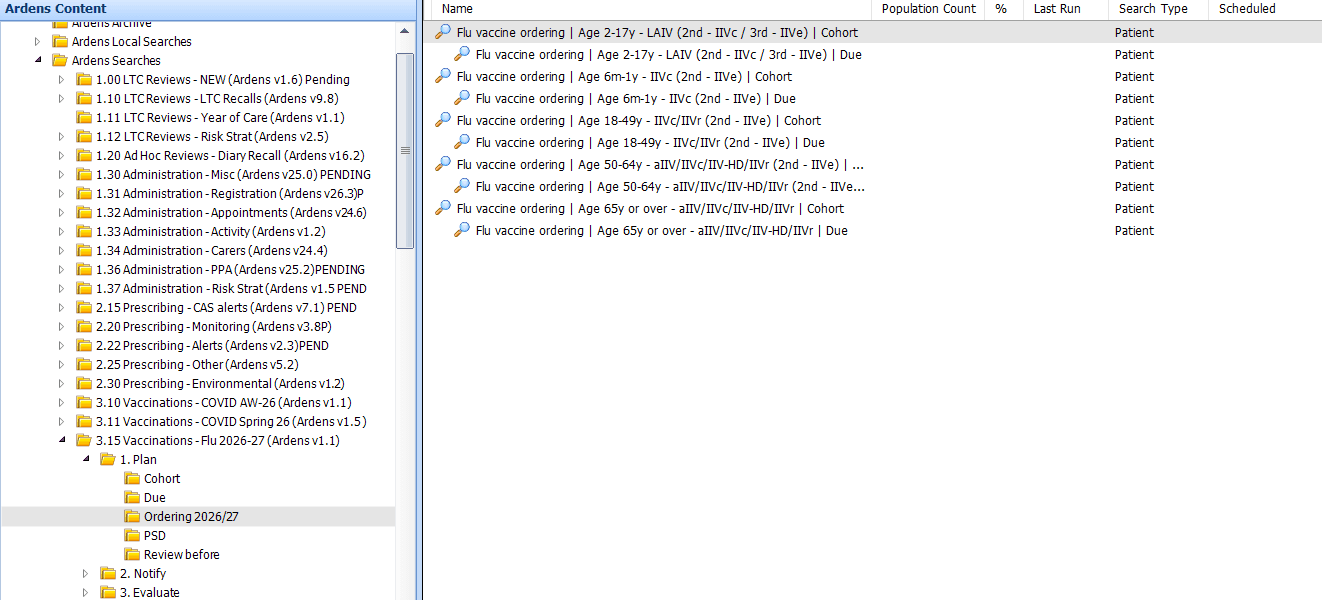
Ordering
These reports help forecast vaccine demand for the current flu season, supporting vaccine ordering.
PSD
These reports identify patients who had flu vaccines in previous seasons and may require a new Patient Specific Direction (PSD) this year. A prescriber should review each patient individually and record the PSD in accordance with practice processes.
⚠️Please note: These patients need to be reviewed individually and not in batches to ensure that it's clinically safe to administer the vaccine and protect staff administering it. For further information, see the CQC mythbusters.
Review before
The Review Before reports help identify records requiring validation prior to invitation activity.
They include:
Vaccine suitability: Check for clinical reasons a patient should not receive a particular vaccine, or may need an alternative:
Alternative vaccine - 6m–17y + aspirin in last 6m (contraindicates LAIV).
Recorded previously - Lives with immunocompromised person, health and social care worker (both before 01/04/2025).
Current contraindications - As recorded last season, egg allergy, specific contraindication this season.
Eligibility coding: Ensure patient records reflect current eligibility so they appear in invite and payment reports:
Needs influenza vaccination - Various conditions where the code should be added/re-added on/after 01/09/2026:
Household contacts of immunosuppressed - Add 'Lives with immunocompromised person' code using the vaccination template if applicable.
Invite children aged 6m–17y at risk or pregnant (excluding childhood ES) - Check for eligible children outside standard school programme.
Age-related eligibility - Patients aged 18–64y who are at risk or pregnant; those turning 18 during season.
Status verification: Confirm whether a patient’s recorded status is still correct, and update if not:
Pregnancy - Confirm still pregnant; update coding if delivery or pregnancy loss.
BMI ≥ 40 - Update if last recorded before 01/04/2023.
Care home resident/housebound/carer - Confirm or add 'no longer' codes if no longer applicable.
Persistent contraindication - Review outdated or incorrect allergy/contraindication codes. Mark in error to ensure re-invite where appropriate.
Long-term indication - Confirm patients coded with a long-term indication for influenza vaccination.



✉️ Notify
These resources help GP practices efficiently manage the Seasonal Influenza vaccination programme by identifying eligible patients, organising invitations and follow-ups and planning vaccine orders - including special arrangements for care home and housebound patients.
Invites
These reports identify eligible patients who can be invited for vaccination. The reports are split by cohort and vaccine, with patients then grouped by September and October uptake and further broken down into 1st, 2nd, and 3rd invites.
Patients are excluded from the invitation reports if they have one of the following:
Administration of the Seasonal Influenza vaccination
Contraindication
Decline
Care home or housebound patient (managed separately)
⚠️ Please note:
Patients who turn 18 during September (and are not pregnant) are excluded from the September invite reports but will be included in the October invite reports (payment rules). If you wish to manage them differently, use the report ‘Currently 17 and turning 18 in September (not pregnant) – September payment applies only to under-18s and pregnancy (Included in invites from October onwards by default)’.
Patients move through the invitation reports using the appropriate invite codes, with a two-week interval between the first and second invitations and again between the second and third invitations.
If a different invitation code is used, the patient may not move into the expected 2nd or 3rd invite report, so always check the code is accurate before batch coding.
Visits
Separate visit reports are provided for housebound and care home residents so practices can use the list of patients to support administration outside of the practice.
⚠️ Please note: These patients are excluded from the main invite reports.
Invite Codes
After inviting a patient, ensure the appropriate invitation SNOMED code is added to their record. This ensures they move to the correct 2nd or 3rd invite list in a two-week timeframe. Always verify codes before use.
View codes
Influenza vaccination first telephone invitation 1095821000000105
Influenza vaccination first verbal invitation 860151000000103
Influenza vaccination invitation email 844941000000103
Influenza vaccination invitation first email 844961000000102
Influenza vaccination invitation first letter sent 200481000000107
Influenza vaccination invitation first short message service text message sent 1484831000000102
Influenza vaccination invitation letter sent 315641001
Influenza vaccination invitation second email 844981000000106
Influenza vaccination invitation second letter sent 200491000000109
Influenza vaccination invitation second short message service text message sent 1484841000000106
Influenza vaccination invitation short message service text message sent 1484821000000104
Influenza vaccination invitation third email 845001000000101
Influenza vaccination invitation third letter sent 200501000000103
Influenza vaccination invitation third short message service text message sent 1484851000000109
Influenza vaccination second telephone invitation 1095831000000107
Influenza vaccination second verbal invitation 860171000000107
Influenza vaccination third telephone invitation 1095841000000103
Influenza vaccination third verbal invitation 860291000000101
Influenza vaccination verbal invitation 761311000000109
Invitation by telephone for influenza vaccination 737041000
⚠️ Please note: Always check the code each time when adding to the patient record. Ardens are not responsible or liable for the codes above and any incorrect code being batch added to the patient records.
Invites
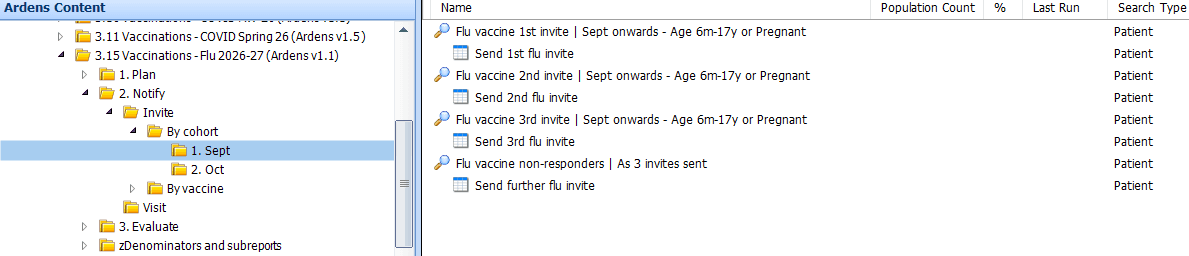
Once the reports have been run, view the results to see details of the patients, including any reasonable adjustments and preferred contact methods. The report can be exported to use with third-party messaging platforms. Access this support article on how to export.
⚠️Please note: for practices requiring a breakdown by contact method (email, SMS, phone), refer to the invite reports, we recommend exporting the report and sorting by contact method.
Visits
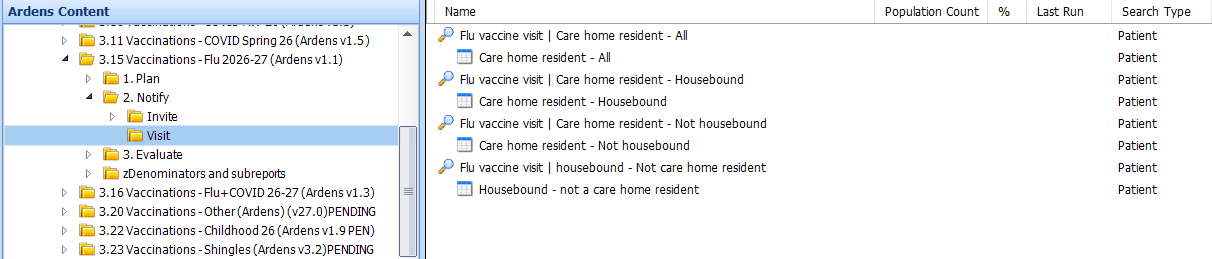
We advise running the 'Review Before' reports to check the care home and housebound status of the patients.
💉 Deliver
Administer
To support vaccine delivery and ensure accurate coding, protocols, and templates are available for consistent and efficient documentation.
Template
Enables the recording of the Seasonal Influenza vaccination, along with consent, contraindication and declines.
Protocol
Allows easy access to record that a vaccine has been given, along with consent, contraindication and declines. This is the preferred method when running a flu clinic.
Protocol
Before the Seasonal Influenza protocol can be used, it must first be edited with the practices vaccination details. For step-by-step guidance, please refer to this support article.
⚠️Check with your practice which protocol you need to add to your F12.
To add to your F12 key (this must be added for each individual user):
Open a patient record and press F12
Right-click on an available letter or number, then select Add
Search for and select the saved flu protocol edited for your practice
Record vaccination given in practice:
Press F12 and select the protocol
This will launch a consultation window. Update the Consultation Properties screen if required.
A multiple-choice prompt will appear—follow the on-screen prompts to enter the appropriate vaccine information into the patient record.


Record vaccination given elsewhere:
Press F12 and select the protocol
This will launch a consultation window. Update the Consultation Properties screen if required.
A multiple-choice prompt will appear, select the option for Given by other

Select where the vaccination has been given. This will record the code in the patient record

⚠️Please note - The options above should only be used to record vaccinations given elsewhere. If a patient receives a vaccination in practice from a pharmacist, it must be recorded using the “Record consent + fit” options, similar to how you record a vaccination is given in practice. This ensures the vaccination is recorded correctly and the practice receives the appropriate payment.
Template

📈Evaluate
These resources help practices manage and monitor the Seasonal Influenza vaccination by tracking vaccination uptake, identifying patients who are still due for vaccination, and providing an overview of patients with recorded contraindications or declined vaccination codes.
Activity
These reports enable monitoring of all vaccinations given, broken down between those recorded in practice and those recorded elsewhere. It also identifies those recorded as contraindicated or declined.
Ordering
These reports help practices plan ahead by identifying patients likely to become eligible for the 2027–28 Seasonal Influenza season based on 2026-27 eligibility criteria. For example, they include patients who are currently 64 and not at risk, but will turn 65 by 1st September 2027.
Review After
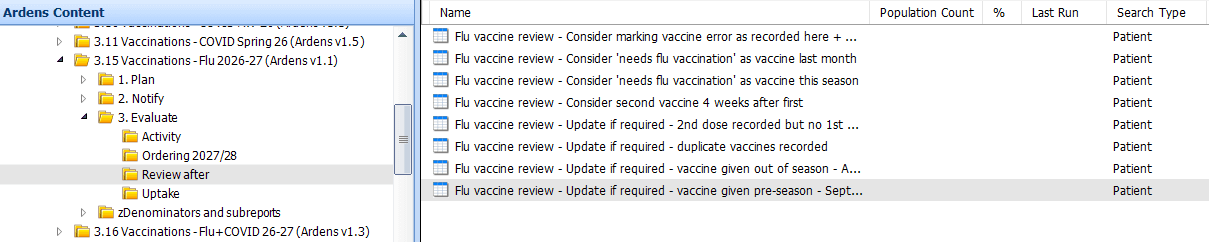
The Review after folder highlights potential data issues that could affect payment.
Common data quality scenarios include:
Needs influenza vaccination - vaccinated but not in business rules eligibility - Add 'Needs influenza immunisation' dated on or after 1st September if eligible
Duplicate or incorrect vaccine codes - Remove duplicates, correct errors, or add correct code using the Ardens Seasonal Influenza template (or protocol if EMIS)
Dose sequence errors - Add missing first dose or correct “given elsewhere” entries
Out-of-season vaccinations - Review August entries and September entries for 18+ non-pregnant patients
⚠️Please note: If a patient looks clinically eligible but activity is not reflected as expected for payment, use the Review After reports first, then check the patient record and coding detail before assuming the report is incorrect.
Uptake
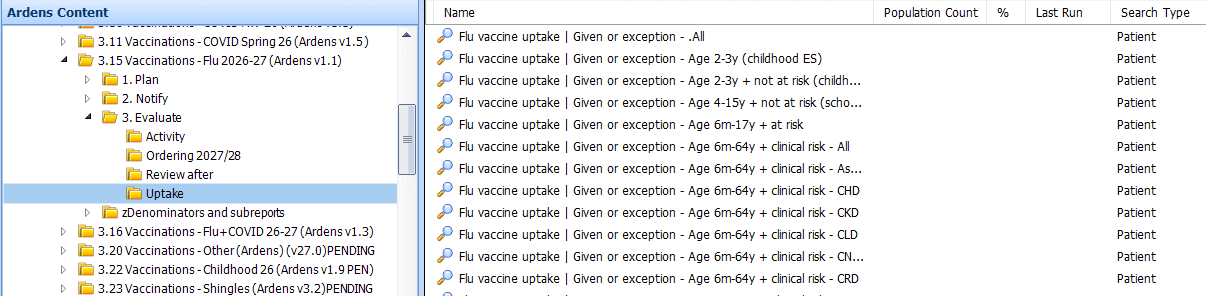
These reports monitors vaccine uptake for all cohorts including those not administered due to no response, contraindications and declines.
Payment
PPA Claims (FP34D) - Assist with vaccine cost claims without needing prescriptions, as considered a 'high volume vaccine'.
CQRS - Track patients who meet the requirements for payment claims.
Insights
For Ardens Manager subscribers, the Vaccinations dashboard provides a clear visual overview of:
Eligible cohorts
Number of invitations sent
Vaccination uptake rates
You can also filter and analyse data by:
Clinical risk groups
Low uptake groups
This helps you prioritise and target specific patient populations more effectively.

Activity

Ordering

Review After
Uptake
❓FAQs
What is the difference between Cohort, Ordering, Due and Invite reports?
Use Cohort and Ordering reports for planning and stock forecasting. Use the Due reports to see which patients are still outstanding for vaccination. Use the Invite reports to manage first, second and third invitation activity.
Why are some patients not moving into the 2nd or 3rd invite reports?
Usually, this happens because the expected invitation code has not been recorded or because the two-week interval between invite stages has not yet passed. Always check the code used before batch coding.
Why are care home or housebound patients missing from the main invite reports?
These patients are managed separately through the Visits reports, so they are excluded from the main invite reports by design. This helps practices plan clinic invitations separately from care home and housebound activity.
Why are some patients excluded from September invites?
Patients turning 18 during September are included from October onwards in line with payment rules unless pregnant.
🏫Additional Support
To further your understanding of the Ardens resources:
Book training for your GP Practice, PCN or ICB
Contact our Support Team for support in real time