We’re updating our Knowledge Base
We’re currently transitioning Ardens Clinical support articles to this new Knowledge Base. Content will be added progressively, so you may find limited articles available at this stage.
In the meantime, you can access our full support resources on our existing sites:
We’ll continue to expand this site, so please check back regularly.
ℹ️ Introduction
This article explains how to use Ardens Group Clinic resources, including pre-set messages, pre-clinic questionnaires, and the Group Clinic template. By the end, you will be able to collect patient information in advance, run a structured clinic, and record outcomes efficiently.
Background
Group clinics are an approach used in primary care to support patients with long-term conditions in a shared setting. Instead of a traditional 10–15 minute one-to-one appointment, group clinics typically run for around 90 minutes and include up to 12 patients (NHS England).
This model supports a more collaborative, patient-centred approach while improving efficiency and patient engagement.
How Ardens Can Help
Ardens provides a range of tools to support the delivery of group clinics:
Amend pre-appointment text messages for your practice or PCN
Send pre-clinic questionnaires in bulk or individually
Save questionnaire responses directly into the patient record
Use the Group Clinic template to structure the session
Record group notes across multiple patient records
Link to condition-specific templates (e.g. asthma reviews) for individual actions
The Ardens Group Clinic template has been developed in collaboration with ELC Works to support both clinical care and service evaluation.
📄 Questionnaires
The Group Clinic questionnaires are designed to collect essential information before booking patients into a clinic. This ensures the clinical team has accurate contact details and can identify any additional needs in advance.
Ardens provides two questionnaires:
Face-to-face group clinic
Video group clinic
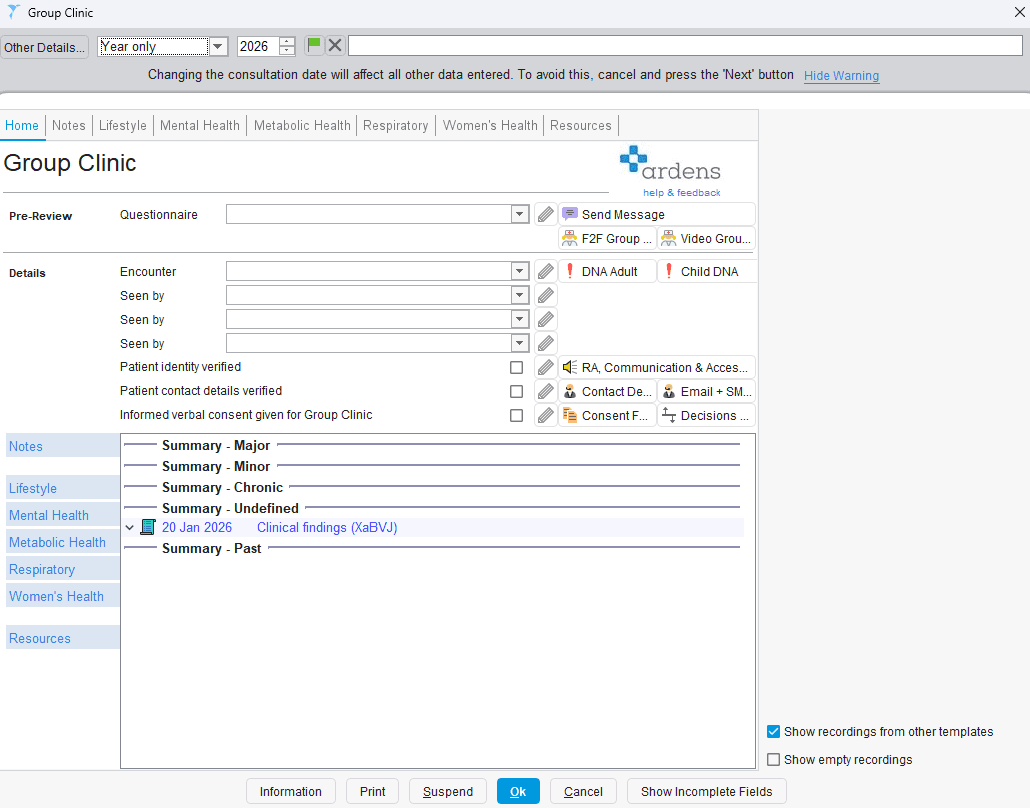
You can preview or complete these questionnaires on behalf of a patient by clicking on the relevant questionnaire via the Pre-review section of the Home tab.
Sending Questionnaires in Bulk
Add patients to a waiting list
Highlight the required patients
Right-click and select Actions > Use Communications Annexe
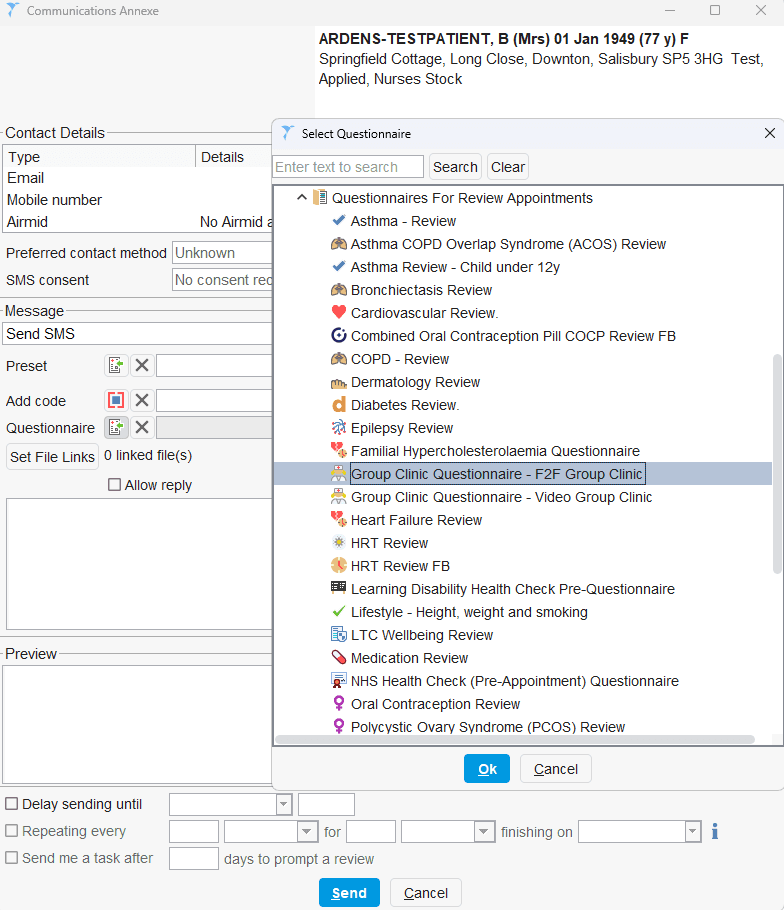
Attach the relevant questionnaire by clicking on the questionnaire icon and Questionnaires for Review Appointments.
Click OK and Send the message
Sending Single Questionnaires
Open the patient record
Launch the Group Clinic template
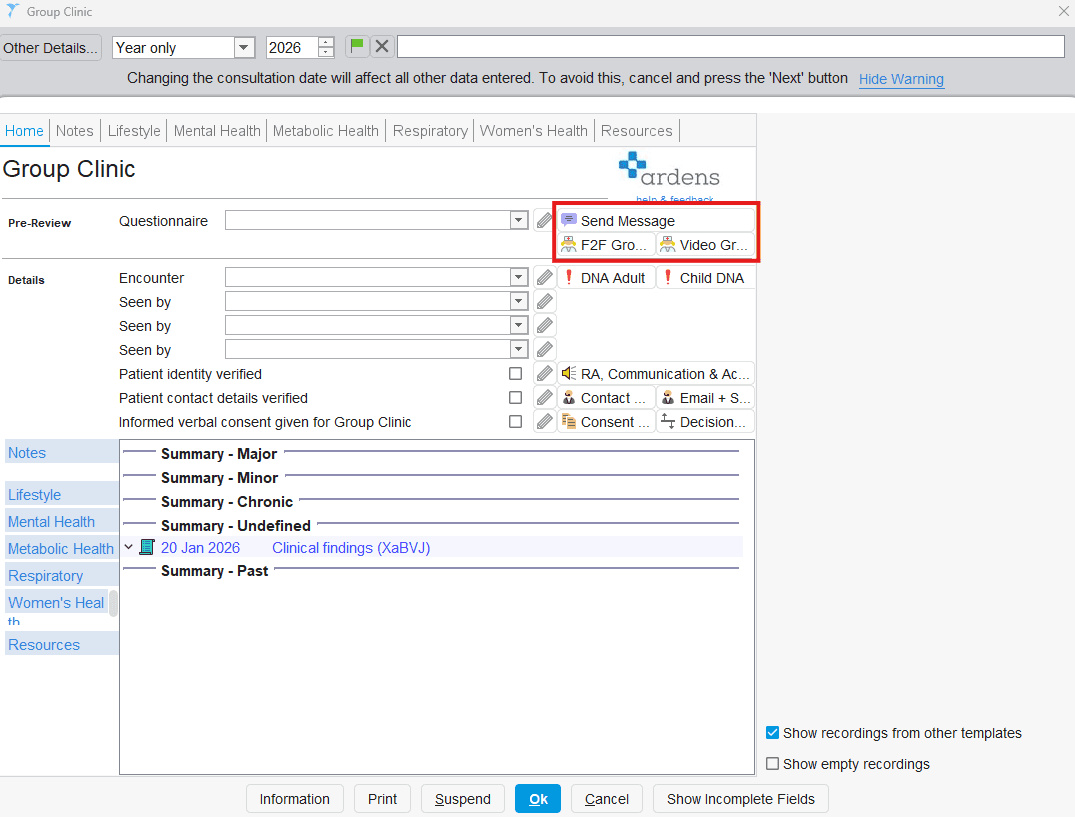
In the Pre-review section (Home tab), click Send Message
Attach the questionnaire and send
Creating a Pre-set Message
To create message presets:
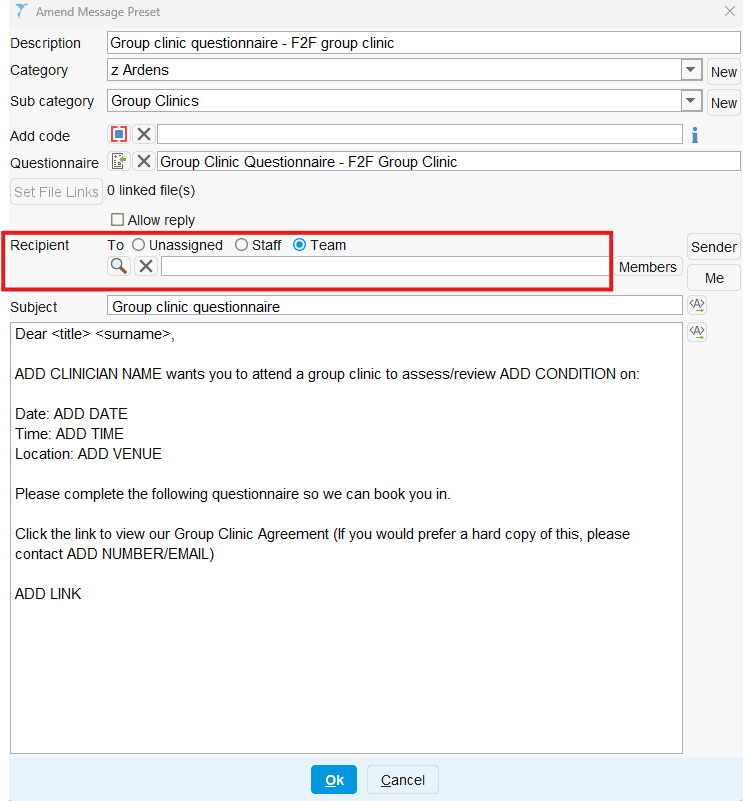
Go to Setup > Data Output > Message Preset Maintenance
Create two presets:
Video group clinic
Face-to-face group clinic
Add your message content
(Optional) Set a recipient or team to receive completed questionnaires
You can tailor these messages to include clinic details and preparation instructions.
📝 Template
How to Access
The Group Clinic template can be accessed in the following ways:
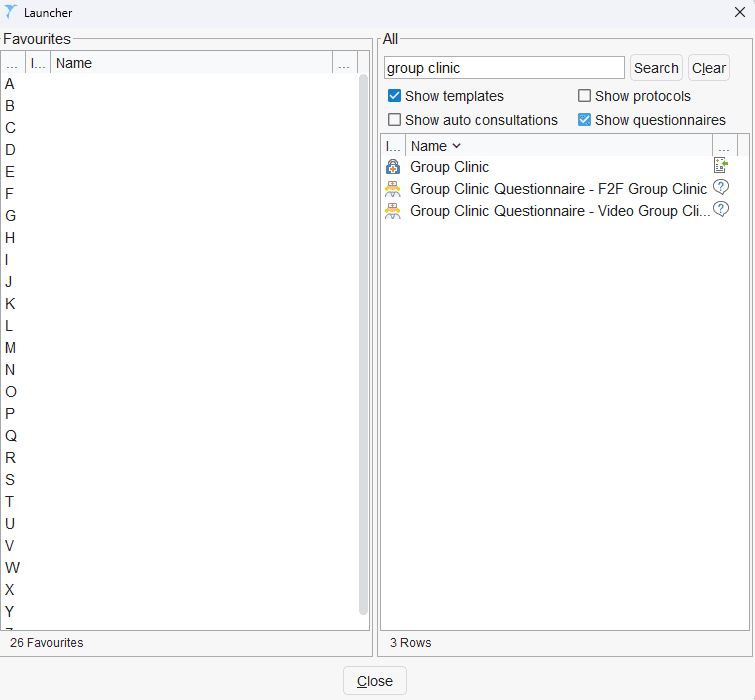
Auto-Consultation > ardens GENERAL > Group Clinic
Searching for the template via the SystmOne search bar bottom left hand corner
Add the template to your F12 key (access this support article for instructions on using the F12).
Navigating the Template
The template is designed to support structured and consistent documentation.
The Home tab allows you to record that the questionnaire has been returned and completed.
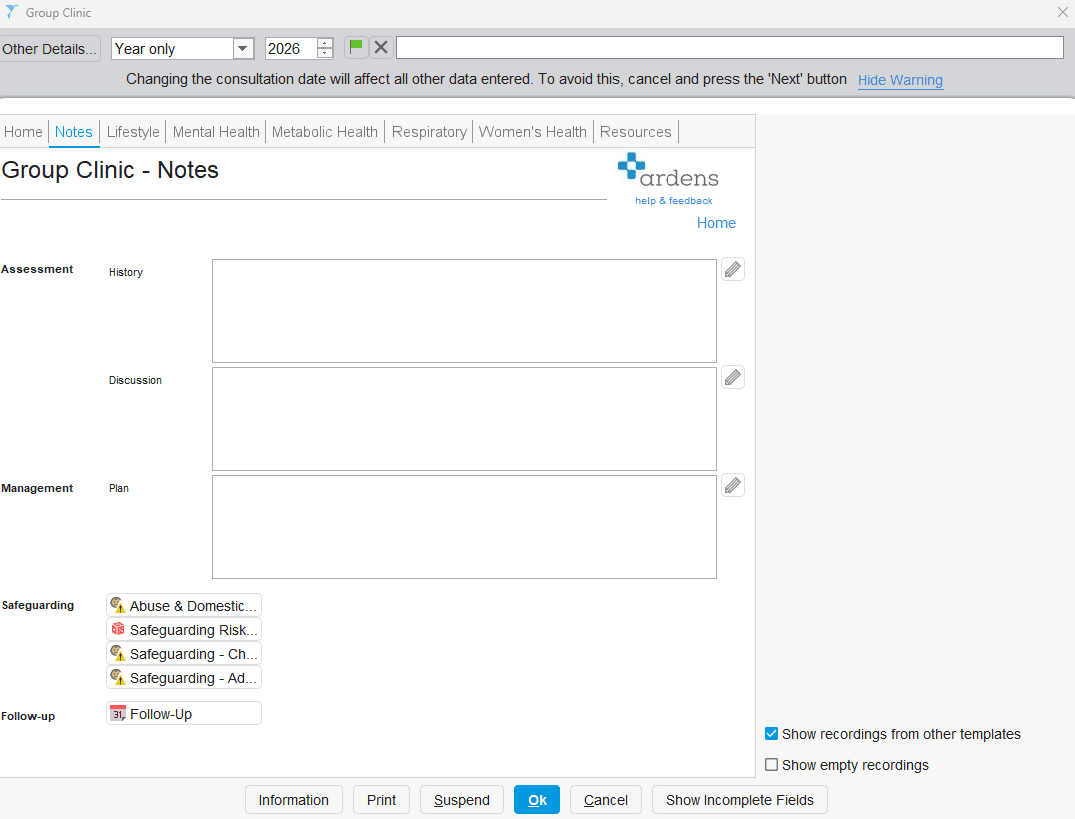
The Notes tab can be used to document the patient's history, discussions from the group clinic, management plan.
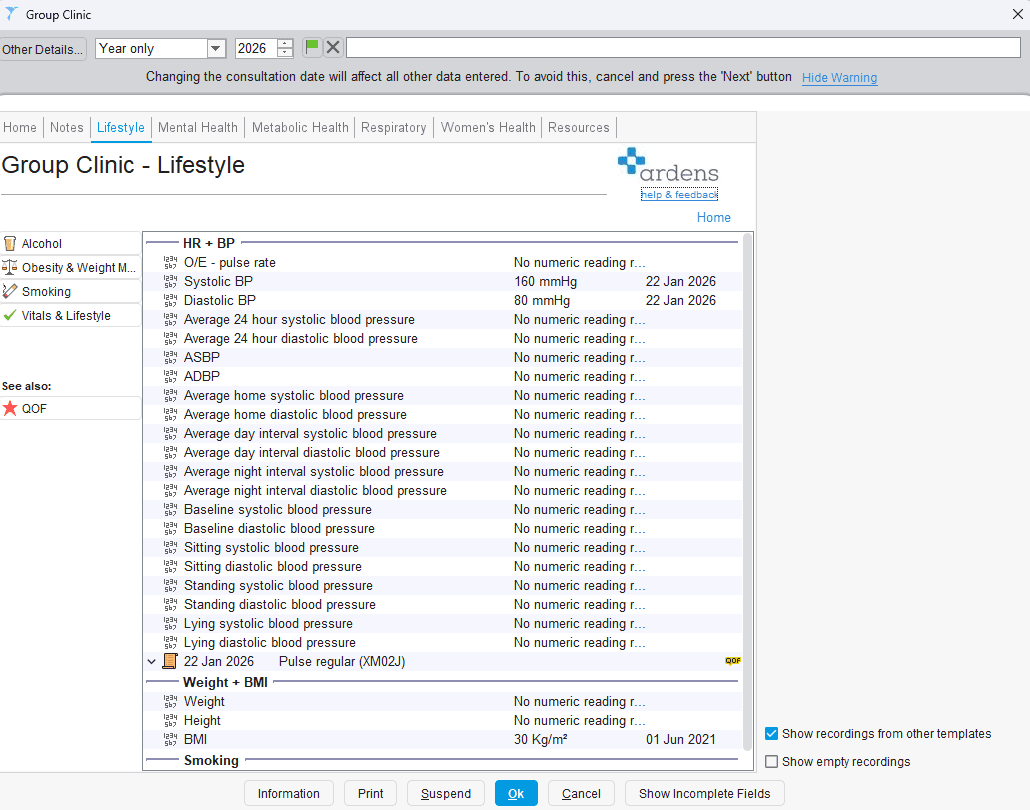
The Lifestyle tab can be used to record relevant lifestyle information, such as alcohol consumption, smoking habits, obesity details, and the patient's vitals.
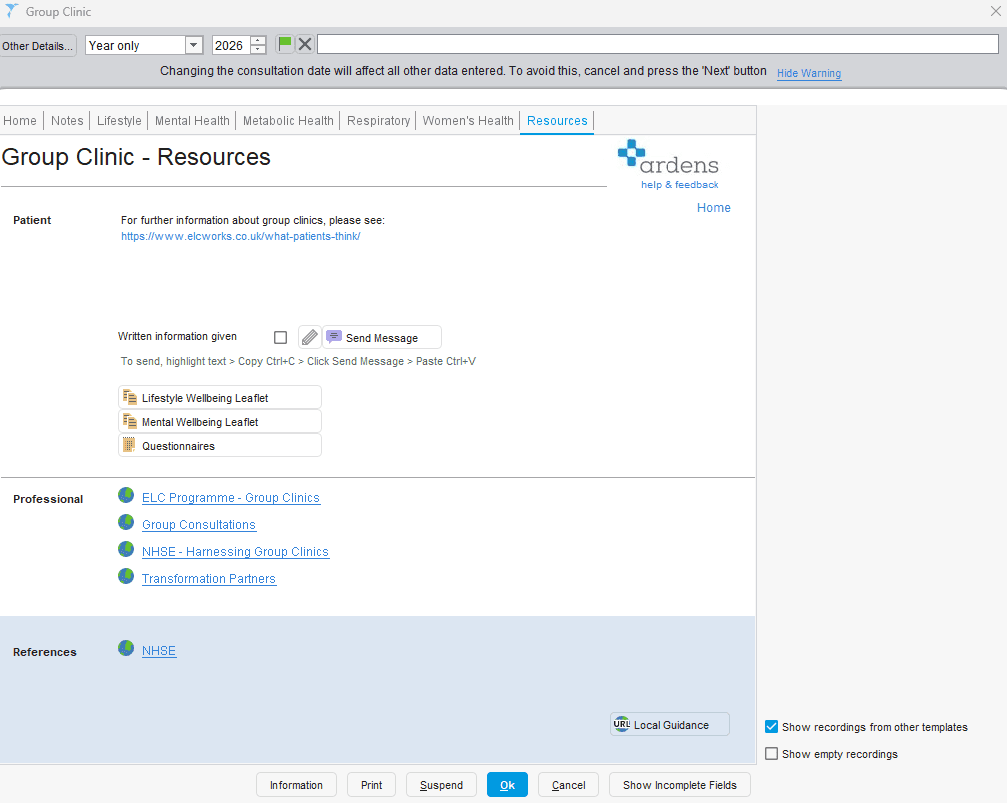
The Resources tab includes links to patient information from ELC Works, which can be copied and pasted into the send message function. Additionally, we offer general lifestyle and mental well-being leaflets and guidance for clinicians on conducting group clinics.
Recording Notes After Clinic
After the clinic, you can efficiently record notes across multiple patient records.
Recording Notes in Bulk
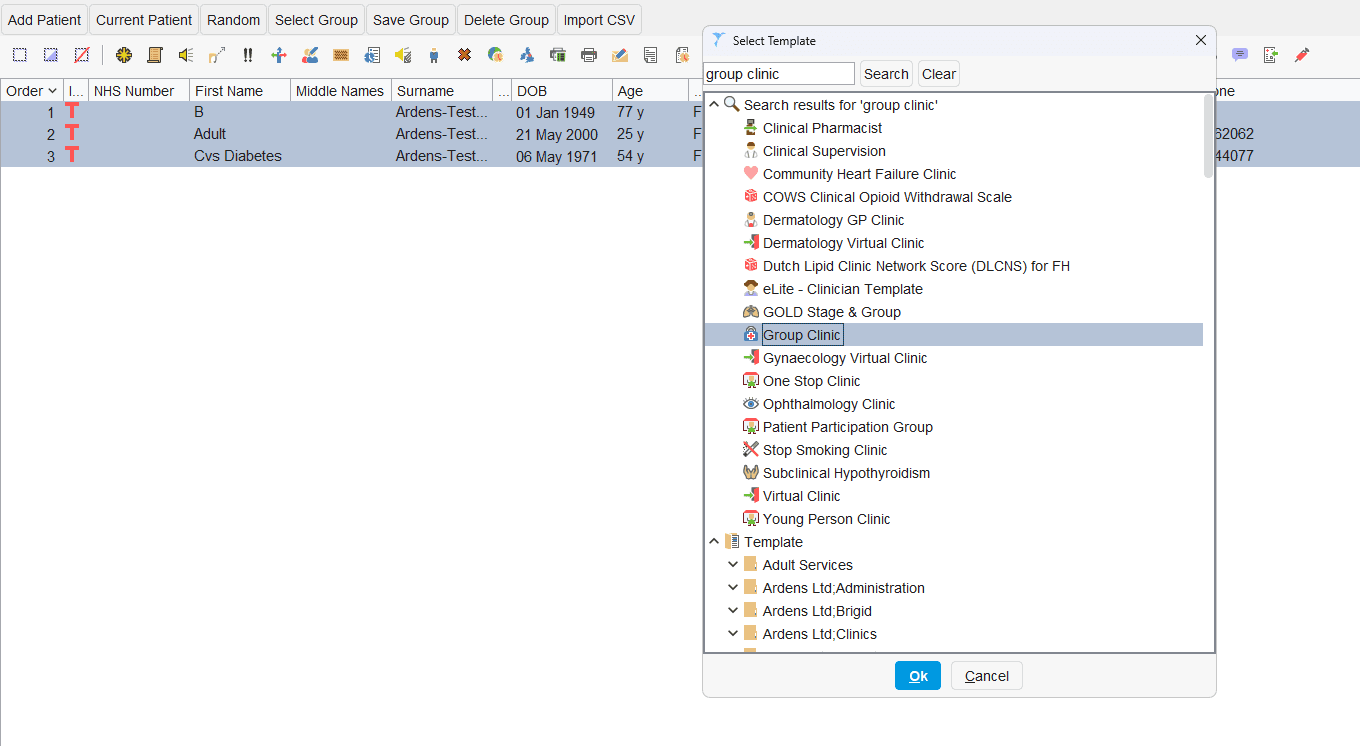
Right-click the clinic rota or patient list
Select Actions > Use Data Entry Template
Choose the Group Clinic template
Complete the template and click OK to move to the next patient or Cancel to skip a patient (e.g. DNA).
This can also be done from an ad hoc patient list or waiting list.
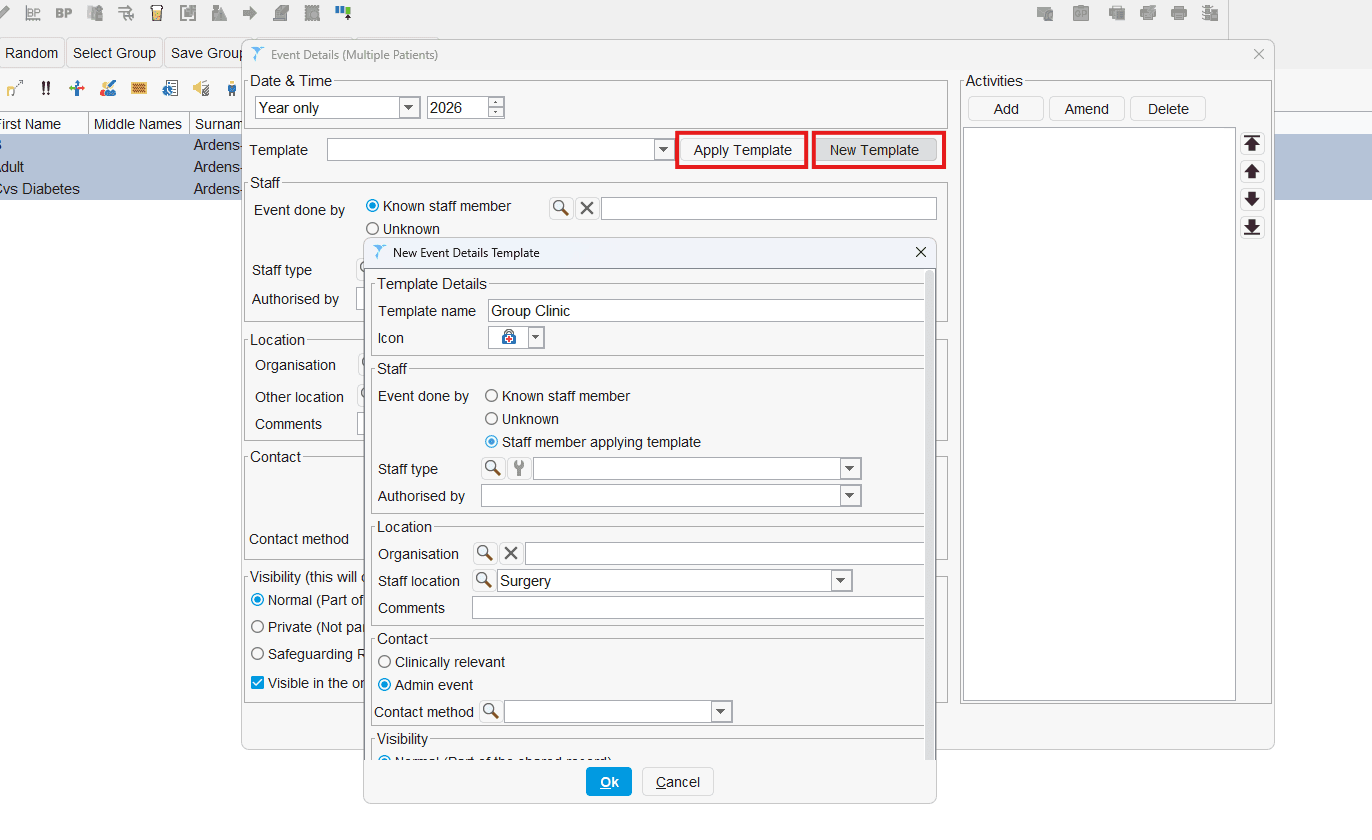
To save time, you can also create or apply an event template to record consistent clinic details:
Click New Template to create a new template, or
Select an existing template to apply
The system will then open each patient record in sequence:
Enter the required notes for the first patient
Click OK to save and move to the next patient
If a patient did not attend (DNA), click Cancel to skip them and continue
This process will repeat until all patients in the list have been reviewed.
You can complete this process from:
A clinic rota
An ad hoc patient list
A waiting list
Recording Individual Patient Actions
For patient-specific actions:
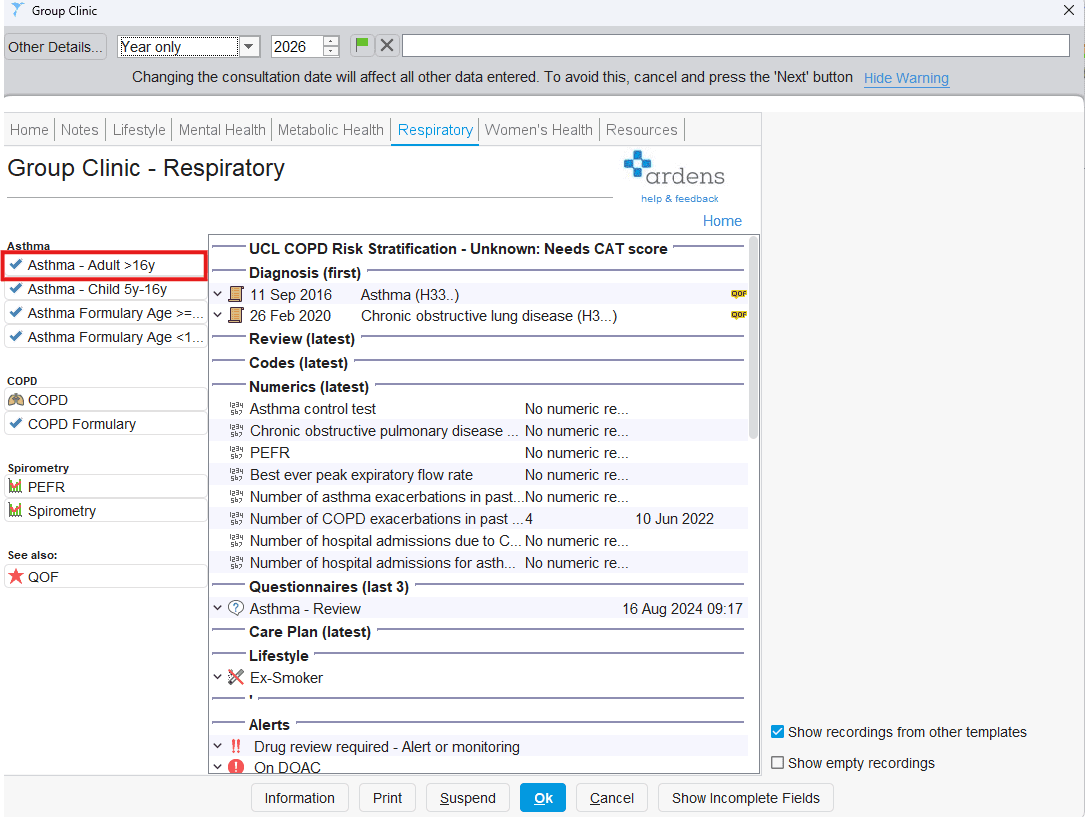
Use shortcuts within the Group Clinic template
Navigate to the relevant section (e.g. Respiratory tab)
Open the appropriate template (e.g. asthma review)
This ensures information is recorded only in the relevant patient’s record.
🏫 Additional Support
Further information about group clinics can be found on the ELC works website by clicking here
Book training for your GP Practice, PCN or ICB
Contact our Support Team for support in real time