
We’re updating our Knowledge Base
We’re currently transitioning Ardens Clinical support articles to this new Knowledge Base. Content will be added progressively, so you may find limited articles available at this stage.
In the meantime, you can access our full support resources on our existing sites:
We’ll continue to expand this site, so please check back regularly.
ℹ️ Introduction
This article explains how to use the Ardens Obesity QOF resources to identify and manage patients who may be eligible for a weight management referral or NICE-approved medicines management in primary care. By the end of this article, you will understand how to identify patients requiring action, record the correct data using the Ardens templates, and monitor achievement throughout the year.
Background
Obesity rates have more than doubled over the last 30 years and remain a significant public health concern, increasing the risk of numerous long-term conditions, including cardiovascular disease, type 2 diabetes, and certain cancers.
In Primary Care, there are three different focuses for Obesity activity:
QOF: For 2026/27, the Weight Management Enhanced Service has been withdrawn and replaced with two new QOF Obesity indicators designed to improve support for adults living with obesity.
NHS Obesity Medication Pathway: A structured NHS pathway for managing obesity, outlining eligibility criteria for weight loss medications and the requirement for ongoing lifestyle and behavioural support.
Best Practice: Clinicians should embed routine BMI screening into chronic disease clinics, utilise shared decision-making for pharmacotherapy, and maintain an up-to-date local directory of Tier 1–4 weight management pathways.
This article currently outlines how Ardens supports the Obesity QOF domain; however, we will be creating additional articles with support with Obesity patients through best practice care and the medication pathway.
The Obesity QOF 2026/27 requirements include:
Obesity Registers | |
OBES_REG |
|
OBES2_REG |
|
Obesity Indicators | |
OB004 |
|
OB005 | Patients on the OBES2_REG who in the last 12 months have a recording of:
|
How Ardens Can Help
Ardens provides a range of resources to help practices:
Clinical system reports: to identify and manage eligible patients using Case Finder, Register, Time-Sensitive, Outstanding, Achieved, Data Quality and Personalised Care Adjustments (PCA) reports.
Clinical templates: to support consistent consultations and improve coding accuracy.
Dashboards: to monitor QOF achievement and practice performance throughout the year.
How to Access the Resources
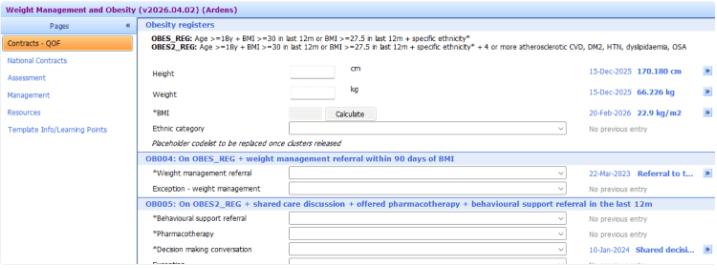
📝 Record Data
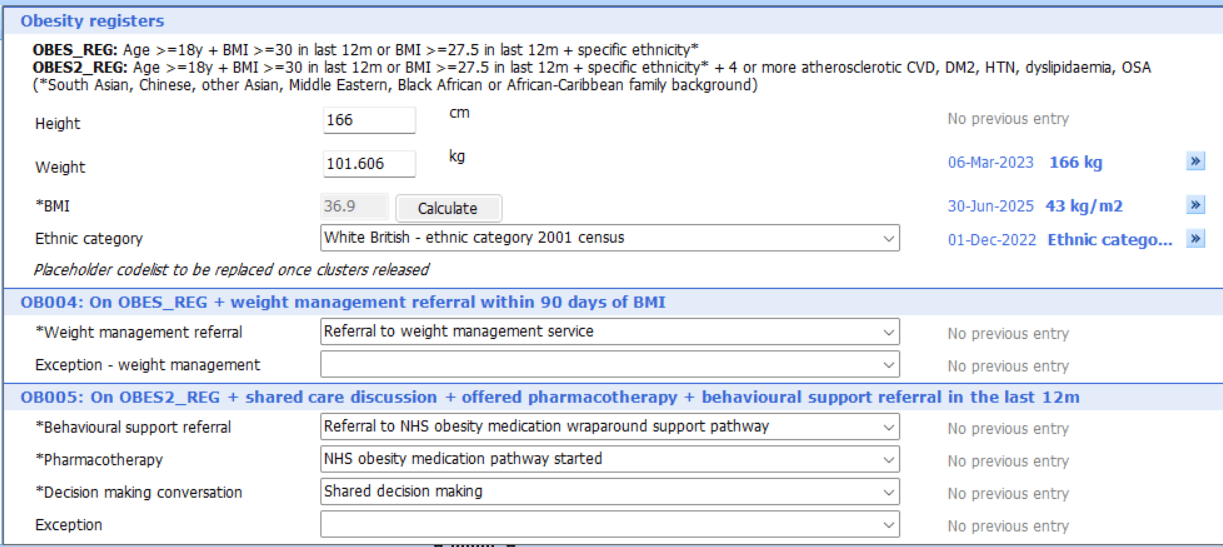
Accurate coding is essential to ensure activity is captured correctly for QOF achievement. The Ardens Weight Management and Obesity template contains all the relevant codes required for the Obesity indicators.
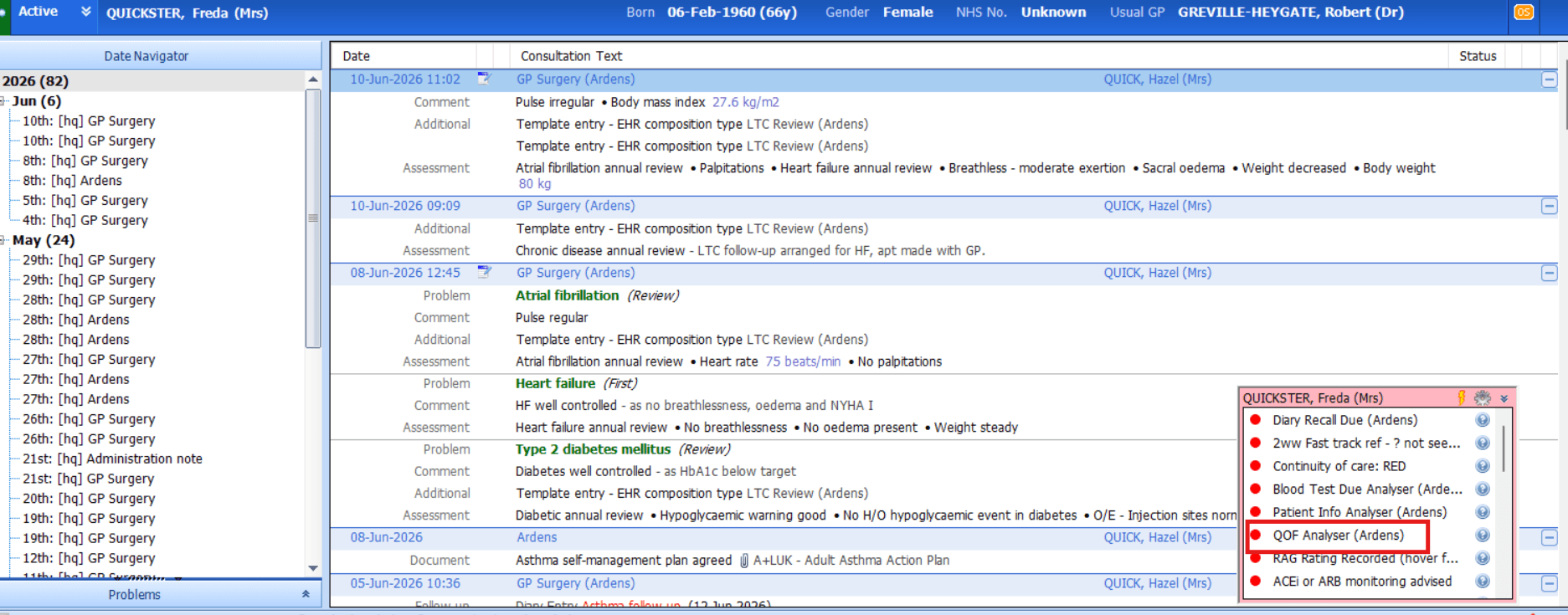
🔍 Identify Patients Requiring Action
Ardens provides a range of reports to help practices identify patients who require intervention for the Obesity QOF indicators.
Time Sensitive
The Time Sensitive reports support the strict time-frame requirement for the OB004 indicator. Patients must be referred to a weight management programme within 90 days of a qualifying BMI being recorded during the current financial year. If the timeframe is missed, recording a new BMI will reset this, thus preventing a missed payment
Outstanding
The Outstanding reports identify patients who remain eligible for either obesity indicator but have not yet met all the required criteria.
Time Sensitive Reports
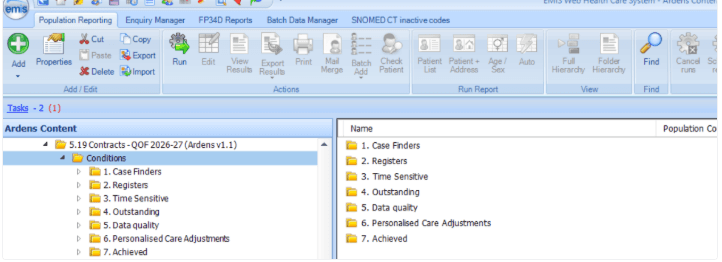
Run the 5.19 Contracts - QOF 2026-27 > Conditions > 3. Time Sensitive report folder
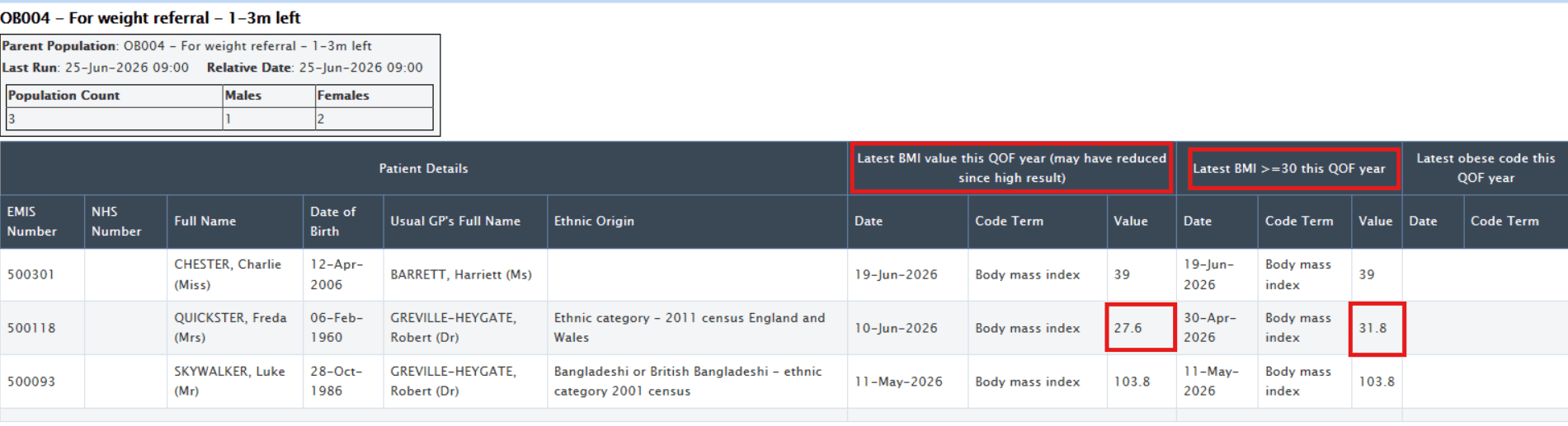
The reports will identify how much time is left to achieve the indicator or where time has expired
Select the required report, and click View Results on the EMIS ribbon
The reports will display the last qualifying BMI, open the patient record to action.
⚠️ Please Note: A patient's most recent BMI may be lower than their qualifying BMI. Although they may remain eligible for the indicator, a referral may no longer be clinically appropriate and should be reviewed accordingly.
Outstanding
Run the 5.19 Contracts - QOF 2026-27 > Conditions > 4. Outstanding report folder
Select the relevant area folder to view the reports
For the searches, to view the list of outstanding patients, click on the Population Included tab
For the reports, click View Results on the EMIS ribbon to view the list of patients

📊 Monitor Progress
Ardens provides a range of reports to help practices monitor performance and achievement against the Obesity QOF indicators throughout the year.
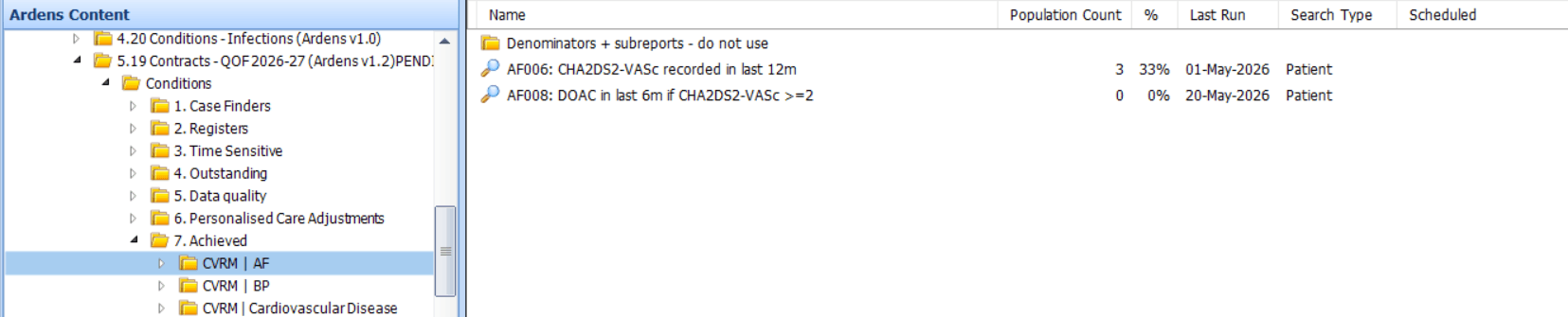
Achieved Reports
The Achieved reports display patients who have successfully met the requirements for each indicator.
These reports can be used to:
Monitor current achievement
Review completed activity
Track progress towards targets
Identify remaining opportunities before year-end
Ardens Manager
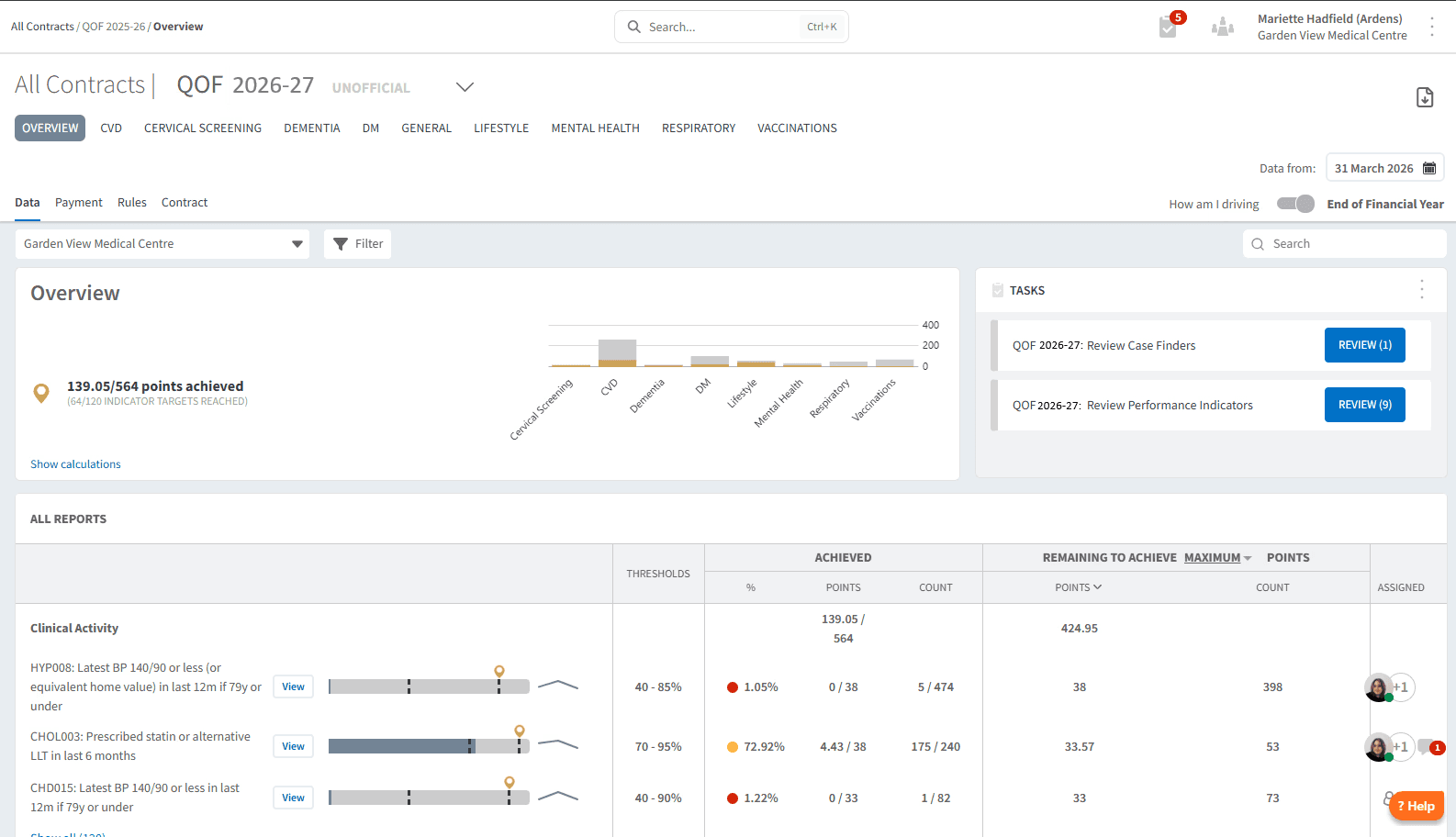
Ardens Manager National Contract subscribers can use the QOF dashboard to review overall achievement, plan QOF delivery, identify outstanding work and monitor progress throughout the reporting year.
❓FAQs
OB004
Does a new qualifying BMI restart the 90-day referral window?
Recording a new qualifying BMI during the QOF year starts a new 90-day referral window. If the original 90-day period was missed, a new qualifying BMI allows another opportunity to make the referral within the required timeframe.
If a patient has already been referred, do they need another referral if a new BMI is recorded?
No. Once an appropriate referral has been recorded within 90 days of a qualifying BMI, the patient is counted as complete for the remainder of the QOF year. They do not need to be referred again simply because another BMI is recorded.
Which weight management service should patients be referred to?
Practices should follow their local referral pathway. Depending on local commissioning arrangements, this may include the NHS Digital Weight Management Programme, Local Authority Weight Management Services, or other commissioned services. Where the local pathway is patient self-referral, recording the referral when directing the patient to self-refer is considered appropriate.
Which referral codes count?
The QOF business rules recognise the following referral codes:
Referral to Weight Management Service
Referral to NHS Digital Weight Management Programme
Referral to Local Authority Weight Management Programme
Referral to NHS Diabetes Prevention Programme (where appropriate)
Referral to Total Diet Replacement Programme
These are all included within the Ardens templates.
Does advice alone count, or does there have to be a referral?
A referral must be recorded. Advice or lifestyle counselling alone does not achieve the indicator.
If a patient's BMI later falls below the referral threshold, can they be exception coded?
A subsequent lower BMI does not remove the qualifying BMI that triggered the indicator.
For this indicator, a valid weight management referral (or an appropriate exception, where applicable) should be recorded within 90 days of the qualifying BMI. Practices should apply the QOF business rules based on the patient's clinical circumstances and use their clinical judgement when determining whether exception coding is appropriate.
Does the patient need an obesity diagnosis code to qualify?
No. Eligibility for the obesity indicators is based on BMI and the QOF criteria. A diagnosis code for obesity is not required.
Does SMS/text signposting count as a referral for OB004?
If a patient has been signposted to a structured weight management programme (e.g. via text message) and subsequently self-refers, a self-referral code can be recorded. The key requirement is that there has been a shared decision-making conversation or signposting discussion, and the patient has engaged with or been directed to a programme. Record the referral using the appropriate code in the Ardens template.
Are the BMI thresholds different for patients from Black, Asian and Minority Ethnic backgrounds?
Yes. For OBES_REG (OB004), the qualifying BMI is 30 or above generally, or 27.5 or above for patients from BAME backgrounds. For OBES2_REG (OB005), the qualifying BMI is 35 or above generally, or 32.5 or above for BAME patients. Ethnicity must be recorded in the patient's record for these lower thresholds to apply in the searches.
OB005
What should we do for patients already using private weight loss medication?
If private weight loss medication is recorded in the patient's medical record, this should remove them from the OB005 denominator where appropriate. For OB004, referral should still be offered if clinically appropriate. If the patient declines because they are already receiving private treatment, record the decline in their medical record.
Does OB005 require all three components within the same 12-month period?
Yes. All three components (shared decision-making discussion, offer of NICE-approved medicines management, and referral to a behavioural support programme) must be recorded within the last 12 months. Even if a patient is already prescribed medication such as tirzepatide (Mounjaro), they will remain on the outstanding list until all three codes are recorded within that timeframe.
What's the difference between OB005 and the Obesity Medication Pathway cohorts?
OB005 is a QOF indicator requiring three coded actions for patients on the OBES2_REG. The Obesity Medication Pathway (OMP) is a separate NHS programme with its own eligibility cohorts for prescribing weight loss medication. The searches for each are in different folders. A patient may be eligible for both, but meeting one does not satisfy the other.
General
If a patient declines referral or doesn't respond to invitations, do we keep inviting them?
No. A recorded decline only needs to be entered once. Personalised Care Adjustment (PCA) invitation codes are also available where patients do not respond following the appropriate invitation process.
Why do my Ardens searches show different patient numbers (Outstanding, Time Sensitive and Manager)?
The searches have different purposes:
Outstanding shows all eligible patients who may still require work.
Time Sensitive shows patients whose 90-day referral window is approaching expiry.
Ardens Manager reflects overall QOF achievement, so the numbers will not necessarily match.
Can OB004 and OB005 be completed at the same consultation?
Yes. There is no requirement to wait until a referral has been accepted or completed. If all relevant discussions have taken place and the appropriate coding has been recorded, both indicators can be completed during the same consultation where appropriate.
What Personalised Care Adjustment (PCA) / exception codes are available?
PCA codes allow practices to exception report patients where the indicator is not clinically appropriate or where the patient has made an informed decision not to engage. The Ardens QOF Obesity template includes all available PCA options for OB004 and OB005, including codes for service not available, patient declined, and patient unsuitable. Ensure you are using the latest template version, as new exception codes were added in the 2026/27 update.
SystmOne: Why does the Patient Status Alert icon open the best practice template, not the QOF template?
The scales icon in the Patient Status Alerts area opens the Ardens clinical (best practice) Obesity template. To access the QOF template from there, click the red star within the best practice template, which links through to the QOF-specific page. The QOF template can also be accessed directly via Auto-Consultations > ardens CONTRACTS > QOF Obesity.
🏫 Additional Support
Watch the GP Contract 2026/27 Update Webinar for a demonstration of the resources - EMIS / SystmOne
Watch the Delivering the Obesity Domain Webinar for a discussion on the requirements for this fiscal year and supporting Ardens resources - EMIS / SystmOne
Book training for your GP Practice, PCN or ICB
Contact our Support Team for support in real time