
We’re updating our Knowledge Base
We’re currently transitioning Ardens Clinical support articles to this new Knowledge Base. Content will be added progressively, so you may find limited articles available at this stage.
In the meantime, you can access our full support resources on our existing sites:
We’ll continue to expand this site, so please check back regularly.
ℹ️ Introduction
This article explains how to use Ardens resources to identify, review and manage patients living in care homes. By the end of this article, you will understand how to record care home status, use care home templates, support care planning, and use clinical reports to monitor activity and identify patients who may require further review.
Background
Patients living in nursing or residential homes may have additional care needs, making it important that their care home status is accurately recorded in the clinical system.
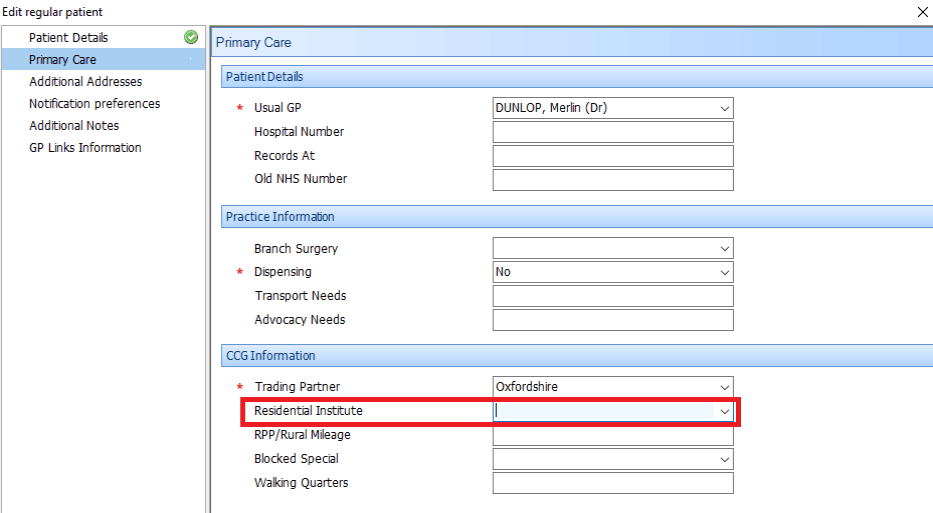
Residential Institute (RI) codes help identify patients living in care homes and support practices in maintaining accurate patient registration information. They are also linked to Global Sum payments for GP practices, making it important that the relevant information is recorded correctly and kept up to date.
Both the patient's residence code and RI code in their registration details should be reviewed to ensure they accurately reflect their current circumstances. This helps practices identify their care home population and supports the use of relevant clinical reports and resources.
For further information about nursing home flags, RI codes and their relationship to GP practice payments, see the PCSE guidance on Nursing Home Flags and RI Codes.
How Ardens Can Help
Ardens provides resources to support the identification, review and ongoing management of patients living in care homes, including:
Care home templates for recording visits, reviews and other activities
Supporting templates for care planning and wider clinical needs
Clinical reports to identify care home residents, monitor activity and identify potential gaps
Care planning documents to support sharing relevant information with patients, carers and other agencies where appropriate
The Ardens Manager Care Home Dashboard provides a higher-level overview of the care home population and activity
How to Access
🏠Identify
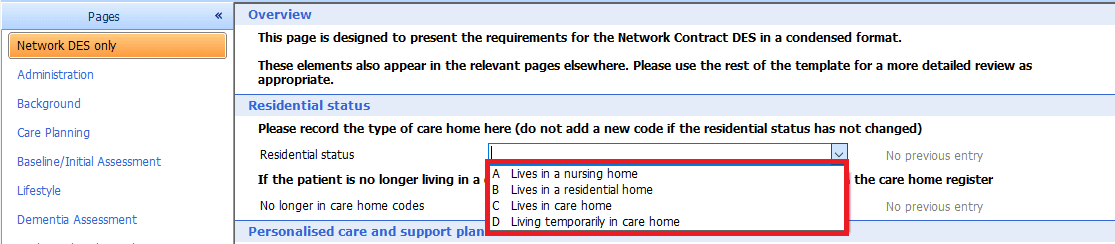
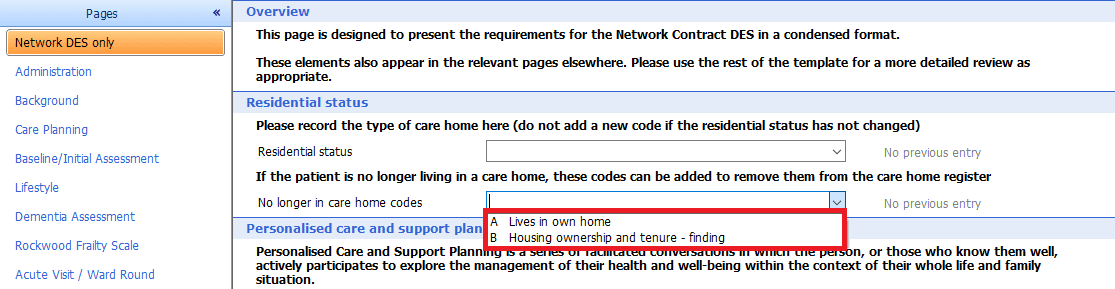
Accurate identification is the first step in managing the care home population. Patients should have the appropriate residence or residential status information recorded in their clinical record and the relevant Residential Institute information recorded in their registration details.
Both should be reviewed regularly, particularly when a patient moves into or out of a care home or changes residential setting.
Practices may also wish to use the relevant clinical reports to identify:
Patients with a residence code but no RI information
Patients with RI information but no corresponding residence code
Patients whose residential institute information may no longer be correct

📝Record
Ardens provides dedicated templates to support the recording of information gathered during care home visits, reviews and other care-related activity.
The appropriate template should be selected according to the type of activity being undertaken. Information should be saved to the patient’s record once the relevant sections have been completed.
Care Home Template
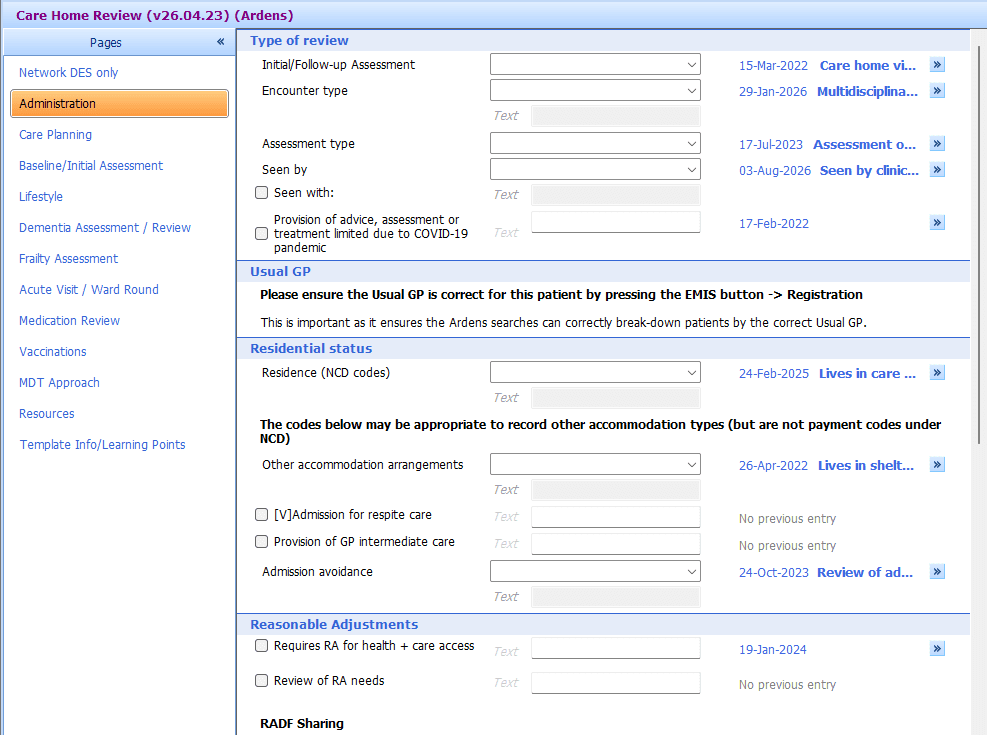
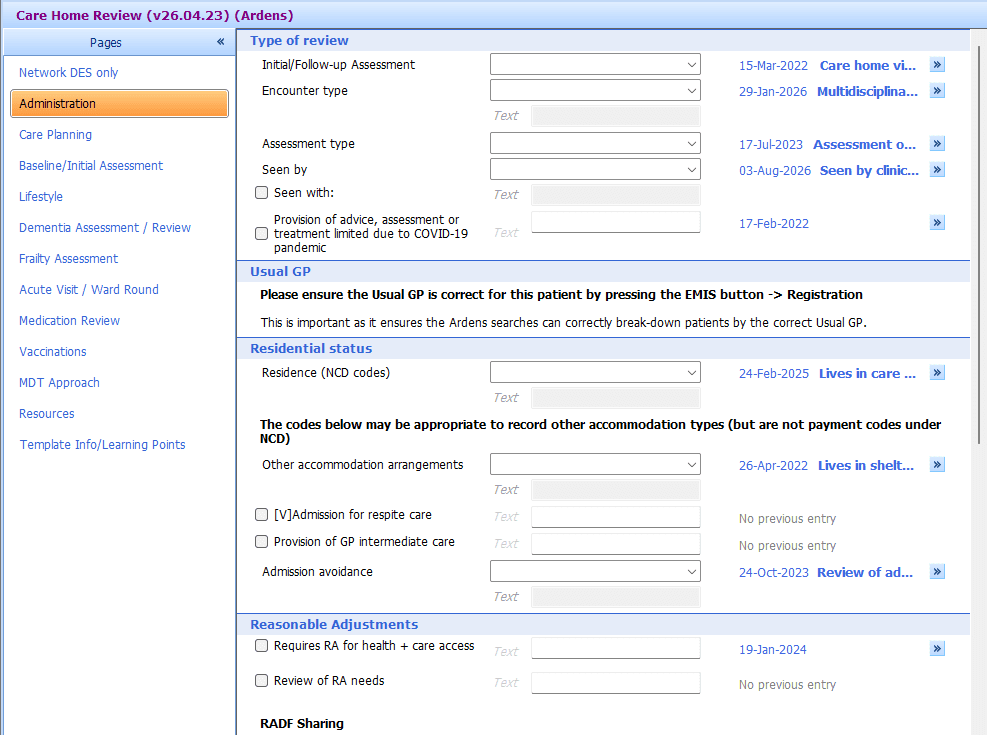
The Care Home Review template supports the collection of information for patients living in residential homes, nursing homes or supported living settings.
The template includes the following pages:
Administration: Record details about the encounter, including the care home setting and type of review
Network DES: Record information relevant to current Network Contract DES requirements.
Care Planning: Record information to support personalised care planning
Baseline/Initial Assessment: Gather information during a patient’s first assessment in a care home setting
Dementia Assessment: Support a brief dementia assessment and relevant coding
Rockwood Frailty Scale: Record frailty scores and relevant frailty coding
Acute Visit / Ward Round: Record information from an acute visit or ward round
Medication Review: Record information from a comprehensive medication review
Vaccinations: Review relevant vaccination information
MDT Approach: Record multidisciplinary team involvement, referrals and signposting to other agencies
Once the required information has been recorded, select Save Template.
Visiting Clinicians
The Care Home Data Gathering Form is available in the Data Gathering Forms folder within Ardens National Documents. It can be printed during a care home visit to capture information for later entry into the Care Home Review template, and is also suitable for acute visits or ward rounds, completing only the relevant pages as needed.
To access a document template:
Select Document > Create Letter
In the New Patient Letter screen, select the magnifying glass
Search for the required document template
Alternatively, navigate through the available document template folders
Select the appropriate template and click OK
Supporting Templates
In addition to the dedicated care home templates, other Ardens resources may be useful when supporting patients living in care homes.
These may include:
Frailty and Over 75s Review: Support the assessment and review of frailty-related needs
Falls Assessment: Support the assessment and management of patients who have experienced falls or are at risk of falling
Dementia Review: Support dementia reviews, relevant coding, management planning and onward referral or signposting
Delirium: Support the assessment of patients with suspected delirium
Mental Capacity Assessment: Support the recording of mental capacity assessments and best-interest decisions
Mental Health: Support structured mental health assessments and relevant coding
Mini-Mental State Examination (MMSE): Record and calculate an MMSE score
Structured Medication Review: Support a comprehensive review of a patient’s medication
Anticipatory Prescribing: Support clinicians when considering anticipatory medication for patients receiving end-of-life care
Future Planning: Support the recording of important information for teams involved in emergency, acute and ongoing care
Care Planning
Ardens provides care planning resources to support the recording of important information about a patient’s needs, preferences and future care.
Depending on the clinical system, these resources may support:
Personalised Care and Support Planning
Treatment escalation planning
Preferred place of care
Frailty and falls information
Future care planning
End-of-life care
Where available, information recorded in the relevant template can be used to create a care plan document for sharing with the patient, carers or other agencies, where appropriate consent has been obtained.
Future Care Plan
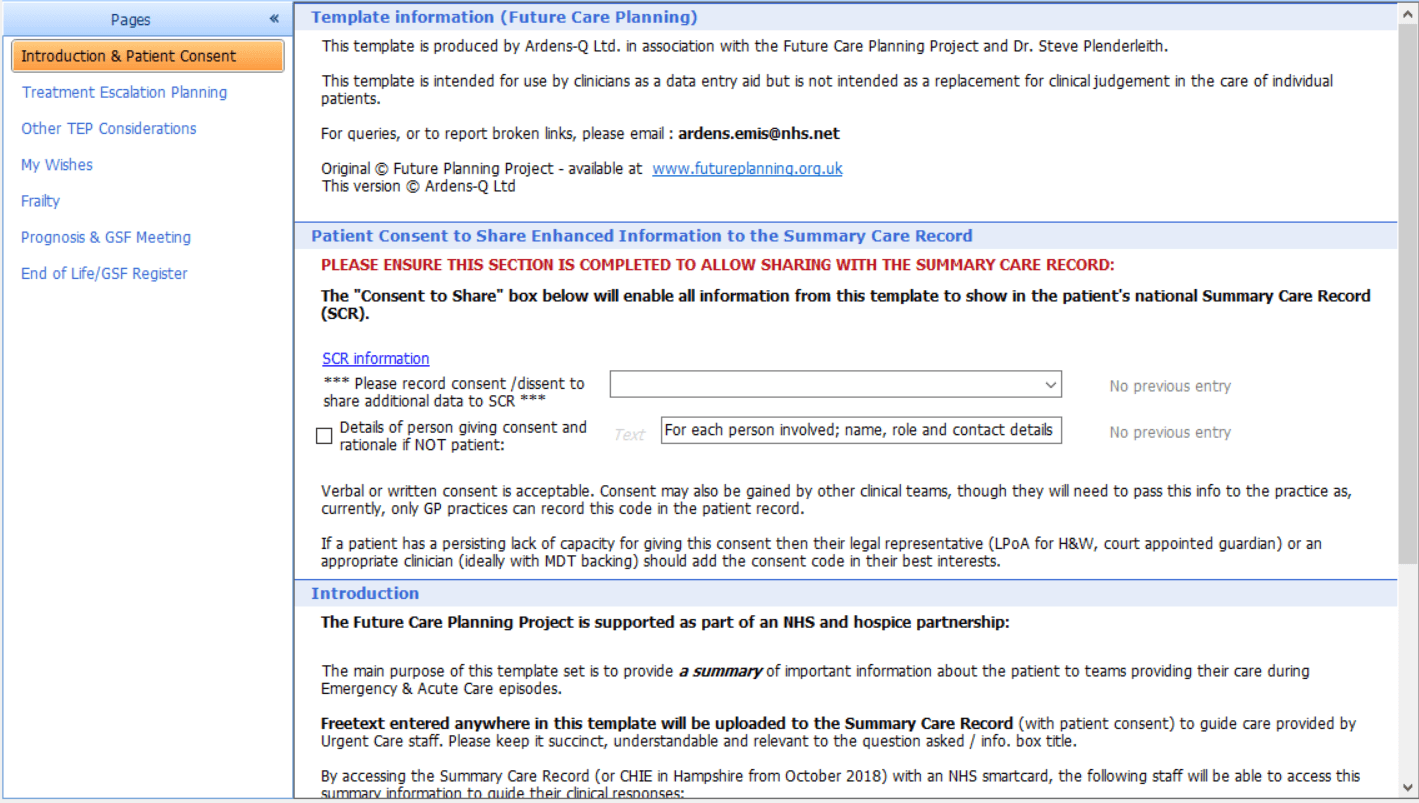
The Future Planning (incl PCSP) template and associated care planning resources supports the recording of information such as:
Consent to share enhanced information with the Summary Care Record
Treatment escalation planning
Patient preferences and preferred place of care
Frailty information
Future care planning
Gold Standards Framework and end-of-life information
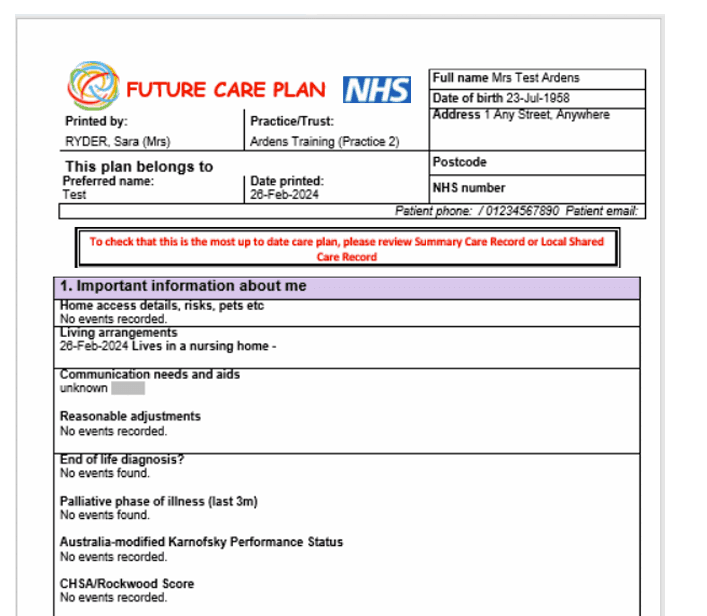
An optional Future Care Plan document is also available. Information entered into the template and saved to the patient record can be used to produce a care plan document.
The care plan can be printed and stored at the patient’s home or shared with other agencies and carers, where appropriate consent has been obtained.
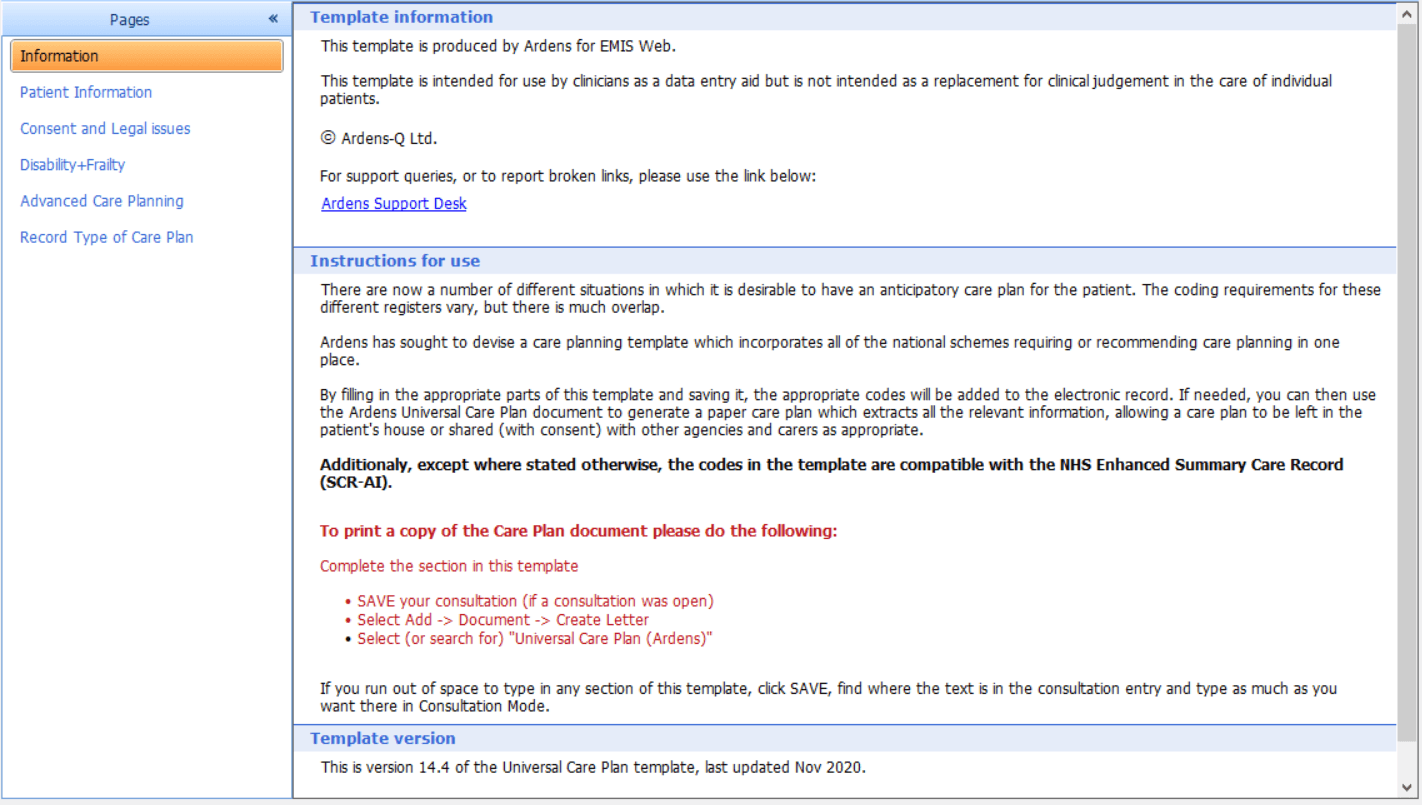
Universal Care Plan
Ardens also provides a Universal Care Plan template and document. This brings together information from a range of care planning requirements and recommendations in one place.
Protocol
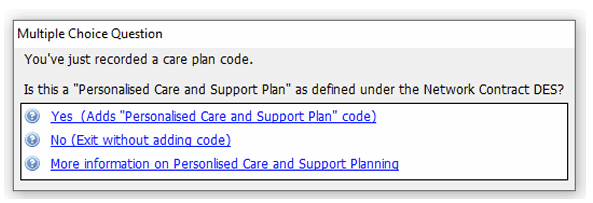
A protocol is also available to prompt users to record a Personalised Care and Support Plan code when an appropriate care planning code is entered. For example, the prompt may appear when codes such as Advanced care plan agreed, Overall plan of care or Personal care plan completed are recorded.
📊Monitor
Reporting can help practices understand their care home population, monitor activity and identify patients who may require further review.
Clinical Reports
Care home reports in the clinical system include:
Case finders: Identify patients who may be missing relevant coding or clinical information
Alerts: Highlight patients or activity that may require review
Activity reports: Review recorded care home activity over a specified period
Data quality reports: Identify possible missing or incorrect information
Performance indicators: Monitor selected areas of care and identify potential gaps in activity
Registers: Identify and review care home patient populations
Work-to-do reports: Identify potential outstanding activity or coding requirements
Daffodil reports: Support the analysis and auditing of patient deaths. These are available in EMIS Web
⚠️ Please note:
Many performance indicator searches use a 13-month timeframe. This allows some flexibility for patients whose reviews take place slightly more than 12 months after their previous review. These are performance indicators and should not be interpreted as payment reports.
Care home registers, invite searches, and payment-related reports may apply slightly different inclusion rules, so a patient may appear in one report and not another until all relevant coding and registration details are confirmed.”
Ardens Manager Dashboard
The Ardens Manager Care Home Dashboard provides an overview of the care home population and related activity.
It can help practices, PCNs, ICBs and other teams to:
Understand the size and characteristics of the care home population
Review activity and performance
Identify potential gaps in care
Monitor trends and support prioritisation
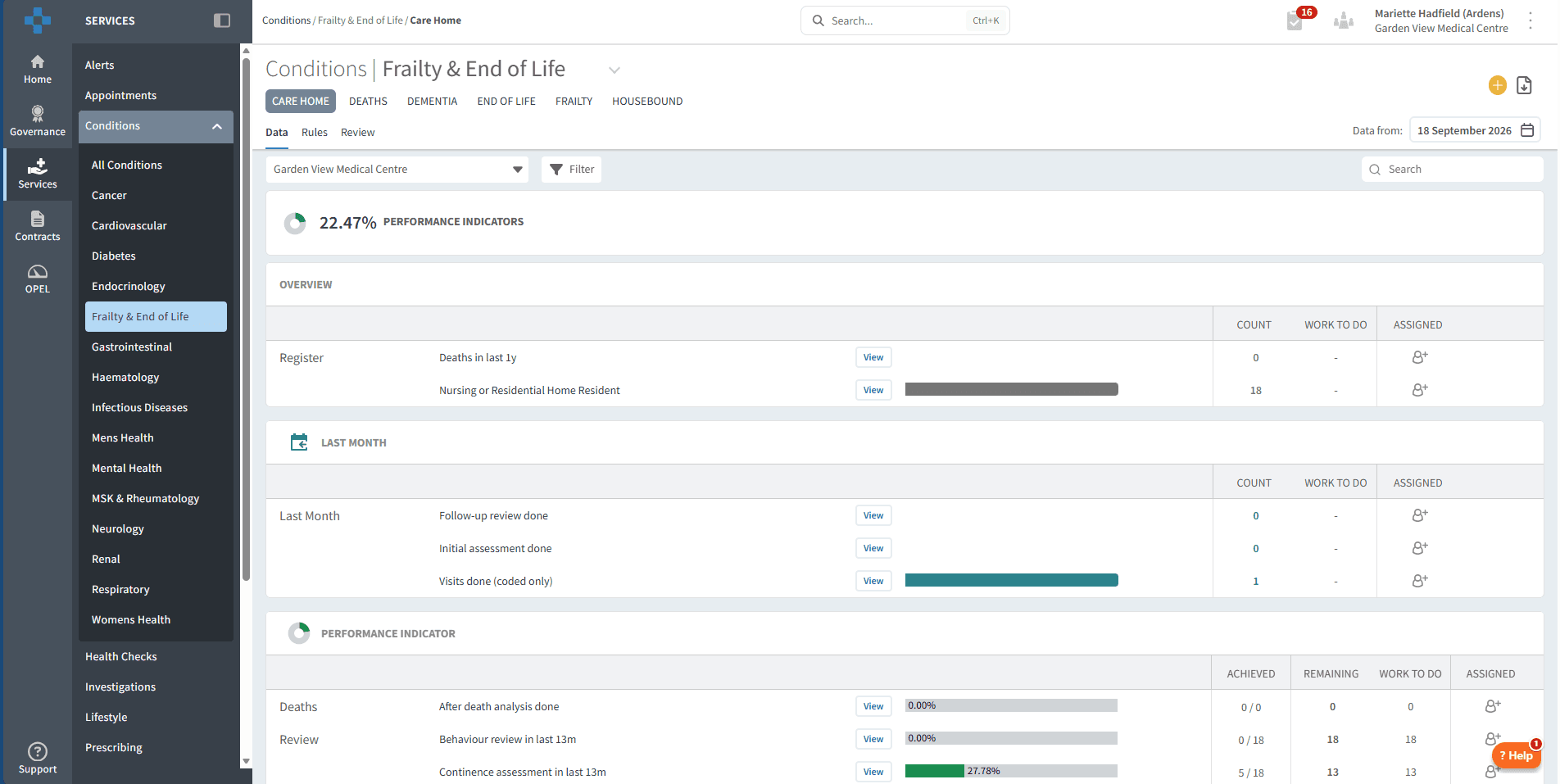
For further information, see the Ardens Manager Care Home Dashboard support article.
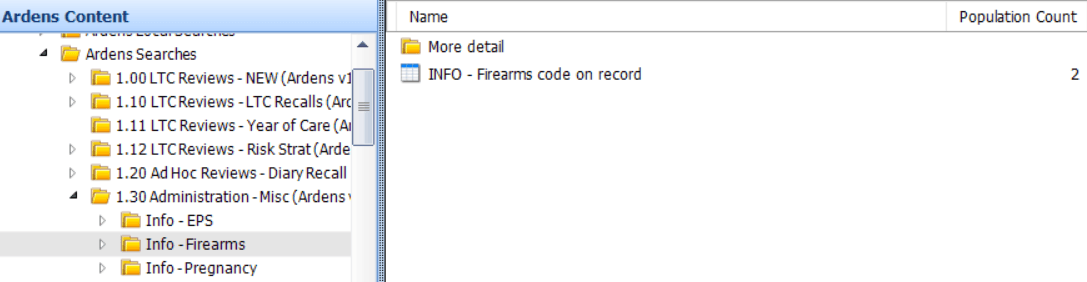
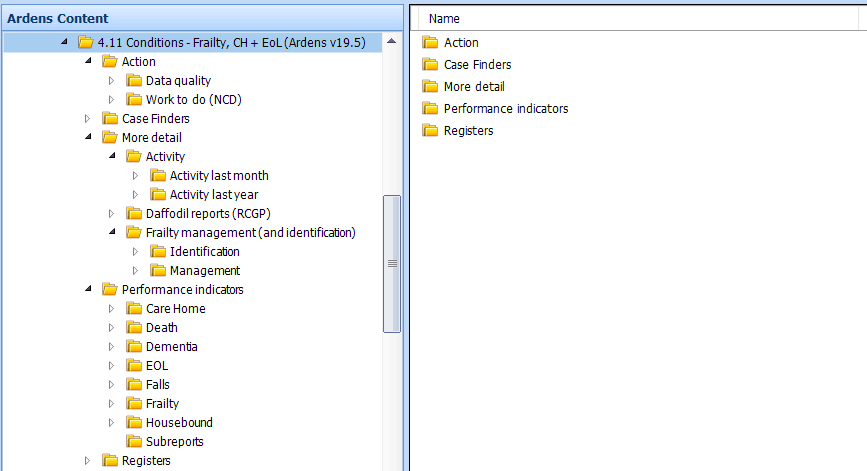
Care home reports are grouped together within the same Ardens reporting folder.
The folder includes reports relating to care home activity, data quality, case finding, alerts, performance indicators, registers, resuscitation, reviews and work to do.
EMIS Web also includes Daffodil reports, which support the analysis and auditing of patient deaths.
🗓️Annual LTC Reviews
Patients living in care homes can be included in the Ardens Long Term Condition (LTC) recall process where appropriate.
The LTC recall process supports practices in identifying patients who require annual reviews and planning this activity according to local arrangements.
Care home residents can be managed separately from the main LTC recall activity to support the planning of reviews within the patient’s place of residence
The recall resources can help practices identify relevant patients and organise annual reviews for patients living in care homes.
For more information see the LTC Recall support articles.
❓FAQs
Why is a patient missing from a care home report?
If a patient is missing from a care home report, first check that the appropriate residence or residential status code has been added to the clinical record and that the Residential Institute (RI) information is recorded correctly in the patient’s registration details. Then confirm whether the patient is recorded as temporary or permanent in that setting. Finally, review the criteria for the specific report you are using, as registers, invite cohorts and payment-related reports may not all use exactly the same inclusion rules.
Is an RI code enough to identify a care home resident?
No. The appropriate RI code should be recorded in the patient’s registration details, and the relevant residence or residential status code should also be recorded in the clinical record.
Both should be reviewed regularly to ensure that they reflect the patient’s current circumstances.
🏫 Additional Support
Book training for your GP Practice, PCN or ICB
Contact our Support Team for support in real time
Complete the Care Homes Academy module