
ℹ️Introduction
This article explains how to use the Care Home dashboard. By the end of this article, you will be able to review the care home population, monitor recent activity, and use performance indicators to identify areas for further review.
Background
Care home residents may have complex health and care needs and often require regular assessment, review and coordinated support.
Having visibility of the care home population and the care being recorded can help practices, PCNs and ICBs understand activity, identify variation and support quality improvement.
The dashboard brings together information about care home residents, recent activity and a range of indicators relating to best-practice care.
How Ardens Can Help
The dashboard supports users to:
View the register of nursing and residential home residents
Review deaths among care home residents in the last year
Monitor recent care home activity
Review performance against a range of care and review indicators
Explore variation between practices, organisations, staff and patient groups, where relevant
Identify patients and areas that may require further investigation
This provides a population-level view to support planning and prioritisation.
The dashboards work alongside existing Ardens Clinical resources to support proactive care planning and coordinated delivery. To learn more about the clinical resources, access this support article.
📍Access the Dashboard
Log into Ardens Manager
Go to Services on the left-hand pane
Open the Conditions folder
Click Frailty & End-of-Life
Select the CARE HOME tab
📊Review Care Home Population
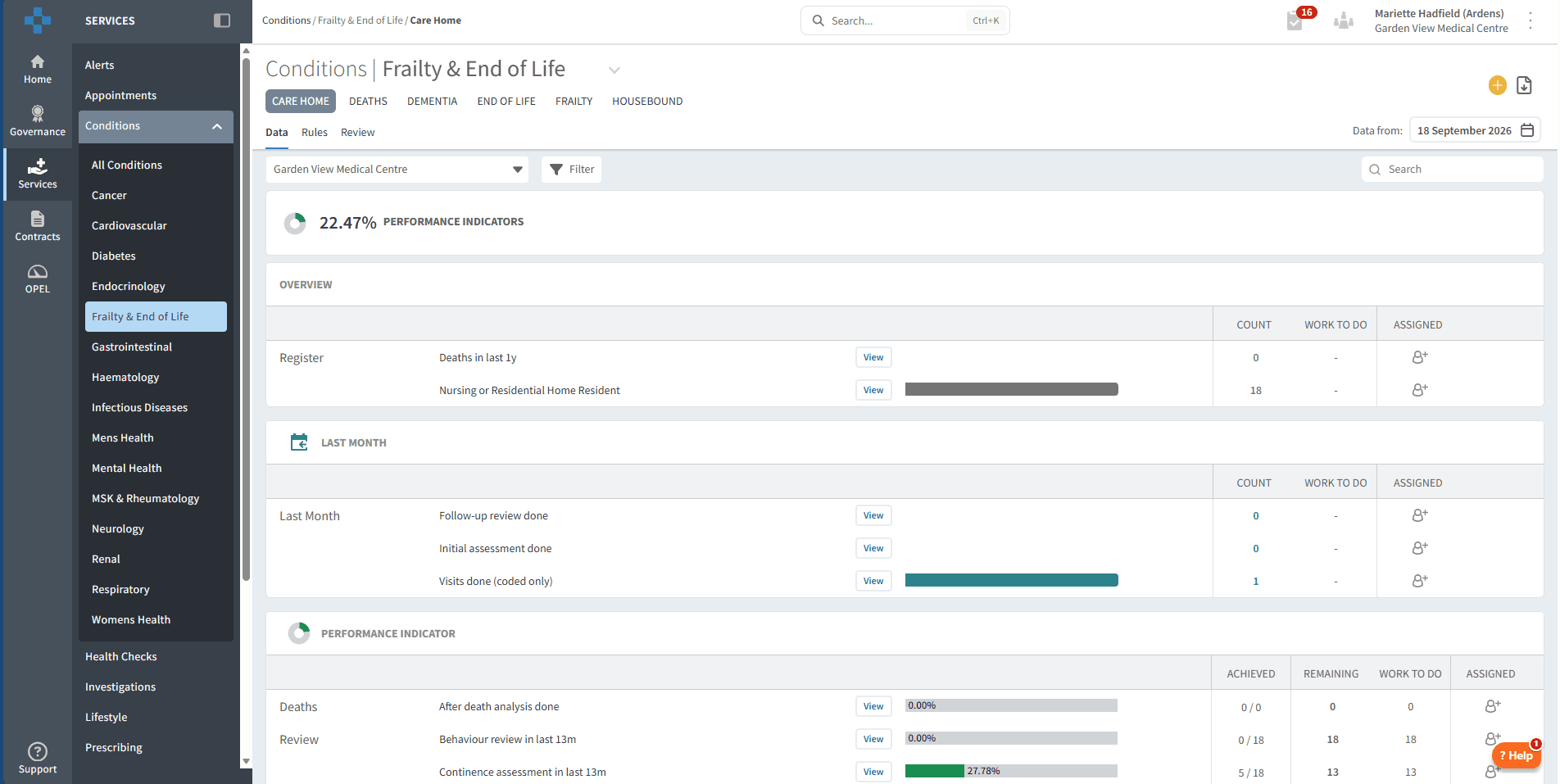
The Overview section provides a high-level view of the care home population.
It includes:
Register of Nursing or Residential Home resident
Deaths in last 1 year

This can help you understand the size of the care home population and provide context when reviewing activity and performance.
To review registers:
Click the View button next to the required register report
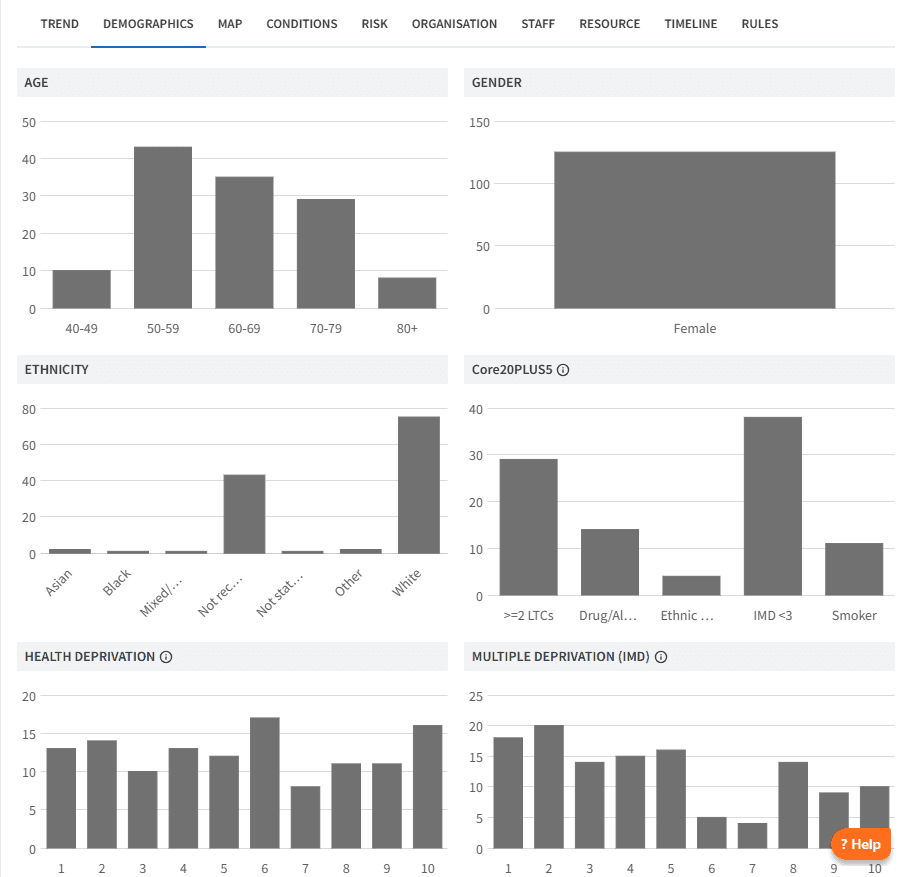
Review the Demographics tab to understand age distribution and deprivation
Review the Conditions tab for breakdown by long-term condition and multimorbidity
Review the Risk tab to identify patients in vulnerable or higher-risk groups
🔎Monitor Activity
Last Month
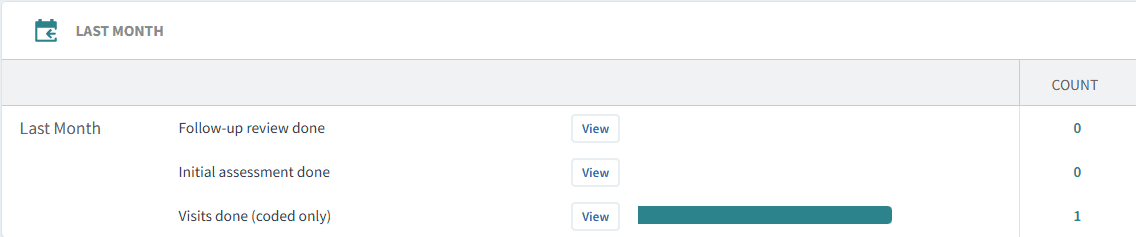
The Last Month section provides an overview of recent recorded care home activity.
This includes:
Follow-up review done
Initial assessment
Visits done
These measures are based on coded activity recorded in the clinical system.
Reviewing recent activity can help you understand which care home activities have been recorded and identify variation across practices or organisations.
To review activity:
Click View next to the activity report
Review the Staff and Timeline tabs to understand who has recorded activity and how activity has changed over time
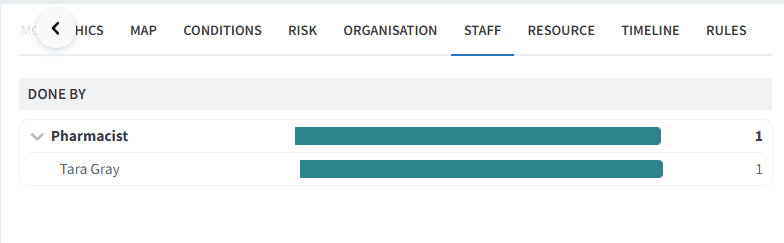
This can be useful when reviewing workload, activity levels or variation across your organisation.
Performance Indicators
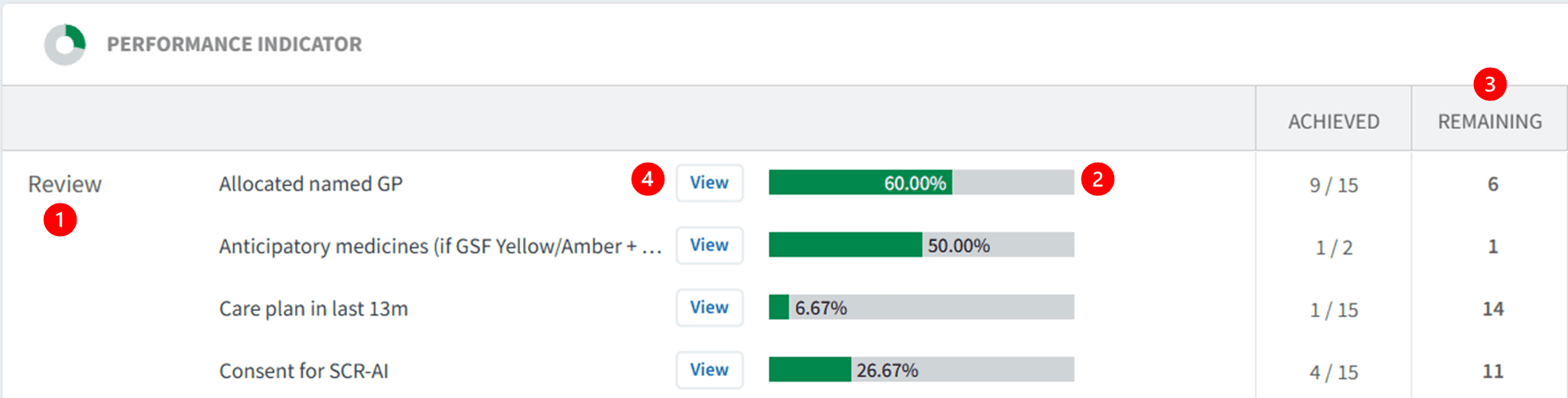
The Performance Indicators section provides a more detailed view of elements of best-practice care for care home residents. The indicators cover a range of assessments, reviews and care planning activity
Reviewing performance indicators:
Indicators are grouped by diagnosis, review, target or screening
Green bars show percentage completion
The Remaining column shows the number of patients still outstanding
Click View and select Show remaining only to support follow‑up
Identify Patients for Follow-up
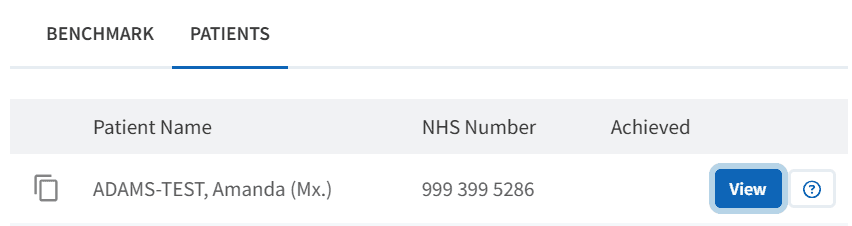
The Patient View functionality enables teams to review outstanding elements of care at an individual patient level.
To access Patient View:
Click View next to the patient’s NHS number
⚠️ Please note: Patient data can be exported. Refer to the Patient Lists support article for further information.
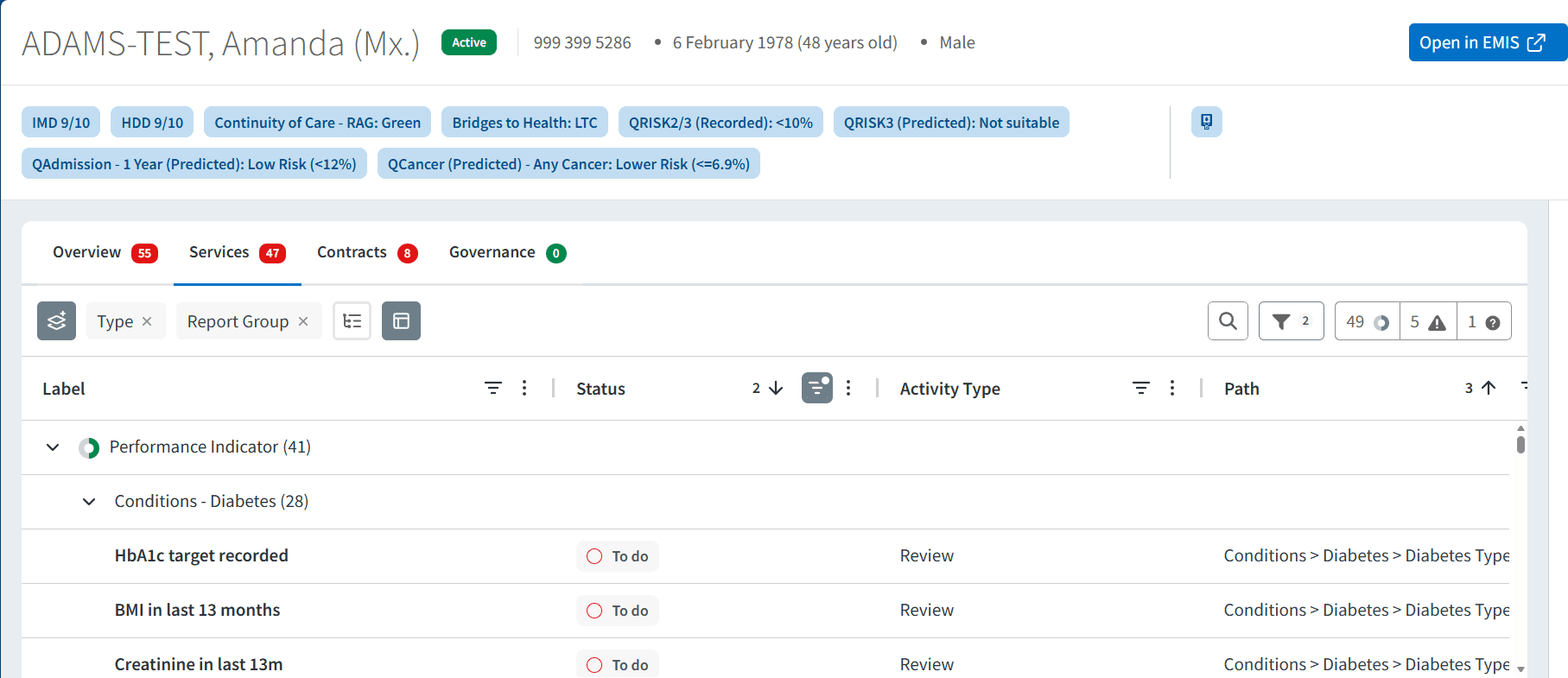
Within the patient view:
View all Ardens Manager findings for the patient across relevant reports
Review what may require follow-up
Use this as a prompt for follow-up, then review the relevant clinical details and context in the clinical system record
To take action click Open in EMIS/SystmOne to review the full clinical record
❓FAQs
Why do many of the performance indicators use the last 13 months?
Many care home reviews and assessments are expected to be completed regularly. The 13-month timeframe provides a period in which the relevant activity can be identified while allowing some flexibility around the timing of annual reviews.
Can I see which patients are included in a report?
When patient-level access is available, select View next to the relevant report, then select the PATIENTS tab.
🏫 Additional Support
To further your understanding of the Ardens Manager platform:
Book training for your GP Practice, PCN or ICB.
Contact our Support Team for support in real time.
Complete the Care Homes Academy module