We’re updating our Knowledge Base
We’re currently transitioning Ardens Clinical support articles to this new Knowledge Base. Content will be added progressively, so you may find limited articles available at this stage.
In the meantime, you can access our full support resources on our existing sites:
We’ll continue to expand this site, so please check back regularly.
ℹ️Introduction
This article explains how to use the Ardens resources to support the delivery of the NHS Shingles Vaccination Programme. By the end of this article, you will understand how to identify eligible patients, manage invitations, record vaccination activity, and monitor uptake.
Background
The NHS England Guidance for the programme aims to protect eligible adults against shingles, a common and often painful condition caused by the reactivation of the varicella-zoster virus.
The following groups are eligible:
Severely immunosuppressed individuals | Aged 18 years and over (as defined in the green book) |
Immunocompetent individuals | Aged 70 to 79 years
Those turning 65 and 70 years of age in line with the phased programme |
How Ardens Can Help
Ardens resources support practices in planning, notifying, delivering, and evaluating vaccination uptake. It includes:
Identifying eligible patients
Organising invitations and recalls
Recording vaccination activity
Monitoring uptake and payment activity
⚠️ Please note:
Ardens searches use SNOMED codes, while the Green Book uses clinical definitions
Not all eligibility criteria translate directly into coded data
Business rules for payment may differ from clinical eligibility
Clinical judgement should guide decisions in ambiguous cases
How to Access

📅Plan
Before sending out any invitations, we recommend reviewing the following reports. These will help identify eligible patients and support the accuracy and clinical appropriateness of your invite lists.
Cohorts
Use these searches to estimate vaccine demands and plan stock orders. They are not intended for sending invitations. These reports include all patients in each eligible group, regardless of whether they have already been vaccinated or have declined a vaccination.
Due
These reports focus specifically on patients who are still outstanding for vaccination and have not declined vaccination. There is a report identifying all patients due, with additional searches broken down by each cohort.
Review
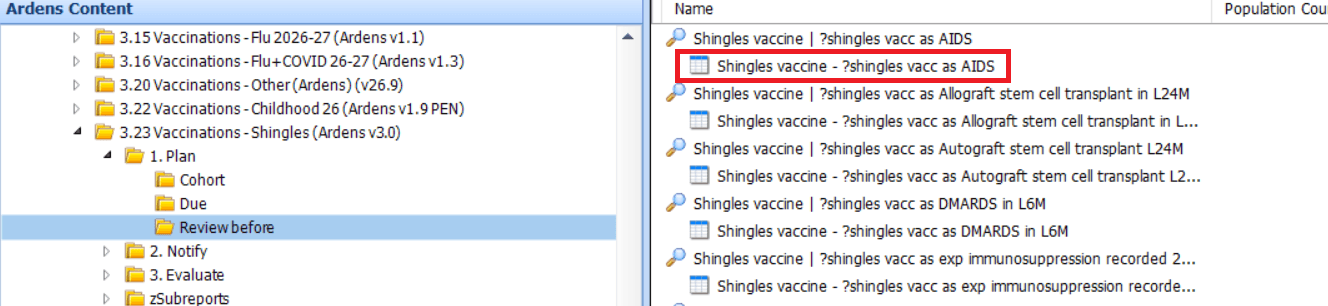
The Review Before reports help identify records requiring validation prior to invitation activity. Review these patients to confirm that they meet eligibility criteria before sending an invitation.
Where appropriate, add the "Requires vaccination against shingles - 1730561000000103" code. This code should only be applied once the record has been reviewed and a clinician has deemed the patient appropriate for a vaccination, the patient will then be included in the invite reports.
⚠️ Please note:
Patients identified on the Review Before reports may not appear in the relevant cohort or invitation reports until their record has been reviewed and coded appropriately.
The Review Before reports are designed to identify potentially immunosuppressed patients who may need clinical review. For this reason, they intentionally do not exclude patients who have previously received Zostavax. Having received Zostavax does not, by itself, make a patient ineligible for Shingrix. Review the patient’s clinical history and current eligibility before adding the "Requires vaccination against shingles" code or sending an invitation.



✉️Notify
These resources help GP practices manage Shingles vaccinations by identifying eligible patients and supporting invitation activity, including arrangements for care home and housebound patients.
Invites
These reports identify eligible patients who can be invited for the vaccination. The reports are broken down by 1st, 2nd, and 3rd invitations and highlight pregnant patients.
Only the following invite codes can be used:
Herpes zoster vaccination invitation - 895931000000104
Herpes zoster vaccination invitation email - 896091000000106
Herpes zoster vaccination invitation first letter - 896011000000102
Herpes zoster vaccination invitation second letter - 896031000000106
Herpes zoster vaccination invitation SMS (short message service) text message - 896071000000107
Herpes zoster vaccination invitation third letter - 896051000000103
A patient will be excluded from the invite process if they have been coded with any of the following:
A recorded Shingles vaccination (including any Varicella Zoster or Administration of vaccination codes)
A recorded Herpes zoster vaccination declined code
A contraindication coded as Herpes zoster vaccination contra-indicated
A recorded adverse reaction to a Shingles vaccine coded as Adverse reaction to herpes Shingles (Herpes Zoster) Vaccine Live, Adjuvanted Recombinant Vaccine
⚠️ Please note:
Patients should not be vaccinated before they enter the specified programme age range. Therefore, a patient who reaches their 65th birthday on the 1st December can only be vaccinated from that date.
If a patient appears unexpectedly in an invite or due report, first check whether an earlier shingles vaccination has been recorded as Zostavax, Shingrix, or under a more generic shingles-vaccination code. Also, review decline and contraindication coding, as older entries may need to be re-added rather than treated as a permanent exclusion.
Visits
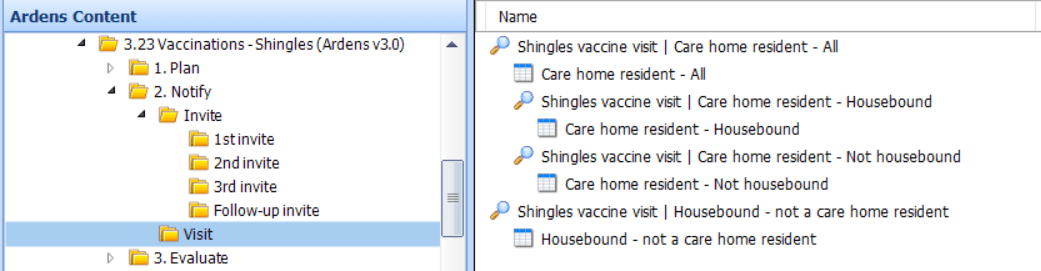
Separate visit reports are provided for housebound and care home residents so practices can use the list of patients to support administration outside of the practice.
Invite
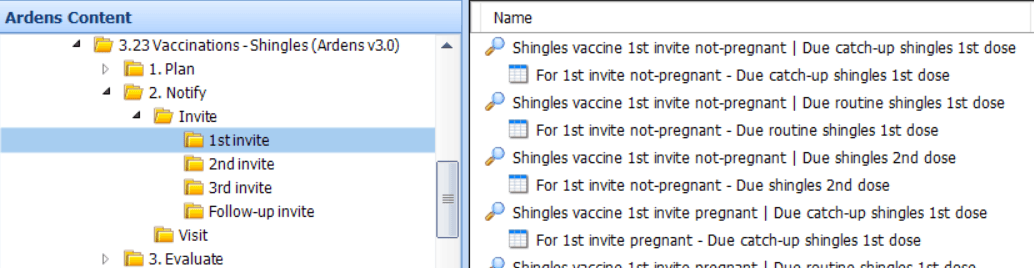
Using the reports you can then see information on patients with reasonable adjustments, LD, SMI, Dementia, End of Life, along with contact method and communication preferences.
You can export invite lists to CSV and send messages using third-party messaging platforms. Access this support article for further information on how to do this.
When running the invite searches, use a relative run date that matches the planned date of your clinic. This makes sure patients are assessed against their age on the day you plan to vaccinate them, so you do not invite them too early or miss payment because they were not yet eligible.
Visits
💉Deliver
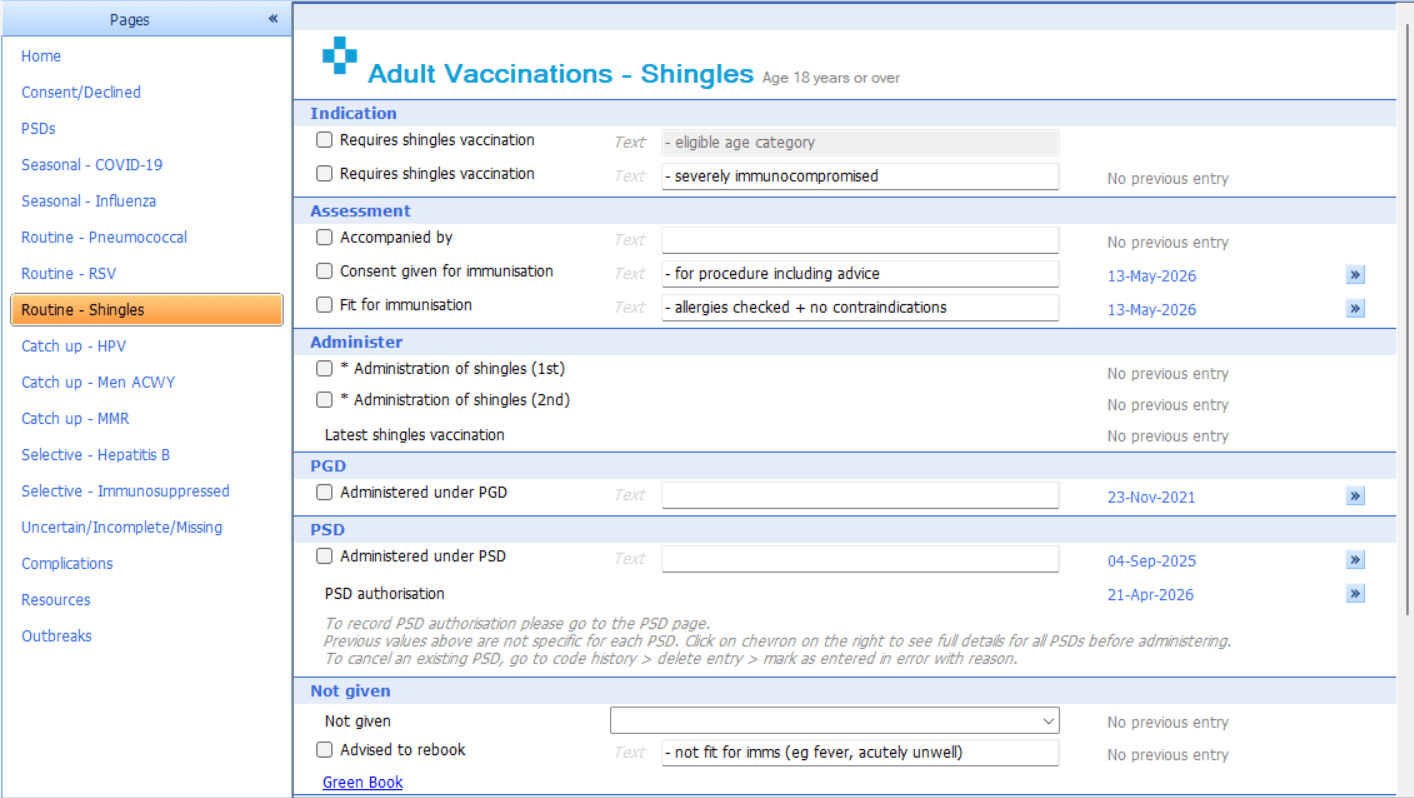
To support vaccine delivery and ensure accurate coding, a template and alerts are available for consistent and efficient documentation.
Alert
To alert practice staff to eligibility.
Template
Enables the recording of the Shingles vaccination, along with consent, contraindication and declines. It can also be used to record the 'Requires shingles vaccination' code.
Alert

Double-click on the alert to access the template to record administration of the vaccine.
Template
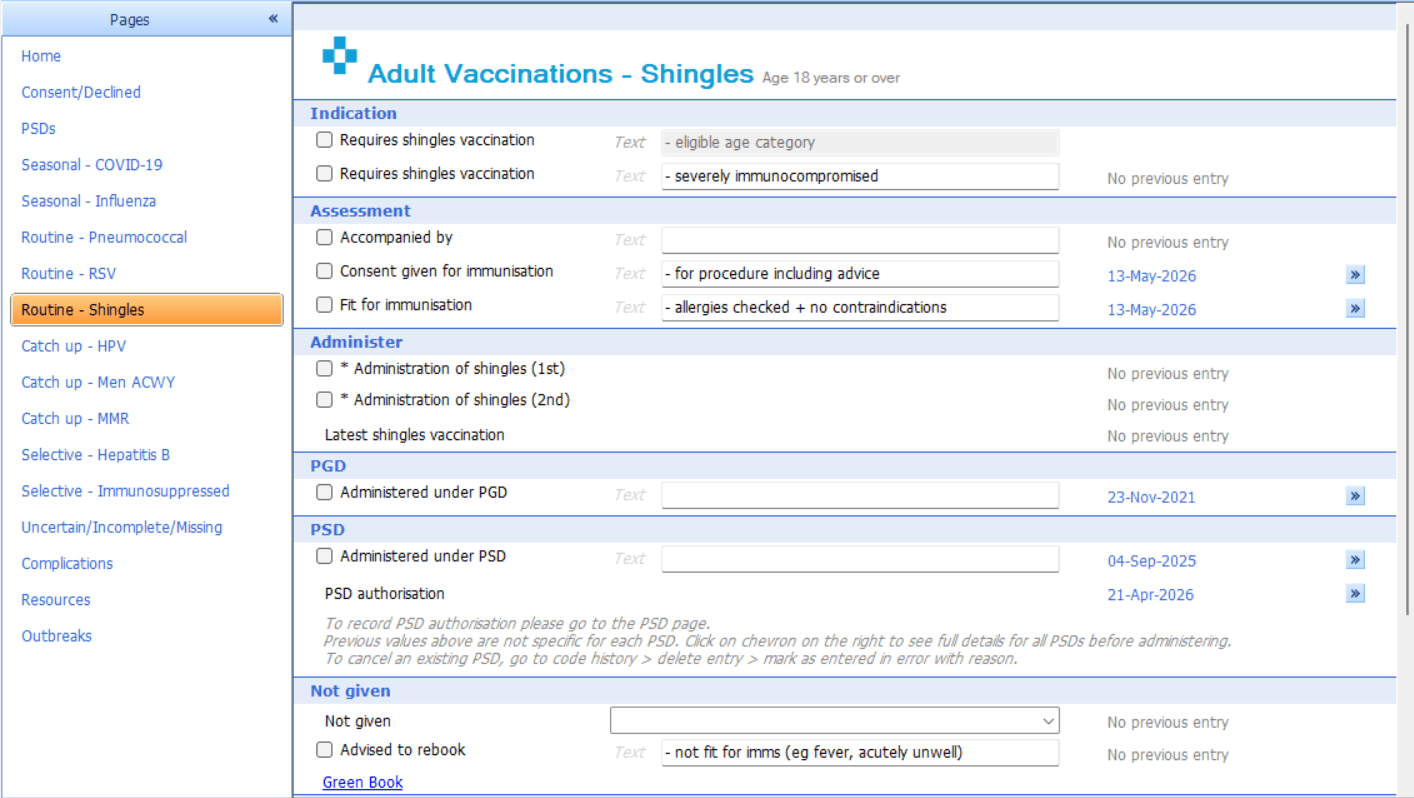
Where a second dose is needed, use the follow-up / diary recall options available in the template to plan the next vaccination at the correct interval. This is particularly helpful for immunosuppressed patients and for avoiding missed second doses.

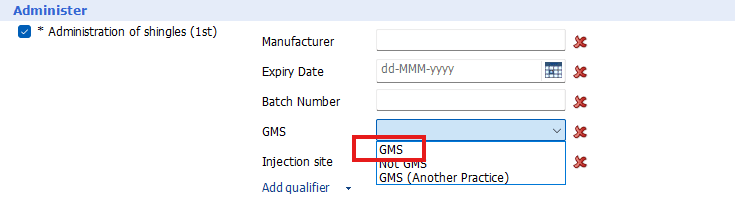
⚠️ Please note: To ensure the vaccination is included within the CQRS extract, record the vaccine administration as GMS.
📈 Evaluate
These resources help practices manage and monitor the vaccination programme by tracking uptake.
Review
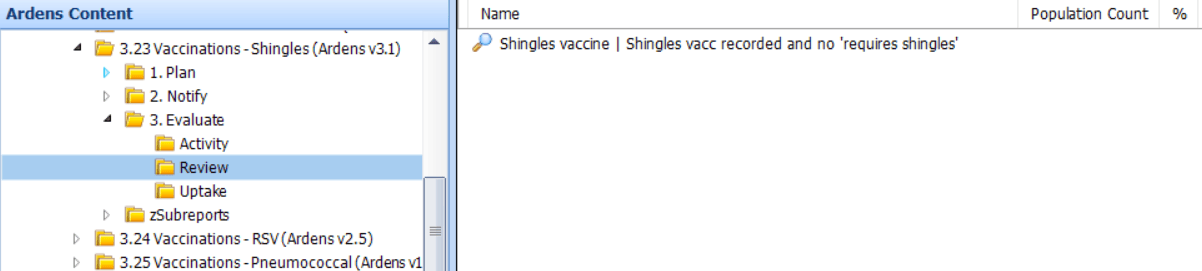
The Review After reports highlight potential data issue that could affect payment.
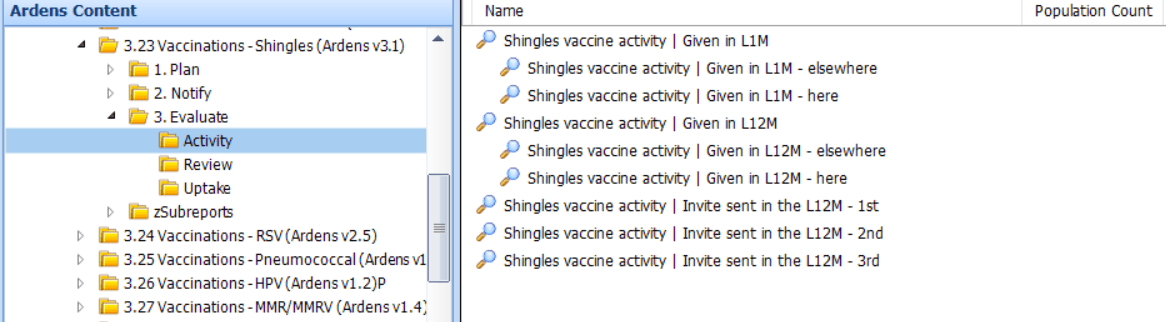
Activity
This folder enables monitoring of all vaccinations given, broken down between those recorded in practice and those recorded elsewhere in the last month and 12 months.
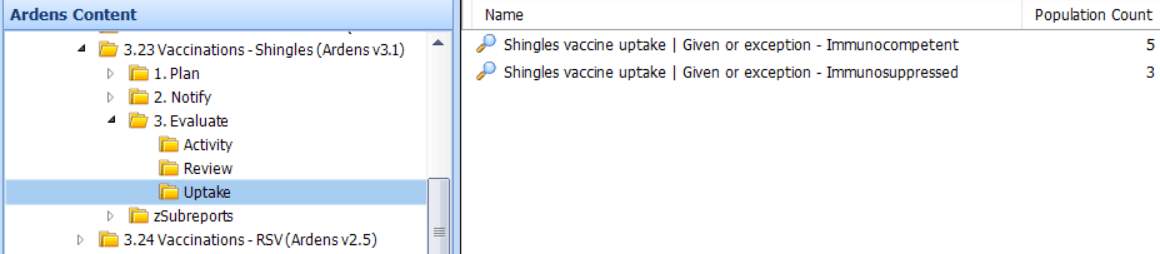
Uptake
This folder enables monitoring of each cohort.
Insights
For Ardens Manager subscribers, the Vaccinations dashboard provides a clear visual overview of:
Eligible cohorts
Number of invitations sent
Vaccination uptake rates
This helps you prioritise and target specific patient populations more effectively.

Review
Activity
Uptake
❓FAQs
General
Why do I need to review the Review Before reports before sending invitations?
The Review Before reports help identify patients who may be eligible for the Shingles vaccination due to severe immunosuppression. Practices should review these patients to confirm eligibility and, where appropriate, record the code 'Requires vaccination against shingles – 1730561000000103' before sending invitations. This helps ensure invite lists are accurate and clinically appropriate.
How do I record a Shingles vaccination?
Vaccinations can be recorded using the Adult Vaccinations (Ardens) template. The template supports recording vaccine administration, consent, contraindications, declines and the 'Requires shingles vaccination' code where appropriate.
Why isn't a patient appearing in the Shingles invitation reports?
Patients may be excluded from invitation reports if they already have a recorded Shingles vaccination, a decline code, a contraindication code, or a recorded adverse reaction to a shingles vaccine. Review the patient's record to confirm whether any of these codes have been recorded.
Why is it important to record the vaccination as GMS?
For the vaccination to be included correctly within the CQRS extract, the administration of the vaccine must be recorded as GMS. Failure to do so may affect payment and reporting.
EMIS
Should the Shingles vaccination invites be run with a relative run date?
Yes, we suggest running the searches with a relative run date for the day of the planned clinic. This will then return all patients who are the eligible age on that day, avoiding calling patients in too early and payment being missed.
🏫 Additional Support
Book training for your GP Practice, PCN or ICB
Contact our Support Team for support in real time