
We’re updating our Knowledge Base
We’re currently transitioning Ardens Clinical support articles to this new Knowledge Base. Content will be added progressively, so you may find limited articles available at this stage.
In the meantime, you can access our full support resources on our existing sites:
We’ll continue to expand this site, so please check back regularly.
ℹ️ Introduction
This article explains how to use Ardens resources to support the recording, coding and correspondence of patients applying for or renewing a firearm or shotgun licence. It covers recording the relevant information, documenting any concerns, completing correspondence and identifying patients with firearms or shotgun-related codes.
Background
Patients applying for or renewing a firearm or shotgun certificate may need to provide medical information as part of the licensing process. The police are responsible for deciding whether a person is suitable to hold a certificate, while the clinician provides relevant factual information based on the patient's medical record.
The Home Office and BMA provide guidance on the firearms licensing process, including the medical information required and the role of doctors. See the Home Office firearms licensing guidance and BMA guidance for GPs.
⚠️ Important: Ardens supports the recording, coding, alerts, searches and correspondence linked to firearm and shotgun licensing. The final licensing decision sits outside Ardens and outside the patient record. Local police force processes, forms and contact routes may vary, so always follow current national guidance and your local practice process where needed.
How Ardens Can Help
Ardens provides resources to help you record and manage firearms and shotgun licensing information, including:
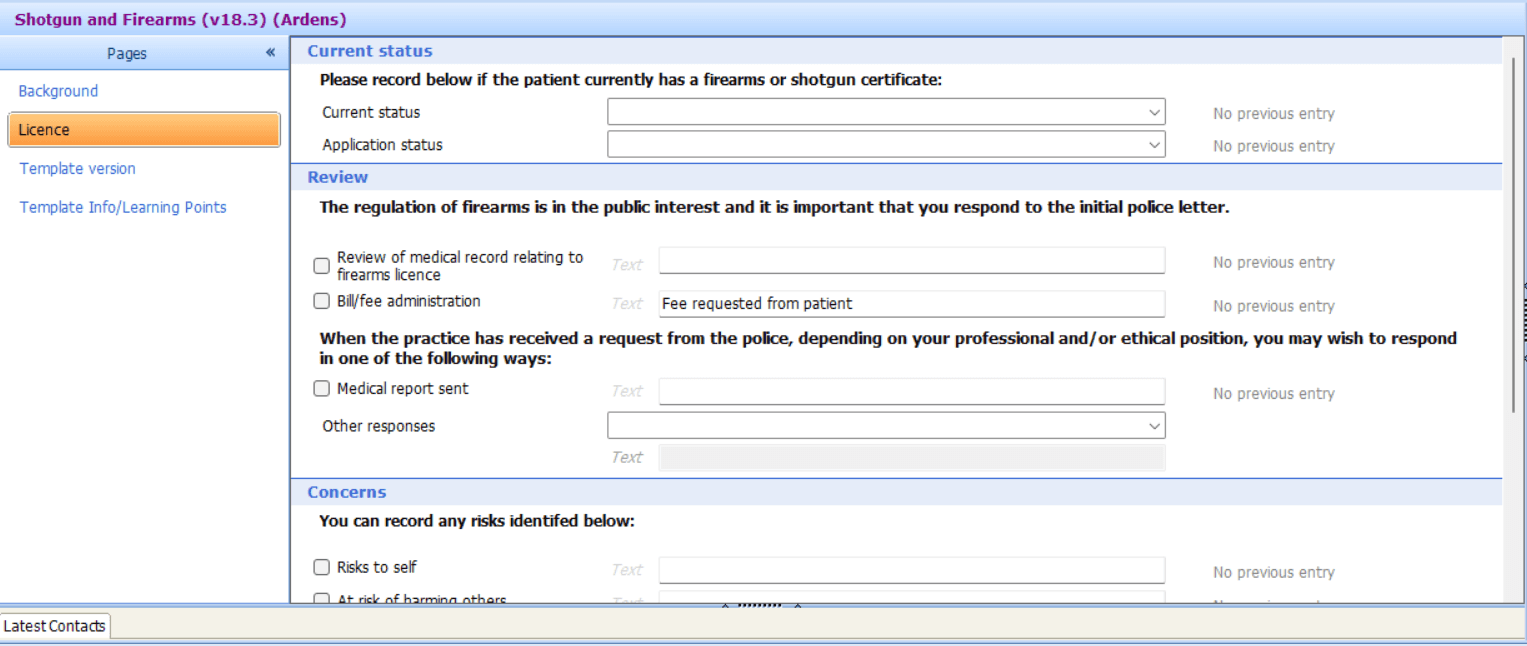
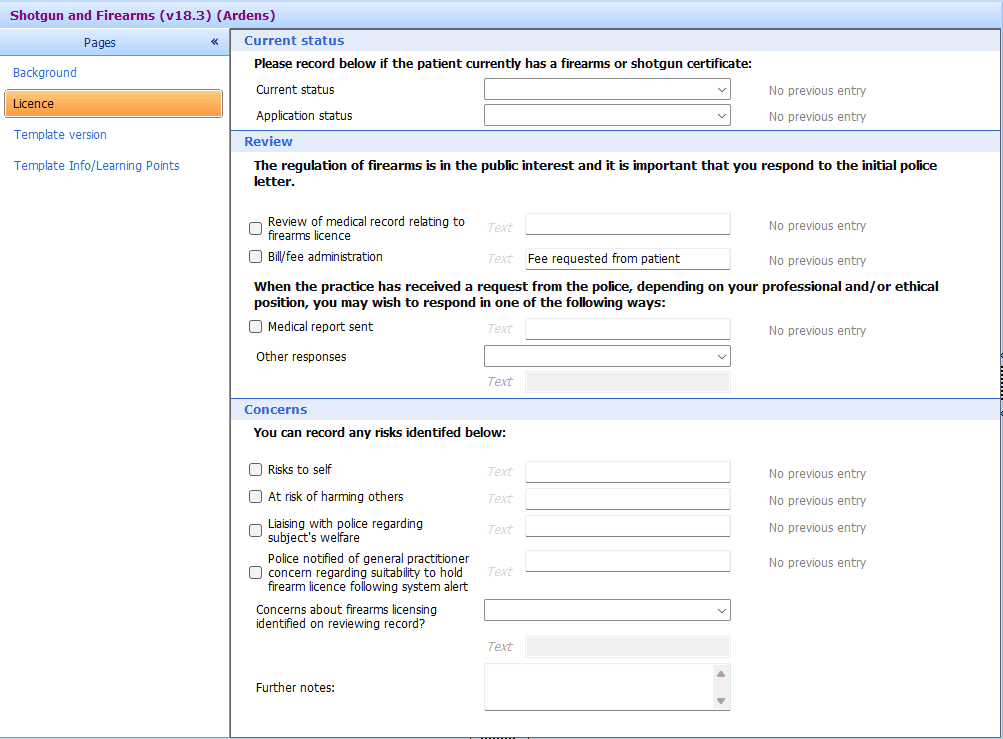
A dedicated template for recording firearms and shotgun licensing information
Codes and options for recording the status of the licence and relevant concerns
Letters and correspondence to support communication with patients and the police
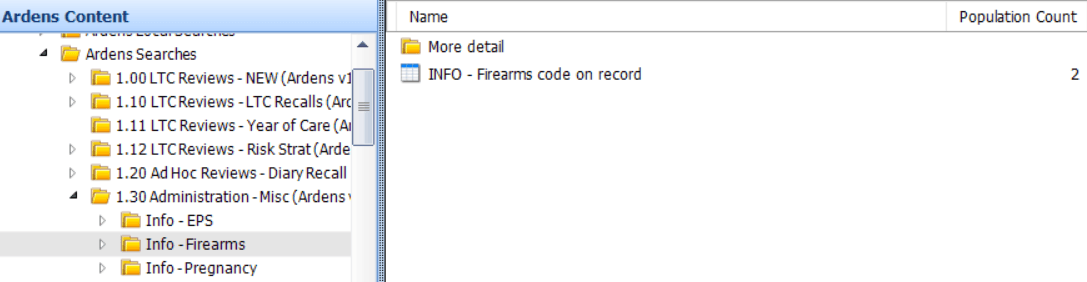
Reports and searches to identify patients with recorded firearms or shotgun-related codes
⚠️ Please note: The available resources vary slightly between SystmOne and EMIS Web. Select the relevant tab below for system-specific instructions.
How to Access
📝Record Information
Use the Ardens template to record information related to a patient's firearm or shotgun licence, including the licensing process and any identified concerns.
Once launched, complete the relevant fields and save the information to the patient record
✉️Correspondence
Ardens provides resources to support correspondence associated with firearms licensing.
Ardens provides a selection of Firearms Letters, including:
BMA Firearms – conscientious objection
BMA Firearms – outside expertise
BMA Firearms – report no fee
BMA Firearms – report pending fee
BMA Firearms – summary pending fee
Firearms Licensing Medical Information Proforma
Shotgun & Firearms Letter to Patient At Risk
These can be created within the patient's record using one of the options below:
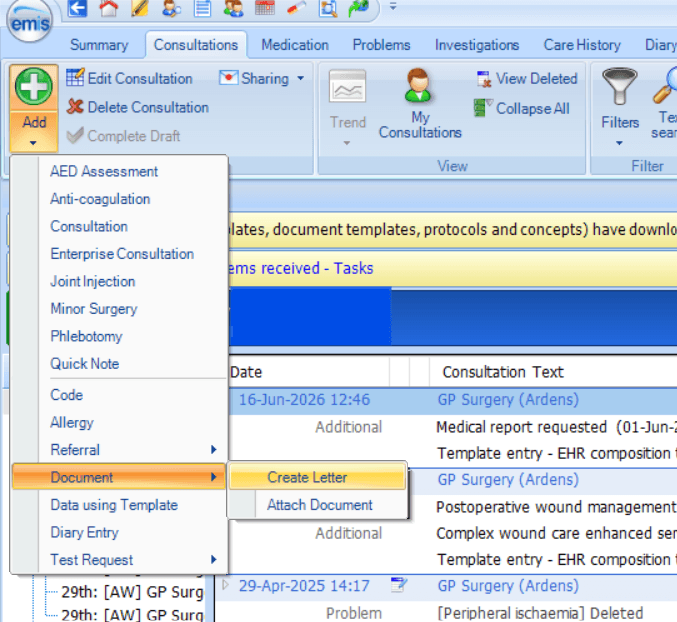
Within a consultation, select Document > Create letter
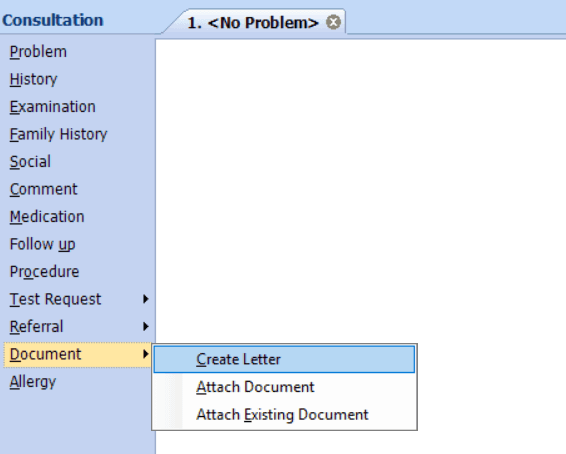
From the patient record, select Add > Document > Create letter from the patient record.
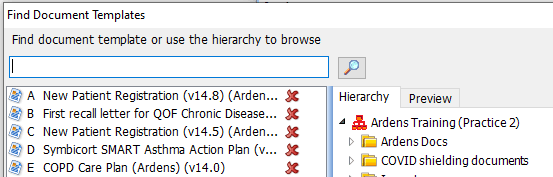
Search for the required document template and select it to open the letter.
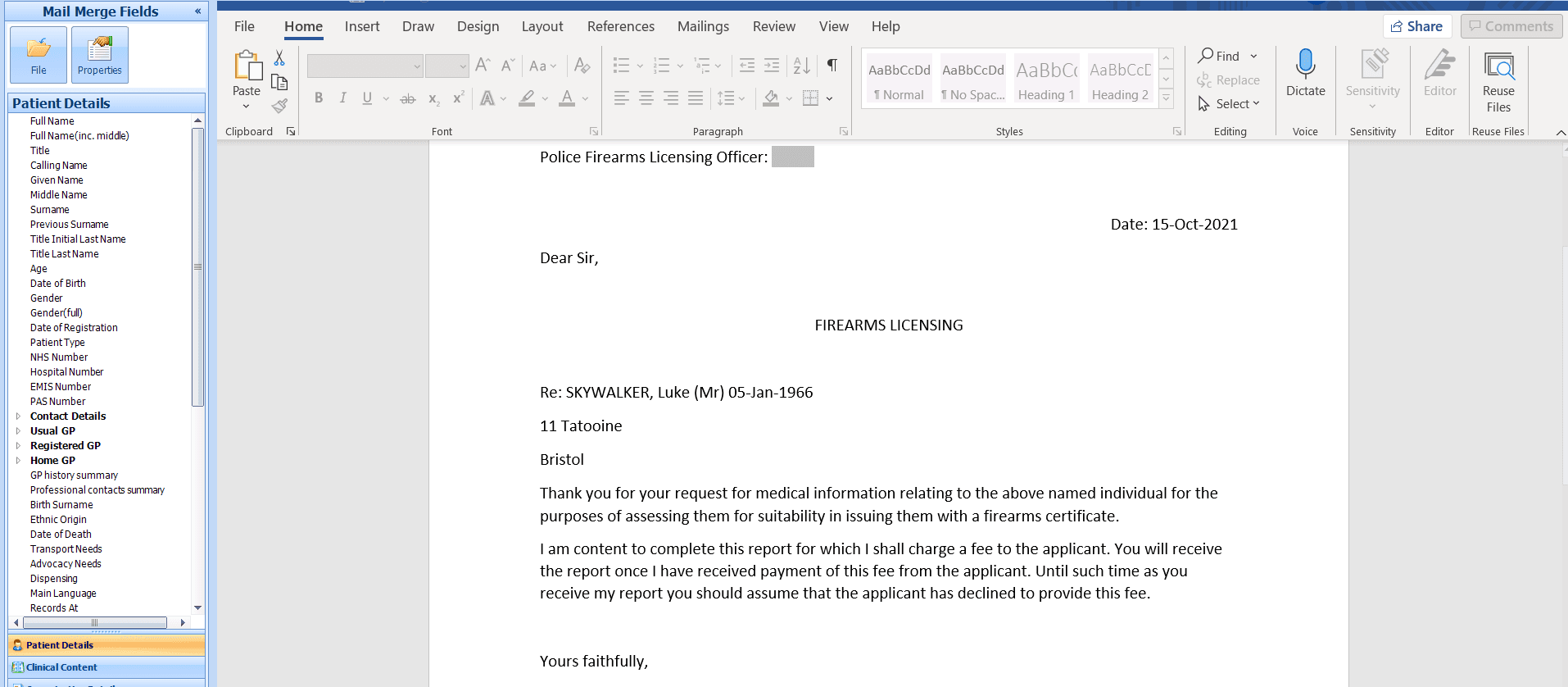
The templates are designed to populate relevant patient and organisation information and can then be completed, saved to the patient record and printed or sent as required.
💡Tip: Follow your practice's usual processes for checking, signing and securely sending firearms licensing correspondence.
🔍 Identify Patients
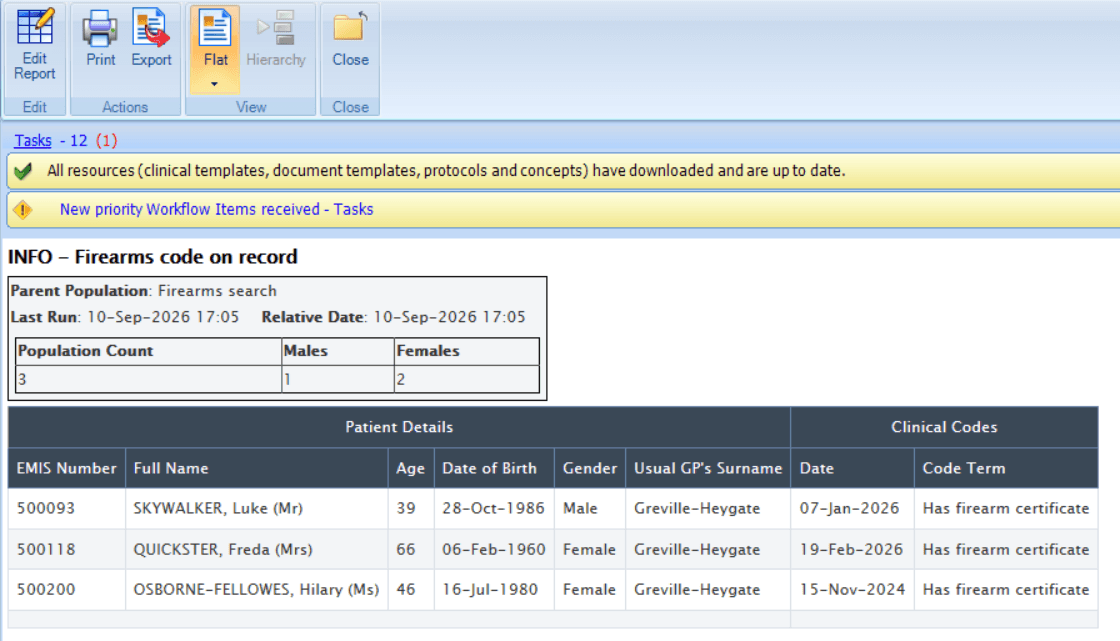
Ardens also provides reporting resources to help practices identify patients with a recorded firearm or shotgun code.
Alerts
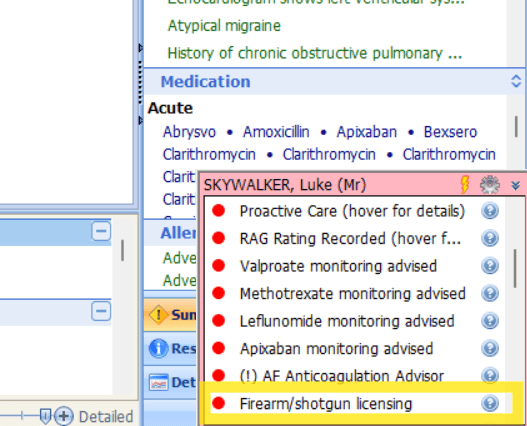
When relevant firearms or shotgun licensing information is recorded in the patient's record, an alert is displayed to help ensure this information is visible to clinicians and other appropriate members of the care team.
The alert provides a prompt that relevant information has been recorded in the patient's record.
Reports
Use the available reports to identify patients with firearms or shotgun information recorded in their clinical record and review any coding that may need updating.
⚠️ Please note: Report results may vary if historic or retired firearm / shotgun codes exist in the patient record, or if code mapping has changed over time. If results do not look as expected, review the coded entries first.
❓FAQs
Does Ardens determine whether a patient is suitable to hold a firearm or shotgun licence?
No. The decision about whether a person is suitable to hold a firearm or shotgun certificate is made by the police. Ardens provides resources to support clinicians with recording relevant information and completing the associated administrative process.
Where can I find guidance about the firearms licensing process?
The Home Office and BMA provide guidance on the firearms licensing process, including the medical information required and the role of doctors. See the Home Office firearms licensing guidance and
Why is the alert not appearing?
It is worth checking the following:
If an alert does not appear as expected, check the clinical system, the code recorded, and whether the relevant Ardens resource is available for that system.
If an alert still shows after coding changes, review whether an older / retired code is still present or whether the alert/report logic is based on a different code set.
If the pop-up looks different from this article, confirm whether it is an Ardens alert or a native system alert before troubleshooting further.
🏫 Additional Support
Book training for your GP Practice, PCN or ICB
Contact our Support Team for support in real time