
We’re updating our Knowledge Base
We’re currently transitioning Ardens Clinical support articles to this new Knowledge Base. Content will be added progressively, so you may find limited articles available at this stage.
In the meantime, you can access our full support resources on our existing sites:
We’ll continue to expand this site, so please check back regularly.
ℹ️ Introduction
Ardens consultation templates support structured, consistent clinical recording within Medicus, helping clinicians capture key information during a patient consultation.
This article explains how to launch, complete and get the most from Ardens consultation templates.
Before you start: Ensure your organisation has subscribed to the relevant Ardens resource package. If you do not have access to Ardens templates, see Accessing Ardens Resources in Medicus.
📄 Launching an Ardens Template
Ardens consultation templates can be launched at any point during a patient consultation.
To open a template:
Start or open a patient consultation.
Place your cursor within any consultation field.
Type
/template.Select Template from the available actions.
Search for the required Ardens template using the template name or clinical condition.
Select the template to open it within the consultation.

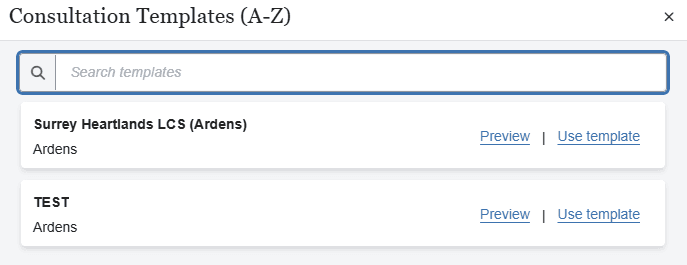
Tip: Searching by the clinical condition (for example, Asthma, Diabetes or Contraception) is often the quickest way to locate the appropriate template.
Once opened, the template guides you through recording structured clinical information relevant to the consultation.
The content and layout will vary depending on the clinical area and purpose of the template.
❓ FAQs
Can I use more than one Ardens template during a consultation?
Yes. You can launch multiple templates during the same consultation where clinically appropriate.
Can I close a template before completing it?
Yes. You can continue recording your consultation without completing every section of the template. Complete the sections that are clinically relevant to the patient.
Why can't I find the template I'm looking for?
First, search using the clinical condition or template name.
If the template is still unavailable, check that your organisation has subscribed to the appropriate Ardens resource package. If necessary, contact your local administrator or Ardens Support.
Will I always be using the latest version?
Yes. Ardens templates are maintained centrally and updated automatically through your organisation's subscribed resource package.