
We’re updating our Knowledge Base
We’re currently transitioning Ardens Clinical support articles to this new Knowledge Base. Content will be added progressively, so you may find limited articles available at this stage.
In the meantime, you can access our full support resources on our existing sites:
We’ll continue to expand this site, so please check back regularly.
ℹ️ Introduction
This article explains how to use the Ardens Infection resources to support the assessment, diagnosis, management, and follow-up of common infections in primary care. By the end of this article, you will understand how to access and use the infection templates, formularies, and reporting tools to support safe, consistent, and guideline-aligned care.
Background
Infections are among the most common reasons for patient consultations in general practice. Clinicians must ensure that these conditions are assessed, appropriately diagnosed, and managed in line with the latest best practice guidance.
How Ardens Can Help
Ardens provides a suite of infection templates designed to support clinicians in the assessment, diagnosis, and management of common infections.
Examples of infection templates
Acute Cough
Cellulitis
Chickenpox
Gastroenteritis
Impetigo
Otitis Externa
Otitis Media
Shingles
Sinusitis
🩺 Deliver
Clinicians are guided through a structured consultation, which includes a comprehensive clinical assessment, risk assessment, management, follow-up, and formulary. This is done using preset options, scoring tools, and the traffic light system to guide appropriate management and follow-up.
Acute
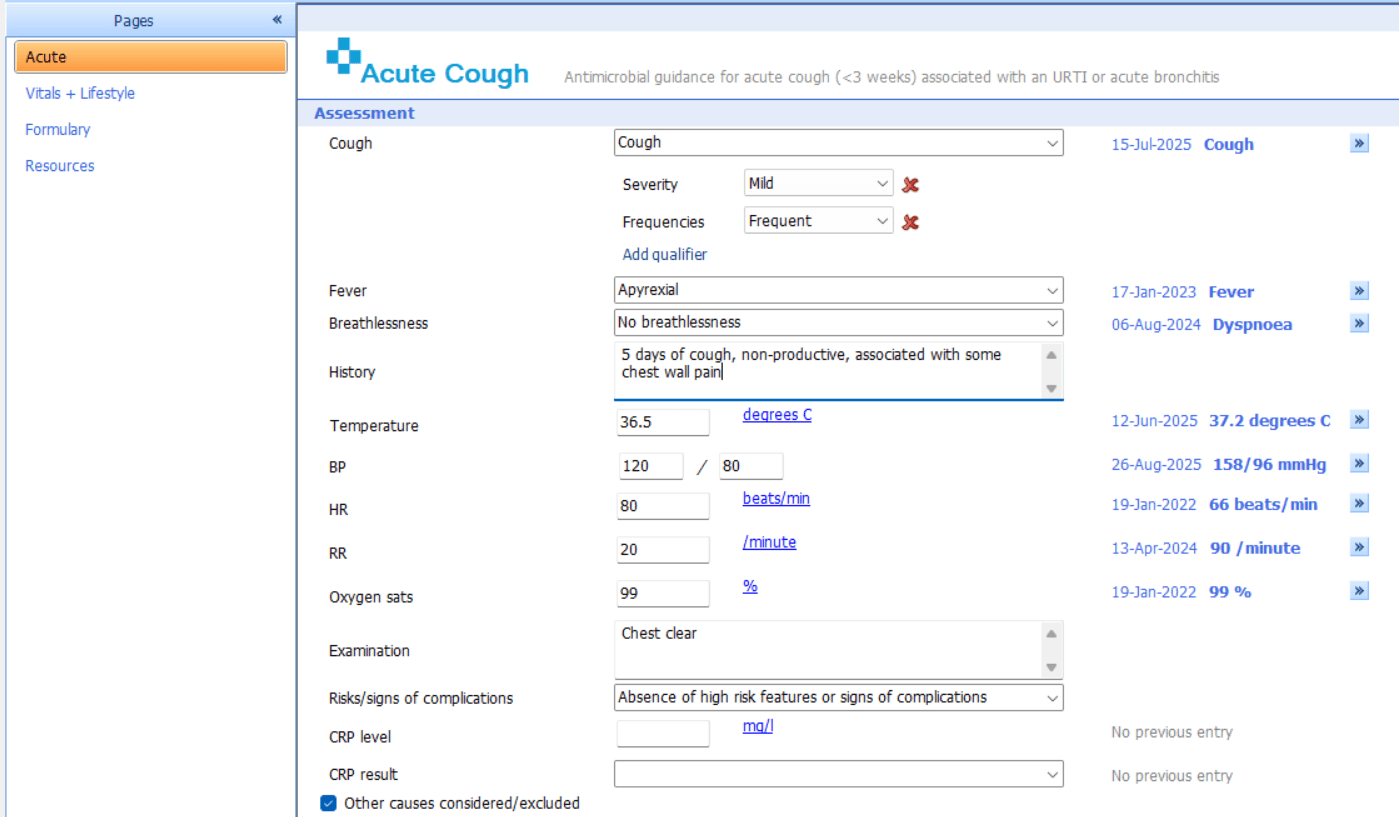
When launching the infection template, you will be presented with the Acute page.
This is where clinicians will begin the assessment of patients presenting with an acute infection, such as an acute cough. The template contains no mandatory fields, but some fields are dependent on others. Clinicians can document details such as:
Findings / History: recording the presenting complaint, including key symptoms, and examination findings.
Risks / Signs of complications: noting any features that suggest potential complications or factors that place the patient at high risk or indicate that the patient has a more serious condition. Risks will inform the clinical impression and will put the patient into a colour-coded category, which will influence treatment decisions and the likelihood of hospital admission.
⚠️ Please note: Some infection templates include additional scoring tools, such as Fever/PAIN and Centor for sore throat. Complete the score on the dedicated scoring page within the template, then return to the Acute page to enter the result in the score field.
Management
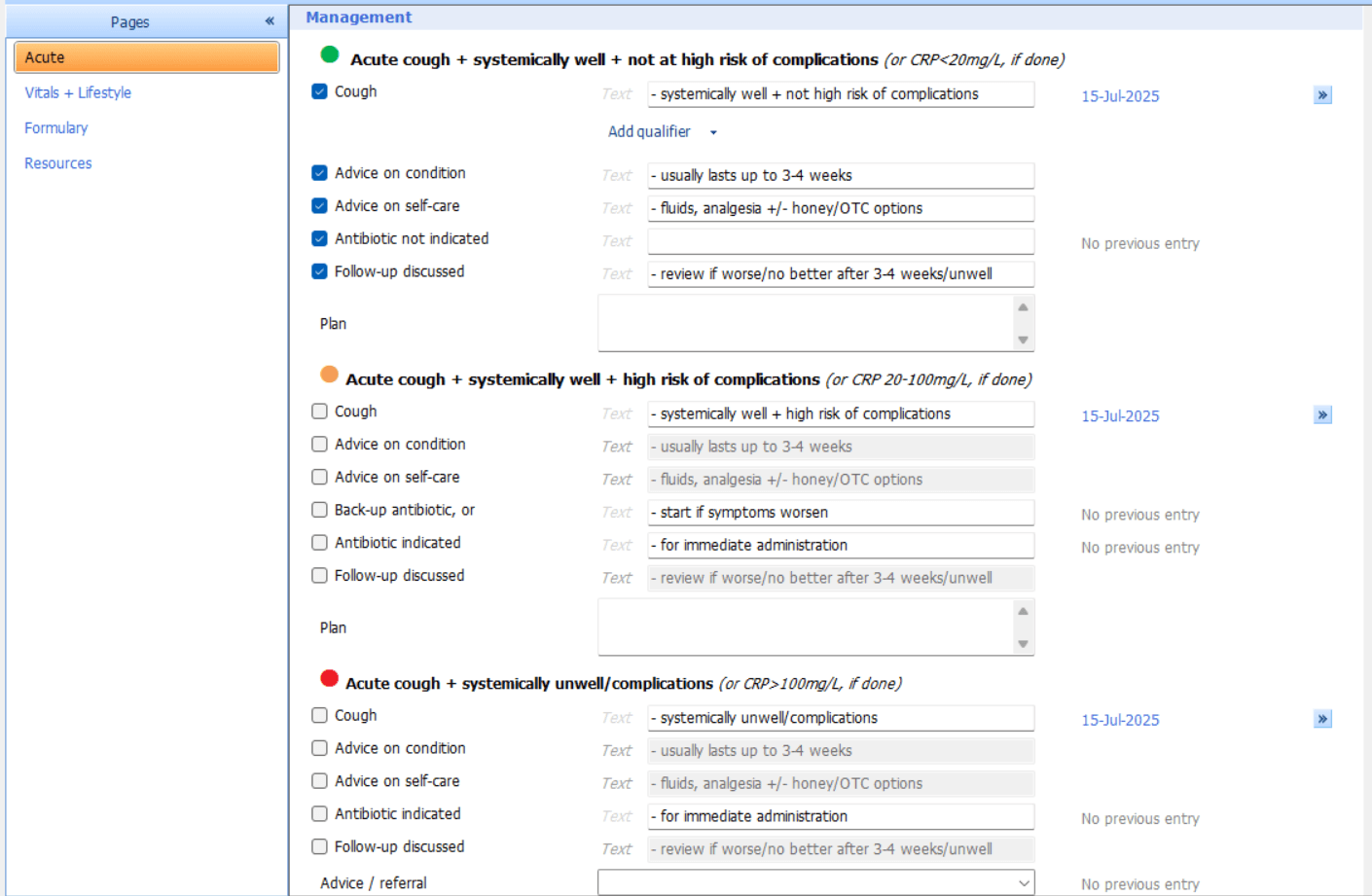
The management section is where the clinician documents their plan for treating and supporting the patient based on the assessment.
Impression: based on the traffic light system, which categorises patient risk - green indicates low risk, amber indicates moderate risk, and red indicates high risk.
Management: based on the patient risk/severity, the appropriate management options are displayed and the clinician can record advice, treatment and follow-up.
Follow-up
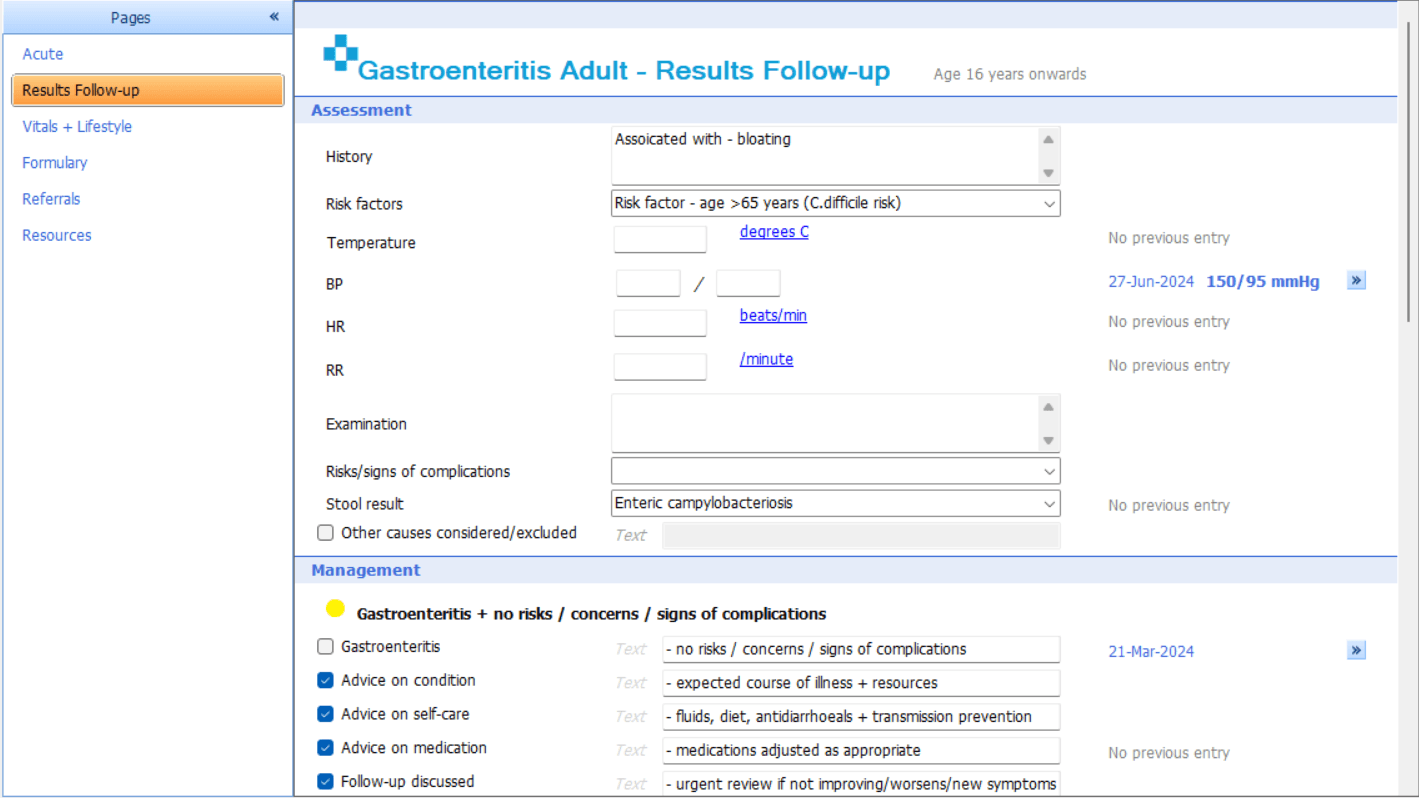
For follow-up, clinicians can use the Result pages to review findings, reassess the patient, and update management based on new symptoms, risks, or progress.
Some infection templates, such as Gastroenteritis, include a Results Follow-up page. This allows clinicians to reassess how well the patient is, update the outcome of the result (e.g. stool test) and adjust management plans as needed.
Formulary
Clinicians can use the formulary to access antimicrobial guidance in line with the latest NICE recommendations. This supports safe, consistent, and effective prescribing across a range of infections.
The Formulary section provides detailed information on first, alternative first, and second-line antimicrobial choices, dosing, duration, and contraindications. It supports clinical decision-making, promotes antimicrobial stewardship, and ensures national prescribing policies are followed.
Referral
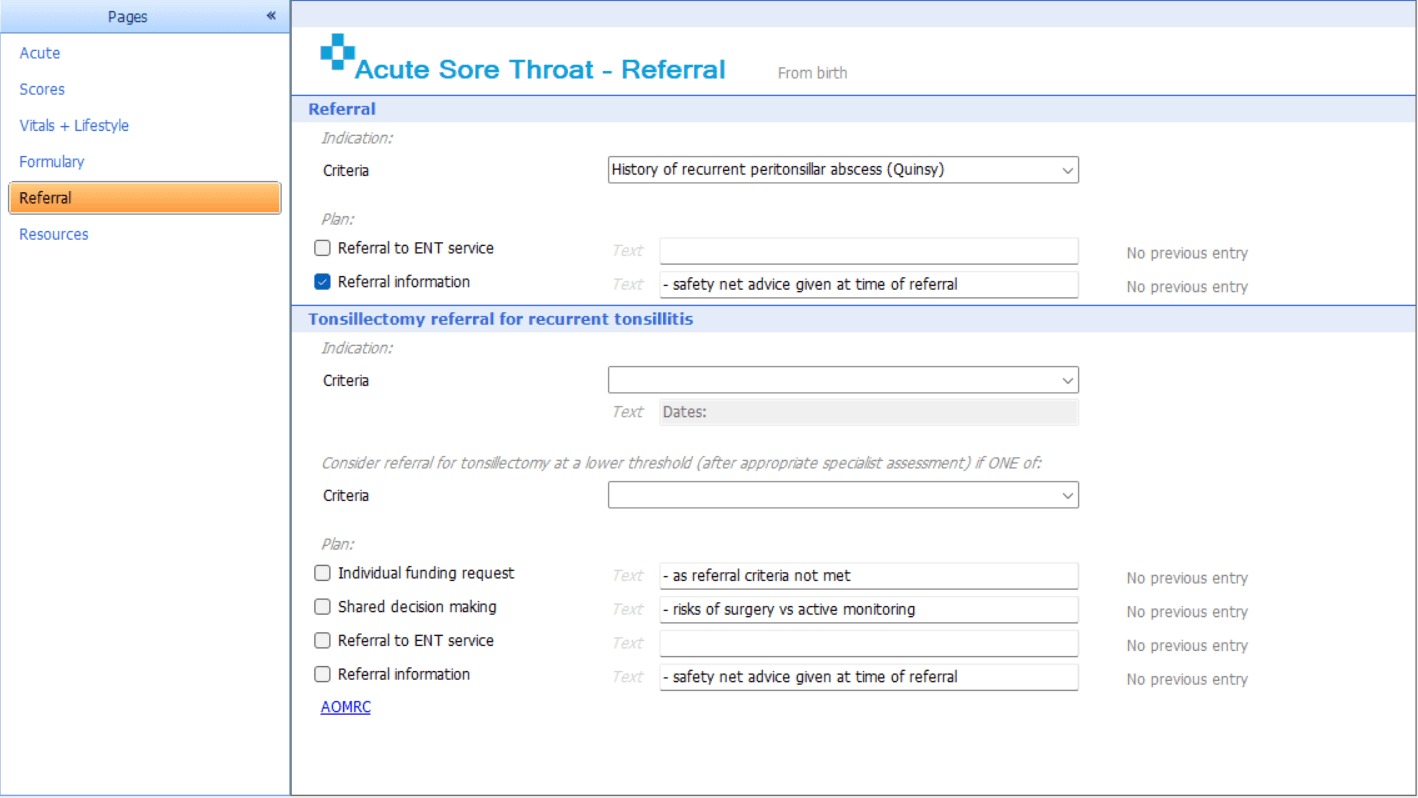
If a decision is made to refer the patient, clinicians can use the Referrals section to record the referral criteria in line with the latest NICE guidance. This supports timely and appropriate escalation of care for patients.
The Referral page allows clinicians to input criteria along with a clear referral pathway following national guidance.
⚠️ Please note: Practices should follow their local processes for generating referral documents and sending referrals once the template has been saved.
Resources
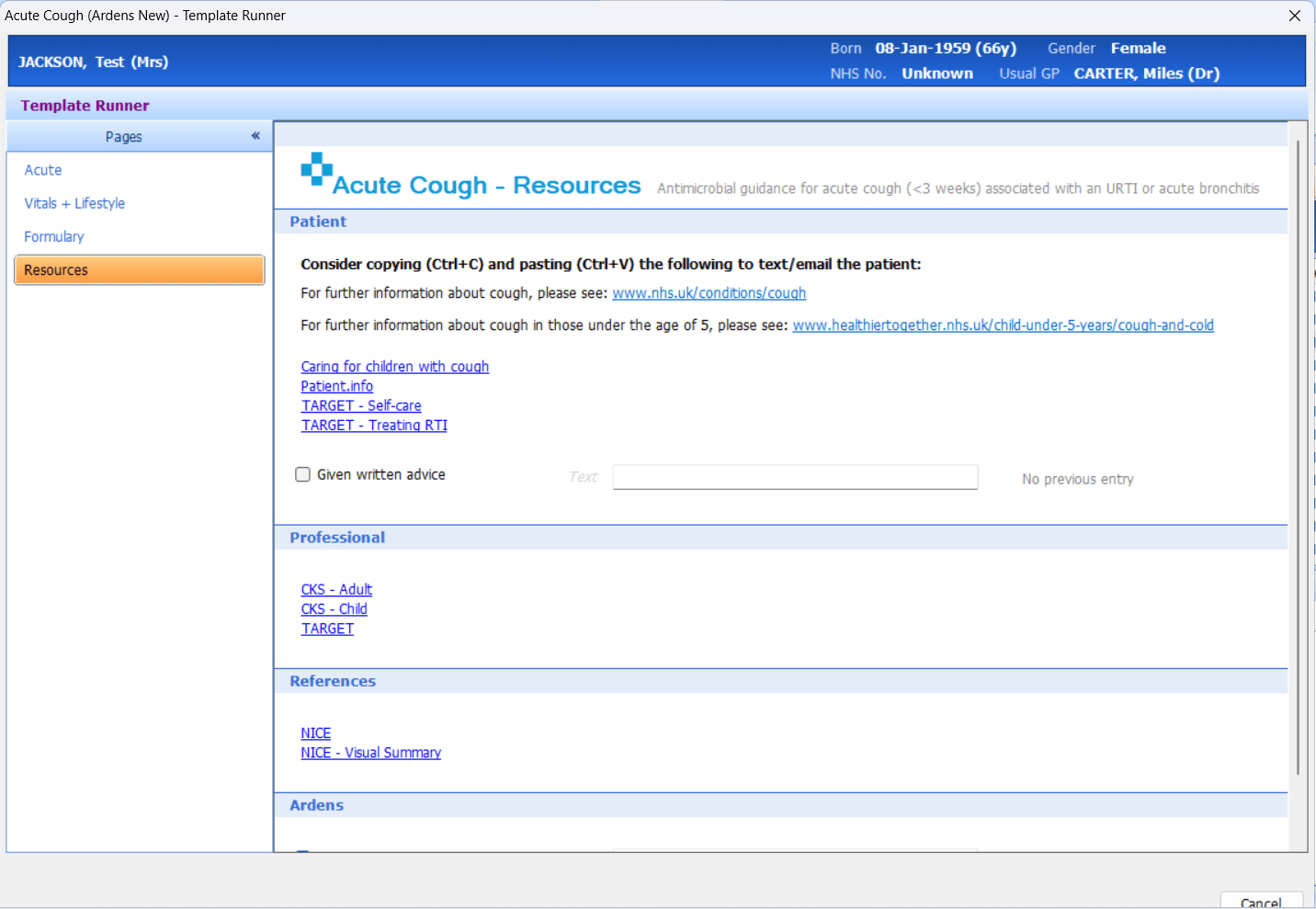
The templates include a Resource page which allows clinicians to access useful links to guidance, plus patient message templates.
Formulary
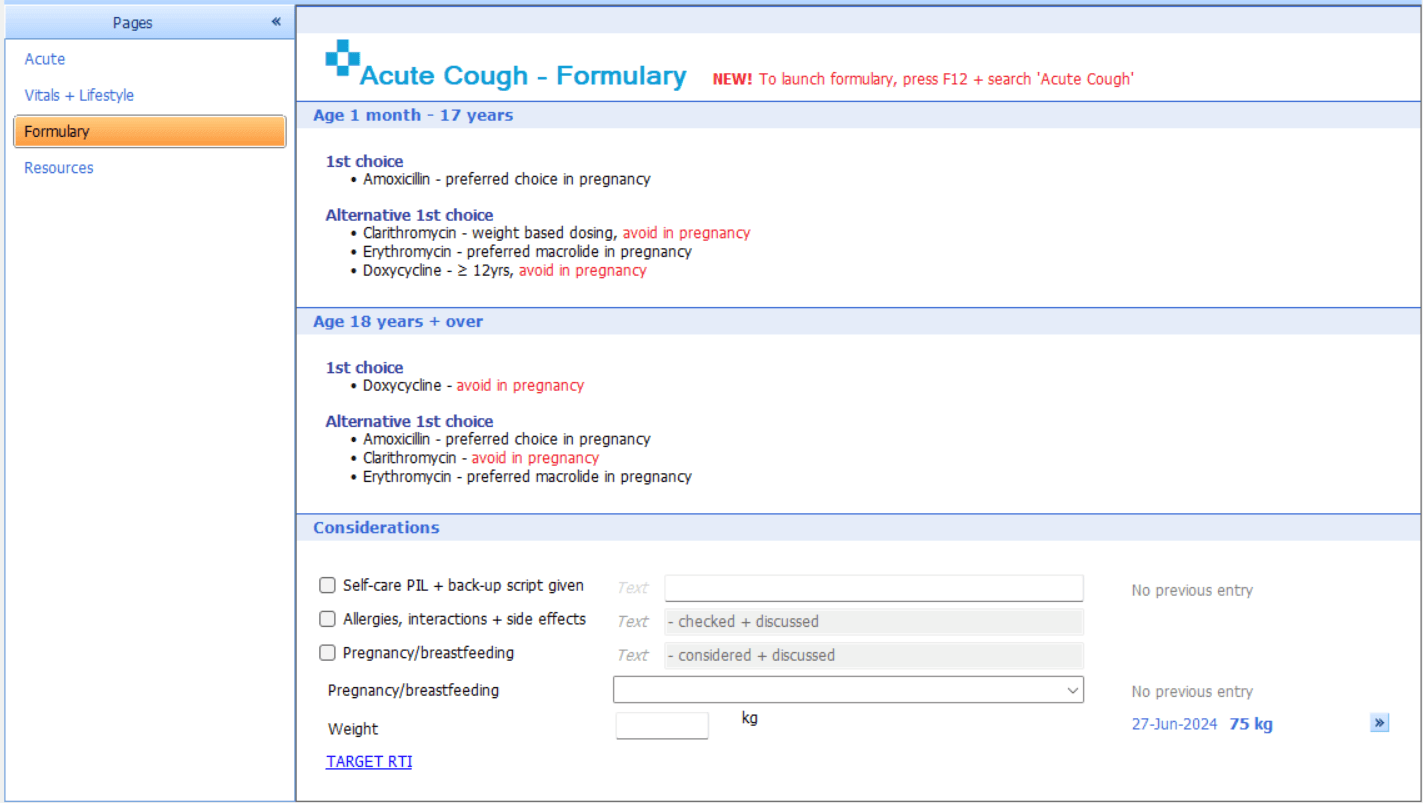
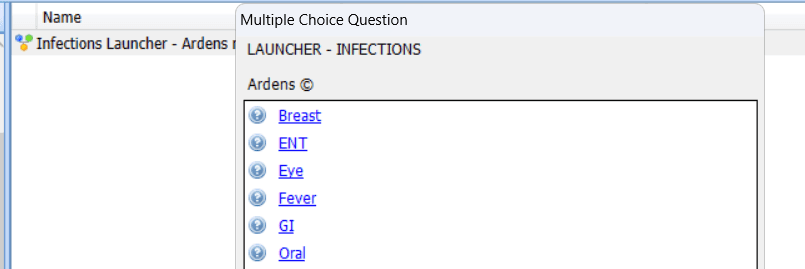
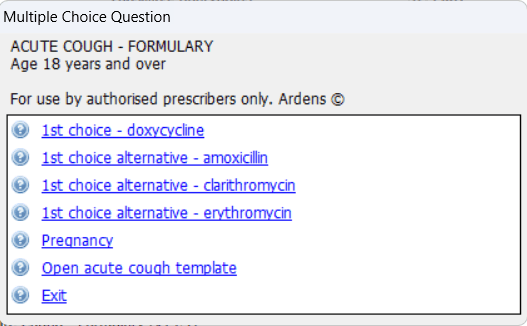
To issue medication, once you have saved the template, press F12 on your keyboard to open the Protocol Launcher screen. Click Select and Launch and select the 'Infections Launcher - Ardens New'.
This protocol will guide you through the necessary prompts to safely and accurately issue the required medication.
Referral
Resources
❓FAQs
Are there mandatory fields within the infection templates?
No. The templates are designed to be flexible, although some sections may depend on previous entries.
Can the formularies be used during consultations?
Yes. The formulary pages are designed to support real-time prescribing decisions during consultations.
Do the templates support antimicrobial stewardship?
Yes. The formularies align with NICE guidance and support safe, consistent antimicrobial prescribing.
🏫 Additional Learning
To further your understanding of the Ardens resources:
Book training for your GP Practice, PCN or ICB
Contact our Support Team for support in real time