
We’re updating our Knowledge Base
We’re currently transitioning Ardens Clinical support articles to this new Knowledge Base. Content will be added progressively, so you may find limited articles available at this stage.
In the meantime, you can access our full support resources on our existing sites:
We’ll continue to expand this site, so please check back regularly.
ℹ️ Introduction
This article explains how to use the Ardens HIV resources to support routine HIV testing, from identifying patients who may benefit from screening through to documenting diagnosis, management, and ongoing review. By the end of this article, you will understand how to access and use the available searches, alerts, templates, and dashboards to support proactive HIV care within primary care.
Background
The government’s HIV Action Plan sets out to end new HIV transmissions in England by 2030. The Ardens HIV resources support this by identifying patients for whom BHIVA and NICE recommend an HIV test. The promotion of routine HIV testing reduces stigma, prevents late diagnoses, allowing prompt treatment and therefore a reduction in transmission rates.
How Ardens Can Help
The Ardens resources support practices in delivering routine structured HIV testing, assessments, management advice, shared decision-making, planned follow-up and review, and clear, accurate documentation within the patient record. The resources include:
Reports: to identify patients for whom HIV testing is recommended.
Alerts: To highlight patients with an HIV indicator condition.
Clinical templates: Structured templates to support accurate coding.
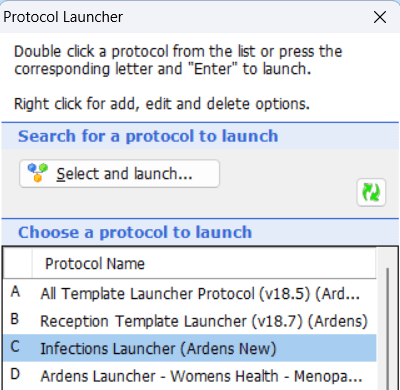
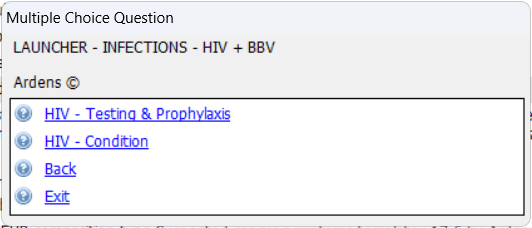

🔎 Screening
Ardens supports proactive case-finding through clinically indicated searches and real-time alerts, helping practices identify patients who may benefit from routine HIV screening.
Methods
Searches
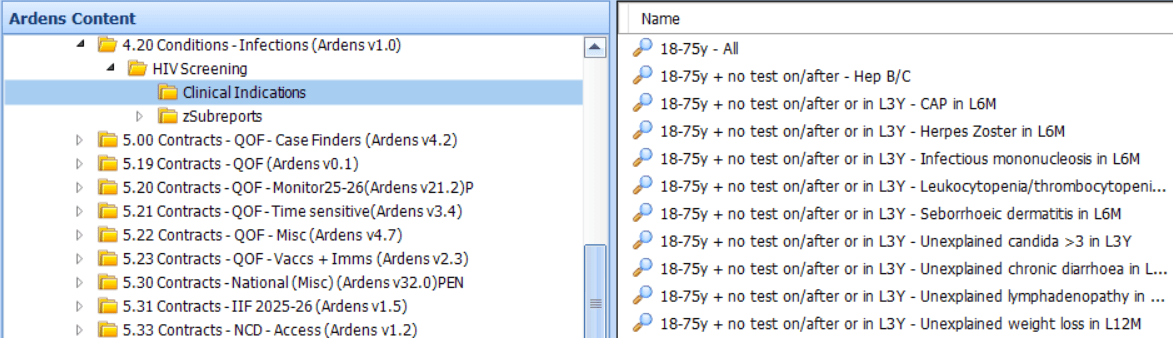
The Ardens HIV searches identify patients with clinically indicated conditions who may be appropriate to invite for HIV screening.
To ensure results are clinically meaningful and manageable, the searches apply the following general exclusions:
Age under 18 or over 75 years
End-of-life status
HIV screening offered or completed within the past 3 years
Existing HIV/AIDS diagnosis
In addition, condition‑specific exclusions are applied to ensure the reports produce manageable and clinically meaningful results.
Alerts
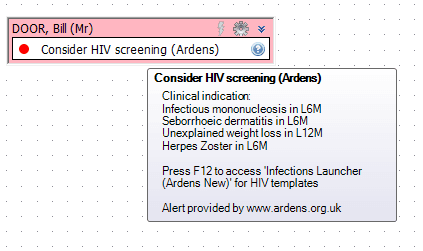
To support opportunistic identification during consultations, Ardens also provides a “Consider HIV Screening” alert. This appears as a high‑priority alert when a patient meets the eligibility criteria based on clinically indicated conditions recorded in their medical history.
Prompts
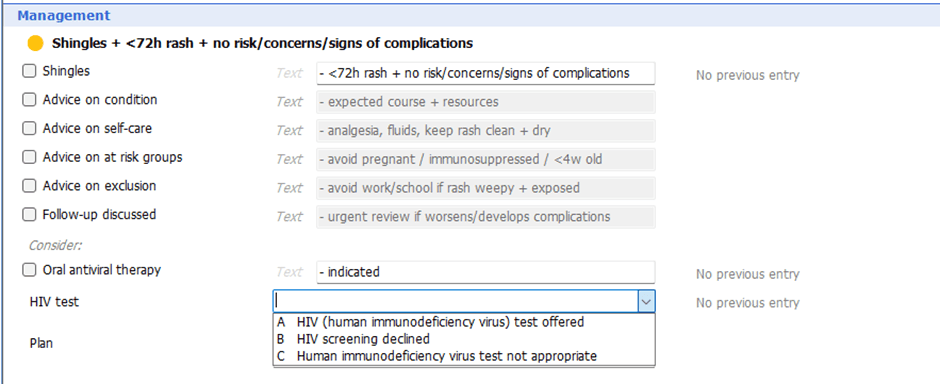
Other templates that include HIV testing prompts include shingles, psoriasis, oral candidiasis, Blood Borne Virus Risk Assessment.
Testing
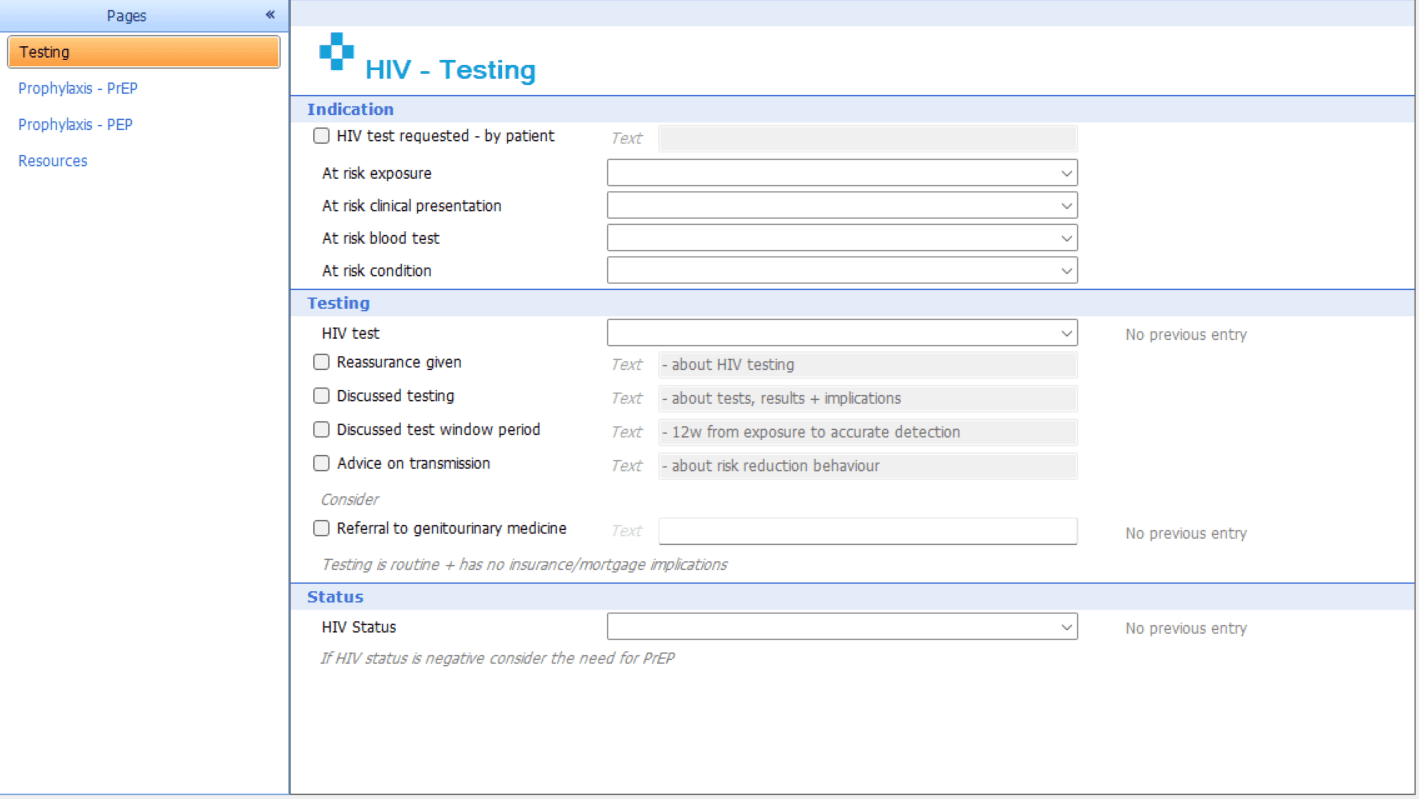
Using the HIV Testing + Prophylaxis (Ardens) template supports accurate clinical coding by clearly listing recognised indications for HIV testing, including:
At-risk exposures
HIV indicator conditions
Clinicians can record whether testing has been offered, declined, or not appropriate. These codes automatically remove patients from future clinically indicated searches for 3 years, preventing repeated recalls.
The template also provides:
Structured discussion prompts for testing conversations
General advice and safety netting
Direct access to NICE and BHIVA guidance via the resources page
Guidance on pre-exposure prophylaxis (PrEP) and post-exposure prophylaxis (PEP)
Searches
Alert
The alert is published as inactive by default.
To activate the alert:
Click the EMIS ball > Configuration > Resource Publisher.
Go to Shared folders > Ardens National Content - New > Infections.
Locate the Consider HIV Screening protocol.
Right click on the alert.
Select Status > Activate.
Once activated, the alerts displays in the pink QOF box in the patient record if the patient is eligible. Hovering over the alert will display why the patient is eligible.
Prompts
Testing
⚕️ Diagnosis
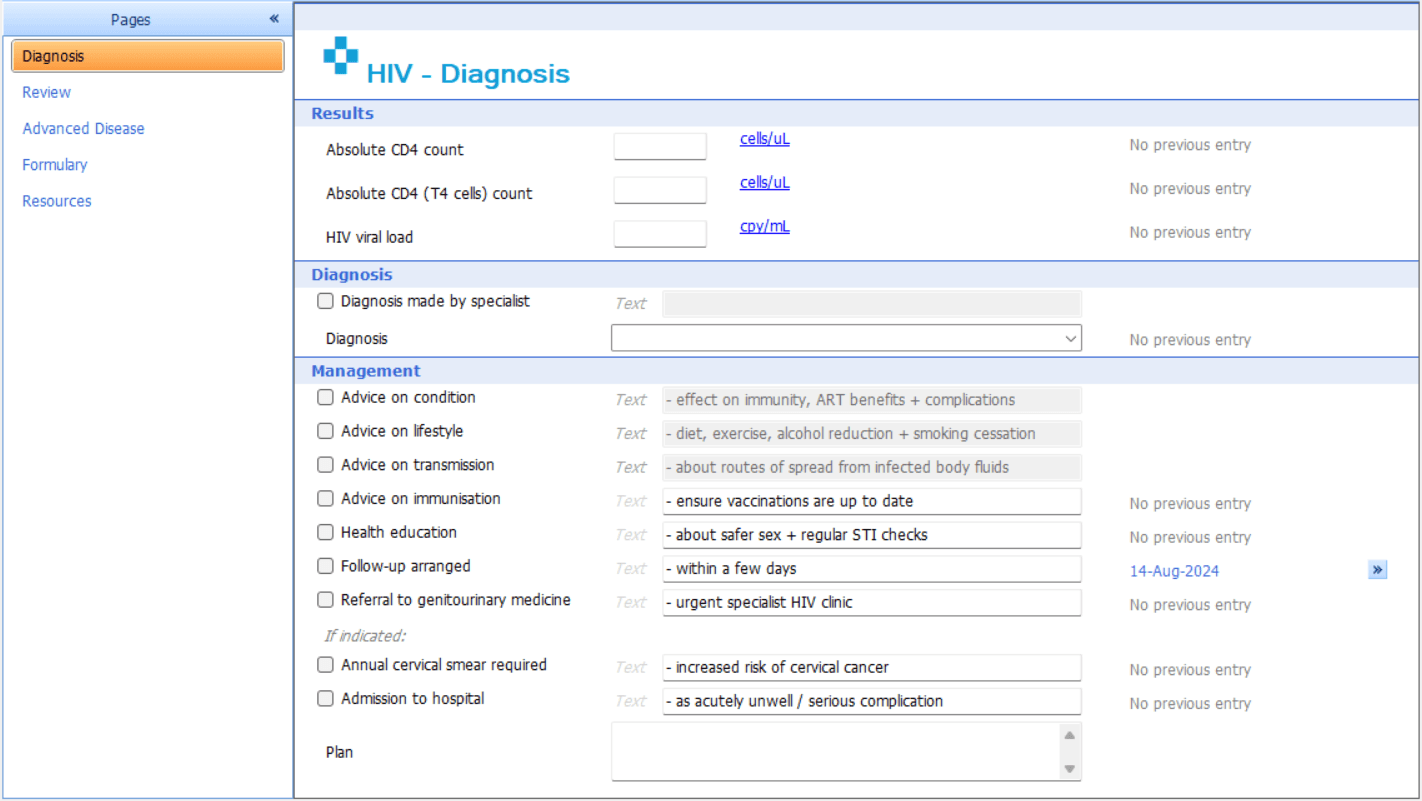
Using the HIV (Ardens) template ensures accurate coding when an HIV diagnosis is recorded. The template displays previous CD4 counts, HIV viral load results and provides a curated list of appropriate diagnostic codes to support correct documentation.
A dedicated management section provides guidance on ways to stay healthy with HIV, advice on immunisations, cervical screening and starting a statin for patients aged over 40.
🩺 Management
Review
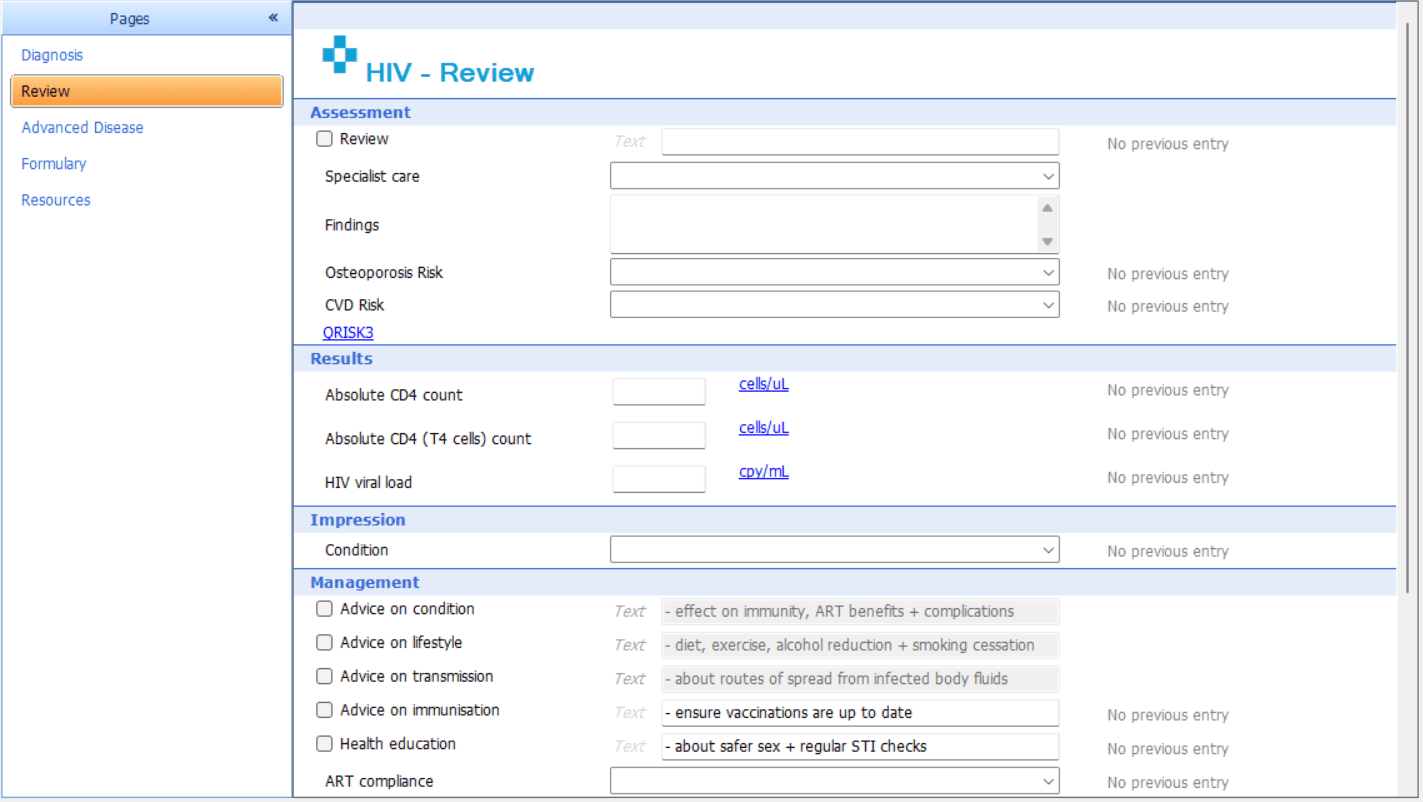
Following an initial assessment, a structured review can be completed to ensure holistic, ongoing care. The Review page supports osteoporosis and cardiovascular risk assessments, discussion around antiretroviral therapy (ART) adherence, and a comprehensive drug interaction review. This ensures patients receive coordinated care that considers both HIV management and wider long-term health risks.
The Review page includes preset options, impression and management guidance.
Impression: To code the appropriate condition or diagnosis.
Management: Appropriate management and advice options are included. The clinician can then record advice, treatment, and follow-up actions.
For patients diagnosed with advanced disease, the Advanced Disease page provides additional structured support, including guidance around advance care planning and AIDS-defining conditions.
Formulary
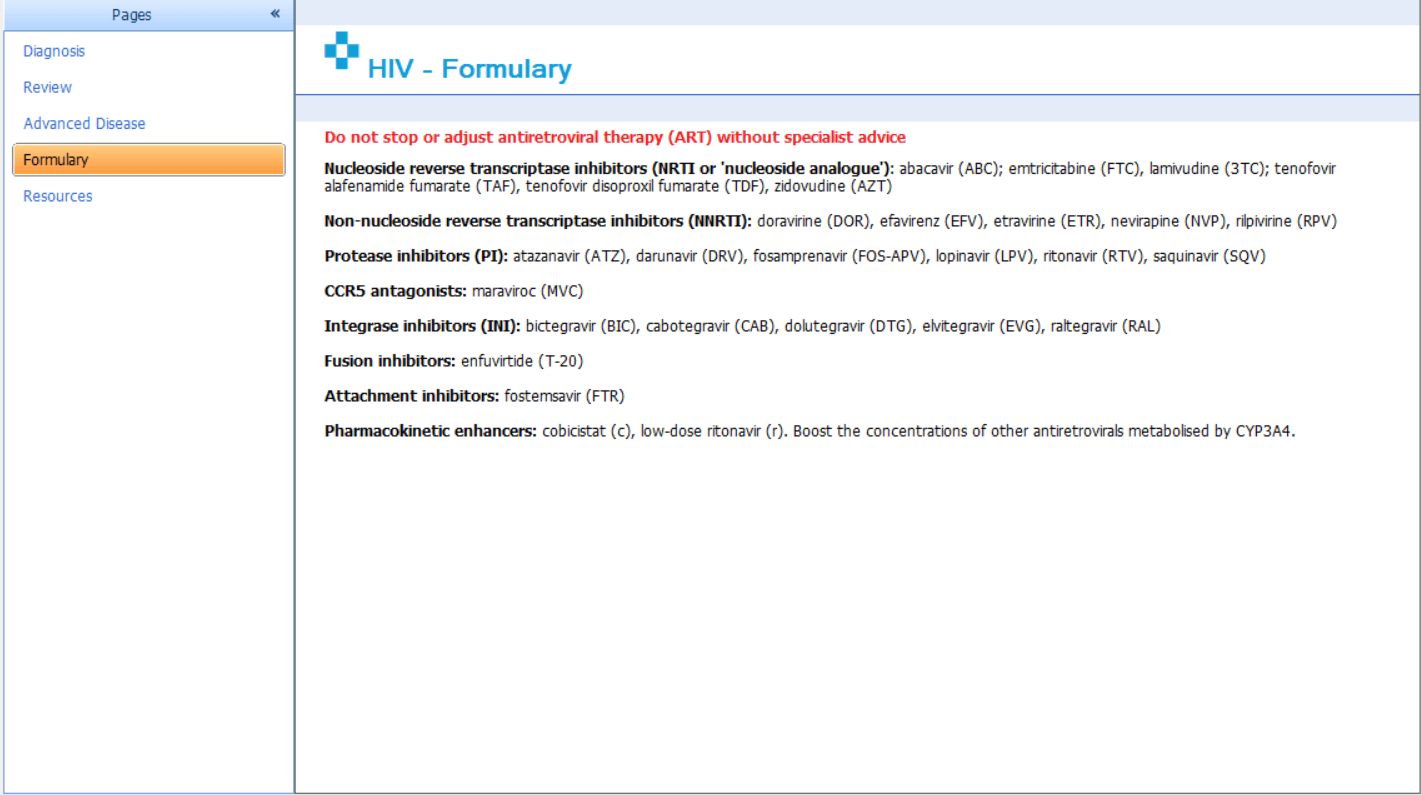
The Formulary page serves as a reference for prescribing guidance.
As HIV prescribing typically occurs in specialist settings, the formulary supports clinicians by providing contextual prescribing information and safety considerations aligned with national guidance.
❓FAQs
Can the HIV templates be added to F12?
Yes. Both EMIS Web and SystmOne users can add the HIV templates to their F12 menu for quicker access.
Are the HIV alerts active by default?
For EMIS practices, the HIV screening alert is published as inactive by default and must be manually activated through Resource Publisher.
🏫 Additional Support
To further your understanding of the Ardens resources:
Book training for your GP Practice, PCN or ICB
Contact our Support Team for support in real time